
FLYDIGI Direwolf 4 PC Controller Forceflex Joystick Forceswitch Triggers
4.5Editor score
6-Axis Gyro Support
3 Connection Modes Available
Adjustable Joystick Tension
This guide compares the top 10 controllers with gyro for PC gaming, evaluating polling rates, drift prevention, and motion controls for optimal performance.
Finding the right controller with gyro for PC gaming can significantly enhance your aiming precision and overall gameplay experience. Modern gamepads offer motion sensing that allows for fine-tuned adjustments during competitive shooters and immersive racing titles alike.
We evaluated ten top-rated models based on their sensor accuracy, build quality, and feature sets. Each product was assessed for connectivity options, polling rates, and ergonomic design to ensure they meet the demands of serious PC gamers seeking reliability.
Every pick highlights specific strengths like Hall Effect sticks or high polling rates. Please note that availability and pricing may change over time, so checking current stock is recommended before finalizing your purchase decision today.
4.5Editor score
4.3Editor score

4.1Editor score
The following table provides a side-by-side comparison of key specifications for each controller. Review these details carefully to understand which model best fits your specific gaming needs and platform requirements.


The FLYDIGI Direwolf 4 stands out as a budget-friendly option for PC gamers seeking gyro functionality. It delivers a solid performance with adjustable joystick tension and a responsive 1000Hz polling rate.
We may earn a commission when you buy through this link, at no additional cost to you.
Key strengths include its Forceflex Joysticks which allow tension adjustment from 40gf to 80gf. This customization helps reduce fatigue and improves precision. The silent buttons and rotary D-pad add to the refined user experience.
Trade-offs include the lack of Xbox compatibility and the need for a separate dock purchase. However, given the price point, these are minor concessions for a controller offering such robust customization features.
Gamers looking for an affordable entry into gyro-enabled PC gaming should consider this model. It balances cost and features effectively for casual to intermediate players.
The Forceflex design allows you to tailor the joystick resistance to your preference, enhancing comfort during long sessions.
With three connection modes including Bluetooth and 2.4G dongle, you can connect to various devices seamlessly.
We may earn a commission when you buy through this link, at no additional cost to you.
The EasySMX X20 offers a compelling mix of features for multi-platform gaming. Its Hall Effect Joysticks provide drift-free accuracy, while the RGB lighting adds a visual flair to your setup.
We may earn a commission when you buy through this link, at no additional cost to you.
Strengths lie in its magnetic sensors that prevent wear and drift. The 1000mAh battery ensures extended play sessions without frequent recharging. The trigger lock feature offers versatility across genres.
Trade-offs involve a slightly lower rating compared to premium competitors and limited platform support. However, for users seeking value and drift prevention, it remains a strong contender.
Ideal for gamers on a budget who still want Hall Effect tech and RGB features. It suits those who prioritize battery life and visual customization.
Magnetic sensors eliminate contact wear, ensuring long-term accuracy and eliminating stick drift issues common in other models.
With 8 to 10 hours of play per charge, this controller supports marathon gaming sessions without interruption.
We may earn a commission when you buy through this link, at no additional cost to you.
The GameSir G7 Pro 8K is a powerhouse for competitive PC gaming. Its 8000Hz polling rate ensures near-instant input registration, giving you an edge in fast-paced shooters.
We may earn a commission when you buy through this link, at no additional cost to you.
Key strengths include the Gen-2 TMR sticks which eliminate physical contact to prevent drift. The optical buttons and mechanical D-pad provide crisp feedback for precise control.
Trade-offs include exclusivity to Windows PCs and a higher price point. However, for serious gamers, the performance benefits justify the investment in this high-end controller.
This controller is best suited for esports enthusiasts and competitive players. It delivers the precision and customization needed for professional-level performance.
Hyper-polling technology ensures every input is registered instantly, reducing latency for smoother gameplay in competitive titles.
Macro buttons and dual-mode triggers allow for deep customization, adapting the controller to any game genre or playstyle.
We may earn a commission when you buy through this link, at no additional cost to you.
The GameSir Tarantula 8K is a top-tier wired option for PC gamers. It matches the performance of wireless counterparts with a stable 8000Hz polling rate and reliable TMR sticks.
We may earn a commission when you buy through this link, at no additional cost to you.
Its high rating reflects its excellent build quality and precision. The dual-mode trigger stops offer flexibility for both racing and FPS games, enhancing versatility.
Trade-offs are limited to the lack of wireless connectivity and platform restrictions. However, for competitive gamers prioritizing latency, the wired connection is often preferred.
Best for players who want the fastest response times. It is an excellent choice for competitive setups where stability is paramount.
Wired connections eliminate interference risks, ensuring consistent performance during intense competitive matches.
Dual-mode triggers and TMR sticks provide a high degree of control precision, ideal for professional gameplay.
We may earn a commission when you buy through this link, at no additional cost to you.
The GameSir Cyclone 2 balances wireless freedom with high performance. It offers a 1000Hz polling rate and robust TMR sticks for reliable gameplay.
We may earn a commission when you buy through this link, at no additional cost to you.
Key strengths include the included charging dock and instant profile switching. These features enhance convenience for users who switch between different game genres.
Trade-offs involve lower polling rates compared to pro models and lack of Xbox support. However, the wireless features and dock make it a great value.
Ideal for gamers who value wireless play and convenience. It suits those who want a well-rounded experience without high costs.
Connect via 2.4G wireless or Bluetooth for a cable-free experience without compromising too much on latency.
A premium aluminum charging dock is included, offering convenience and organized storage for your setup.
We may earn a commission when you buy through this link, at no additional cost to you.
The GameSir Super Nova focuses on comfort and usability. Its ergonomic design with rubberized grips ensures comfort during long gaming sessions.
We may earn a commission when you buy through this link, at no additional cost to you.
Strengths include Hall Effect sticks and silent buttons, which provide precision and discretion. The detachable faceplate adds a layer of personalization to the device.
Trade-offs involve standard polling rates and limited platform compatibility. However, for comfort-focused users, the build quality is impressive.
Best for gamers who prioritize ergonomics and comfort. It suits those who play for extended periods and value physical design.
Rubberized grips ensure your hands stay secure and comfortable even during marathon gaming sessions.
Hall Effect sticks provide accurate tracking with minimal drift, ensuring consistent performance over time.
We may earn a commission when you buy through this link, at no additional cost to you.
This version of the G7 Pro 8K updates the wireless offering with Gen-2 TMR sticks. It combines high polling rates with the convenience of wireless connectivity.
We may earn a commission when you buy through this link, at no additional cost to you.
Strengths include the charging dock and 3.5mm audio jack, which are rare in PC controllers. This allows for direct audio output during games.
Trade-offs involve the higher price and PC exclusivity. However, the inclusion of premium accessories adds significant value.
Ideal for wireless gamers who want top-tier performance. It suits those who want a complete package with included accessories.
Experience wireless freedom without sacrificing the 8000Hz polling rate needed for competitive play.
The 3.5mm audio jack lets you connect headsets directly to the controller for private audio monitoring.
We may earn a commission when you buy through this link, at no additional cost to you.
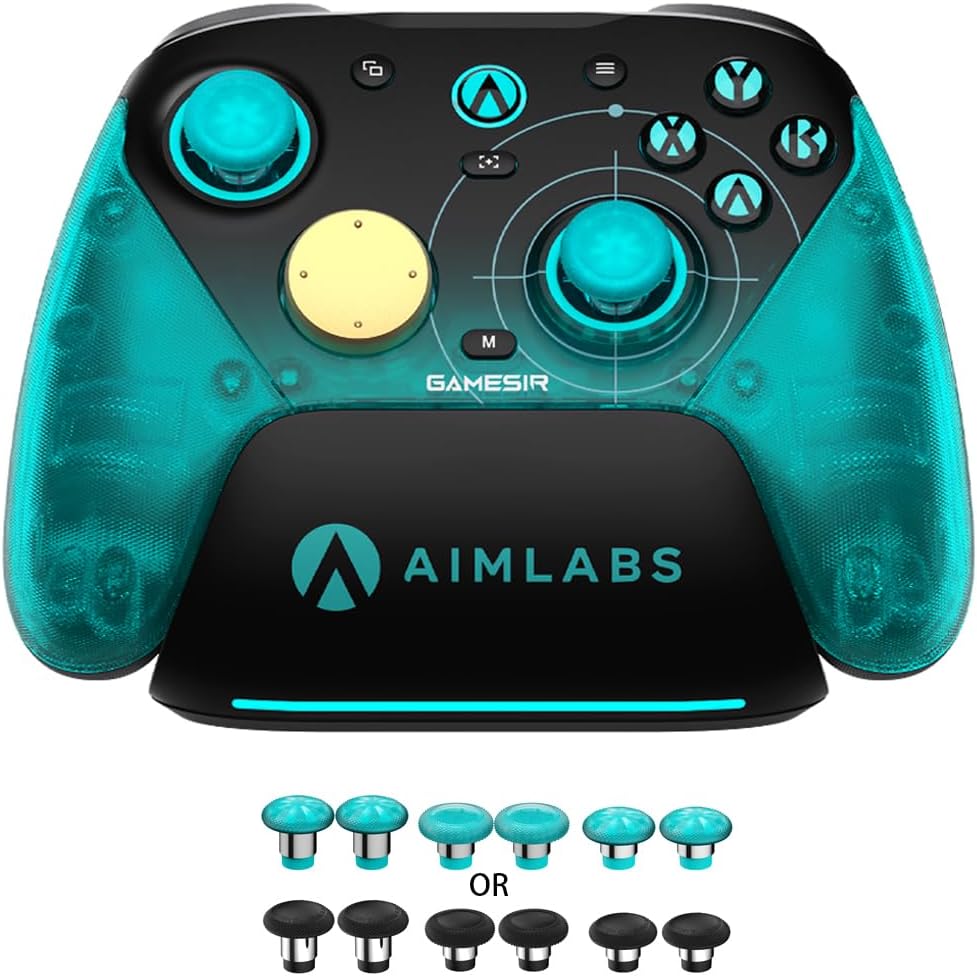
The Razer Wolverine V3 Pro is a premium wireless controller built for performance. It features 8K polling and swappable TMR thumbsticks for ultimate customization.
We may earn a commission when you buy through this link, at no additional cost to you.
Strengths include the 4 mouse-click back buttons and a carrying case. These features appeal to competitive gamers who need quick access to commands.
Trade-offs involve the high price tag and limited platform support. However, for those seeking Razer quality, this controller delivers.
Best for competitive players seeking premium materials. It suits those who want a portable, high-performance controller.
8K polling ensures your inputs are registered instantly, giving you a split-second advantage in fast-paced games.
A custom carrying case ensures your controller and accessories are protected during travel.
We may earn a commission when you buy through this link, at no additional cost to you.
The 8Bitdo Ultimate 2 is a compact controller that offers high quality. It features TMR joysticks and Hall Effect triggers for precise control.
We may earn a commission when you buy through this link, at no additional cost to you.
Strengths include the charging dock and exclusive wireless tech that ensures stability. The trigger mode switch adds versatility for different game types.
Trade-offs involve standard polling rates and platform limitations. However, the reliability and portability make it a strong choice.
Ideal for portable gamers and those who value stability. It suits those who want a reliable controller for travel.
The 8Speed wireless technology provides a stable connection with minimal interference for smooth gameplay.
Switch between linear and tactile triggers to optimize your controller for racing or shooting games instantly.
We may earn a commission when you buy through this link, at no additional cost to you.
The ManbaOne Interactive Screen introduces a unique visual interface for settings. It allows users to configure the controller directly on the screen without extra software.
We may earn a commission when you buy through this link, at no additional cost to you.
Strengths include the 2-inch display and large battery. This ensures extended play and convenient customization for users on the go.
Trade-offs involve platform limitations and the learning curve of the screen. However, the visual setup is a standout feature.
Ideal for tech-savvy gamers seeking customization. It suits those who value visual feedback and unique features.
Configure your controller settings visually without needing a computer or mobile app to connect.
A 1800mAh battery provides long-lasting power for continuous gaming sessions without frequent recharges.
We may earn a commission when you buy through this link, at no additional cost to you.
Choosing the right controller with gyro for PC gaming involves evaluating several technical factors. Understanding these elements ensures you get a device that matches your gaming style and platform requirements.
A high-quality gyro sensor is crucial for motion aiming. Look for controllers with 6-axis gyroscopes that offer customizable sensitivity settings for precise aim adjustment.
Polling rate determines how often the controller reports input. For competitive gaming, choose models with at least 1000Hz, or ideally 8000Hz for ultra-low latency.
Stick drift is a common issue. Prioritize controllers using TMR or Hall Effect joysticks as these technologies eliminate physical contact and reduce wear over time.
Decide between wired, Bluetooth, or 2.4G wireless. Wired offers lowest latency, while wireless provides flexibility. Ensure the controller supports your PC's ports.
Comfort is vital for long sessions. Check for rubberized grips and lightweight designs. Quality materials ensure durability and prevent hand fatigue during extended play.
Look for remappable buttons, trigger stops, and macro support. Advanced customization allows you to tailor controls to your specific gaming needs effectively.
Confirm the controller supports Windows PC. Some models exclude Xbox or other consoles. Ensure the device matches your specific hardware requirements before buying.
Wireless controllers should have a battery lasting at least 8 hours. A charging dock or cable included adds convenience. Check recharge time for downtime management.
Connect the controller via wired or wireless modes and install any necessary software. Calibrate the gyro sensor through the device settings to ensure accurate motion tracking.
Clean the joystick caps and buttons regularly to prevent dust accumulation. Use a soft, dry cloth to wipe down the surface after each session for longevity.
Store the controller in a dry place away from direct sunlight. If wireless, fully charge the battery before long storage periods to maintain optimal battery health.
A controller with gyro allows you to use motion to aim your character or vehicle. This can provide higher precision and a more immersive experience compared to using thumbsticks alone.
No, not all controllers support gyro. You must check the product specifications to confirm it includes a 6-axis gyroscope if you need motion control features.
Connect the controller and open the gaming software or driver app. Enable gyro options and map them to mouse or stick inputs within the configuration menu.
Wired controllers offer lower latency which is beneficial for competitive play. Wireless offers convenience, but ensure it has a high polling rate to minimize lag.
Some models support multiple platforms like Switch or Android. Check compatibility details as many PC-specific models do not work on Xbox or PlayStation consoles.
Lower the brightness of any LED lights and use sleep mode when not in use. Regular full charges also help maintain battery efficiency over time.
We reviewed ten excellent controllers that excel in gyro performance and build quality. The GameSir G7 Pro 8K offers the best balance of features, while the FLYDIGI Direwolf 4 is a great budget pick.
Prioritize polling rate and stick technology when making your decision. High performance specs ensure your inputs are registered accurately and consistently during gameplay.
Prices and stock can change rapidly so verify availability before buying. Investing in the right controller can significantly improve your PC gaming experience today.