
CLEEFUN Long USB C Cable 20ft
4.6Editor score
20ft extra long length
Supports QC3.0 fast charge
Heavy duty nylon braid
Discover the top long USB cable options for 2026. We compare durability, speed, and compatibility to help you choose the right extension for your devices.
Finding the right long USB cable can transform how you use your tech devices daily. Whether you need to charge from across the room or connect peripherals at a distance, quality matters greatly for performance and safety.
We analyzed ten top-rated cables based on build quality, transfer speeds, and real-world usability. Our list covers various types including USB 3.0, USB-C, and legacy connectors to ensure broad compatibility with your setup.
Each pick highlights key features and potential trade-offs to help you decide quickly. Prices and availability change frequently, so verify details on the product pages before making your final purchase decision today.
4.6Editor score

4.7Editor score

4.7Editor score
This table compares all ten top-rated long USB cable options side by side. Review the key specifications and features to find the perfect match for your connectivity needs and device types.


This 20-foot USB 3.0 cable offers exceptional speed and durability for data transfer tasks. With a 4.7 rating, it stands out for its robust build quality and high performance in real-world settings.
We may earn a commission when you buy through this link, at no additional cost to you.
The nylon braided jacket and aluminum alloy case provide superior protection against wear and tear. Its 5 Gbps transfer rate is ten times faster than USB 2.0, making it ideal for large file backups.
While the cable is designed for data rather than charging, its versatility is impressive. It connects various devices like hard drives and cameras seamlessly, though users should note the charging limitation.
For users needing reliable long-distance data connections, this cable delivers consistent results. Its durability and speed make it a top recommendation for home and office setups requiring extended reach.
The USB 3.0 standard ensures quick syncing of large media files and backups without lag.
Reinforced joints and braided materials prevent tangling and extend the cable lifespan significantly.
We may earn a commission when you buy through this link, at no additional cost to you.
The CLEEFUN cable provides an affordable solution for users needing long reach with charging capabilities. With a 4.6 rating, it balances cost and functionality effectively for daily smartphone and tablet needs.
We may earn a commission when you buy through this link, at no additional cost to you.
Its 20-foot length allows freedom of movement while charging devices in living rooms or offices. The heavy-duty nylon braiding ensures it withstands daily wear without tangling or breaking easily.
While it lacks the ultra-high speeds of USB 3.0, it supports QC3.0 fast charging which is sufficient for most mobile devices. The 480Mbps data rate handles standard syncing tasks without issues.
This cable is perfect for budget-conscious buyers who prioritize length and charging speed over file transfer rates. It is a practical choice for keeping phones powered anywhere in the home.
Affordable pricing makes it easy to buy multiple cables for different rooms or devices.
The long length supports comfortable usage scenarios like lying on the couch while charging.
We may earn a commission when you buy through this link, at no additional cost to you.
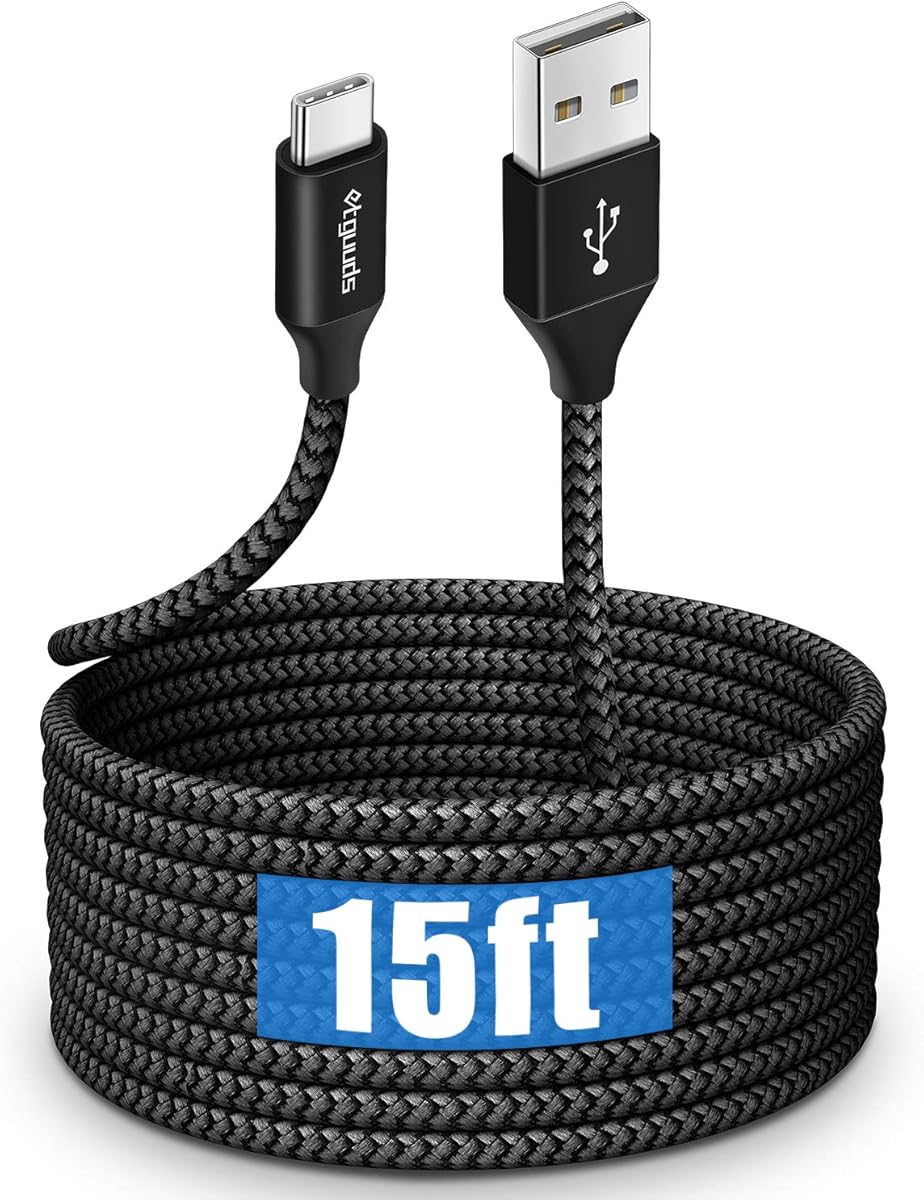
This etguuds cable offers a strong balance of length and charging speed for USB-C devices. Rated 4.6, it is built to handle frequent plugging while maintaining a stable connection over time.
We may earn a commission when you buy through this link, at no additional cost to you.
The 15-foot length is sufficient for most home setups, allowing comfortable use from a bed or sofa. It supports 3A charging which is faster than standard cables for compatible devices.
Data syncing is reliable at 480Mbps, ensuring your files transfer without interruption. The nylon braiding adds a layer of protection against fraying and tangling during storage.
Ideal for users who need a bit more reach than standard cables provide. It works well with many Samsung and other Android devices needing consistent fast charging.
Supports 3A current for quicker battery replenishment compared to standard 1A cables.
The braided nylon material ensures flexibility while protecting the internal wires.
We may earn a commission when you buy through this link, at no additional cost to you.
This active USB cable stands out for its incredible 40-foot reach, making it ideal for large offices. Rated 4.7, it solves the distance problem for printers and scanners that must be placed far from the computer.
We may earn a commission when you buy through this link, at no additional cost to you.
The active amplification ensures data signals remain strong over long distances. Without this feature, long cables often suffer from data loss or connection drops. The braid adds durability for daily office use.
It is specifically designed for USB 2.0 Type B devices like printers. Users must ensure their device supports Type B to avoid compatibility issues. Otherwise, it functions as a seamless extension.
If you need to run a cable across a room or through a hallway, this is the premium choice. It offers reliability and length where passive cables might fail.
Built-in amplifier maintains high-speed data transmission across long distances without degradation.
Allows flexible device placement for ergonomic workspaces without compromising performance.
We may earn a commission when you buy through this link, at no additional cost to you.
This 10-foot cable is a solid choice for those needing moderate reach without bulk. With a 4.6 rating, it is known for its sturdy build and reliable charging performance in home environments.
We may earn a commission when you buy through this link, at no additional cost to you.
The heavy-duty nylon braiding protects the cable from damage while keeping it lightweight. It supports 3A charging which is suitable for most phones and small tablets on the market.
While it focuses on charging rather than high-speed data, it handles standard sync tasks well. The 10-foot length is often sufficient for bedside or desk setups where a short cable is inconvenient.
Great for users who want a durable cable without paying for extra length they might not need. It is a straightforward, effective accessory for daily charging routines.
Designed primarily for power delivery ensuring fast and safe charging for daily devices.
Shorter length means easier storage and less clutter in your workspace or bedroom.
We may earn a commission when you buy through this link, at no additional cost to you.
This pack offers two 15-foot cables, providing excellent value for households with multiple devices. With a 4.5 rating, it delivers reliable charging and data transfer without complex setup requirements.
We may earn a commission when you buy through this link, at no additional cost to you.
The cables feature safety mechanisms to protect against overcharging or overheating. This makes them safe for overnight charging and long-term use with modern smartphones and tablets.
Their thickened core ensures flexibility and resistance to breaking at stress points. You get two units which is perfect for keeping one at home and another for travel or office use.
Ideal for users needing a pair of durable cables at a reasonable price. The length is enough for most bedroom or living room setups without excessive cable management needs.
Getting two cables in one package reduces the need to search for replacements later.
Built-in safety features prevent power issues that could harm your expensive electronics.
We may earn a commission when you buy through this link, at no additional cost to you.
This extension cable adds 20 feet of reach to existing USB ports efficiently. With a 4.6 rating, it is a robust solution for connecting peripherals like webcams or hard drives remotely.
We may earn a commission when you buy through this link, at no additional cost to you.
The heavy-duty 22AWG wire ensures stable power delivery over the long distance. This prevents signal dropouts which are common with cheaper extension cables during data-intensive tasks.
Triple-layer shielding minimizes interference from other electronic devices in the environment. It maintains high transfer speeds even at full length, making it reliable for streaming or file transfers.
Perfect for office setups where devices are placed far from the computer. It extends your existing hardware without needing new ports or complex setups.
The 5Gbps speed ensures your high-speed devices operate at full capacity.
Heavy-duty construction supports repeated plugging and unplugging without wear.
We may earn a commission when you buy through this link, at no additional cost to you.
Amazon Basics offers a reliable 16-foot cable for printers and external drives. With a 4.7 rating, it is known for consistent quality and standard performance in home office environments.
We may earn a commission when you buy through this link, at no additional cost to you.
The gold-plated connectors resist corrosion ensuring a clean signal transmission. This is crucial for older devices like printers where connection quality affects print results directly.
While it is USB 2.0, it is sufficient for most printing and backup tasks. The frustration-free packaging makes unpacking and setup easy for anyone.
A safe bet for those who prefer well-known brands. It provides the necessary length and durability without unnecessary features or high costs.
Amazon Basics products are known for meeting expectations without surprises or defects.
Gold plating extends the life of the connector against daily oxidation.
We may earn a commission when you buy through this link, at no additional cost to you.
This 20-foot USB 3.2 cable aims to combine speed and length for data tasks. With a 4.2 rating, it offers high transfer rates but requires careful placement for optimal charging.
We may earn a commission when you buy through this link, at no additional cost to you.
The USB 3.2 Gen 1 chip enables 5Gbps speeds which are fast for large file backups. It is designed with double braided layers for a strong physical structure against daily wear.
While it supports 18W charging, the length can cause some power loss. This is normal for long cables but may affect fast charging performance slightly. Still useful for many devices.
Best for users prioritizing data transfer speed over pure charging efficiency. It is a solid choice for connecting storage devices over a longer distance reliably.
USB 3.2 ensures you get maximum speed for moving large video files.
Aluminum alloy and braided layers protect the core wires effectively.
We may earn a commission when you buy through this link, at no additional cost to you.
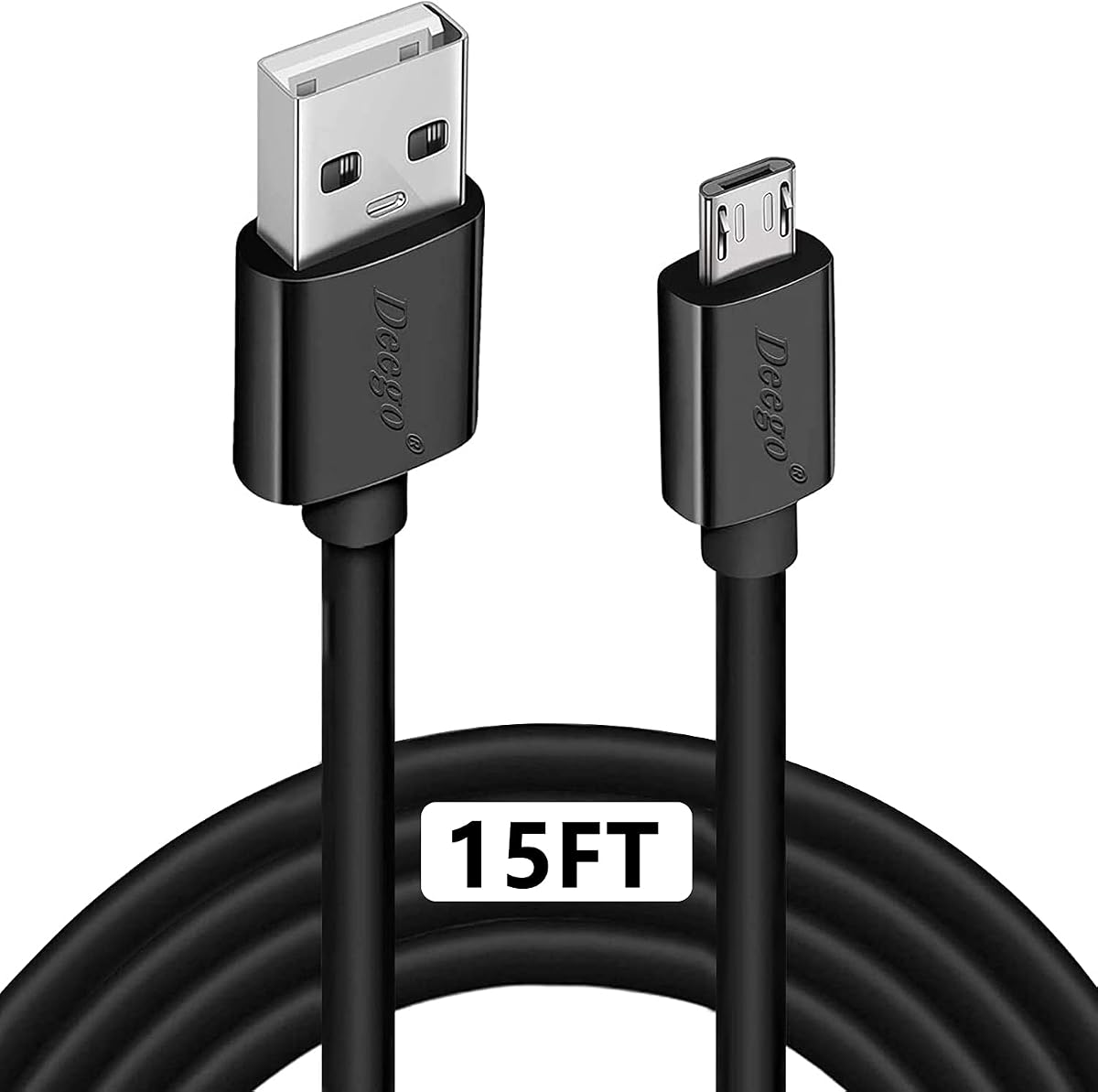
This 15-foot micro USB cable is perfect for older devices and controllers. With a 4.6 rating, it offers reliable charging and syncing for legacy hardware still in use today.
We may earn a commission when you buy through this link, at no additional cost to you.
The stainless steel head slots in tightly preventing loose connections during use. This ensures stable power delivery for gaming controllers or speakers that move around often.
It supports 2.4A charging which is fast enough for most micro USB devices. The flexible PVC jacket resists tangling and fits easily in tight spaces.
Ideal for users with older gadgets like tablets or consoles. It bridges the gap between new computers and older accessories seamlessly.
Keeps older Android phones and controllers functional with modern computers.
Metal head ensures a tight fit without slipping out during active use.
We may earn a commission when you buy through this link, at no additional cost to you.
Selecting the right long USB cable depends on your specific needs. Here are key factors to consider.
Identify the ports on your devices. Common types include USB-A, USB-C, Micro USB, and USB-B. Ensuring both ends match your devices is critical for a functional connection.
Always match the connector type to your hardware for compatibility.
Choose a length that fits your space comfortably. While longer cables offer flexibility, they may introduce signal loss over very long distances without active amplification.
Select a length that reaches your outlet without excess slack.
USB 3.0 offers significantly faster transfer rates than USB 2.0. If you regularly move large files, investing in USB 3.0 or higher ensures better efficiency.
Prioritize USB 3.0 or higher for fast data syncing.
Look for braided nylon jackets and reinforced connectors. These materials prevent tangling and extend the lifespan of the cable under daily use.
Durable materials like nylon reduce wear and tear significantly.
Check if the cable supports fast charging standards like QC3.0 or 3A. This ensures your devices charge quickly while you use them.
Verify fast charging specs for optimal power delivery.
Multiple layers of shielding protect data signals from interference. This is especially important in offices with many electronic devices nearby.
Look for multi-layer shielding for stable performance.
A good warranty reflects the manufacturer's confidence in their product. Aim for at least a one-year replacement policy for peace of mind.
Check warranty terms before purchasing.
Consider how you will use the cable. Some are optimized for printing or gaming while others excel at data transfer.
Match the cable to your specific daily needs.
Always plug the cable into the host computer before connecting to peripheral devices. This sequence prevents potential electrical surges that could damage the hardware.
Avoid bending the cable sharply near the connectors. This area is most susceptible to internal wire breakage over time with frequent flexing.
Store the cable loosely coiled rather than wrapped tightly. Use ties to keep it neat but ensure you do not apply excessive tension to the braiding or jacket.
Yes, longer cables have higher electrical resistance which can slightly reduce charging current. However, modern high-quality cables with thicker wires minimize this effect effectively.
Yes, most USB 3.0 cables support charging. Ensure the cable is rated for the current your device needs to avoid slow charging.
Printers often require active amplification for cables over 10 feet. Using a passive cable may cause connection drops or recognition issues.
USB-C refers to the physical connector shape, while USB 3.0 refers to the data speed standard. Newer USB-C cables often support higher speeds like USB 3.1 or 3.2.
Yes, nylon braided cables are generally more durable and tangle-free than rubber ones. They resist wear better over time.
You would need a USB hub to connect multiple devices. A single cable connects only one device at a time to the host computer.
We highlighted top picks like the 20ft USB 3.0 cable for speed and the active 40ft cable for extreme reach. These options cover most professional and home needs.
Prioritize build quality and connector type to ensure longevity. A durable cable saves money in the long run compared to frequent replacements.
Check current availability and details before buying. Prices and stock change often so verifying the latest product pages helps avoid disappointment.