
Lenovo V15 Business Laptop
4.4Editor score
Intel N150 Quad-Core Processor
15.6 Inch Full HD Display
Gigabit Ethernet RJ-45 Port
Finding a laptop with an Ethernet port is essential for users who require stable, high-speed internet connections without relying on wireless signals. In today's connected world, many modern devices have removed this classic jack, making it harder to locate machines that support direct wired networking for optimal performance.
We have carefully evaluated ten top-rated models that include native RJ-45 Ethernet ports, analyzing their processors, memory, storage, and overall build quality. Each selection was chosen based on its ability to deliver reliable connectivity, strong performance for daily tasks, and value for money in the current market landscape.
Every product in this list showcases specific strengths, whether you need a budget-friendly option or a premium workstation for professional workflows. Please note that prices and availability can change frequently, so verify the latest details before making your final purchasing decision today.
4.4Editor score

4.4Editor score

5.0Editor score
As an Amazon Associate we earn from qualifying purchases.
This side-by-side comparison highlights the key specifications and features of all ten selected laptops to help you quickly identify which model best fits your specific networking and performance requirements.





The Lenovo V15 Business Laptop stands out as an affordable option that does not compromise on essential connectivity. With a rating of 4.4 stars, it offers reliable performance for everyday tasks while including a built-in Ethernet port for stable internet access.
We may earn a commission when you buy through this link, at no additional cost to you.
This model is powered by an Intel N150 processor, which handles web browsing and office applications efficiently. The 8GB DDR5 RAM ensures responsive multitasking, and the PCIe SSD provides fast boot times. Its 15.6-inch Full HD display delivers clear visuals for extended work sessions.
While the storage is limited to 128GB, this is manageable for cloud-based workflows. The inclusion of Windows 11 Pro and firmware TPM 2.0 security adds enterprise-grade protection. These trade-offs are acceptable given the budget-friendly price point and strong business-oriented features.
This laptop is ideal for students, small business owners, and remote workers who need dependable wired connectivity without overspending. It balances cost and functionality effectively, making it a top choice for those prioritizing Ethernet access and basic productivity tasks.
The built-in RJ-45 Ethernet port ensures stable network connections, critical for offices where Wi-Fi signals are unreliable or security policies require wired access.
With Windows 11 Pro and TPM 2.0 security, this device meets corporate standards for data protection, making it suitable for professional environments.
We may earn a commission when you buy through this link, at no additional cost to you.
The Lenovo V15 Gen 4 earns the Editor's Choice badge for its balanced mix of performance, security, and connectivity. Boasting a 4.4 rating, it features an AMD Ryzen 3 processor and 16GB of LPDDR5 RAM, ensuring it handles complex workloads with ease.
We may earn a commission when you buy through this link, at no additional cost to you.
Its port selection is comprehensive, including USB-C, HDMI, and the essential RJ-45 Ethernet port for stable networking. The MIL-SPEC 810H testing confirms its durability, while the webcam shutter and TPM 2.0 chip protect user privacy and data integrity.
The non-backlit keyboard might be a drawback in low-light environments, but this is a minor trade-off for the robust build quality. The 512GB storage provides ample space for files and applications without requiring external drives.
This laptop is perfect for business professionals who need reliable wired internet and strong security features. It excels in office settings where stability and data protection are paramount, making it a versatile tool for daily productivity.
The combination of firmware TPM 2.0 and a privacy shutter ensures that sensitive business data and video calls remain secure from physical and digital threats.
MIL-SPEC testing means this device can withstand shocks and extreme conditions, ideal for users who travel frequently or work in varied environments.
We may earn a commission when you buy through this link, at no additional cost to you.
The Lenovo ThinkPad P14s is a premium powerhouse designed for demanding professionals. With a perfect 5.0 rating, it features an AMD Ryzen AI 7 Pro processor and 32GB of RAM, offering exceptional speed for data-heavy tasks and AI workflows.
We may earn a commission when you buy through this link, at no additional cost to you.
This workstation includes Thunderbolt 4, HDMI, and a Gigabit Ethernet port, eliminating the need for dongles in busy office setups. Its ISV certification ensures compatibility with complex applications like AutoCAD and Revit, making it ideal for engineers and designers.
The higher price is justified by its robust performance and build quality. The sustainable materials and certifications align with corporate ESG goals. While slightly heavier, the durability and reliability make it a worthwhile investment for critical business operations.
This model is recommended for users who require top-tier performance and stable connectivity for professional projects. It stands out as the best choice for those willing to invest in a high-end device that delivers consistent results in demanding environments.
Built-in AMD XDNA 2 NPU accelerates AI workflows locally, reducing cloud dependency and improving productivity for content creators and data analysts.
Despite its power, the chassis is designed for mobility, ensuring you can take this workstation anywhere without sacrificing performance or connectivity.
We may earn a commission when you buy through this link, at no additional cost to you.
The Lenovo 15.6 V15 G6 offers a solid mid-range option with a 4.4 rating. It features an Intel N100 processor and 8GB of DDR5 RAM, which handles everyday computing tasks efficiently while providing Gigabit Ethernet for stable network access.
We may earn a commission when you buy through this link, at no additional cost to you.
Its design emphasizes portability, weighing only 3.33 lbs and including a webcam privacy shutter for user control. The 256GB PCIe SSD offers faster performance than older storage types, ensuring quick boot times and smooth application launches.
While the processor is entry-level, it suffices for office work and web browsing. The storage limit might require external drives for large media files. However, for general business needs, this balance of speed and affordability is well-regarded by users.
This laptop is suitable for students and small office workers who need reliable connectivity and decent performance without breaking the bank. It is a practical choice for environments where basic computing and wired internet are the primary requirements.
The use of DDR5 RAM ensures faster data processing speeds compared to DDR4, improving overall system responsiveness during multitasking.
A physical privacy shutter on the webcam enhances security, while the lightweight chassis makes it easy to carry between meetings or classes.
We may earn a commission when you buy through this link, at no additional cost to you.
Another variant of the V15 Gen 4, this model is praised for its 4.4 rating and robust configuration. It includes 16GB of LPDDR5 RAM, which is ample for running multiple applications simultaneously, along with the crucial RJ-45 Ethernet port for home office setups.
We may earn a commission when you buy through this link, at no additional cost to you.
The device features AMD Ryzen 3 processor, balancing efficiency and performance for daily tasks. Security is bolstered by firmware TPM 2.0 and a webcam shutter, ensuring safe video conferencing and data protection during remote work sessions.
The 256GB storage is adequate for most users but might fill up quickly with large software installations. The utilitarian design prioritizes function over form, which is suitable for business contexts. Its MIL-SPEC certification adds confidence in its long-term reliability.
This laptop is a great fit for remote workers who prioritize stability and security. The combination of strong RAM, wired connectivity, and privacy features makes it a dependable tool for maintaining productivity in various environments.
With 16GB of LPDDR5 RAM, users can run multiple heavy applications without slowdowns, ensuring smooth workflows during busy workdays.
Advanced security features like TPM 2.0 and hardware shutters protect sensitive information, which is essential for remote professionals.
We may earn a commission when you buy through this link, at no additional cost to you.
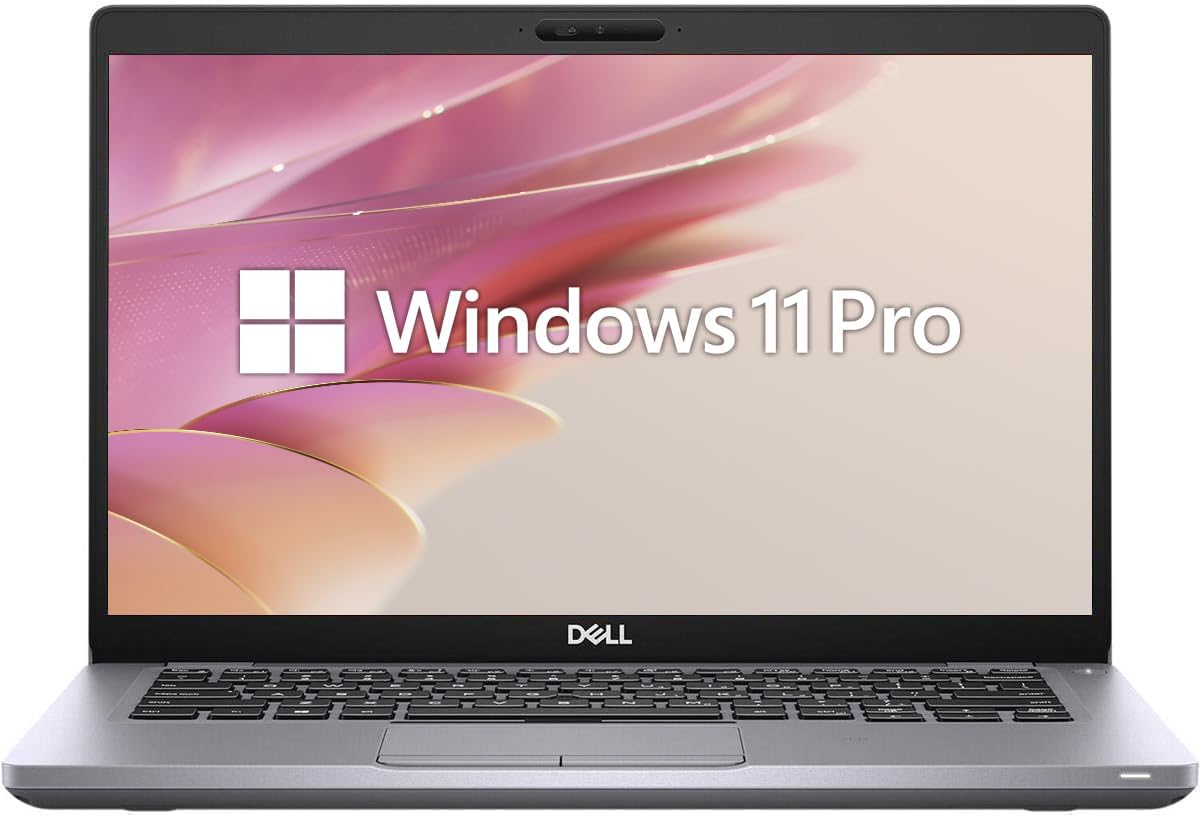
The Dell Latitude 3420 is a renewed business laptop that offers strong performance at a lower price point. With an 11th Gen Core i5 processor and 16GB of RAM, it handles multitasking and productivity tasks efficiently while supporting direct Ethernet connections.
We may earn a commission when you buy through this link, at no additional cost to you.
Its 14-inch display provides a comfortable viewing experience for daily work. The inclusion of RJ-45 ensures stable network access, which is vital for businesses where Wi-Fi might be inconsistent. The Windows 11 Pro OS adds enterprise-level security features.
As a renewed product, users should expect minor cosmetic wear but fully functional performance. The DDR4 RAM is slightly older but sufficient for most tasks. This model is a smart choice for buyers looking for business-grade reliability without the premium cost.
This laptop is ideal for budget-conscious businesses needing reliable hardware. It delivers a good balance of performance and connectivity, making it suitable for office work, remote support, and standard professional applications.
Buying renewed allows access to enterprise hardware at a fraction of the cost, offering excellent value for small businesses with limited budgets.
The 11th Gen Core i5 ensures that even older models perform well against newer budget laptops, handling modern software requirements effectively.
We may earn a commission when you buy through this link, at no additional cost to you.
The Dell Latitude 5410 provides a solid renewed option with 16GB RAM and 512GB SSD storage. While it has a lower rating of 3.7, its hardware specifications support effective business performance, and the built-in RJ-45 Ethernet port ensures stable connectivity for remote workers.
We may earn a commission when you buy through this link, at no additional cost to you.
Its 14-inch Full HD display offers clear visuals for work and collaboration. The Intel Core i5-10310U processor handles general computing tasks efficiently. The combination of ample storage and memory makes it a versatile choice for professionals managing large files.
The lower rating may reflect the used nature of the product or cosmetic imperfections. However, the core functionality remains strong for budget-conscious buyers. The Windows 11 Pro support adds necessary security features for enterprise users.
This model is a good fit for those seeking affordable business hardware with specific connectivity needs. It balances performance and storage well, making it suitable for various professional environments where stability is key.
With 512GB of SSD space and 16GB of RAM, this device handles file storage and multitasking without requiring external drives or upgrades.
The dedicated Ethernet port ensures consistent internet speeds, which is crucial for business tasks that rely on stable network connections.
We may earn a commission when you buy through this link, at no additional cost to you.
The HP 14 Business Laptop is an entry-level option that includes a 1-Year Office 365 subscription. With a 4.1 rating, it offers basic functionality for students and light users. The Intel N150 processor and 4GB RAM support simple tasks, while the Ethernet port ensures stable web access.
We may earn a commission when you buy through this link, at no additional cost to you.
Its compact 14-inch design makes it easy to carry. The 128GB UFS storage is modest but sufficient for cloud-based workflows. The Rose Gold finish adds a stylish touch for personal or casual business use in professional settings.
The limited RAM and storage might cause slowdowns with heavy applications. However, for basic tasks like web browsing and document editing, it performs adequately. The inclusion of Office 365 adds significant value for educational and small business users.
This laptop is best for users needing a budget-friendly device with essential connectivity. It is suitable for light workloads where stability and basic productivity tools are the main priorities.
The 1-Year Office 365 subscription provides immediate access to essential productivity tools, saving costs for new users and students.
Its 14-inch form factor makes it easy to carry anywhere, perfect for users who need a laptop for classes or casual work on the go.
We may earn a commission when you buy through this link, at no additional cost to you.
The Lenovo V15 Gen 4 with Core i5-13420H delivers strong performance. With a 4.3 rating, it offers 16GB RAM and 512GB SSD storage, ensuring smooth multitasking and fast file access. The RJ-45 Ethernet port adds essential wired connectivity for stable work environments.
We may earn a commission when you buy through this link, at no additional cost to you.
Its 15.6-inch display provides a comfortable workspace. The 13th Gen processor handles demanding tasks better than entry-level chips, while Windows 11 Pro secures user data. This combination of speed and features makes it a versatile tool for professionals.
While pricier, the increased power justifies the cost. The numeric keypad aids data entry, and the build supports reliable daily use. For users who need more than basic computing, this model offers a compelling balance of speed and connectivity.
This laptop is suitable for professionals managing complex spreadsheets or media projects. It stands out as a solid choice for those needing performance and stable wired connections for consistent productivity.
The 13th Gen Core i5 provides significantly higher performance than entry-level chips, handling demanding applications with ease.
With 512GB of SSD and 16GB RAM, users have ample room for files and smooth multitasking during busy work periods.
We may earn a commission when you buy through this link, at no additional cost to you.
The HP 17 Business Laptop offers a spacious 17.3-inch display for multitasking. With an AMD Ryzen 5 processor and 16GB RAM, it delivers strong performance for everyday tasks. The Ethernet port ensures stable network access, crucial for office environments with limited Wi-Fi.
We may earn a commission when you buy through this link, at no additional cost to you.
Its large screen allows for easy window management and content viewing. Windows 11 with Copilot adds AI-assisted features to boost workflow efficiency. The 512GB SSD provides quick boot times and ample storage for business files and documents.
The larger size may be less portable, but it offers comfort for long work sessions. The Ryzen 5 processor handles demanding applications efficiently, making it suitable for various professional needs. This model balances performance and display size effectively.
This laptop is ideal for users needing a desktop replacement with excellent connectivity. Its large screen and strong hardware make it a great choice for business users who prioritize screen real estate and productivity tools.
The 17.3-inch screen offers expansive workspace, making it easier to manage multiple documents and applications simultaneously.
Built-in Copilot tools help automate tasks and optimize workflows, boosting efficiency for professionals on tight deadlines.
We may earn a commission when you buy through this link, at no additional cost to you.
Choosing a laptop with an Ethernet port requires evaluating specific hardware and connectivity features to ensure it meets your professional needs.
Most modern laptops have removed the RJ-45 Ethernet jack to save space. When purchasing, verify that the device includes a dedicated Gigabit Ethernet port to avoid needing external adapters that can be unreliable.
Check the ports list on the product page to confirm the presence of a physical Ethernet jack for stable wired connections.
The processor determines how well the laptop handles daily tasks. Look for Intel Core i5 or AMD Ryzen 5 processors for balanced performance. Higher-end models with Ryzen AI or Core i7 offer better speed for complex workloads.
Prioritize processors with multiple cores to ensure smooth multitasking and efficient handling of data-intensive applications.
For business productivity, 16GB of RAM is recommended to manage multiple applications without slowdowns. Storage should be at least 512GB SSD to ensure fast boot times and enough space for documents and media files.
DDR5 or LPDDR5 memory types provide faster data processing speeds compared to older DDR4 standards for better overall responsiveness.
A Full HD (1920×1080) display is standard for clear text and visuals. Anti-glare coatings help reduce eye strain during long working hours in various lighting conditions.
Look for displays with at least 250 nits brightness to ensure visibility in different environments without straining your eyes.
Business laptops should include security features like TPM 2.0 chips, fingerprint readers, or privacy shutters for webcams. These protect sensitive data during remote work or public usage.
Windows 11 Pro adds enterprise-grade security and management tools that are beneficial for corporate or sensitive personal information handling.
MIL-SPEC 810H testing ensures the laptop can withstand shocks, vibration, and temperature extremes. This is critical for users who travel or work in demanding environments.
Choose a build quality that aligns with your mobility needs to ensure long-term reliability and resistance to daily wear.
Windows 11 Pro offers more features than Home, including BitLocker encryption and Remote Desktop support. This is vital for business users managing secure networks or remote connections.
Ensure the OS version matches your organizational requirements for software compatibility and security standards.
Besides Ethernet, check for USB-C, HDMI, and Bluetooth capabilities. A variety of ports ensures compatibility with monitors, printers, and other peripherals used in office setups.
Wi-Fi 6 support complements Ethernet by providing fast and reliable wireless connectivity when wired access is not available.
Connect your Ethernet cable securely to the RJ-45 port on the side of the laptop. Ensure the cable is firmly seated to maintain a stable network connection and avoid intermittent signal drops during work.
Update your network drivers regularly through the device manager to ensure optimal performance and compatibility with the latest security patches provided by the manufacturer.
Keep the Ethernet port and laptop vents free from dust and debris. Use compressed air periodically to clean the chassis and prevent overheating, which can affect hardware longevity.
An Ethernet port provides a stable and secure wired connection, which is essential for office environments where Wi-Fi signals are unreliable. It ensures consistent speeds for large file transfers and protects sensitive data from wireless interception.
You can use a USB-to-Ethernet adapter, but it may be less stable than a built-in port. These adapters rely on USB bandwidth and can occasionally cause connectivity issues during high-speed data transfers.
Yes, renewed business laptops often come from professional environments and have undergone quality checks. They can offer the same port availability as new models at a lower cost, making them a smart choice for budget buyers.
Most modern laptops feature Gigabit RJ-45 ports that support speeds up to 1,000 Mbps. This is sufficient for most business applications and high-definition video streaming or conferencing.
No, many ultra-thin business laptops omit the Ethernet port to save space. You must specifically look for models designed with native RJ-45 jacks if wired connectivity is a priority.
Windows 11 Pro offers advanced security features like BitLocker and Remote Desktop that are valuable for business environments. It helps protect data and allows for easier network management compared to Home editions.
The Lenovo V15 Business Laptop and ThinkPad P14s stand out as top choices for budget and premium needs respectively. Both offer reliable Ethernet ports and solid performance for professional tasks.
When choosing, prioritize memory, storage, and processor strength to ensure your device handles your specific workload efficiently. Security and port availability should also guide your final decision.
Remember to verify current availability and pricing before purchasing as these factors change frequently. Checking the latest specifications will ensure you get the best value for your investment today.