
15.6 Inch Privacy Screen Filter for 16:9 Monitor
4.2Editor score
Blocks 30 percent blue light
Slide on or mounted install
Perfect for open workspaces
Protecting your digital information is essential in today connected open workspaces. Laptop privacy screen filters block side views and reduce glare. A good filter ensures only you see the screen content clearly.
We compared ten top rated models based on fit, clarity, and attachment methods. Our analysis covers magnetic options, adhesive strips, and slide mounts. Each product was selected for its ability to secure sensitive data effectively.
Each pick shows key specs and real user ratings to help you decide. Prices vary by model and retailer so always check current listings. These tools are vital for travelers and professionals working in public.
4.2Editor score

4.2Editor score

4.2Editor score
As an Amazon Associate we earn from qualifying purchases.
This side-by-side comparison highlights key differences across all ten models. We focus on aspect ratios, installation types, and special features like blue light blocking to help you find the perfect match for your device.


This affordable filter provides solid privacy protection for 15.6 inch laptops with a 16:9 aspect ratio. It boasts a 4.2 rating and focuses on blocking side views while maintaining front clarity. It is an ideal choice for budget conscious users.
We may earn a commission when you buy through this link, at no additional cost to you.
The filter blocks 30 percent of blue light between 380 and 495nm which helps relieve eye strain. Its multi layered film blacks out the screen from side angles ensuring your business secrets stay private. The optical clarity remains high when viewing from the front.
Installation is flexible allowing you to choose between slide on off or mounted options. However it is not compatible with touch screens so verify your device type. Always measure your screen area excluding bezels to ensure a perfect match.
If you work in coffee shops or open offices this filter offers excellent value. It protects your screen from dust and scratches while keeping data secure. This product is a smart pick for those needing basic privacy without extra cost.
Blocking blue light reduces strain during long work sessions especially in low light environments.
Choose between permanent mounting or a removable slide on option based on your usage needs.
We may earn a commission when you buy through this link, at no additional cost to you.
SightPro stands out with its patented magnetic attachment system that simplifies installation. It earned a 4.2 rating and is perfect for frequent travelers or those who need quick access. The package includes a webcam cover and cleaning cloth for added security.
We may earn a commission when you buy through this link, at no additional cost to you.
The multi layered film ensures superior privacy by blacking out side views while keeping the front clear. It protects your eyes from UV and blue light without distorting colors. This model is compliant with Section 889 and TAA for government users.
Installation requires no messy tape or adhesive which prevents screen damage. You can easily remove and reattach the filter when needed. However ensure you verify screen dimensions as it is not recommended for touch screens.
This is an ideal solution for mobile workers and healthcare providers. It balances convenience with robust privacy features making it a top choice. If you value ease of use and security this magnetic option is highly recommended.
Patented magnets attach along the top of the screen allowing instant setup without tools.
Section 889 and TAA compliance makes this suitable for government and enterprise environments.
We may earn a commission when you buy through this link, at no additional cost to you.
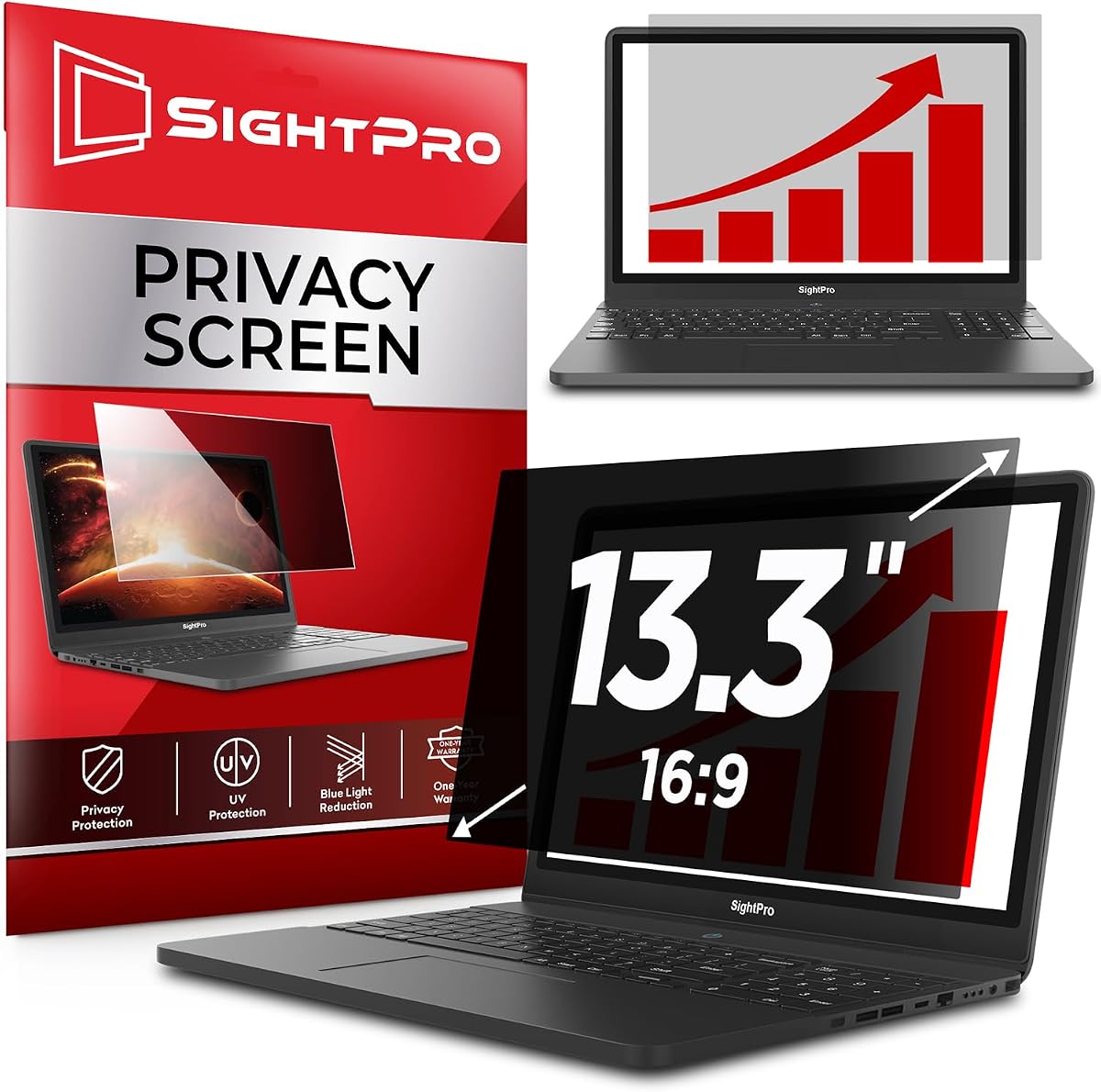
This 13.3 inch filter delivers high clarity and earned a 4.4 rating making it a top contender. It uses advanced multi-layered film to block side views while reducing glare UV and blue light. Users appreciate its clear front display.
We may earn a commission when you buy through this link, at no additional cost to you.
It offers two attachment options adhesive strips for permanence or slide mount tabs for removability. The package includes two sets of each plus a cleaning cloth. However it is not optimized for touch screens and is not compatible with MacBooks.
The film blocks visibility from the side protecting sensitive corporate information effectively. It ensures you stay compliant while working in public areas. The clarity remains high so colors are not distorted significantly during normal use.
Ideal for students and mobile workers with compatible devices this filter provides great value. It combines quality privacy with reliable attachment methods. If you have a 13.3 inch 16:9 laptop this model is a strong choice.
Choose between adhesive strips for a permanent fit or slide tabs for easy removal.
Reduces harmful glare UV and blue light to protect eyes during long work hours.
We may earn a commission when you buy through this link, at no additional cost to you.
ZOEGAA offers unique 360 degree privacy protection protecting up down left and right views. This 4.3 rated filter blocks blue light and UV rays to prevent eye fatigue. It is a standout for those needing comprehensive privacy from all angles.
We may earn a commission when you buy through this link, at no additional cost to you.
It comes in glossy and matte finishes allowing you to choose between better privacy or glare prevention. The glossy side offers more privacy while matte reduces glare. Both options reduce reflection and protect your eyes from harmful light.
Installation can be done via slide mount tabs or double sided adhesive stickers. Ensure your device is not a Surface or MacBook series as this model is not compatible. Always verify dimensions using width and height measurements only.
Perfect for commuters and professionals in open spaces this filter ensures maximum security. The comprehensive coverage is a key advantage over standard 180 degree options. If you need privacy in all directions this model is an excellent choice.
Unlike standard filters this offers protection from up down left and right angles.
Choose glossy for better privacy or matte to reduce glare during the day.
We may earn a commission when you buy through this link, at no additional cost to you.
This SightPro model protects 15.6 inch 16:9 laptops from glare and side views. It earned a 4.2 rating and maintains crystal clear front vision. The multi-layered film is compliant with Section 889 and TAA standards.
We may earn a commission when you buy through this link, at no additional cost to you.
It reduces glare UV and blue light to protect your eyes. The film blacks out side views ensuring sensitive information is safe. You can attach it using clear adhesive strips or slide mount tabs for flexibility.
The package includes two sets of each attachment type plus a microfiber cloth. Note it is not optimized for touch screens so check your device. Always measure your screen width and height to confirm compatibility.
Ideal for healthcare providers and mobile workers this filter offers reliable privacy. It balances eye protection with security features. If you need a standard 15.6 inch filter with glare reduction this is a top pick.
Reduces glare from overhead lights to improve visibility and reduce eye strain.
Meets strict compliance standards making it suitable for government and corporate use.
We may earn a commission when you buy through this link, at no additional cost to you.
This Protescreen model is designed specifically for 14 inch 16:10 laptops. It features revolutionary micro-louver technology limiting the viewing angle to plus or minus 30 degrees. It received a 4.0 rating and comes with lifetime free support.
We may earn a commission when you buy through this link, at no additional cost to you.
It reduces 92 percent of blue light and 98 percent of UV light protecting your eyes. The package includes alcohol cleaning cloths which is a nice touch. You can choose between glossy for privacy or matte to prevent glare.
Installation options include permanent adhesive or removable slide mount tabs. The factory direct guarantee ensures a replacement if any issues arise. Ensure your laptop dimensions match exactly to avoid return hassles.
Great for daily users needing extra eye protection this model delivers. The lifetime support adds value beyond the product itself. If you want a balance of privacy and eye care this is a solid choice.
Filters 92 percent of blue light to reduce eye fatigue during extended screen time.
Manufacturer offers lifetime policy and replacement if any issues occur with the product.
We may earn a commission when you buy through this link, at no additional cost to you.
This premium 3M model uses Advanced Nanolouver technology for superior brightness and privacy. It earned a 4.2 rating and is up to 25 percent brighter than other black filters. It is ideal for users demanding top tier clarity.
We may earn a commission when you buy through this link, at no additional cost to you.
It includes COMPLY Flip Attach for easy switching between privacy and screen sharing. The filter reduces blue light without distorting natural colors. Every unit is 100 percent hand inspected for quality assurance.
The reversible design offers glossy and matte options to reduce fingerprints and glare. However it comes at a higher price point than budget options. Always verify dimensions as it is for 13.3 inch 16:10 screens.
If you need the best brightness with privacy this is the top choice. The Flip Attach feature adds convenience for presentations. It is a premium solution for professionals prioritizing display quality and secure data.
Up to 25 percent brighter than standard black filters ensuring better visibility.
Quickly switch from privacy mode to screen sharing without removing the filter.
We may earn a commission when you buy through this link, at no additional cost to you.
This 3M filter targets 14 inch full screen laptops offering enhanced brightness. It uses Advanced Nanolouver technology to transmit up to 85 percent of screen light. The 4.1 rating reflects its quality and user satisfaction.
We may earn a commission when you buy through this link, at no additional cost to you.
It includes COMPLY Flip Attach for easy privacy toggling. The filter is up to 25 percent brighter than others helping visibility in bright rooms. Each unit is 100 percent hand inspected to ensure high standards.
You can choose between glossy and matte finishes to reduce glare and fingerprints. The design maintains natural color accuracy while protecting privacy. Ensure your laptop is truly full screen before purchasing this model.
Perfect for business travelers needing clarity and security this filter stands out. The brightness enhancement is a significant advantage over standard options. If you prioritize visual quality with privacy this is a premium pick.
Transmits up to 85 percent of light keeping the display bright in any setting.
Includes COMPLY Flip Attach for instant switching between privacy and collaboration modes.
We may earn a commission when you buy through this link, at no additional cost to you.
This 3M filter features a unique Comply attachment system for world-class privacy and sharing. It earned a 4.2 rating and reduces 35 percent of blue light. The hinge design withstands daily use effectively ensuring durability.
We may earn a commission when you buy through this link, at no additional cost to you.
Microlouver technology delivers effective black out privacy from side views. It is reversible between glossy and matte to reduce glare. The hinge system allows you to flip the filter for screen sharing instantly.
While older it remains a reliable choice for privacy and durability. Ensure your device is 13.3 inch 16:9 before purchasing. It is ideal for those who need to share screens frequently during meetings.
If you need a durable flip-privacy solution this is a strong option. It balances privacy with collaboration features seamlessly. This filter is a great choice for professionals who present often.
Quickly flip the filter to share your screen without removing the privacy layer.
Proprietary hinge design withstands daily wear and tear for long term use.
We may earn a commission when you buy through this link, at no additional cost to you.
This 3M model earned the highest rating at 4.4 for 13.3 inch 16:9 laptops. It uses Advanced Nanolouver technology and is up to 25 percent brighter than other filters. It is ideal for those demanding top clarity and brightness.
We may earn a commission when you buy through this link, at no additional cost to you.
It includes COMPLY Flip Attach for easy privacy toggling. The filter reduces blue light without distorting natural colors. Each unit is 100 percent hand inspected to ensure high standards and satisfaction.
You can choose between glossy and matte finishes to reduce glare and fingerprints. The design maintains natural color accuracy while protecting privacy. Ensure your laptop is 13.3 inch 16:9 before purchasing this model.
Perfect for professionals needing clarity and security this filter stands out. The brightness enhancement is a significant advantage over standard options. If you prioritize visual quality with privacy this is a top premium pick.
Up to 25 percent brighter than standard black filters ensuring better visibility.
Quickly switch from privacy mode to screen sharing without removing the filter.
We may earn a commission when you buy through this link, at no additional cost to you.
Selecting the right privacy filter depends on your laptop dimensions, usage habits, and budget. This guide breaks down the critical factors to ensure you find a model that fits perfectly and meets your security needs.
Always measure your screen's visible area excluding bezels. Focus on width and height rather than diagonal size. Aspect ratios like 16:9 and 16:10 differ significantly so verify your model before buying.
Measure width and height exactly to avoid fit issues. Diagonal size alone is never accurate.
Most filters block visibility outside a 60-degree viewing angle. Some models like ZOEGAA offer 360-degree protection. Decide if you need only side protection or all-direction security.
Choose 360-degree coverage if you work in tight shared spaces.
Filters come with adhesive strips for permanence or slide mounts for removability. Magnetic options allow easy removal without adhesive. If you switch setups often, removable mounts are ideal.
Removable mounts are best for shared or frequently used devices.
Look for filters that block UV and blue light to reduce eye strain. Matte finishes reduce glare in bright environments while glossy enhance privacy. Check the percentage of light reduction provided.
Matte finishes reduce glare; filters blocking blue light help eye comfort.
Most standard privacy filters are not compatible with touchscreens. If you use touch input, seek models specifically designed for it. Touch filters preserve functionality while maintaining privacy.
Verify touchscreen compatibility before purchasing any standard filter.
Premium brands like 3M and SightPro offer compliance with TAA and Section 889. These meet strict government standards for privacy filters. Check for hand inspection guarantees on higher-end models.
TAA and Section 889 compliance are essential for government or enterprise use.
Some packages include cleaning cloths and extra adhesive strips. Others offer lifetime support or guarantees against defects. Assess what extras are included to maximize value.
Check for cleaning cloths and support policies before finalizing your purchase.
Reversible filters offer glossy and matte sides for different needs. One side may reduce glare while the other enhances privacy. This flexibility allows adjustment based on lighting conditions.
Reversible filters provide flexibility to switch between glare reduction and privacy.
Start by cleaning your screen with a microfiber cloth to remove dust. This ensures the adhesive or magnets stick properly without trapping debris. Avoid liquid cleaners directly on the screen to prevent damage.
Install the filter using the provided instructions. For adhesive options apply slowly from one edge to avoid bubbles. For magnetic models align the magnets with the top of the screen and press gently.
Regularly clean the filter surface with a soft dry cloth to maintain clarity. If your filter is removable store it safely to avoid scratches. Avoid touching the film with sharp objects.
No they work on specific dimensions and aspect ratios. Always measure width and height to match the filter model. Diagonal size alone is not enough to determine compatibility.
Most standard filters are not touchscreen compatible. Touch filters exist but are fewer. Check product details explicitly to confirm touch support before purchasing.
Yes if you use removable or magnetic models. Slide mounts and magnets allow quick swaps. Adhesive filters are generally permanent and not for switching.
Yes they can reduce brightness slightly but premium models compensate. Look for filters claiming 85 percent light transmission to minimize this.
They typically last years with careful use. Avoid sharp objects and store removable filters safely. Adhesive may weaken over years if used repeatedly.
Many filters block significant blue light. Some reduce up to 30 percent or more. Check specific specs to confirm UV and blue light filtering.
This guide reviewed ten top filters balancing privacy clarity and ease of use. Top picks include the Budget choice for affordability and the 3M Bright Screen for premium brightness. Each model addresses different needs and budgets.
Prioritize screen dimensions and aspect ratio above all else. Choose removable mounts if you switch devices often and check compatibility for touchscreens. Eye protection features like blue light filtering add significant value.
Prices change often so verify listings before purchasing. Use the provided links to confirm current availability. A good privacy filter protects your data and eyes wherever you work.