
Amazon Fire 7 Kids
4.3Editor score
Affordable price point
Kid proof case included
10 hour battery life
Finding the right tablet for children aged six to ten requires balancing durability with performance. These devices must withstand drops while offering enough power for educational apps and creative tools to ensure a smooth experience.
We compared ten leading models based on screen size, battery longevity, and robust parental control features. Each product was evaluated for its ability to provide safe, engaging content without compromising on speed or storage capacity.
Each pick shows specific strengths like expandable storage or eye protection modes. Prices fluctuate frequently so check current listings before purchasing to ensure you get the best value for your family needs.
4.3Editor score

4.6Editor score

4.9Editor score
As an Amazon Associate we earn from qualifying purchases.
This side-by-side comparison highlights the key specifications and features of the top ten models available today to help you make an informed decision quickly.



The Amazon Fire HD 8 Kids Pro is a top choice for children aged six to twelve offering a balance of performance and safety. It boasts a 4.6 rating from thousands of parents who appreciate its robust parental tools and durable design.
We may earn a commission when you buy through this link, at no additional cost to you.
This tablet includes a 6 month subscription to Amazon Kids+ providing endless ad free content for books and games. The slim case is designed specifically for older children making it easier to carry without the bulk of traditional kid cases.
While it uses a custom operating system which limits access to some standard apps the battery life is impressive lasting up to 13 hours on a single charge. The worry free guarantee ensures replacements if accidental damage occurs within two years.
Families looking for a reliable device for tweens will find this model ideal due to its mix of educational tools and entertainment. We recommend it for households needing strong safety features without sacrificing screen quality.
Parents can remotely review activity and set screen time limits easily through the web dashboard for complete peace of mind.
The slim case provides protection while remaining lightweight enough for long school days or travel.
We may earn a commission when you buy through this link, at no additional cost to you.
The Amazon Fire 7 Kids tablet stands out as the most budget friendly option without compromising on essential safety features. It is perfect for younger children in the target age range who need a reliable device for early learning.
We may earn a commission when you buy through this link, at no additional cost to you.
Included in the bundle is a full year of Amazon Kids+ which offers a vast library of age appropriate content. The case is designed to withstand drops ensuring the device survives everyday accidents common with small children.
Although the 7 inch screen is smaller than others the resolution is adequate for reading and watching videos. The processor handles basic apps well but may struggle with more demanding games compared to higher end models.
For families on a tight budget this tablet delivers exceptional value. It is the best pick for those who need a durable device for preschoolers without spending a premium on advanced features.
At a fraction of the cost of other tablets it includes a one year subscription and a durable case.
Content is filtered by age ensuring children only access approved apps and media appropriate for their development.
We may earn a commission when you buy through this link, at no additional cost to you.
This Android 16 tablet is a premium choice for older kids needing advanced features and a larger display for creative work. It boasts a near perfect rating due to its smooth performance and modern operating system features.
We may earn a commission when you buy through this link, at no additional cost to you.
The 10 inch IPS display provides excellent color accuracy making it suitable for video editing or drawing. The inclusion of Google Play allows access to a wider range of educational apps compared to locked ecosystems.
Battery life is strong with a 6000mAh cell supporting long sessions without interruption. The eye protection mode reduces blue light making it comfortable for evening study or reading sessions.
Parents seeking a device that mimics adult tablets but with safety controls will love this model. It bridges the gap between fun and productivity with ease making it a top recommendation for tech savvy households.
The IPS panel offers wide viewing angles ensuring the screen looks great from any seat in the room.
Dual band Wi-Fi ensures stable connections for online classes and streaming without lag issues.
We may earn a commission when you buy through this link, at no additional cost to you.
The COLORROOM tablet is an affordable Android device that balances performance with eye care features for students. It runs a stable version of Android designed to be safe for browsing and learning tasks.
We may earn a commission when you buy through this link, at no additional cost to you.
Its screen includes specific eye friendly technology that reduces glare and blue light for comfortable long term use. The device comes with Google Kids Space pre-installed which curates content for children without needing extra setup.
While the operating system is not the absolute latest version it remains efficient for daily tasks like video calls and homework. The octa-core processor ensures that apps load quickly and multitasking is smooth enough for most students.
We suggest this for families needing a colorful and functional device at a lower price point. It is a solid middle ground between basic tablets and high end premium devices.
Dual stereo speakers provide clear sound for educational videos and music without needing external devices.
You can add up to one terabyte of storage ensuring plenty of room for photos and large files.
We may earn a commission when you buy through this link, at no additional cost to you.
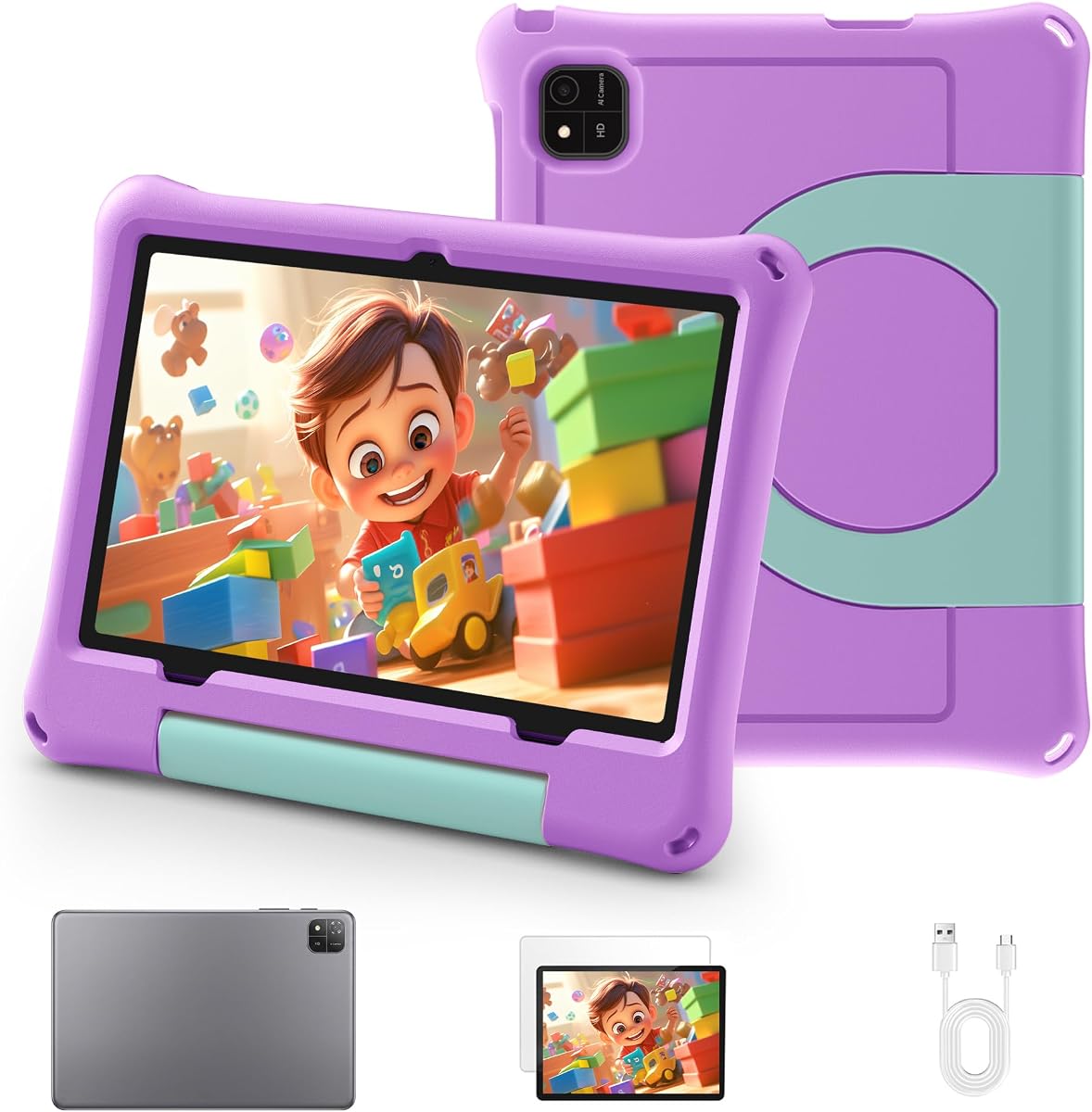
This model is designed specifically for younger children who need maximum durability and parental oversight. It features a bright HD screen and a case that absorbs shocks effectively to prevent damage from drops.
We may earn a commission when you buy through this link, at no additional cost to you.
The included subscription offers access to thousands of books and games that are strictly moderated. Parents can set daily goals and time limits easily to help manage screen time habits without constant intervention.
While the device is robust the case can make the tablet heavier to hold for long periods. The storage is adequate for most families but may require an SD card for extensive media libraries.
Families with younger children will find this the safest and most reliable option available. It simplifies the digital experience while keeping learning fun and interactive for early learners.
The strengthened glass and sturdy case protect against common household accidents like drops or spills.
Educational goals can be set to ensure learning time is completed before entertainment apps are opened.
We may earn a commission when you buy through this link, at no additional cost to you.
This unique tablet includes a full suite of creative tools making it suitable for children interested in art and typing. It runs Android 16 providing modern features and compatibility with various productivity applications.
We may earn a commission when you buy through this link, at no additional cost to you.
The inclusion of a keyboard and mouse turns the device into a mini laptop allowing for typing practice. The stylus supports drawing and note taking which adds a hands on element to digital learning.
Battery life is supported by fast charging technology ensuring minimal downtime during school breaks. However the added weight of the case and accessories might be too heavy for very young children.
We recommend this for kids ready to transition from simple apps to more complex creative tasks. It is a versatile tool for homeschooling or creative expression.
The full bundle allows children to learn typing and drawing skills simultaneously in one package.
Optimized system updates ensure the device runs smoothly even with multiple heavy applications open.
We may earn a commission when you buy through this link, at no additional cost to you.
Designed for tweens this tablet offers a balance of performance and safety features suitable for school work. The anti glare screen makes reading textbooks and documents much easier in bright lighting conditions.
We may earn a commission when you buy through this link, at no additional cost to you.
The ergonomic stylus is easy for small hands to hold which aids in handwriting practice and digital art. Multi user modes allow siblings to have separate spaces for their apps and files.
While the hardware is capable the software may require updates to ensure long term performance. The case is durable and includes a stand for hands free viewing which is great for video calls.
Families looking for a device for middle schoolers will find this model well suited. It provides enough power for basic school tasks while maintaining a fun and safe environment.
The anti glare technology reduces reflections making it easier to read for long periods.
The round tip is designed to be safe for the screen while providing precision for drawing.
We may earn a commission when you buy through this link, at no additional cost to you.
This tablet prioritizes eye health with a dedicated mode that reduces blue light significantly. It is an excellent choice for children who spend many hours on homework or reading digital books.
We may earn a commission when you buy through this link, at no additional cost to you.
The included stylus allows for precise input which is helpful for note taking and drawing tasks. The cameras are sharp enough for clear video calls with teachers or family members during remote learning.
Battery life is sufficient for a full school day though charging times are moderate. The pre loaded educational apps save time on setup ensuring the device is ready to use immediately.
Parents concerned about eye strain will appreciate the built-in protection features. It is a reliable tool for maintaining health while accessing digital learning resources.
The eye protection mode adjusts color temperature automatically to reduce strain during long sessions.
High resolution cameras ensure clear video quality for online classes and family chats.
We may earn a commission when you buy through this link, at no additional cost to you.
This device is praised for its lightweight design making it easy for children to carry in backpacks. It runs Android 16 and includes a night light mode for comfortable evening viewing.
We may earn a commission when you buy through this link, at no additional cost to you.
The case is made of EVA material which is soft and safe against the skin. It provides protection against bumps while remaining light enough not to tire young arms.
While it lacks cellular capability it is sufficient for most home and school uses where Wi-Fi is available. The high customer rating indicates strong satisfaction with its performance and ease of use.
Families needing a portable and safe device will find this model ideal for travel. It is a gift ready package that requires minimal setup.
The lightweight design ensures children can carry the device without strain during travel.
Night light mode adjusts the screen to reduce glare in low light settings.
We may earn a commission when you buy through this link, at no additional cost to you.
This tablet is known for its fast charging capability which minimizes downtime during busy school days. It features a powerful processor ensuring smooth performance even with multiple apps running.
We may earn a commission when you buy through this link, at no additional cost to you.
The included case has an adjustable stand allowing for comfortable viewing angles. Parents appreciate the warranty support that offers a 90-day exchange policy for peace of mind.
The RAM is generous for this price point ensuring apps do not lag unexpectedly. It is a robust choice for families needing a reliable device that keeps up with active schedules.
We recommend this for households where quick charging is a priority. It offers strong performance and protection at a competitive price.
The fast charging technology powers the device fully in just two hours.
A 90-day free exchange policy provides added security for buyers.
We may earn a commission when you buy through this link, at no additional cost to you.
Choosing the right tablet requires understanding what features matter most for your child's age and needs.
Screen size impacts comfort and usability. A 10-inch screen is better for reading and drawing while an 8-inch is more portable.
Look for IPS displays and blue light filters to protect eyes during long sessions.
Battery life should last a full day of use. Aim for models with at least 8 to 10 hours of battery life.
Fast charging capabilities reduce downtime when the battery runs low.
Storage needs vary by usage. Ensure there is at least 32GB of built-in storage for apps.
Expandable storage via microSD cards allows for saving videos and large files.
Robust parental controls are essential for safety. Check for time limits and content filtering options.
Easy setup for parents ensures consistent management of usage habits.
Children often drop devices so durability is key. A sturdy case is usually included with kid-friendly tablets.
Warranty options like worry-free guarantees provide extra peace of mind.
Android tablets offer more app variety while Fire tablets offer better ecosystem integration.
Choose based on the apps your child needs for school or hobbies.
Check if the device comes with a subscription to educational content.
Pre-installed apps save time on setup and provide immediate learning tools.
Accessories like styluses or keyboards can enhance productivity.
Ensure any included accessories fit your child's hand size and needs.
Set up parental controls immediately upon unboxing. This ensures safety before the child starts using the device.
Charge the tablet regularly to maintain battery health. Avoid letting it drain completely frequently.
Store the device in a safe spot when not in use. Keep it away from water and direct heat sources.
Most of these tablets are suitable for schoolwork as they support educational apps and video calls. The larger models offer better screens for reading and typing.
All these tablets have Wi-Fi access to browse and learn safely. Parental controls limit exposure to unsafe sites and content.
Battery life typically ranges from 10 to 13 hours. This supports a full day of activities without needing a charge.
Most models support microSD cards to expand storage. You can add up to 1 or 2 terabytes depending on the model.
No tablet is waterproof but most come with cases for protection. Keep liquids away to avoid accidental damage.
Yes all models have front and rear cameras for video calls. This is useful for remote learning and staying connected.
We recommend the Amazon Fire HD 8 Kids Pro for its balance of features and ease of use.
Prioritize battery life and parental controls to ensure a positive experience for your child.
Prices change frequently so check the current listings before purchasing the best deal.