
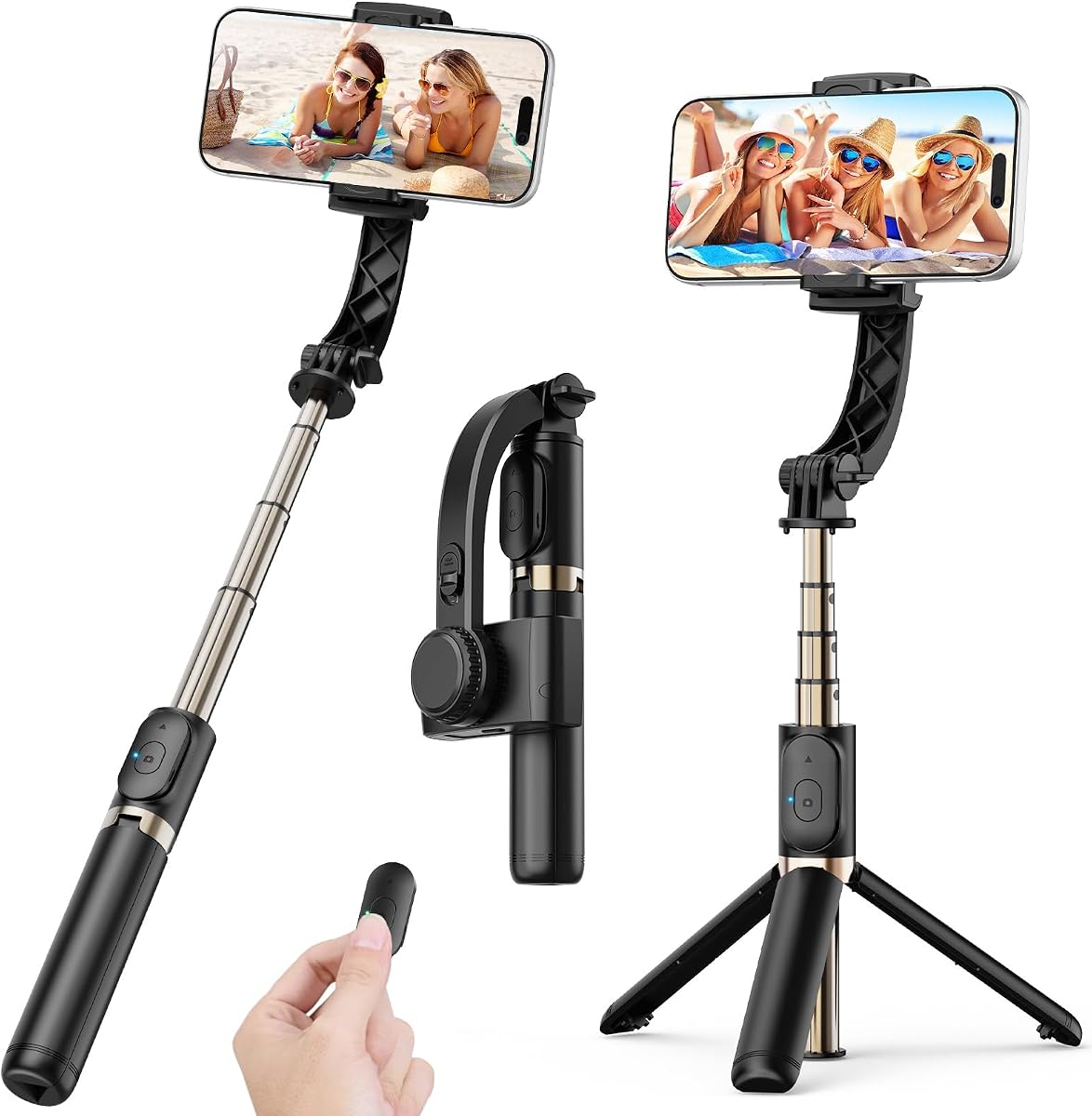
hohem iSteady X3 SE
4.2Editor score
Detachable magnetic remote controller
11-hour battery life operation
Beginner-friendly easy setup
Discover the top 10 gimbals for beginners in October 2026. We compare stabilization, battery life, ease of use, and features to help you choose the perfect
Finding the right gimbal for beginners can transform your mobile videography from shaky and amateur to smooth and professional. Whether you are vlogging, traveling, or just capturing family moments, a reliable stabilizer ensures your footage looks polished and engaging without requiring advanced filmmaking skills.
We have evaluated ten top-rated gimbal models based on stability performance, battery longevity, ease of setup, and feature sets suitable for newcomers. Our analysis focuses on real-world usability, app integration, and build quality to help you make an informed decision that matches your specific content creation needs.
Each product pick in this guide highlights key strengths and potential limitations so you can compare options side by side. While ratings and availability reflect current data, prices and stock levels may change, so please verify details on the retailer site before finalizing your purchase decision today.
4.2Editor score

4.4Editor score

4.3Editor score
This table provides a quick overview of the key specifications and features for each of the ten selected gimbals, helping you compare stabilization types, battery life, and unique capabilities at a glance.




The DJI Osmo Mobile 8 stands out as the top choice for beginners due to its comprehensive feature set and ease of use. With a high rating of 4.4 stars, it delivers professional-grade stabilization and smart tracking features that simplify content creation for new users.
We may earn a commission when you buy through this link, at no additional cost to you.
Key strengths include native tracking combined with audio reception and built-in lighting, ensuring your subjects remain focused and well-lit in various environments. The 10-hour battery life and phone charging capability allow for extended shooting sessions without interruption, while the seamless 360-degree pan rotation enables immersive shots effortlessly.
While the gimbal offers robust performance, some users may face app compatibility issues on Android devices where the DJI Mimo app has been removed from Google Play. Additionally, the price point is higher than budget models, but the included features like the tripod and extension rod justify the investment for serious creators.
Beginners looking for an all-in-one solution that minimizes learning curves should prioritize the DJI Osmo Mobile 8. Its combination of smart tracking, long battery life, and built-in accessories makes it the ideal starter gimbal for vloggers and social media creators seeking reliable performance.
Integrated audio and lighting features ensure high-quality output without extra gear.
Shoot all day with 10-hour battery and phone charging capability for continuous use.
We may earn a commission when you buy through this link, at no additional cost to you.
The hohem iSteady X3 SE offers exceptional value for beginners on a budget without compromising on essential stabilization features. Rated 4.2 stars, it combines affordability with advanced technology like the detachable remote and long battery life to meet the needs of casual and semi-serious creators.
We may earn a commission when you buy through this link, at no additional cost to you.
This gimbal excels with a detachable magnetic remote allowing control from over 32 feet away, making it perfect for group shots or solo vlogging. The 11-hour battery ensures uninterrupted filming, and its foldable design keeps it portable for travel. Advanced iSteady 8.0 technology guarantees smooth footage even during action sequences.
While it handles large screens well due to high payload capacity, some users might find it slightly heavier than ultra-light alternatives. The app dependency for full feature access like gesture control could be a minor hurdle for those preferring hardware-only operation, though it remains user-friendly overall.
For those prioritizing cost-effectiveness alongside performance, the hohem iSteady X3 SE is the clear winner. It balances price, features, and battery life effectively, making it a top recommendation for beginners wanting reliable stabilization without a significant financial commitment.
Detachable magnetic remote enables hands-free operation up to 32 feet away.
11-hour battery life supports all-day shooting for events and travel.
We may earn a commission when you buy through this link, at no additional cost to you.
The DJI RS 3 Mini is a premium choice designed for users who want to stabilize both smartphones and mirrorless cameras with professional precision. Rating 4.3 stars, it offers a unique blend of portability and power that appeals to filmmakers looking to step up from phone-only stabilization.
We may earn a commission when you buy through this link, at no additional cost to you.
With a payload capacity of up to 2kg and compatibility with major camera brands, this gimbal supports a wide range of lenses and bodies. The 1.4-inch full-color touchscreen provides intuitive control over settings, and Bluetooth shutter control simplifies photo and video capture directly from the handle.
While it offers superior flexibility, the need for the DJI Ronin app and potential connectivity issues on Android devices may add complexity for beginners. Additionally, the price point is significantly higher than phone-only options, making it best suited for those investing in hybrid camera setups.
For beginners aiming to grow into professional cinematography, the RS 3 Mini provides a scalable solution. Its lightweight build and robust stabilization ensure smooth footage across different cameras, making it the ideal premium pick for serious hobbyists willing to invest in quality equipment.
Handles mirrorless cameras and lenses up to 2kg for hybrid shooting.
1.4-inch touchscreen allows quick adjustments without navigating menus.
We may earn a commission when you buy through this link, at no additional cost to you.
The DJI Osmo Mobile 7 is designed for creators who prioritize portability without sacrificing stabilization quality. With a 4.4-star rating, it offers a lightweight build and advanced tracking features that make capturing smooth, professional-quality footage effortless for beginners.
We may earn a commission when you buy through this link, at no additional cost to you.
Key features include ActiveTrack 7.0 with dual-lens technology for sharper subject focus and a 10-hour battery that supports long sessions. The ergonomic design weighs just 300 grams, reducing hand strain, while the built-in tripod and USB-C charging add practical convenience for on-the-go shooting.
Despite its advantages, the app compatibility issues similar to other DJI models may require downloading software directly from their website. The payload capacity is limited to smartphones, so it does not support heavier camera setups like the RS series.
This gimbal is ideal for solo travelers or vloggers needing a compact, reliable tool. Its balance of weight, battery life, and smart tracking ensures high-quality results with minimal effort, making it a strong contender for those seeking an all-day carry solution.
Dual-lens tracking keeps subjects sharp even during fast movement.
Lightweight 300g design ensures comfort during extended use.
We may earn a commission when you buy through this link, at no additional cost to you.
The DJI Osmo Mobile 7P builds on the Mobile 7 platform with added accessories like the multifunctional module for enhanced tracking and lighting. Rating 4.5 stars, it provides a comprehensive solution for creators who need extra functionality without juggling multiple gadgets.
We may earn a commission when you buy through this link, at no additional cost to you.
The multifunctional module integrates mic reception and lighting features directly into the design, improving audio and video quality in one package. With dual-lens tracking and a 10-hour battery, it ensures stable, high-quality footage for live streaming and dynamic shots.
While the module enhances capability, it adds slight weight to the build which some might prefer to avoid. App requirements remain consistent with other DJI models, necessitating a download from their official site for full functionality.
Beginners looking for an upgrade in tracking and lighting capabilities should consider the 7P. Its all-in-one approach simplifies setup and improves output quality, making it a robust choice for social media creators needing professional results.
Multifunctional module provides built-in mic and lighting in one compact unit.
Dual-lens system ensures sharp focus during fast-paced shooting.
We may earn a commission when you buy through this link, at no additional cost to you.
The COOVOAMAE Gimbal Stabilizer is an excellent entry-level option for beginners who want simple functionality without complex app integrations. Rating an impressive 4.7 stars, it focuses on essential features like lightweight portability and app-free operation to simplify the user experience.
We may earn a commission when you buy through this link, at no additional cost to you.
Key benefits include one-button control for switching between vertical and horizontal modes and a lightweight design that doubles as a selfie stick. The wireless remote extends control range, making it convenient for group photos and videos, while the built-in tripod supports hands-free filming.
However, the 1-axis stabilization limits its ability to handle complex movements compared to 3-axis models. The battery life is also shorter at 2 hours, which may not suffice for long trips without recharging.
This gimbal is ideal for casual users who prioritize simplicity and portability over advanced stabilization. For quick social media clips and travel selfies, it offers a budget-friendly and reliable solution that delivers steady results with minimal effort.
One-button controls eliminate the need for complicated app downloads and settings.
Functions as a selfie stick and tripod with lightweight portability.
We may earn a commission when you buy through this link, at no additional cost to you.
The AOCHUAN Smart XE offers a balance of portability and performance for beginners. With a 4.1 rating, it features a foldable design and AI tracking that streamline the process of creating smooth, stable footage for social media and personal use.
We may earn a commission when you buy through this link, at no additional cost to you.
Key features include a 10-hour battery, AI Face Track for consistent subject focus, and a one-click button to switch modes easily. The lightweight foldable form factor ensures it fits easily in pockets, making it convenient for travel and daily vlogging.
Users may find the app features inconsistent across different devices or notice the build materials feel less premium than higher-end options. However, for casual shooting, these trade-offs are acceptable given the price and convenience.
This gimbal is perfect for users who need a reliable, portable tool for quick content creation. Its ease of use and long battery life make it a practical choice for beginners exploring videography without a major investment.
AI Face Track 4.0 keeps your subject in frame automatically.
10-hour battery ensures continuous shooting throughout the day.
We may earn a commission when you buy through this link, at no additional cost to you.
The hohem iSteady Mobile Plus distinguishes itself with an ultra-wide-angle mode and a powerful 13-hour battery. Rating 4.2 stars, it supports creative shooting styles and extended recording sessions that appeal to dynamic content creators and vloggers.
We may earn a commission when you buy through this link, at no additional cost to you.
Unique features like Inception mode for 360-degree rotation and a phone power bank function enhance its utility. The Hohem Joy app offers templates for cinematic shots, while the improved motor torque handles larger smartphones effectively.
Manual balancing is necessary before use, which may be a hurdle for absolute beginners compared to auto-balance models. Motor interference can also occur on some large-screen devices requiring careful alignment.
For those seeking creative flexibility and long battery life, this gimbal offers significant value. Its ability to capture wide views and extended content makes it a strong option for users who prioritize versatility and endurance.
Inception mode and ultra-wide angle add cinematic flair to your footage.
13-hour battery with power bank function ensures no interruptions.
We may earn a commission when you buy through this link, at no additional cost to you.
The FeiyuTech SCORP Mini 2 is a robust gimbal designed for users who want to handle smartphones, action cameras, and mirrorless setups. Rating 4.2 stars, it offers powerful motors and built-in tracking that provide flexibility for hybrid shooting.
We may earn a commission when you buy through this link, at no additional cost to you.
Key features include a 1.2kg payload capacity allowing for heavier lenses and a 1.3-inch touchscreen for easy control. The built-in AI tracker enables face tracking without an app, adding convenience for quick setups and autonomous shooting.
While versatile, the added weight compared to phone-only units may be noticeable during long handheld sessions. Some functions may still require app integration for full utilization, adding a slight learning curve.
This gimbal is ideal for users transitioning from phones to cameras or those needing a versatile tool. Its balance of capacity, control, and tracking features makes it a strong choice for intermediate creators seeking reliability.
Handles mirrorless and action cameras with up to 1.2kg capacity.
Built-in AI tracker works without connecting to an app.
We may earn a commission when you buy through this link, at no additional cost to you.
The Hohem iSteady M6 Kit focuses on lighting and display capabilities to enhance shooting quality. Rating 4.3 stars, it integrates a magnetic fill light and OLED display that provide immediate feedback and improved visuals for creators in varying lighting conditions.
We may earn a commission when you buy through this link, at no additional cost to you.
Features like iSteady 7.0 stabilization and a 400g payload ensure smooth footage with larger phones. The OLED screen displays vital stats like battery and Bluetooth status, while the fill light offers adjustable color temperatures for creative control.
The added lighting module increases bulk slightly which may affect portability. App integration is necessary for advanced settings like fill light adjustment, requiring some setup time before use.
This gimbal is perfect for users who prioritize lighting and control feedback. Its OLED interface and integrated light make it a standout option for those needing consistent quality in low-light or studio environments.
OLED display provides quick access to battery and connection status.
Magnetic fill light ensures proper illumination for your subjects.
We may earn a commission when you buy through this link, at no additional cost to you.
Selecting the right gimbal involves understanding your specific needs and device compatibility to ensure you get a tool that enhances your video quality without complicating your workflow.
3-axis stabilization is the standard for smooth video as it corrects movement across three planes: tilt, pan, and roll. 1-axis models are cheaper but less effective for complex movements so beginners should prioritize 3-axis units for quality results.
Always choose a 3-axis gimbal unless you have strict budget constraints and only need basic steady shots.
Payload capacity indicates the maximum weight the gimbal can support. Ensure it fits your phone plus any cases or accessories. Larger phones like the Pro Max series need higher payload capacities to maintain stability.
Check your device weight and compare it with the product specs to avoid underpowered units.
Battery life determines how long you can shoot without recharging. Look for at least 8 to 10 hours for all-day use. Some models also offer phone charging to extend device power during long events.
Prioritize units with 10+ hours of battery to avoid interruptions during shoots.
Many gimbals rely on companion apps for features like tracking and editing. Ensure the app is compatible with your phone model and operating system. Some apps may have been removed from stores so check official sites for updates.
Research app availability for your phone before purchasing to ensure full functionality.
Foldable designs make transport easier for travelers. Look for lightweight materials and compact sizes that fit into bags. Some models include built-in tripods or extension rods for added versatility.
Opt for foldable and lightweight units if you plan to carry your gimbal frequently.
Active tracking uses cameras or sensors to follow subjects automatically. AI and dual-lens systems improve accuracy for dynamic scenes. Beginners benefit greatly from this feature as it reduces the need for manual panning.
Choose a model with active tracking to simplify shooting moving subjects alone.
Some units include built-in lighting fill lights or OLED displays for status monitoring. These can enhance video quality but add cost and weight. Evaluate if these extras match your content style before buying.
Consider additional features like lights only if you shoot in varied lighting conditions.
Gimbals range from budget-friendly options to premium units. Define your budget and look for the best feature set within that range. Remember that higher prices often mean better build quality and longer battery life.
Balance your budget with needed features to avoid overspending or under-buying.
Begin by balancing your phone on the gimbal according to the manual instructions. Use the adjustment knobs to align the phone's center of gravity with the gimbal's motors. Proper balancing ensures smooth operation and extends motor life.
Power on the device and connect it to your smartphone via the companion app if required. Calibrate the gimbal to align with your movements for precise tracking. Test different modes like follow or lock to find what fits your shooting style.
After use, store the gimbal in a dry cool place to protect it from dust and heat. Regularly clean the joints and motors with a soft cloth to prevent debris buildup. Remove batteries if storing long term to avoid drainage or damage.
While optical stabilization helps, a gimbal provides superior smoothness for panning and dynamic movement. It stabilizes the entire phone rather than just the lens allowing for cinematic shots that built-in stabilization cannot achieve alone.
Most gimbals support phones with cases up to a certain weight. Check the payload capacity to ensure your phone plus case does not exceed the limit. If it is too heavy, you may need a higher capacity model.
First ensure the phone is balanced properly on the axes. Check the battery level as low power can affect motor strength. Also verify that the app is updated and the gimbal is calibrated correctly for your environment.
1-axis gimbals stabilize only pitch movement while 3-axis stabilize pitch yaw and roll. For smooth video across all angles 3-axis units are essential. 1-axis models are usually cheaper but less effective for professional results.
Due to compatibility issues DJI apps like Mimo and Ronin have been removed from the Google Play Store. You must download the latest versions directly from the official DJI website to ensure full functionality.
Yes many camera gimbals support smartphones with adapters. However they may be heavier and more complex than phone-specific units. Beginners often prefer dedicated phone gimbals for simpler setups and better portability.
To recap the top picks for beginners include the DJI Osmo Mobile 8 for all-around performance the hohem iSteady X3 SE for budget-conscious buyers and the DJI RS 3 Mini for those wanting camera versatility.
Prioritize features like battery life stabilization quality and ease of setup when making your decision. Understanding your content goals and device compatibility will guide you toward the best match for your needs.
Please remember that prices and stock vary over time so verify the latest details on the product pages before purchasing. Investing in a quality gimbal today will elevate your video creation journey for years to come.