
ACEMAGICIAN S3A Gaming Mini PC
4.6Editor score
Ryzen 7 H 255 CPU
Radeon 780M Graphics
Triple 4K Display Support
This guide compares the top 10 gaming mini PCs for Cyberpunk 2077, evaluating performance, cooling, and display output for immersive immersive experiences.
Finding the right gaming mini PC for Cyberpunk requires balancing raw power with compact design. These systems must handle ray tracing and dense cityscapes without overheating or noise.
We compared ten models based on GPU strength, CPU cores, memory speed, and thermal efficiency. Each unit was reviewed for compatibility with demanding AAA titles and streaming workloads.
Every pick highlights unique strengths like Oculink support or AI acceleration. Prices and availability change frequently, so verify current deals before purchasing your next desktop upgrade.
4.6Editor score

4.6Editor score

3.5Editor score
This table provides a side-by-side overview of all ten models, highlighting their core processors, graphics solutions, memory capacity, and unique connectivity options for gamers and creators.


The ACEMAGICIAN S3A stands out as a budget-friendly option for entry-level Cyberpunk gaming. It features the Ryzen 7 H 255 processor paired with Radeon 780M graphics.
We may earn a commission when you buy through this link, at no additional cost to you.
This configuration delivers solid 1080p performance when adjusted for lower settings. The system also supports three 4K displays for multitasking needs.
However, users may need to upgrade RAM for heavier workflows. The base 16GB is sufficient for gaming but might bottleneck creative tasks.
Overall, this is an ideal choice for casual gamers seeking compact form factors without breaking the bank.
The dual-fan cooling system ensures minimal noise during play.
Ports include HDMI 2.0, DP 2.0, and USB4 for flexibility.
We may earn a commission when you buy through this link, at no additional cost to you.
The MINISFORUM G1 Pro offers desktop-grade graphics in a small chassis. It is powered by the RTX 5060 with 8GB GDDR7 memory.
We may earn a commission when you buy through this link, at no additional cost to you.
This allows for true Cyberpunk gaming with ray tracing enabled. The Ryzen 9 8945HX CPU ensures seamless multitasking.
The cooling system is robust enough to handle sustained loads without throttling. It includes five copper heat pipes and dual-side exhaust.
Buyers seeking high performance in a small form factor should consider this model highly.
Features 3840 CUDA cores and enhanced RT performance.
614 TOPS AI computing power accelerates creative workflows.
We may earn a commission when you buy through this link, at no additional cost to you.
The ROG NUC (2025) represents the high-end of mini PC gaming. It includes an Intel Core Ultra 9 and RTX 5070 Mobile GPU.
We may earn a commission when you buy through this link, at no additional cost to you.
Its QuietFlow Cooling system with three fans keeps noise levels low. Thumb screws allow for tool-free upgrades to memory and storage.
Despite its power, the price point is significantly higher than competitors. User ratings suggest some inconsistency in quality control.
This unit is best for enthusiasts prioritizing premium materials and latest tech over cost.
Personalize your setup with top-mounted RGB lighting.
Thunderbolt 4 ensures high-speed data transfer capabilities.
We may earn a commission when you buy through this link, at no additional cost to you.
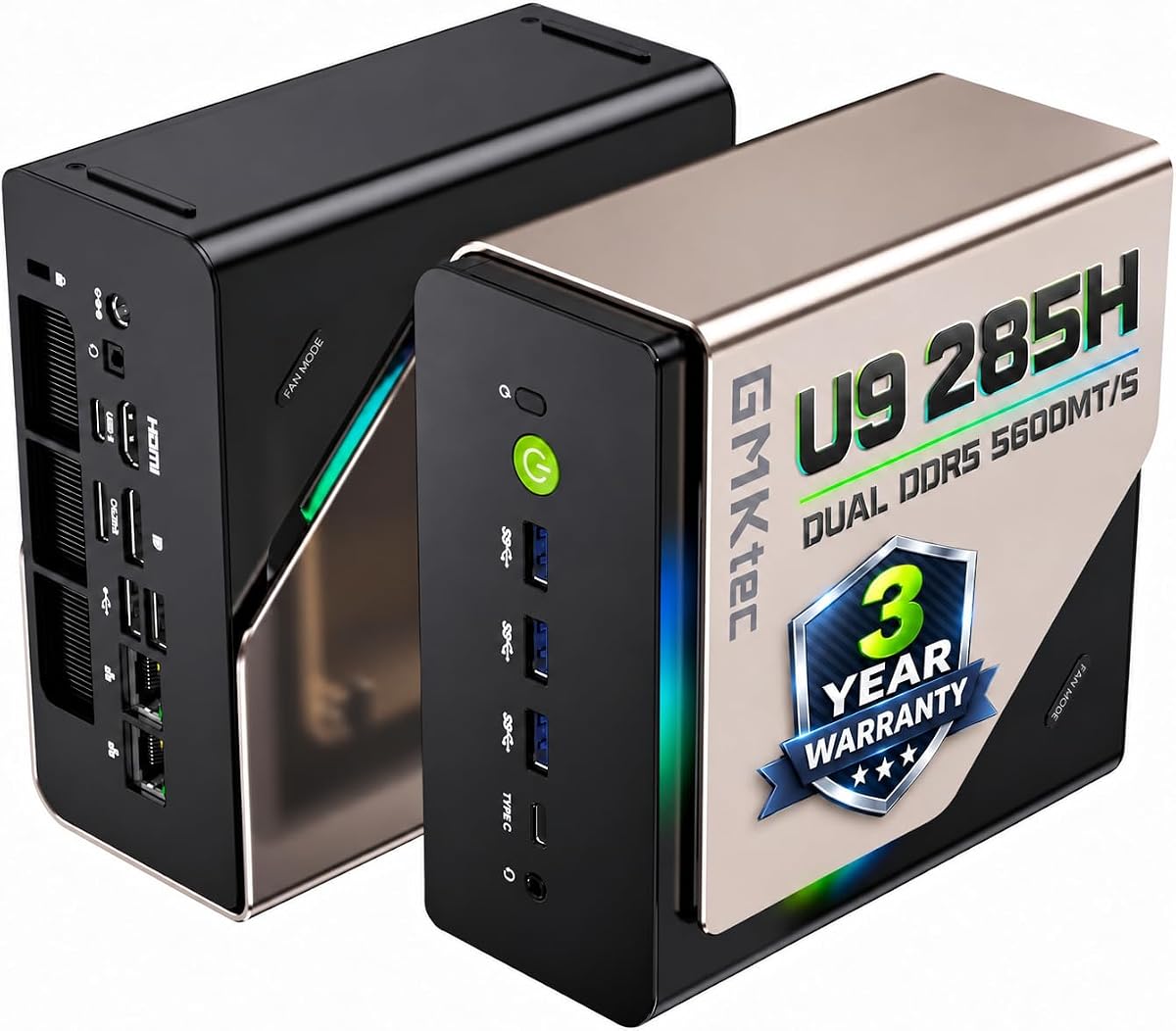
The GMKtec T1 AI is optimized for tasks requiring Neural Processing Unit power. It features an Ultra 9 285H CPU capable of 13 TOPS.
We may earn a commission when you buy through this link, at no additional cost to you.
The Arc 140T GPU handles modern games adequately for a mini PC. An Oculink port allows for external GPU connections.
This setup is versatile for creators needing local AI inference speed. It supports four screens simultaneously with crisp visuals.
Ideal for users prioritizing AI tasks over pure gaming frame rates.
Accelerates AI tasks with high efficiency INT8 calculations.
Higher bandwidth eGPU setup compared to Thunderbolt options.
We may earn a commission when you buy through this link, at no additional cost to you.
The GMKtec K12 balances price and performance well for mid-range users. It utilizes the Ryzen 7 H 255 and Radeon 780M graphics.
We may earn a commission when you buy through this link, at no additional cost to you.
Having 32GB of RAM standard is a plus for multitasking and creative work. The Oculink port remains a key feature for future expansion.
Its cooling system keeps temperatures low during extended gaming sessions. RGB lighting modes add a touch of personalization.
This is a strong contender for those wanting expansion options without premium costs.
32GB DDR5 allows smooth multitasking and AI workflows.
Dual fans keep noise at 35dB in Quiet Mode.
We may earn a commission when you buy through this link, at no additional cost to you.
The ASUS ROG GR70 brings elite desktop performance to a silver-hued chassis. It runs on the Ryzen 9 9955HX3D processor.
We may earn a commission when you buy through this link, at no additional cost to you.
The RTX 5070 Laptop GPU ensures high FPS in Cyberpunk. The custom cooling system keeps acoustics low even under load.
Wi-Fi 7 support keeps latency minimal for online matches. This model is travel-ready yet powerful enough for desktop replacement.
Buyers should expect top-tier performance at a top-tier price point.
Ryzen 9000 Series delivers massive multi-core gains.
Wi-Fi 7 ensures no bottlenecks for syncing gear.
We may earn a commission when you buy through this link, at no additional cost to you.
The BOSGAME P3 Pro offers strong performance for its price. It uses a Ryzen 9 7940HS that reaches up to 5.2GHz.
We may earn a commission when you buy through this link, at no additional cost to you.
Radeon 780M graphics handle AAA titles efficiently. It supports triple screen displays for enhanced productivity.
The Oculink port allows external GPU upgrades if needed later. Storage starts at 1TB PCIe 4.0 for quick app loading.
A practical choice for gamers needing reliable daily performance.
Improves workflow efficiency for multitaskers.
Low power consumption suits office and home use.
We may earn a commission when you buy through this link, at no additional cost to you.
The GMKtec M6 Ultra is tailored for light gaming and office tasks. It features Ryzen 5 7640HS with Radeon 760M graphics.
We may earn a commission when you buy through this link, at no additional cost to you.
Dual 2.5G LAN ports make it great for home labs. USB4 supports up to 8K display outputs for future needs.
While not for hardcore Cyberpunk gamers, it handles casual titles well. It supports VESA mounting for clean setups.
Perfect for students or home office users needing reliable speed.
Ideal for networking, NAS access, and firewall setups.
Enables high-speed data transfer and device connection.
We may earn a commission when you buy through this link, at no additional cost to you.
The GMKtec EVO-T1 stands out with 64GB of RAM for demanding workflows. It features the Ultra 9 285H with a powerful NPU.
We may earn a commission when you buy through this link, at no additional cost to you.
Quad screen 8K support makes it ideal for professional editing. Three M.2 slots offer significant storage expansion up to 12TB.
While Arc GPUs have compatibility quirks, this system excels at AI and video tasks. It supports AV1 encoding and decoding natively.
A solid pick for professionals needing extreme memory capacity.
NPU accelerates generative AI and design tasks.
Up to 12TB max storage allows massive media libraries.
We may earn a commission when you buy through this link, at no additional cost to you.
The GMKtec Gaming Mini PC provides balanced specs for most users. It offers 32GB DDR5 RAM and a 1TB SSD standard.
We may earn a commission when you buy through this link, at no additional cost to you.
Radeon 780M graphics handle modern games well on FSR settings. Oculink port ensures compatibility with external GPUs.
Cooling is silent even under heavy loads with dual fans. RGB lighting lets users personalize their workspace setup.
A strong contender for those needing performance at a fair cost.
1TB PCIe 4.0 SSD ensures fast app loading times.
360-degree airflow keeps system frosty during use.
We may earn a commission when you buy through this link, at no additional cost to you.
Selecting the right gaming mini PC involves evaluating processing power, graphics capabilities, and cooling efficiency to ensure smooth gameplay.
For a title like Cyberpunk, a strong CPU is vital. Look for Ryzen 7 or 9 series with high core counts.
This ensures smooth multitasking and prevents CPU bottlenecks during gameplay.
Integrated graphics like Radeon 780M work for budget gaming. Dedicated GPUs like RTX 5060 offer better visuals.
Prioritize models with dedicated GPUs for high-fidelity ray tracing.
16GB RAM is the minimum for modern AAA games. 32GB provides headroom for streaming or multitasking.
DDR5 memory ensures faster data transfer speeds for overall performance.
NVMe SSDs are essential for fast loading times. Aim for at least 512GB of PCIe 4.0 storage.
This reduces wait times when launching Cyberpunk or other large titles.
Mini PCs tend to run hotter due to compact chassis. Look for dual-fan systems with heat pipes.
Good cooling maintains peak performance during long gaming sessions.
Ensure the unit has HDMI 2.1 or DisplayPort 1.4 for 4K output. USB4 or Thunderbolt ports add value.
Oculink support allows future upgrades with external graphics cards.
Some models offer extra M.2 slots for storage upgrades. Check if RAM slots are accessible for future upgrades.
This extends the device lifespan as software requirements grow.
Most gaming mini PCs come with Windows 11 pre-installed. Ensure compatibility with your existing peripherals.
Check for BIOS updates to ensure maximum hardware support.
Place the mini PC on a stable, flat surface. Ensure at least two inches of space around all vents.
Use a high-quality HDMI cable to connect your monitor. Select the correct input source on your display.
Clean dust filters every few months with compressed air to maintain cooling efficiency.
Yes, many of these models can run Cyberpunk smoothly. Models with RTX 5060 or Radeon 780M graphics are capable of decent performance at 1080p.
Only models with dedicated NVIDIA RTX graphics support ray tracing. Integrated graphics like Radeon 780M cannot enable ray tracing features.
16GB is sufficient for most games, but 32GB offers better future-proofing. More RAM is helpful if you also stream or multitask.
Some models allow RAM and storage upgrades. Others like the ACEMAGICIAN S3A allow easy storage expansion via tool-free design.
High-end models like the ROG NUC or MINISFORUM G1 Pro are best suited for VR due to their dedicated GPU power.
Most mini PCs aim for noise levels below 40dB during gaming. Look for Silent Mode features that reduce fan speed when idle.
Absolutely. Mini PCs are versatile and handle office workloads efficiently. They save desk space while delivering full desktop performance.
Oculink is a port for external GPUs with higher bandwidth. It allows users to upgrade graphics later if they need more power.
The ACEMAGICIAN S3A, MINISFORUM G1 Pro, and ROG NUC (2025) represent the top tiers for gaming needs.
Prioritize dedicated GPUs for best visual fidelity or high-speed RAM for multitasking workflows.
Always check current availability and warranty terms before making your final purchase decision.