
SSK Portable SSD 1TB
4.5Editor score
1050MB/s read speeds
Lightweight 36g design
Aluminum alloy heat dissipation
This guide compares the top 10 external SSDs for MacBook Air in 2026, evaluating speed, durability, compatibility, and value to help you choose the perfect
Choosing the right external SSD for your MacBook Air is essential for expanding storage without sacrificing portability or performance. Modern workflows require fast data transfer, reliable durability, and seamless compatibility with Apple's ecosystem. The best drives offer Thunderbolt or USB-C connectivity, rugged designs, and encryption features to protect your valuable files on the go.
To compile this list, we analyzed technical specifications, real-world performance benchmarks, and user feedback across ten top-rated models available in November 2026. Our comparison focuses on read and write speeds, physical build quality, thermal management, and overall value. We prioritized drives that maintain consistent performance under heavy loads and integrate smoothly with macOS applications and utilities.
Each pick below highlights specific strengths, from budget-friendly options to high-speed professional tools. You will find detailed reviews, pros and cons, and key specifications for every drive. Keep in mind that prices fluctuate frequently based on market demand and promotions, so check current listings before making your final decision to ensure you get the best deal available.
4.5Editor score

4.7Editor score

4.6Editor score
The following table provides a side-by-side comparison of all ten external SSDs featured in this guide. Use this overview to quickly identify key specifications, speeds, and ratings to narrow down your options based on your specific storage needs and budget constraints.


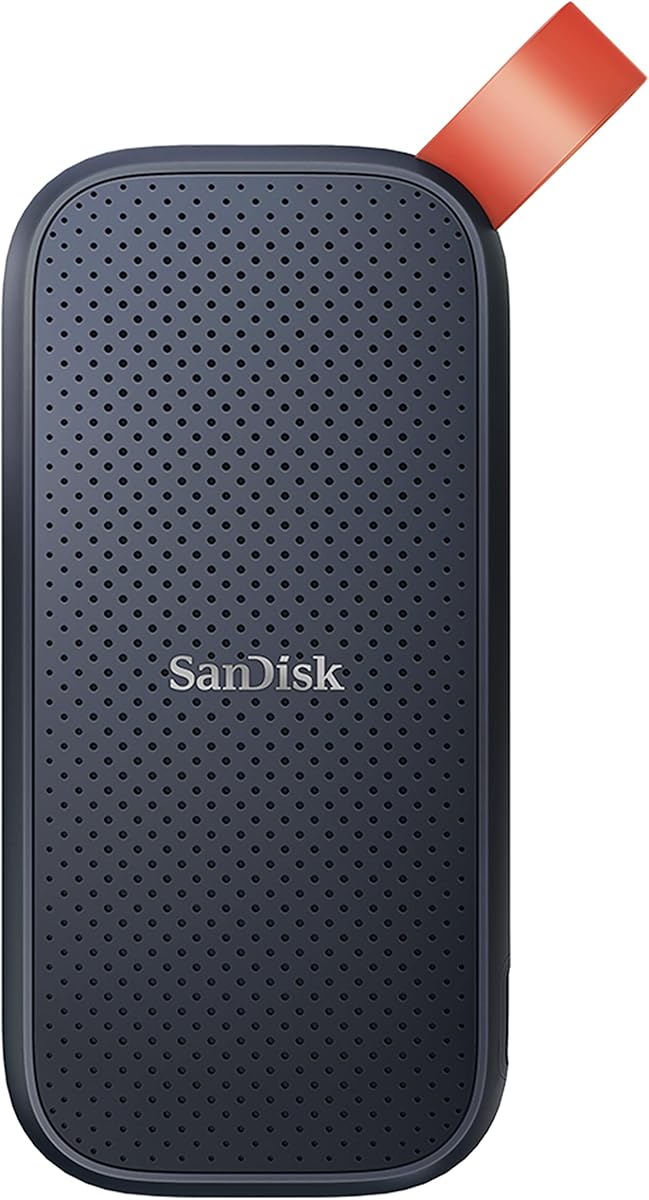




The Samsung T7 Portable SSD stands out as a top-tier option for MacBook Air users seeking reliability and speed. With a stellar 4.7 rating from thousands of users, this drive consistently delivers on its promise of fast NVMe performance. It is ideal for creators who need to move large files quickly without compromising on durability.
We may earn a commission when you buy through this link, at no additional cost to you.
Its standout feature is the embedded PCIe NVMe technology, which enables read speeds up to 1,050MB/s and write speeds up to 1,000MB/s. This performance level makes it nearly twice as fast as previous models like the T5. The drive also supports high-resolution 4K video recording directly, ensuring smooth workflows for video editors using Mac devices.
While the T7 is robust, it does lack a dedicated carrying case in the box, which might be a concern for travelers. Additionally, the price point is higher than some budget competitors, though the performance and build quality often justify the extra cost. The aluminum body runs cool and feels premium in the hand.
This drive is best suited for professionals and students who need a versatile, high-performance storage solution. Whether you are editing videos, storing game data, or backing up important files, the T7 offers the capacity and speed to handle heavy-duty tasks. We highly recommend it for anyone prioritizing speed and reliability.
The NVMe technology ensures that moving large video files or high-resolution photos happens almost instantly, saving valuable time during creative workflows.
Built with a solid aluminum unibody, this drive can withstand accidental drops from up to six feet, protecting your data during travel or daily use.
We may earn a commission when you buy through this link, at no additional cost to you.
The SSK Portable SSD offers an impressive balance of performance and value, making it the best budget pick for this list. With a 4.5 rating, users appreciate its ability to deliver blazing-fast speeds without the premium price tag. It is particularly well-suited for users on a tight budget who still require high-performance storage.
We may earn a commission when you buy through this link, at no additional cost to you.
Key strengths include its read speeds up to 1050MB/s and write speeds up to 1000MB/s, achieved through efficient SLC caching. The aluminum alloy case is only 2mm thick, ensuring superior heat dissipation to prevent overheating during long transfers. Weighing just 36.6g, it is remarkably easy to carry in any pocket or bag.
Some users note that the capacity may appear different on Windows compared to macOS due to binary calculation differences, though this does not affect physical storage. The brand is less ubiquitous than Samsung or SanDisk, which might concern some buyers regarding long-term support. However, the specs and performance speak for themselves.
This drive is perfect for students or casual users who need extra storage for documents, photos, and media. It handles large file transfers well and offers cross-platform compatibility between Mac and PC. If you want top-tier speeds without breaking the bank, the SSK Portable SSD is a smart choice.
The thin aluminum case acts as a heatsink, keeping the drive cool during sustained transfers to maintain consistent performance without throttling.
Included cables support both USB-C and USB-A connections, allowing you to connect to various devices without needing additional adapters.
We may earn a commission when you buy through this link, at no additional cost to you.
The Samsung T9 Portable SSD represents the pinnacle of external storage performance for MacBook Air users. With a 4.6 rating and speeds reaching up to 2,000MB/s, it is designed for professionals who need the fastest data transfer possible. This drive is essential for heavy video editing workflows and massive file backups.
We may earn a commission when you buy through this link, at no additional cost to you.
Its Dynamic Thermal Guard ensures the drive stays cool even during heavy use, preventing performance throttling. The Magician software provides real-time health monitoring and encryption options, adding a layer of security. Samsung manufactures all components in-house, ensuring consistent quality from the NAND flash to the controller.
The main drawback is the higher price point compared to the T7 or other budget options. Additionally, to achieve the full 2000MB/s speed, you need a USB 3.2 Gen 2×2 port, which not all MacBook Air models support. Without the correct port, speeds may fall back to standard USB 3.2 Gen 2 limits.
If speed is your primary concern and your MacBook supports the necessary interfaces, the T9 is the best premium choice. It excels in handling 4K ProRes video footage and large project files. For those willing to invest in the best performance, this drive delivers unmatched speed and reliability.
The T9 supports 4K ProRes recording at 60fps, making it an excellent companion for filmmakers and photographers using iPhone or dedicated cameras.
Unlike many drives that slow down when hot, the T9 actively controls heat, maintaining sustained speeds during long editing sessions.
We may earn a commission when you buy through this link, at no additional cost to you.
The SanDisk 2TB Extreme Portable SSD offers massive storage combined with rugged durability. Rated 4.6 by users, it is a favorite for outdoor professionals and travelers who need reliable storage in harsh conditions. Its updated firmware ensures better performance and compatibility with newer systems.
We may earn a commission when you buy through this link, at no additional cost to you.
Standout features include its IP65 water and dust resistance, which protects against rain and dust exposure. The drive also supports password protection with 256-bit AES hardware encryption, keeping private content secure. With up to 3-meter drop protection, it is built to withstand significant physical impacts.
While highly durable, the drive is slightly larger than the smallest options on the market. The price for 2TB is also higher than smaller capacities, reflecting the increased storage. However, the peace of mind provided by its robust build and security features often outweighs these minor inconveniences.
This drive is ideal for photographers and videographers working in unpredictable environments. It handles large RAW files and 4K videos with ease. If you need to store vast amounts of data securely and keep it safe from the elements, this is a top recommendation.
The IP65 rating ensures the drive remains functional even when exposed to water splashes or dusty environments during field work.
Built-in password protection encrypts data automatically, adding a critical layer of security for sensitive business or personal files.
We may earn a commission when you buy through this link, at no additional cost to you.
The Lexar ES3 1TB is a sleek and efficient drive designed for users who value portability above all else. With a 4.4 rating, it delivers solid performance in a package smaller than a credit card. It is an excellent choice for MacBook Air users who need to slide storage into a jacket pocket.
We may earn a commission when you buy through this link, at no additional cost to you.
Its 10.5mm thickness and 42g weight make it incredibly easy to carry. The drive supports speeds up to 1050MB/s, ensuring quick data access. The Lexar DataShield software provides 256-bit AES encryption, adding security without compromising the compact design. It also includes a Type-C cable for immediate use.
Compatibility notes indicate it works well with newer iPhone series but may not support older models like the iPhone 14. There is no Magsafe support in this version. These limitations are minor for most laptop users but could affect mobile-only workflows. The design focuses purely on size and speed.
If you want a drive that disappears into your bag yet performs well, the ES3 is a great pick. It is perfect for students and business travelers carrying laptops and phones. The balance of slim profile and reliable speed makes it a practical daily driver.
At just 10.5mm thick, this drive fits comfortably in shirt or jacket pockets, making it ideal for on-the-go storage needs.
Lexar DataShield ensures your files remain private with strong encryption standards that are easy to configure via software.
We may earn a commission when you buy through this link, at no additional cost to you.
The SanDisk 1TB Portable SSD is a reliable entry-level option for those who need simple storage expansion. With a 4.5 rating, it offers trusted SanDisk quality at a reasonable cost. This model is best for users who do not require top-tier speeds but want consistent performance.
We may earn a commission when you buy through this link, at no additional cost to you.
It provides read speeds up to 800MB/s, which is sufficient for documents and photos. The rubber hook and carabiner loop help secure the drive to bags. It offers up to two-meter drop protection, ensuring durability for everyday travel. The simple design is functional and unobtrusive.
Because this is an older model, it lacks the highest speeds of newer drives like the T9 or Extreme PRO. The 800MB/s speed is lower than the 1050MB/s found in modern drives. However, for general storage, it remains a solid choice that fits most budgets.
Choose this drive if you prioritize brand trust and basic durability over raw speed. It is great for students or home users backing up media. If your workflow does not involve massive video files, this drive offers excellent value for money.
The rubber hook allows you to attach the drive to your backpack easily, reducing the risk of loss or damage during transit.
With read speeds up to 800MB/s, this drive handles standard file transfers efficiently without needing advanced ports.
We may earn a commission when you buy through this link, at no additional cost to you.
The Lexar 2TB ES3 is a strong contender for users needing large storage without sacrificing speed. With a 4.5 rating, it offers 2TB capacity and speeds up to 1050MB/s. It balances size and performance well, making it suitable for extensive photo and video libraries.
We may earn a commission when you buy through this link, at no additional cost to you.
Built-in double layer graphite sheets conduct heat effectively, keeping the drive cool during transfers. The drop resistance up to 2 meters ensures durability. It includes a 2-in-1 USB-C/USB-A cable, enhancing compatibility with various devices and systems. This flexibility is a major advantage.
While heavier than smaller 1TB drives, the extra storage justifies the weight for many users. The price fluctuates, but it often provides a good cost-per-gigabyte value. Ensure your ports support USB-C for best performance. This drive is practical for daily use in office or home settings.
If you need to store large archives of data and want reliable speeds, this is a great option. It is well-built and easy to use across different systems. For those needing more space than 1TB offers, the ES3 is a practical solution.
The double layer graphite sheets manage heat efficiently, maintaining performance during long file transfers without overheating.
The 2-in-1 cable simplifies connections, allowing you to use the drive with both modern and legacy USB ports.
We may earn a commission when you buy through this link, at no additional cost to you.
The Lexar 1TB Go is a versatile tool that combines storage with a built-in hub. With a 4.5 rating, it offers a unique value proposition. It is perfect for on-location shoots where connecting multiple peripherals to a MacBook Air is necessary without needing extra docks.
We may earn a commission when you buy through this link, at no additional cost to you.
The hub provides four USB Type-C ports, allowing direct connection of cameras or other devices. The drive itself reaches speeds up to 1050MB/s, ensuring swift backups. Its ultracompact design keeps your setup light. The wireless plug-and-play connector simplifies physical connections.
One consideration is that the hub shares the drive's data port, so it does not add extra ports beyond the drive's own connection. The price reflects the added functionality. However, the convenience of having storage and a hub in one device is significant for creative professionals.
This is the ideal choice for video crews or photographers who travel light. It reduces cable clutter and equipment load. If you need quick access to storage and multiple peripherals, the Lexar Go is a smart investment.
The built-in hub allows you to connect multiple devices directly, streamlining your workflow during shoots or remote work.
Support for ProRes footage ensures that high-resolution video can be captured directly without dropping frames or lag.
We may earn a commission when you buy through this link, at no additional cost to you.
The SanDisk 1TB Extreme PRO delivers professional-grade speeds in a compact form. With a 4.5 rating, it is recognized for its NVMe performance and rugged design. This drive is a legacy model that still holds up for users needing high throughput and durability.
We may earn a commission when you buy through this link, at no additional cost to you.
It features up to 2000MB/s read speeds, making it excellent for editing large video projects directly. The forged aluminum chassis acts as a heatsink to sustain speeds. IP65 water and dust resistance protect the drive from elements. The included password protection adds security.
As an older model, availability may vary, and newer drives like the T9 might offer better support. The aluminum body is durable but adds slight weight. However, for those who need a proven, high-speed solution, this remains a powerful option.
Choose this if you need top speeds at a competitive cost. It is suitable for professionals who rely on consistent performance. The Memory Zone app helps manage files efficiently. It is a solid backup for high-demand workflows.
The aluminum chassis dissipates heat effectively, maintaining high transfer rates during intensive tasks without thermal throttling.
Hardware encryption ensures that your data remains private, requiring a password to access the drive contents.
We may earn a commission when you buy through this link, at no additional cost to you.
The SanDisk 2TB Extreme Old model stands out with a 4.8 rating due to its reliability and durability. While it offers slower speeds up to 550MB/s, it is a trusted workhorse for general storage. This is best for users who prioritize capacity and longevity over raw speed.
We may earn a commission when you buy through this link, at no additional cost to you.
Its shock-resistant core and IP55 resistance protect against accidental drops and water. The drive is compact and fits easily in a pocket. It comes with a 3-year limited manufacturer warranty, ensuring peace of mind. It supports both PC and Mac users seamlessly.
The main trade-off is the slower read speed compared to modern NVMe drives. If you move large video files frequently, this might be a bottleneck. However, for media storage and backups, the speed is acceptable. The high user rating reflects its consistent performance.
Pick this drive if you need affordable 2TB storage and are not in a rush for transfers. It is ideal for home archives and general backups. The warranty and durability make it a safe choice for long-term use.
A 3-year limited warranty provides long-term security, ensuring support if the drive encounters issues during normal use.
Built to withstand up to 1500G shock and vibration, this drive is designed to survive accidental impacts and movement.
We may earn a commission when you buy through this link, at no additional cost to you.
Selecting the right external SSD requires balancing speed, capacity, durability, and price. This section breaks down the key factors to consider when shopping for storage solutions for your MacBook Air.
For MacBook Air users, look for drives supporting USB 3.2 Gen 2 or Thunderbolt to ensure fast data transfer. SSDs with NVMe technology typically offer read speeds of 1000MB/s or higher, which is essential for editing video directly from the drive. Slower USB 3.0 or USB 2.0 drives may result in frustrating wait times when moving large files. Always check the specific interface of your MacBook Air to match the drive capabilities.
Prioritize drives with 1000MB/s read/write speeds to avoid bottlenecks. Ensure the drive supports USB-C connectivity for seamless plug-and-play with Mac.
Determine how much storage you need based on your typical files. Users with large photo libraries or video projects may need 2TB or more, while casual users might suffice with 1TB. Keep in mind that higher capacity usually comes with a higher price but often better price per gigabyte. Consider future needs so you do not outgrow the drive too quickly.
Choose at least 1TB for general use and 2TB if you work with heavy media files. Ensure the drive format matches macOS requirements like APFS or exFAT.
Portable drives often face drops and rough handling, so rugged designs with shock resistance are valuable. Look for IP ratings like IP65 which indicate protection against water and dust. Drives with metal bodies often dissipate heat better and last longer. This is critical if you use the drive outdoors or in varied environments.
Select drives with at least 2-meter drop protection and water resistance if you travel. Aluminum chassis help manage heat effectively during long transfers.
Ensure the drive works seamlessly with macOS and other devices you own. Most modern SSDs are plug-and-play compatible with Mac, but check for any required software. Cross-platform compatibility is useful if you use both Mac and Windows. Avoid drives that are strictly optimized for other systems without formatting tools.
Verify compatibility with macOS Big Sur or later versions. Confirm USB-C connectivity and if the drive supports file systems like APFS or exFAT.
If you store sensitive data, hardware encryption is a vital feature. Look for drives that offer 256-bit AES encryption and password protection to prevent unauthorized access. Some drives include software suites for managing security settings. This ensures that your files remain safe even if the drive is lost or stolen.
Opt for drives with built-in password protection and 256-bit AES encryption. Use the provided software to set up security layers easily.
Fast SSDs generate heat during sustained transfers which can cause throttling if not managed. Drives with aluminum bodies or graphite layers stay cooler and maintain speed. Overheating can lead to slower transfers and reduced lifespan. This is particularly important for professional workflows involving continuous data writing.
Choose models with aluminum unibodies or advanced thermal guards to prevent overheating. This ensures consistent performance during long work sessions.
Balance cost with performance to get the best value for your budget. Budget drives may sacrifice speed for affordability while premium drives offer faster interfaces and better build quality. Compare price per gigabyte and check for ongoing sales. Investing slightly more often leads to better longevity and satisfaction.
Look for competitive pricing per TB and warranty offers. Balance initial cost with long-term reliability to avoid frequent upgrades.
Connect your external SSD directly to a USB-C port on your MacBook Air for the best performance. If your MacBook Air has fewer ports, use a high-quality USB-C hub to ensure stable connectivity. Always safely eject the drive using Finder to prevent data corruption before unplugging.
To format the drive for Mac, use Disk Utility to select the drive and choose APFS or exFAT. This ensures full compatibility with macOS features. Regularly check for firmware updates from the manufacturer to maintain performance and security. This helps the drive stay optimized for your system.
Protect your drive from extreme heat, moisture, and dust when not in use. Store it in a padded case to avoid accidental drops. Keep the metal contacts clean and dry. Following these care steps extends the lifespan of the drive and keeps your data safe.
Yes, external SSDs work seamlessly with MacBook Air models as they support USB-C interfaces. Simply connect the drive via USB-C and it should be recognized instantly. Most modern drives are plug-and-play compatible without needing extra drivers. You may need to format the drive for Mac using Disk Utility if it was previously used with Windows.
For most users, read speeds of 1000MB/s or higher are ideal for smooth performance. This speed allows for editing 4K video and moving large files quickly. Drives with USB 3.2 Gen 2 support can achieve these speeds easily. Faster options exist but ensure your MacBook supports the interface to use them fully.
Connect the drive and open Disk Utility on your Mac. Select the drive from the list and click the Erase button. Choose APFS for best Mac performance or exFAT if you need cross-platform use. Confirm the action to format. Always back up data before formatting to avoid loss.
Yes, external SSDs are significantly faster than traditional hard drives due to their flash memory technology. They offer faster boot times, quicker file access, and better durability. SSDs have no moving parts which reduces risk of damage from drops. For most Mac tasks, SSDs provide a noticeable speed boost.
Yes, you can use any external SSD with a compatible format for Time Machine backups. SSDs are ideal due to their speed which makes backups faster. Just ensure the drive is formatted to APFS or Mac OS Extended. The drive must have enough free space for the backup size.
Use drives with hardware encryption and password protection for maximum security. Enable FileVault on your Mac to encrypt the drive further. Keep backups of important data in multiple locations. Use secure eject methods to prevent corruption. Strong passwords add a layer of defense against theft.
We have reviewed ten top options for external storage on MacBook Air ranging from budget picks to premium speed machines. The Samsung T7 offers an excellent balance of speed and durability making it a top overall choice. The SSK Portable SSD provides the best value for budget-conscious users needing fast transfers.
When choosing, prioritize speed and durability based on your specific workflow. Professional video editors might prefer the Samsung T9 or SanDisk Extreme PRO for high throughput. Casual users may find the Lexar ES3 or SanDisk 2TB Extreme sufficient for everyday storage needs. Always consider the port compatibility on your specific model.
Prices for these drives fluctuate frequently so checking current listings is crucial before purchasing. Verify warranty terms and compatibility with your macOS version. With the right drive, you can significantly expand your MacBook Air storage capabilities and ensure smooth performance for all your projects.