
Nulea M501 Wireless Trackball Mouse Ergonomic Thumb Control
4.4Editor score
Smooth thumb control reduces muscle stress
Adjustable DPI for precise tracking
Rechargeable battery for eco friendly use
Discover the top ergonomic trackball mice for comfort and precision. We compare features, design, and performance to help you choose the perfect device for
Finding the right input device can transform your daily computing experience significantly. Ergonomic trackball mice offer a unique solution by reducing wrist movement and promoting better posture during long work sessions.
We analyzed ten leading models based on comfort, connectivity, battery life, and user feedback. Our comparison covers wireless options with varying tilt angles and thumb control mechanisms to suit different hand sizes.
Each selection highlights specific strengths such as quiet operation, customizable buttons, and sustainable materials. Please note that availability and pricing may change frequently, so check current details before purchasing your next mouse.
4.4Editor score
4.5Editor score

4.4Editor score
This side-by-side comparison highlights key specifications and features across ten top-rated ergonomic trackball mice to help you make an informed decision for your workspace needs.




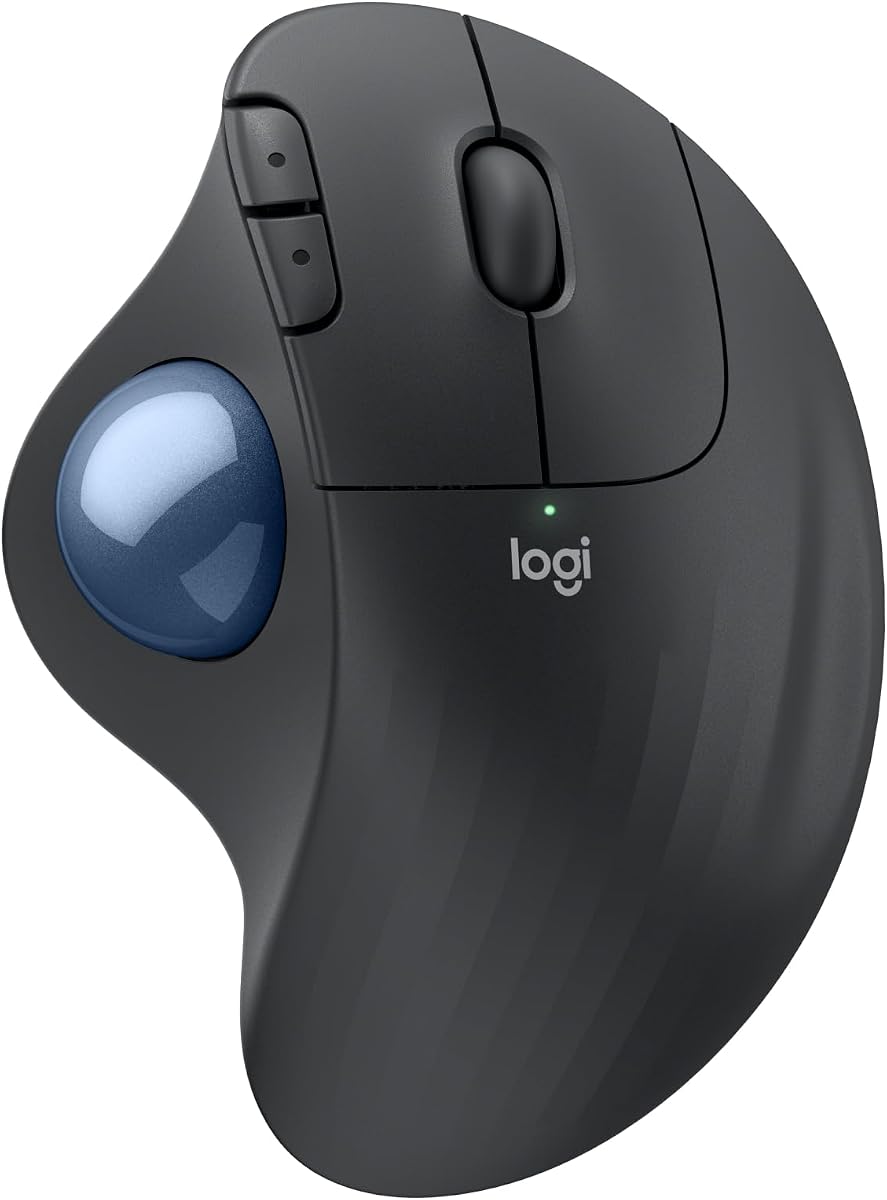
The Logitech Ergo M575S stands out as a top choice for ergonomic comfort with a 4.5 star rating. It features a sculpted shape that keeps your hand relaxed during extended work hours while offering precise thumb control.
We may earn a commission when you buy through this link, at no additional cost to you.
Developed with Logi Ergo Lab experts, this mouse reduces forearm muscle strain by 25 percent compared to standard mice. The smooth tracking works on virtually any surface and the quiet clicks minimize distractions in office environments.
While the 18 month battery life is impressive, users must rely on the included AA battery. The lack of a rechargeable option may be a trade-off for those preferring eco-friendly power solutions or frequent recharging routines.
Ideal for users seeking proven ergonomic benefits, the M575S is perfect for professionals wanting comfort without sacrificing productivity. Its customizable buttons via Logi Options+ allow for efficient workflows and smart actions.
Certified by ergonomists, the shape aligns your forearm naturally to prevent fatigue and repetitive strain injuries over long workdays.
Enjoy up to 18 months of use on a single AA battery, ensuring uninterrupted workflow without frequent charging interruptions.
We may earn a commission when you buy through this link, at no additional cost to you.
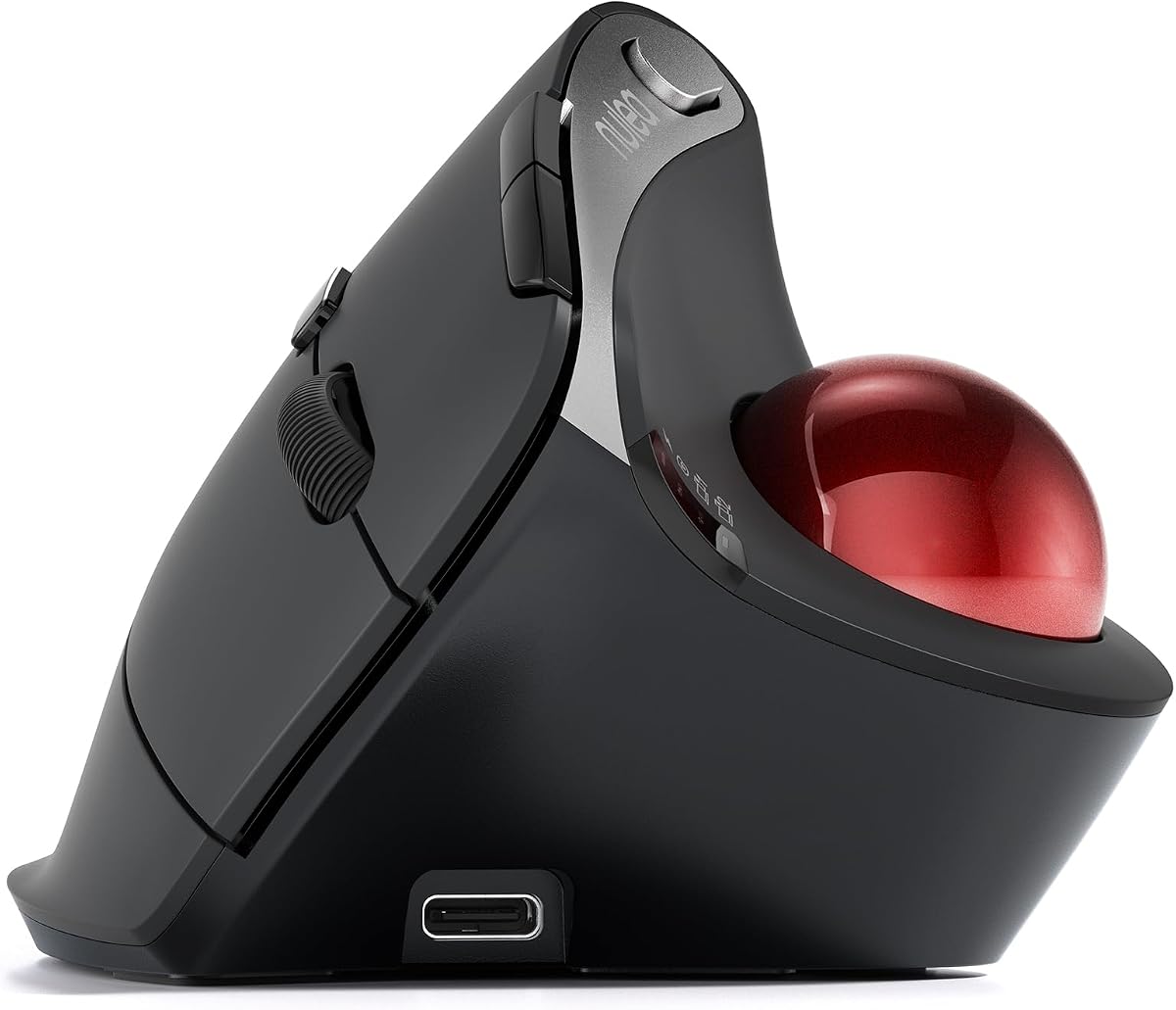
The Nulea M501 offers exceptional value as a budget-friendly ergonomic trackball mouse with solid performance ratings. Its smooth thumb control reduces muscle stress by allowing cursor movement without arm or wrist motion.
We may earn a commission when you buy through this link, at no additional cost to you.
With adjustable DPI levels, users can switch between precision and speed depending on their task requirements. The rechargeable battery eliminates the need for disposable cells, making it an eco-conscious choice for daily use.
While the lack of programmable buttons limits advanced customization, the core ergonomic design delivers comfort effectively. This model is perfect for general office tasks where straightforward operation is preferred over complex macro setups.
Anyone seeking an affordable entry into ergonomic trackball technology will appreciate its seamless connectivity and comfortable curved shape. It fits well in cramped workspaces where traditional mouse movement is restricted.
The built-in rechargeable battery supports long usage periods without needing disposable batteries, reducing waste and ongoing costs.
Trackball technology allows cursor movement without hand travel, making it ideal for limited desk space or travel setups.
We may earn a commission when you buy through this link, at no additional cost to you.
This black variant of the popular M575S combines style with ergonomic function delivering a reliable experience for daily tasks. It focuses on essential features that improve posture and reduce muscle strain over long periods.
We may earn a commission when you buy through this link, at no additional cost to you.
The improved forearm posture design helps align your hand naturally reducing the risk of strain during extended work sessions. Wireless connectivity ensures a clutter-free desk setup without the need for constant cable management.
While it lacks advanced programmability found in higher-end models, the core functionality supports efficient navigation and tracking. It is suitable for users who prioritize comfort and simplicity over extensive feature sets.
Ideal for those wanting a straightforward ergonomic upgrade this mouse delivers comfort without unnecessary complexity. Its durability and battery performance make it a practical choice for office or home use.
The sculpted shape promotes a natural forearm position helping prevent discomfort during long working hours.
A refined black finish complements modern workspaces while maintaining professional ergonomic performance standards.
We may earn a commission when you buy through this link, at no additional cost to you.
The MX Ergo S represents premium ergonomic design with a 20-degree tilt angle that significantly improves forearm posture. It reduces muscle strain by 27 percent making it ideal for users with repetitive strain concerns.
We may earn a commission when you buy through this link, at no additional cost to you.
Equipped with USB-C charging it offers 24 hours of use from just a one minute charge. The 80 percent quieter clicks ensure minimal disruption which is perfect for shared workspaces or quiet environments.
While the price reflects its advanced features the productivity gains from customizable buttons and smart actions justify the investment. Users can personalize workflows using Logi Options+ to automate common tasks efficiently.
Best suited for professionals who demand comfort and efficiency the MX Ergo S delivers high-end performance. Its sustainable construction and reliable battery life make it a top-tier choice for ergonomic needs.
The 20-degree tilt angle aligns your wrist and forearm naturally to reduce strain and improve comfort.
Made with 20 percent post-consumer recycled plastic it balances high performance with environmental responsibility.
We may earn a commission when you buy through this link, at no additional cost to you.
This TECKNET model stands out with a 16-degree vertical angle that promotes better forearm posture and reduces strain by up to 50 percent. It offers precise tracking for documents and web navigation in confined spaces.
We may earn a commission when you buy through this link, at no additional cost to you.
The 500mAh rechargeable battery supports all-day use after a quick 15 minute charge eliminating the need for disposable cells. Five adjustable DPI levels let you tailor sensitivity for various tasks from browsing to design.
Designed for medium to large hands users may need one to two weeks to adapt to the vertical orientation. The silent clicks and lag-free Bluetooth connection enhance comfort and focus during extended work sessions.
Ideal for those seeking enhanced ergonomics in a budget-friendly package this mouse delivers reliable performance. Its unique angle offers noticeable relief compared to flat trackball alternatives for many users.
The 16-degree vertical tilt keeps your palm in a natural handshake position to reduce wrist tension.
Just 15 minutes of charging provides enough power for a full day of usage ensuring minimal downtime.
We may earn a commission when you buy through this link, at no additional cost to you.
The Nulea M506 earns high praise for its 54-degree vertical design that keeps wrists in a relaxed neutral position. This structure helps prevent fatigue and reduces wrist burden during long work hours effectively.
We may earn a commission when you buy through this link, at no additional cost to you.
With all essential functions positioned for easy reach users can operate navigation keys and scroll without breaking workflow. The detachable trackball allows quick tool-free cleaning to maintain smooth precision over time.
While the vertical orientation requires an adaptation period most users find it significantly reduces strain and increases comfort. The 21-day battery life ensures consistent performance without frequent charging interruptions.
Perfect for office workers or designers needing reliable precision this mouse combines comfort with practical features. Its textured palm surface offers a steady grip that enhances control during detailed tasks.
The 54-degree vertical angle places your hand in a natural handshake position to reduce strain.
The removable trackball enables quick cleaning to ensure smooth operation and longevity.
We may earn a commission when you buy through this link, at no additional cost to you.
This model features a 65-degree ergonomic angle designed to keep your arm and wrist naturally relaxed. The advanced infinite scroll wheel switches automatically between modes based on speed improving navigation efficiency.
We may earn a commission when you buy through this link, at no additional cost to you.
True silent control extends from the trackball to all buttons creating a noise-free environment ideal for focused work. The wave-textured surface fits your palm seamlessly offering comfort throughout the day.
While the infinite scroll is convenient for long documents users should adjust settings if precision is needed. Multi-device connectivity supports seamless workflow across computers and tablets with a single switch.
Best for users prioritizing silent operation and scrolling ease this mouse delivers reliable performance. Its design minimizes strain and noise making it suitable for shared workspaces.
Automatic mode switching allows you to spin through long pages effortlessly without manual mode selection.
From clicks to trackball movements the entire device operates quietly to support focus.
We may earn a commission when you buy through this link, at no additional cost to you.
The Nulea M506 variant includes a 21.7-degree tilt stand that elevates the wrist for a more natural position. This design reduces strain and fatigue making it suitable for long desk sessions.
We may earn a commission when you buy through this link, at no additional cost to you.
Silent control ensures a noise-free environment whether working late or in shared spaces. The 6-button layout includes back and forward options for higher productivity during browsing tasks.
Adjustable DPI levels allow switching between precision and speed depending on workflow needs. However the lack of programmable buttons limits advanced customization for power users.
Ideal for those seeking ergonomic tilt benefits without a premium price this mouse offers balanced performance. Its elevated shape supports better posture and comfortable grip over time.
The tilted stand positions your wrist to reduce pressure and improve comfort during use.
Extra back and forward buttons allow faster navigation through web pages and documents.
We may earn a commission when you buy through this link, at no additional cost to you.
This business edition of the M575 supports scalable deployment with Logitech Sync for remote monitoring and configuration. Its sculpted shape reduces muscle activity by 25 percent for all-day comfort.
We may earn a commission when you buy through this link, at no additional cost to you.
Certified by US Ergonomics the design keeps hands relaxed and promotes better forearm posture. The long battery life and recycled plastic construction align with corporate sustainability goals.
While individual users may not utilize Sync features the ergonomic and battery benefits remain. It is perfect for organizations prioritizing employee wellness and environmental responsibility in office setups.
Ideal for corporate environments this model delivers proven comfort and durability. Its silent tracking and long life reduce maintenance and improve worker satisfaction.
Logitech Sync enables IT teams to deploy and manage devices across large organizations efficiently.
With 52 percent recycled plastic it supports eco-friendly procurement without compromising performance.
We may earn a commission when you buy through this link, at no additional cost to you.
The MX Ergo S Advanced combines advanced ergonomics with extensive customization for power users. It offers instant switching between speed and high-precision tracking via a dedicated button.
We may earn a commission when you buy through this link, at no additional cost to you.
Six customizable buttons allow you to create shortcuts and smart actions for daily tasks. The encrypted dongle adds a layer of security for sensitive work environments.
While the learning curve may require time to master all features the productivity gains are significant. Fast charging and long battery life ensure continuous use without interruption.
Best for professionals needing maximum control and comfort this mouse delivers top-tier performance. Its secure connectivity and ergonomic design make it a smart long-term investment.
Tap a button to switch between standard and high-precision modes for detailed work.
An encrypted dongle ensures safe wireless data transmission for corporate environments.
We may earn a commission when you buy through this link, at no additional cost to you.
Selecting the right ergonomic trackball mouse requires evaluating comfort, connectivity, and features that match your specific workflow needs.
Look for tilt angles and sculpted shapes that keep your wrist in a natural position to reduce strain. Certified ergonomic designs by experts can significantly improve comfort over long workdays.
Prioritize models with certified ergonomic features to ensure long-term comfort and health benefits for your wrists and forearms.
Thumb-controlled trackballs are standard and allow precise cursor movement without arm motion. Ensure the ball feels smooth and responsive for your hand size.
Choose a thumb-operated trackball that feels comfortable to manipulate without causing fatigue.
Some models use AA batteries offering months of use while others are rechargeable via USB-C. Consider your preference for disposable versus rechargeable options based on your usage habits.
Evaluate battery type and duration to match your workflow and charging preferences effectively.
Wireless options with Bluetooth or USB dongles provide freedom from cables. Multi-device switching capabilities improve productivity if you use multiple computers.
Select connectivity options that support your devices and switching needs without latency issues.
Advanced users benefit from customizable buttons and software support for shortcuts. Some models restrict customization so verify app compatibility before purchasing.
Check if the mouse supports programmable buttons and software customization to boost efficiency.
Quiet clicks and trackball movements are essential for shared workspaces or late-night work. Models labeled silent reduce distractions significantly.
Choose silent models if you value a quiet environment during work hours.
Ensure the mouse fits your hand size comfortably to avoid cramping. Larger hands may need models with extended bases or contours.
Match the mouse dimensions to your hand size for optimal comfort and control.
Durable materials and recycled plastic options support longevity and sustainability. Quality build ensures resistance to wear over time.
Opt for well-built models with quality materials to ensure lasting performance and eco-friendly design.
Position the mouse so your hand rests naturally without reaching forward. Keep your wrist relaxed and use your thumb to rotate the trackball for cursor movement.
Clean the trackball regularly by removing it to clear dust and debris. This prevents tracking issues and maintains smooth performance over time.
Update firmware via the manufacturer's app for optimal settings and button customization. Adjust DPI settings to match your preferred speed and precision.
Trackball mice allow you to move the cursor using your thumb or fingers instead of moving your arm. This reduces repetitive arm and wrist movements helping to prevent strain and discomfort.
While designed for productivity many trackballs offer adjustable DPI and responsive tracking suitable for casual gaming. They are not optimized for fast-paced titles requiring rapid flick movements.
Trackball mice work on almost any surface since the device itself does not move. This makes them ideal for desks, lap use, or uneven environments.
Battery life varies by model with some lasting up to 18 months on AA batteries. Rechargeable models often provide 21 days or more per charge depending on usage.
Basic functionality works without software but customization often requires apps like Logi Options. Ensure the software is compatible with your operating system.
Most models allow you to eject the trackball for quick dust removal. Regular cleaning ensures smooth tracking and extends the device lifespan.
Many trackballs come in sizes for medium to large hands but some offer compact designs. Check dimensions to ensure a comfortable fit for your hand size.
Our top picks highlight the Logitech Ergo M575S as the best overall balanced performance and comfort. The Nulea M501 offers excellent value for budget-conscious users seeking ergonomic relief.
Prioritize models with adjustable tilt angles and long battery life to match your specific workflow needs. Consider customization options if you rely heavily on shortcuts for productivity.
Always verify current pricing and availability before making your purchase decision. Ergonomic trackball mice remain a smart investment for long-term comfort and health.