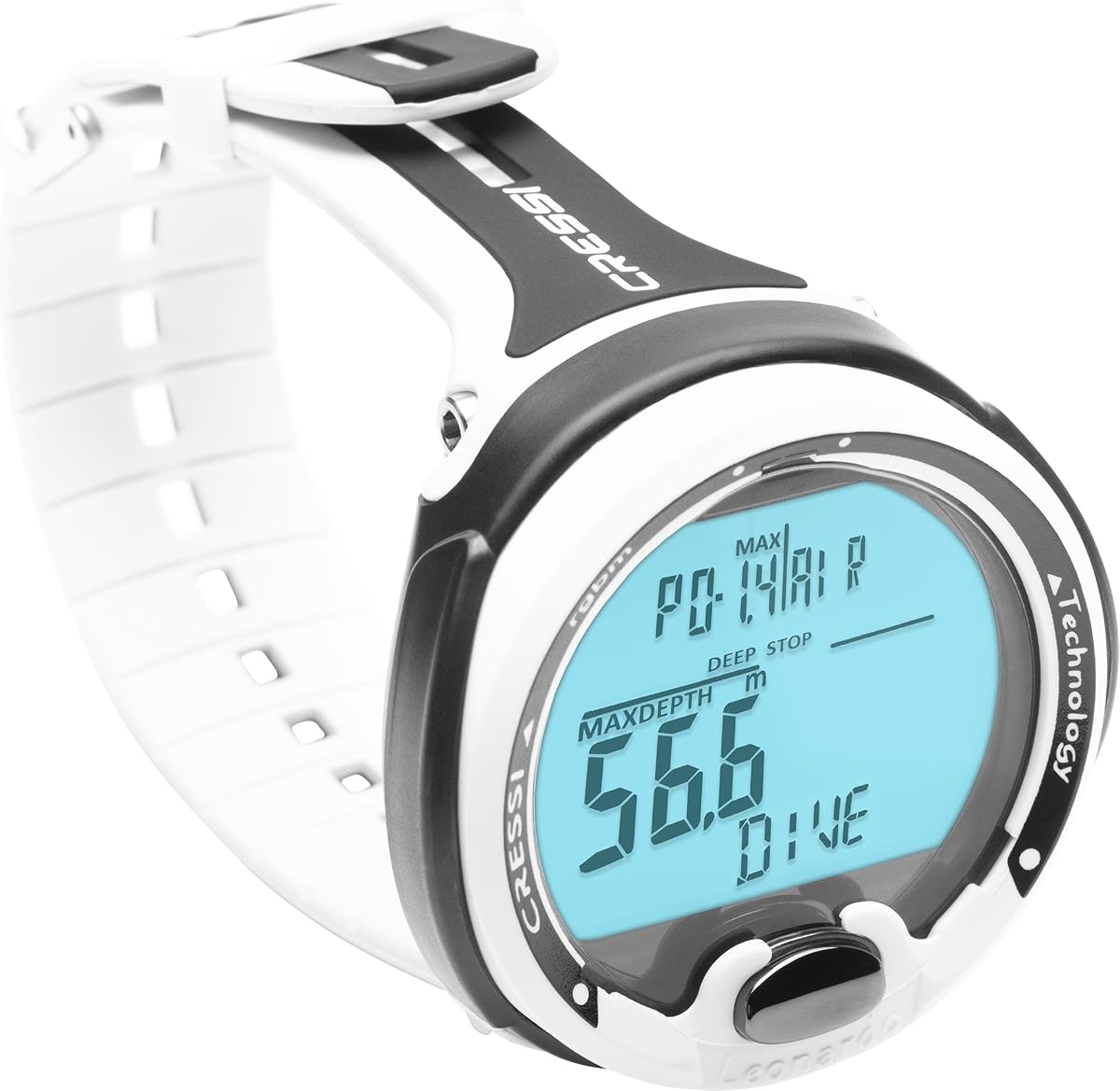
CRESSI Leonardo 2.0
4.2Editor score
Single-button navigation
Gauge and Air modes
Data transfer via USB
Discover the top 10 dive computer for beginners options ranked by safety, ease of use, and value to help new divers choose the perfect underwater safety device
Starting your scuba diving journey requires the right safety equipment to monitor depth and time. A reliable dive computer for beginners simplifies tracking limits and prevents accidents underwater while you focus on exploration.
We compared ten top-rated models based on interface simplicity, battery life, and essential features. Each option offers clear displays and intuitive controls designed specifically for those new to the underwater world.
Every pick highlights unique strengths like wireless connectivity or rugged durability for varied conditions. Note that product availability and pricing may shift, so verify details before purchasing your next essential gear.
4.2Editor score

4.8Editor score

4.7Editor score
This table compares all ten models side-by-side to highlight key specifications for new divers. Look at connectivity options, display clarity, and button layouts to find the best match for your needs.


The Mares Puck Pro EZ stands out as an ideal choice for those new to the sport. With a 4.8 rating, it delivers clear data and intuitive control for safety.
We may earn a commission when you buy through this link, at no additional cost to you.
Its high-contrast screen ensures you can read depth and time easily even in dark waters. The Buhlmann algorithm provides reliable decompression tracking essential for safe ascents.
While the single button simplifies use, it might feel slower than multi-button models for complex settings. This trade-off is minor given the focus on ease and clarity for new divers.
We recommend this model for anyone seeking a straightforward device that handles core safety needs effectively without overwhelming complexity. It is a trusted pick for entry-level users.
The screen design prioritizes readability so you never lose track of critical dive limits during your underwater exploration.
Supporting enriched air mixes allows you to extend bottom time safely as you advance your diving skills over time.
We may earn a commission when you buy through this link, at no additional cost to you.
The CRESSI Leonardo 2.0 offers exceptional value for beginners watching their budget while needing reliable safety gear. Its Italian design brings quality to entry-level diving needs.
We may earn a commission when you buy through this link, at no additional cost to you.
Features like visual alerts and a simplified button make navigation stress-free underwater. You can track dives on your smartphone for later review which helps learning.
It lacks advanced technical modes but covers air and Nitrox perfectly for recreational use. This simplicity ensures you focus on safety rather than fiddling with complex menus.
Choose this if you need a trusted companion for standard dives without breaking the bank. It balances cost and function well for first-time buyers.
Connecting to phones lets you review past dives and share experiences easily after returning to the surface.
Quick alerts keep you informed of critical changes in your dive data to ensure a safe return.
We may earn a commission when you buy through this link, at no additional cost to you.
The Garmin Descent X30 brings premium features like surface GPS and robust build quality to the dive computer market. It supports growth from beginner to advanced diver.
We may earn a commission when you buy through this link, at no additional cost to you.
With a vibrant display and vibration alarms you get clear feedback even in noisy environments. Real-time metrics help you understand how depth affects your no-decompression limit.
While it has many capabilities the screen customization allows you to simplify views for easier use. The cost is higher but the durability and tech justify it for enthusiasts.
Invest in this if you want a device that will last years and grow with your skills. It combines safety with convenience features unmatched by basic models.
Navigate to sites easily and mark entry points so you never get lost before or after a dive.
Made with recycled plastics it stands up to bumps and scrapes so you don't need to fear drops.
We may earn a commission when you buy through this link, at no additional cost to you.
Shearwater Research is known for high reliability and the Peregrine offers this with a user-friendly design for beginners. It balances simplicity with powerful dive tracking features.
We may earn a commission when you buy through this link, at no additional cost to you.
The two-button layout makes menu navigation quick and state-aware menus prevent confusion underwater. A wireless charger is included which adds convenience to your routine.
Battery life is decent but requires attention compared to disposable models. This is a minor trade-off given the robust build and clear display for essential data.
Pick this if you want a durable tool that grows with you as you learn more about diving. It is a respected name in the diving community.
The system changes menus based on context so you only see relevant options when you need them.
Stainless steel buttons resist corrosion and provide tactile feedback so you know you pressed them underwater.
We may earn a commission when you buy through this link, at no additional cost to you.
The SUUNTO D5 looks like a stylish watch but packs essential safety tech for diving. It is designed for those who want function with a clean look.
We may earn a commission when you buy through this link, at no additional cost to you.
Features like wireless tank pressure and a compass mean you do not need extra gear. Vibration alarms ensure you notice warnings even if you miss audio alerts.
The color display is clear but the menu system can take time to learn. This is acceptable given the depth of features it offers for various dive types.
It is a great pick for divers who value aesthetics alongside performance. Its compact form fits well on the wrist without looking bulky.
Monitor tank pressure wirelessly so you do not have to check gauges manually during your dive.
Silent alerts keep you aware of limits without relying on sound which can be hard to hear underwater.
We may earn a commission when you buy through this link, at no additional cost to you.
Cressi Donatello is designed with simplicity in mind making it perfect for new divers. A single button handles all navigation reducing confusion during critical moments.
We may earn a commission when you buy through this link, at no additional cost to you.
It supports both air and Nitrox so you can upgrade tanks later without buying new hardware. The freediving mode is a bonus if you explore breath-hold diving too.
Customizable ascent stops help you manage safety levels as you get more experienced. The interface is straightforward so you spend less time on menus and more on water.
Choose this if you want versatility and ease in one affordable package. It covers standard needs well for most recreational divers.
Track breath-hold dives easily so you can explore multiple types of diving with one device.
Set deep stops to help your body adjust gradually to pressure changes during ascent.
We may earn a commission when you buy through this link, at no additional cost to you.
Cressi Raffaello adds a built-in digital compass which saves space and simplifies your setup. It is a great all-in-one choice for new explorers who value direction.
We may earn a commission when you buy through this link, at no additional cost to you.
RGBM planning helps manage gas and time for safe dives. You can transfer logs to PC or phone easily to keep records without extra gear.
A replaceable battery lasts years reducing waste and cost over time. This convenience means less maintenance and more dives for you.
It is a solid pick for those who want navigation on their wrist without adding straps. The reliability of Cressi makes it a safe bet.
Navigate with direction so you can swim straight and not get lost even if current shifts.
Advanced planning keeps you safe from decompression sickness by calculating risk and depth levels accurately.
We may earn a commission when you buy through this link, at no additional cost to you.
The Garmin Descent Mk3i is a high-end device that offers advanced smart features alongside diving safety. It is ideal for tech lovers who want all data on one wrist.
We may earn a commission when you buy through this link, at no additional cost to you.
Features like dive readiness help you plan trips based on rest and stress. Maps with dive sites guide you to new locations easily without extra planning.
It may feel heavy and expensive for a beginner but the tech is impressive. You get fitness tracking and diving together which is a nice dual-purpose benefit.
Only choose this if budget is not a constraint and you want a total smartwatch for land and sea. It is a premium option with great depth.
This tool tracks your physical state so you know if you are ready for a deep dive.
Access thousands of dive sites to find new places to explore with depth contours.
We may earn a commission when you buy through this link, at no additional cost to you.
Garmin Descent G2 offers a lighter alternative to larger models while keeping key dive features. It is perfect for beginners who want a sleek watch daily too.
We may earn a commission when you buy through this link, at no additional cost to you.
It supports recreational and technical diving needs with clear screens and alerts. The use of recycled plastics shows a commitment to environmental care which many divers appreciate.
Smart notifications let you stay connected without checking your phone constantly. This blend of tech makes daily use comfortable even when not underwater.
Choose this for a balance of style function and lighter weight. It serves well for casual divers who wear watches daily.
Stay updated with calls and texts easily so you never miss important messages during surface intervals.
Made from ocean plastics it helps reduce waste so your gear supports the ocean it explores.
We may earn a commission when you buy through this link, at no additional cost to you.
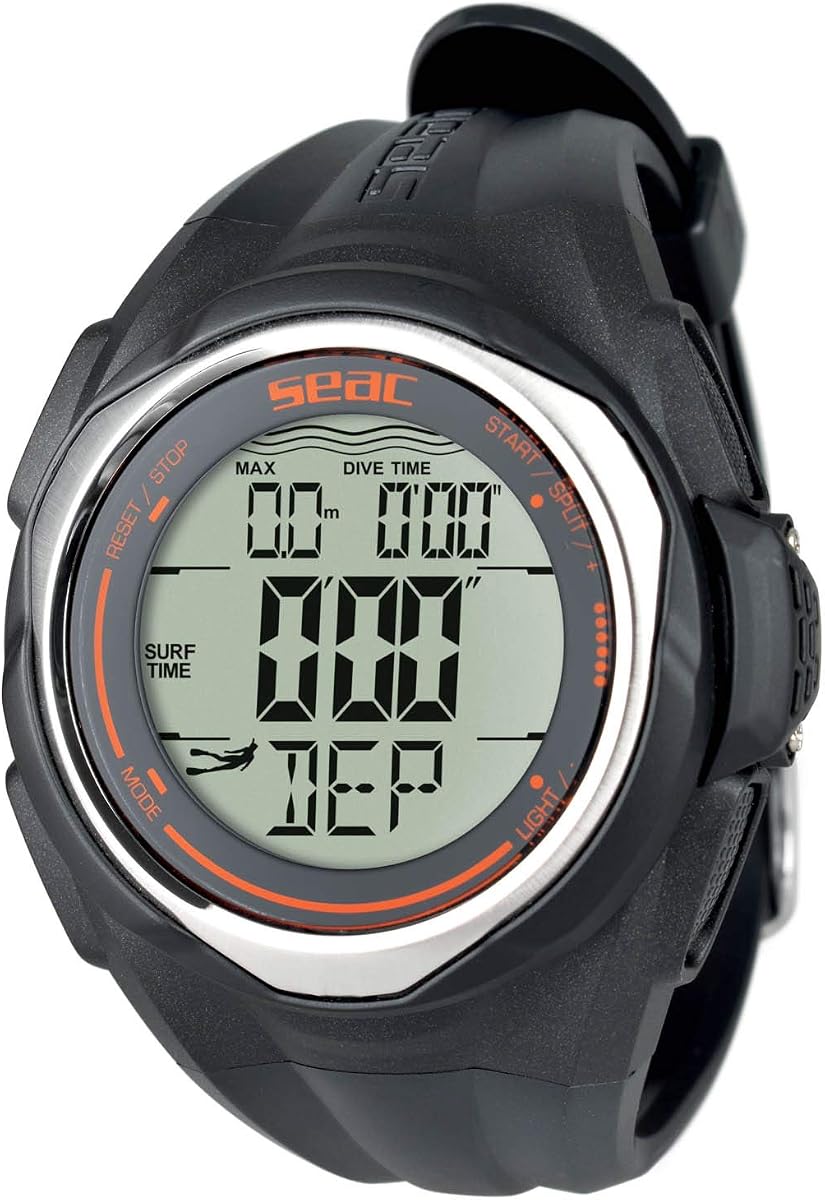
SEAC Partner is a basic unit focused on freediving and simple tracking. It is a great option for those just exploring underwater without complex scuba gear.
We may earn a commission when you buy through this link, at no additional cost to you.
It tracks up to 99 dives with a basic interface that is hard to mess up. The backlit display ensures you can see data even in low light.
Lacking advanced limits means it is not for deep scuba but fine for shallow fun. This simplicity keeps it cheap and easy to use for entry-level.
Buy this if you want a simple tracker without high costs. It serves well for casual sessions and light exploration.
Use the timer to monitor depth and duration safely while you learn basic freediving skills.
Its low price makes it accessible for anyone wanting to try underwater logging without a big investment.
We may earn a commission when you buy through this link, at no additional cost to you.
Selecting the right dive computer involves considering ease of use, display clarity, and feature set. This guide breaks down key factors to help you decide.
For beginners, a simple menu structure is vital to reduce stress during dives. Look for single-button or dual-button interfaces that are intuitive to navigate underwater.
Avoid complex menus that require deep navigation to access basic data like time and depth.
A clear and bright screen ensures you can read critical limits in varying light conditions. High contrast and backlit displays are key for safety.
Choose models with large fonts that are easy to read even if your eyes struggle to focus quickly.
Dive computers need reliable power to function safely. Consider units with long battery life or rechargeable options that suit your diving frequency.
Models with replaceable batteries offer flexibility so you can swap them out instead of charging constantly.
Bluetooth or USB connectivity lets you log dives to apps for review and sharing. This feature helps you track progress over time.
Ensure the software works with your phone system to avoid compatibility issues after purchase.
If you plan to use enriched air Nitrox, ensure the device supports multiple gas mixes. This allows for safe dives with different tank types.
Basic Air mode is enough for starters but Nitrox support offers room to grow skills.
A sturdy case and water resistance rating protect the device from drops and pressure. Look for high ratings like 10 ATM for peace of mind.
Materials that resist corrosion ensure the device lasts longer in salt water environments.
A good warranty protects your investment against manufacturing faults. Check the length and terms offered by the manufacturer before buying.
Responsive customer support helps resolve any technical issues quickly if they arise during use.
Features like built-in compasses or temperature sensors add value but may complicate use. Choose extras that truly enhance safety for your needs.
Avoid paying for functions you will not use if budget is a key constraint.
Before each dive, ensure the device is fully charged or has a fresh battery. Check the display for any error messages that might indicate a fault.
Rinse the unit with fresh water after every dive to remove salt and sand. Use a soft cloth to dry the screen and buttons gently.
Store the device in a cool, dry place away from direct sunlight. Regularly check straps for wear and tear to avoid breaks during dives.
Yes, a dive computer is essential for safety as it tracks depth and time to prevent decompression sickness. Manual tables are harder to use and prone to human error underwater. A computer simplifies these calculations so you can focus on the dive.
For beginners, a battery life of at least 50 dives or more is recommended to avoid frequent changes. Rechargeable models are convenient if you dive often but check charging needs carefully.
Yes, most dive computers can be used for snorkeling in shallow water but they are designed for scuba depths. Be aware that deep water modes may not work properly for surface only activity.
You generally do not need to calibrate a dive computer as it handles adjustments automatically. However, ensure you update the firmware regularly via USB or Bluetooth for best accuracy.
Wrist models are usually preferred for ease of use and portability during dives. Console models can be bulky and harder to check with gloves making wrist units more practical.
Yes, most modern models support both Air and Nitrox modes to switch between gases easily. Ensure you select the correct gas mix before diving to get accurate calculations.
It is the maximum time you can stay at a specific depth without needing stops on ascent. Exceeding this limit increases the risk of decompression sickness so stay below the limit.
Yes, they work in both fresh and salt water but you may need to switch settings for accurate readings. Some models auto detect salinity but manual checks help prevent errors.
We reviewed ten excellent options ranging from budget friendly to premium models with advanced tech. The Mares Puck Pro EZ stands out for balance while the Cressi Leonardo offers great value.
Prioritize simplicity and clarity over complex features to ensure safe and stress free dives. Choose a device that matches your intended activities and budget to get the best experience.
Remember to verify availability and details before buying since these can change over time. Happy diving with your new gear and enjoy the underwater world safely.