
WAVLINK USB 3.0/USB C to HDMI Universal Video Adapter
4.4Editor score
Supports up to 6 monitors
Universal system support
Compact and portable
This comprehensive guide compares the top ten Displaylink adapters to help you choose the best dual monitor solution for your Mac or Windows laptop setup.
Finding the right Displaylink adapter can transform your laptop into a powerful workstation capable of supporting multiple high resolution displays effortlessly. These devices use advanced technology to bypass native port limitations and expand your digital workspace significantly.
We evaluated ten leading models based on compatibility, performance, build quality, and value to ensure you get the most reliable option available. Each product was carefully selected to meet the diverse needs of professionals working from home or on the go.
Every pick below details specific features, pros, cons, and real world use cases to help you make an informed decision today. Please note that prices and availability change frequently so check the current listings before purchasing your new adapter.
4.4Editor score

4.8Editor score

4.5Editor score
This side by side comparison highlights the key specifications and unique selling points of each adapter to help you quickly identify the right match for your specific hardware and workflow requirements.


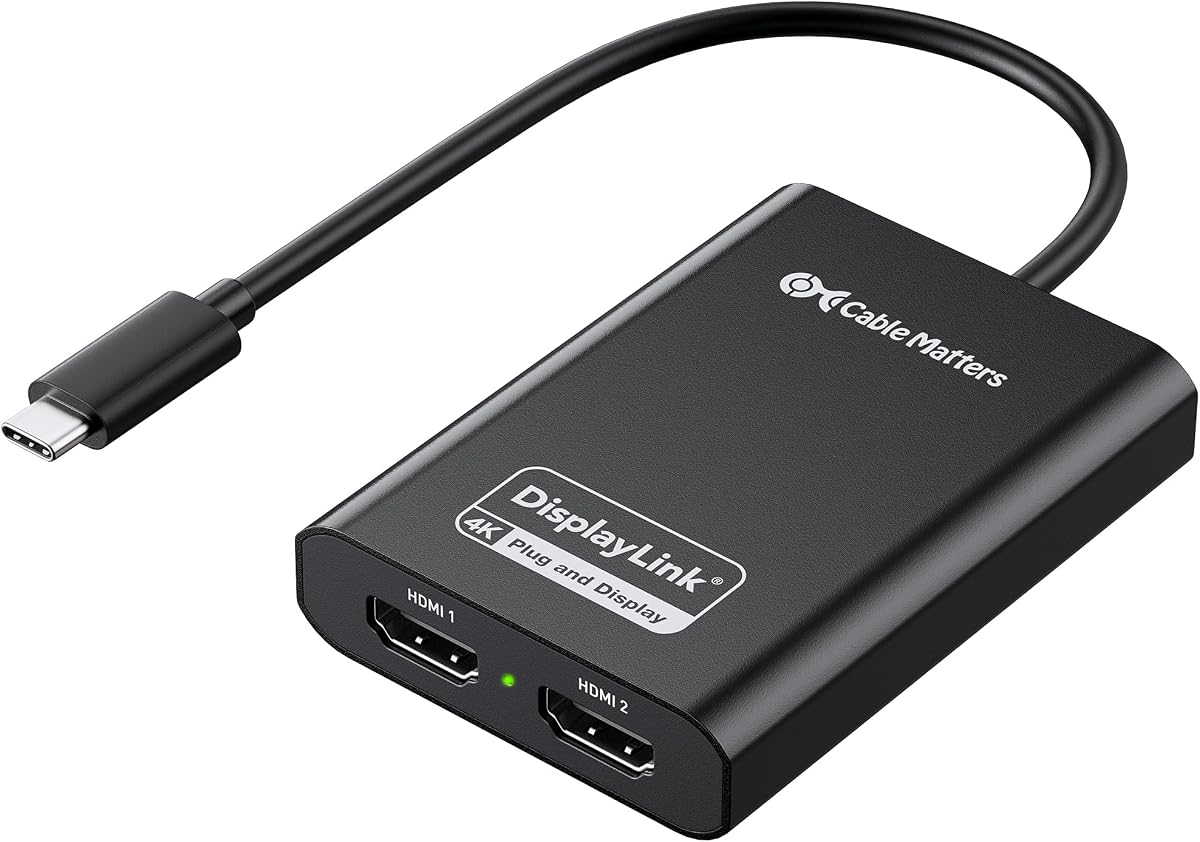

The ACASIS Dual DP DisplayLink Adapter stands out as the top choice for users needing robust dual monitor capabilities on modern Macs. With a stellar 4.8 rating it delivers exceptional performance and reliability for professional workloads.
We may earn a commission when you buy through this link, at no additional cost to you.
This adapter bypasses macOS single screen limitations effortlessly using advanced DisplayLink technology to drive two 4K displays at 60Hz. The inclusion of 100W power delivery ensures your laptop stays charged while you work on external screens.
While it requires DP cables and driver setup these are minor trade-offs for the stability and speed offered. The aluminum construction keeps it cool even during intensive multitasking sessions or long workdays.
If you need a reliable dual monitor solution that respects your Macs design and performance this adapter is the ideal choice. It transforms your MacBook into a true desktop workstation without compromising style or power.
The dual DP ports allow you to extend your workspace significantly so you can manage multiple applications without cluttering a single screen.
Constructed from high-grade aluminum this adapter not only looks sleek but also dissipates heat efficiently to maintain stable performance over time.
We may earn a commission when you buy through this link, at no additional cost to you.
The WAVLINK USB 3.0/USB C to HDMI Universal Video Adapter is a fantastic budget-friendly option for those needing flexible multi-monitor setups. It achieves a strong 4.4 rating by delivering reliable performance at an accessible price.
We may earn a commission when you buy through this link, at no additional cost to you.
Uniquely this adapter supports up to six total monitors when used with multiple units making it scalable for larger office environments. It works across Windows macOS ChromeOS and even Android with USB OTG support.
While the resolution cap is lower than premium models it remains perfect for basic productivity tasks like spreadsheets or web browsing. The compact design makes it easy to carry in a laptop bag for travel.
For users on a tight budget who still want DisplayLink benefits this adapter offers the best value. It provides essential connectivity without breaking the bank while maintaining solid build quality.
You can connect up to six monitors using multiple adapters which is rare for budget devices and ideal for expanding large workspaces.
From Windows to ChromeOS this adapter is versatile and works with almost any modern device ensuring you can use it across different platforms.
We may earn a commission when you buy through this link, at no additional cost to you.
The Plugable USB-C & USB-A Dual 4K HDMI Adapter is a premium choice designed for professionals demanding top-tier reliability and support. With a 4.5 rating it excels in delivering stable high resolution output for daily tasks.
We may earn a commission when you buy through this link, at no additional cost to you.
Powered by the DL-6950 chipset this adapter ensures smooth video rendering without needing external GPUs. The flexible USB-C or USB-A connection makes it compatible with virtually any laptop regardless of port type.
While the price is higher than budget options the lifetime support from Plugables North American team adds significant value for businesses or power users. It prioritizes stability and longevity over flashy features.
If you need a robust solution that integrates seamlessly into a mixed device environment this adapter is worth the investment. It delivers consistent performance day after day without the need for constant troubleshooting.
The integrated USB-A adapter allows you to use the same device across both new and old laptops ensuring long-term versatility for your workflow.
Plugable offers lifetime support from their North American team giving you peace of mind and quick assistance whenever you encounter technical issues.
We may earn a commission when you buy through this link, at no additional cost to you.
The ACASIS USB C to Dual HDMI DisplayLink Adapter is a strong productivity tool that combines display extension with useful peripheral connectivity. Its 4.3 rating reflects reliable performance for office environments.
We may earn a commission when you buy through this link, at no additional cost to you.
This adapter transforms your laptop into a multi-tasking powerhouse by adding two 4K monitors via a single USB-C port. It also includes three USB-A ports allowing you to connect keyboards mice and flash drives simultaneously.
While it does not support gaming or HDCP content it excels at standard office work and coding tasks. The included 100W PD port keeps your device powered up eliminating the need for a separate charger.
For users wanting a hub that doubles as a display adapter this model is an excellent all-in-one choice. It simplifies your desk setup by reducing cable clutter while boosting your screen real estate.
The 100W PD port ensures you never run out of battery during long work sessions by powering your laptop while driving external monitors.
Three USB-A ports let you connect essential peripherals directly to the adapter saving valuable laptop ports for other tasks or accessories.
We may earn a commission when you buy through this link, at no additional cost to you.
The WAVLINK USB 3.0 or USB C to Dual HDMI Splitter offers a practical solution for users needing dual 4K displays from a single port. With a 4.4 rating it balances performance and versatility effectively.
We may earn a commission when you buy through this link, at no additional cost to you.
Its hybrid 2-in-1 cable connects to both USB-C and USB-A ports ensuring compatibility with a wide range of laptops. This design choice makes it ideal for hybrid offices where hardware varies between employees.
While it requires driver installation on Windows the setup process is straightforward and ensures optimal performance. It supports up to 4K at 60Hz making it suitable for detailed spreadsheets or document editing.
If you need a reliable adapter that adapts to different connection types this splitter is a smart pick. It delivers consistent visual quality without the need for multiple adapters for different devices.
The hybrid cable allows you to connect to older USB-A ports or newer USB-C ports without needing extra adapters simplifying your travel setup.
Support for Thunderbolt 3 and 4 ensures that you get maximum bandwidth for high resolution displays even on newer high-performance laptops.
We may earn a commission when you buy through this link, at no additional cost to you.
The Plugable USB C to HDMI Adapter is recognized as a top choice for MacBook users struggling with single display limits. Its 4.3 rating highlights its reputation for reliability and strong customer support.
We may earn a commission when you buy through this link, at no additional cost to you.
This adapter adds two 4K displays simultaneously solving native limitations on Macs with M1 through M5 chips. It is designed specifically for productivity environments where screen real estate matters more than gaming performance.
Plugables lifetime support from their North American team ensures you always have access to expert help if issues arise. This service aspect often justifies the higher price point for business users.
For Mac users looking to expand their workspace legally and effectively this adapter is a robust solution. It ensures stable extended display modes without compromising the integrity of your operating system.
This adapter effectively removes the single external display limit on modern MacBooks allowing you to work with three screens total for maximum efficiency.
With lifetime support you can rely on Plugables team for guidance whenever you face setup challenges or need updates for your system configuration.
We may earn a commission when you buy through this link, at no additional cost to you.
The StarTech USB-A DisplayLink Dual 4K 60Hz DP Mini Dock is perfect for users needing a compact dock with Ethernet connectivity. With a 4.4 rating it offers practical features for work-from-home setups.
We may earn a commission when you buy through this link, at no additional cost to you.
Its dual DP outputs support high resolution displays while the built-in GbE port provides a stable wired internet connection. This combination is ideal for laptops with limited ports needing both video and network access.
The compact design makes it easy to slip into a briefcase or backpack ensuring your setup remains portable without sacrificing functionality. It is bus-powered so no extra power cable is needed for operation.
If you need a simple reliable mini dock that expands both video and network capabilities this is an excellent choice. It simplifies your workspace while ensuring a stable connection for professional tasks.
The built-in GbE port means you can connect to a wired network directly which often provides faster and more stable internet than wireless options.
Its small form factor ensures it adds minimal bulk to your bag making it easy to take your dual monitor setup with you wherever you work.
We may earn a commission when you buy through this link, at no additional cost to you.
This alternative ACASIS Dual DP adapter offers high performance for Mac users needing robust multi-monitor support. It shares similar features to the top pick with a strong 4.8 rating confirming its reliability.
We may earn a commission when you buy through this link, at no additional cost to you.
Equipped with two DP ports it supports 4K at 60Hz allowing for crisp visuals essential for design work or detailed data analysis. The 100W PD port ensures your MacBook stays powered while driving these displays.
The premium aluminum alloy construction provides excellent durability and heat dissipation ensuring stable performance during heavy workloads. It is a sleek addition that matches the design language of modern Apple devices.
For professionals who value both aesthetics and functionality this adapter is a great choice. It transforms your laptop into a desktop replacement without requiring multiple dongles or power bricks.
The 100W power delivery ensures your laptop remains fully charged even when running multiple displays reducing the risk of battery drain during meetings.
Crafted from aluminum alloy this adapter resists scratches and stays cool under pressure making it ideal for daily travel and use.
We may earn a commission when you buy through this link, at no additional cost to you.
The WAVLINK USB 3.0 & USB C to Dual HDMI Adapter focuses on security and performance for professional environments. With a 4.6 rating it stands out for its advanced chip-level encryption features.
We may earn a commission when you buy through this link, at no additional cost to you.
Featuring WAVLINKs encrypted DL-chip technology this adapter ensures data protection during transmission which is vital for corporate environments handling sensitive information. It delivers dual 4K outputs for clear professional visuals.
While it requires driver installation its compatibility with Windows macOS and ChromeOS makes it versatile for different company IT policies. It supports Thunderbolt 3 and 4 ensuring high bandwidth for smooth displays.
For businesses prioritizing security without sacrificing display quality this adapter is a strong contender. It offers enterprise-level protection while enabling efficient multi-tasking with high resolution screens.
The DL-Chip encryption technology safeguards your data during transmission making this adapter suitable for secure corporate or government environments.
Dual 4K outputs ensure that financial data or high definition presentations appear sharp and readable for professional communication and analysis.
We may earn a commission when you buy through this link, at no additional cost to you.
The Sonnet DisplayLink Dual 4K HDMI Adapter is a reliable choice for Mac users needing dual screens on M1 or M2 machines. Its 4.4 rating reflects consistent performance and solid build quality.
We may earn a commission when you buy through this link, at no additional cost to you.
It supports various refresh rates including 1080p at 144Hz which is great for smoother scrolling or legacy monitors. The inclusion of audio output adds versatility for users needing sound from external displays.
Sonnet includes a USB-A to USB-C adapter making it versatile for different port types without needing extra purchases. It works seamlessly with Thunderbolt ports ensuring stable connections for professional workflows.
If you need a trusted adapter that handles Mac limitations gracefully this model is an excellent fit. It provides a stable foundation for expanding your digital workspace without compatibility issues.
Unlike many adapters that only handle video this model includes audio output allowing you to connect speakers or headsets directly to the display.
Optimized for M1 and M2 Macs it ensures seamless integration with modern Apple hardware solving single monitor limits effectively and efficiently.
We may earn a commission when you buy through this link, at no additional cost to you.
Choosing the right Displaylink adapter involves evaluating compatibility, performance, and build quality to ensure it meets your specific professional needs effectively.
Ensure the adapter matches your laptops ports such as USB-C USB-A or Thunderbolt to avoid needing extra cables. Some models offer hybrid options which provide flexibility if you use multiple devices.
Always verify that your device supports the specific connection type to ensure stable data and video transmission without interruptions.
Look for adapters that support 4K resolutions at 60Hz for crisp and smooth visuals. Lower resolutions may suffice for basic tasks but high resolution is vital for detailed work.
Selecting an adapter with the right resolution capability ensures you get the most out of your monitors without flicker or blurriness.
Check compatibility with your specific operating system as some adapters work better with Windows or macOS. Driver requirements also vary so ensure you are comfortable with setup steps.
Verify system requirements before purchase to avoid issues with software installation or device recognition.
Models with Power Delivery (PD) can charge your laptop while driving external displays reducing cable clutter significantly. 100W PD is ideal for modern laptops requiring fast charging.
Prioritize adapters with charging capabilities if you work long hours away from a power outlet to maintain battery life.
Aluminum alloy builds dissipate heat better and are more durable than plastic alternatives. A compact design ensures portability which is essential for remote workers.
Choose a build that feels sturdy and resists heat to ensure reliable long-term performance in varied environments.
Some adapters include USB-A ports for connecting mice or keyboards directly to the dock. This feature enhances functionality by turning the adapter into a mini hub.
Consider models with extra ports if you need to connect multiple accessories without using up your laptops limited ports.
Lifetime or long-term warranties provide peace of mind and access to technical support if issues arise. Reputable brands often offer dedicated support teams for faster resolution of problems.
A strong warranty policy indicates manufacturer confidence and protects your investment against premature failures.
Balancing cost with features is key since higher-end models often include better build quality and support. Determine your budget but prioritize reliability for daily professional work.
Investing slightly more upfront can save money by avoiding replacements or performance issues in the long run.
Start by downloading and installing the official DisplayLink driver from the manufacturers website before connecting the adapter. This ensures your operating system recognizes the device correctly for stable performance.
Connect the adapter to your laptop and then attach your monitors via HDMI or DisplayPort cables. Configure display settings in your operating system to extend or mirror screens as needed.
Keep the adapter clean by avoiding dust and debris and ensure it has ventilation space to prevent overheating. Proper storage in a protective pouch extends its lifespan and maintains build integrity.
Yes most DisplayLink adapters require specific driver installation to function correctly. You can download the latest drivers from the official DisplayLink website to ensure compatibility with your operating system.
No DisplayLink adapters are optimized for productivity and do not support HDCP content like Netflix. They are not recommended for gaming due to potential latency and compression artifacts.
Most of these adapters are explicitly designed to support M1 M2 and M3 Macs allowing you to bypass single external display limits. Always check the product details for the latest supported chip generations.
It may drain faster unless the adapter supports Power Delivery (PD) to charge your laptop simultaneously. If your adapter has PD you can maintain battery levels while using external displays.
Most dual port adapters support two external monitors simultaneously. Some universal models allow multiple adapters to be connected for up to six monitors depending on system capabilities.
Yes many models listed support ChromeOS 100 and later. Always verify specific OS support on the product page to ensure full functionality before purchasing.
The ACASIS Dual DP and Plugable adapters stand out as top choices for reliability and performance across different platforms. They offer robust features that cater to professionals needing stable dual monitor setups.
Prioritize compatibility with your operating system and port types to ensure a seamless integration into your existing workflow. Choosing an adapter with charging capabilities further simplifies your desk setup.
Always check current prices and availability before purchasing as deals change frequently. Select the model that best balances your budget with the essential features you need for daily productivity.