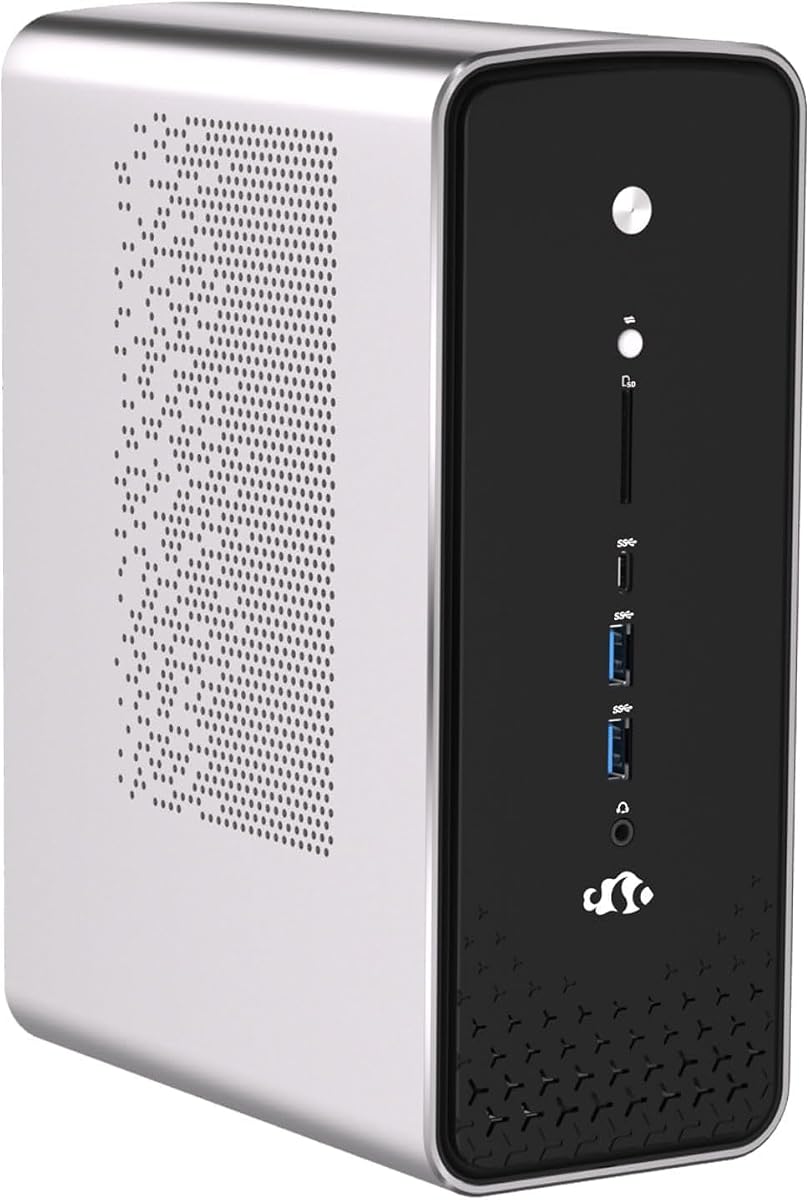
NIMO Mini PC AMD Ryzen AI Max+
5.0Editor score
Dual OS Flexibility
Next-Gen AI Power
Triple 4K Display Output
Discover the top 10 Desktop PC with Ubuntu Pre Installed options for 2026. We compare specs performance and features to help you find the perfect open source
Finding a Desktop PC with Ubuntu Pre Installed can streamline your workflow by eliminating setup hassles. These machines offer a stable open source environment ready for coding development and everyday tasks right out of the box.
We evaluated ten top rated models based on processor power memory capacity storage speed and connectivity options. Each system was analyzed for compatibility with Linux distributions and overall value for professionals seeking reliability and performance.
This guide showcases detailed reviews and comparison tables to help you make an informed decision. Note that prices and availability may fluctuate so verify current offers before purchasing your new Linux desktop system.
5.0Editor score

4.0Editor score
The following table provides a side by side overview of all ten Desktop PC with Ubuntu Pre Installed models reviewed in this guide. Compare their processors memory storage and operating system details to find the best fit for your needs.






The Beelink Mini PC SER9 Pro stands out as a top choice for users seeking a Desktop PC with Ubuntu Pre Installed. It features a powerful AMD Ryzen 7 255 processor and comes with the Ubuntu operating system ready to use immediately.
We may earn a commission when you buy through this link, at no additional cost to you.
This mini PC delivers exceptional performance with 24GB of LPDDR5X memory and a fast 1TB PCIe 4.0 SSD. The integrated Radeon 780M graphics allow for smooth multitasking and even casual gaming without needing a dedicated GPU.
While the price is higher than some alternatives the included software and hardware capabilities justify the cost. Users appreciate the triple display support and extensive ports which enhance productivity in professional settings.
If you need a reliable and powerful workstation that works out of the box this model is highly recommended. It combines modern specs with the convenience of a pre-installed Linux environment for seamless adoption.
The pre-installed Ubuntu system ensures you can start working or developing without spending time on initial setup or driver configuration.
Despite its small size this mini PC handles demanding tasks efficiently thanks to the advanced Ryzen processor and robust cooling system.
We may earn a commission when you buy through this link, at no additional cost to you.
The Dell OptiPlex 7070 SFF is a robust business desktop known for its durability and performance. Although it ships with Windows 11 Pro it offers the hardware quality desired by those looking to install Ubuntu later.
We may earn a commission when you buy through this link, at no additional cost to you.
With 32GB of DDR4 RAM and a 1TB NVMe SSD this system handles heavy multitasking and large data sets with ease. The built-in WiFi 6E ensures fast and stable network connections for modern office environments.
Users often buy this renewed unit to save money while still getting high-end specs. The small form factor design saves desk space while allowing for future expansion if needed for additional storage or peripherals.
While not pre-loaded with Ubuntu this Dell model is a great canvas for custom Linux installations. Its reliable components make it suitable for developers who prefer managing their own operating system environments.
Designed for business use this desktop offers stability and longevity that surpasses many consumer grade alternatives available on the market today.
The SFF chassis balances space efficiency with room for upgrades making it ideal for offices with limited desk real estate.
We may earn a commission when you buy through this link, at no additional cost to you.
The NIMO Mini PC offers a unique dual OS experience with both Windows 11 Pro and Linux Ubuntu pre-installed. This flexibility allows users to switch between productivity and development environments effortlessly.
We may earn a commission when you buy through this link, at no additional cost to you.
Powered by the AMD Ryzen AI Max+ 395 processor this device includes a dedicated NPU for accelerated AI workflows. It is perfect for running local LLMs and complex computational tasks without relying on cloud servers.
The hardware supports triple 4K displays and features lightning-fast USB4 and WiFi 7 connectivity. Advanced thermal management ensures the system remains quiet even under heavy engineering or rendering loads.
For professionals needing top-tier AI capabilities and OS freedom this premium mini PC is unmatched. It combines cutting-edge silicon with practical features like VESA mounting for a streamlined workspace setup.
The dedicated NPU boosts local AI model execution making it a powerful tool for machine learning and data science tasks.
Having both operating systems pre-loaded saves significant setup time and allows users to choose the best tool for any task.
We may earn a commission when you buy through this link, at no additional cost to you.
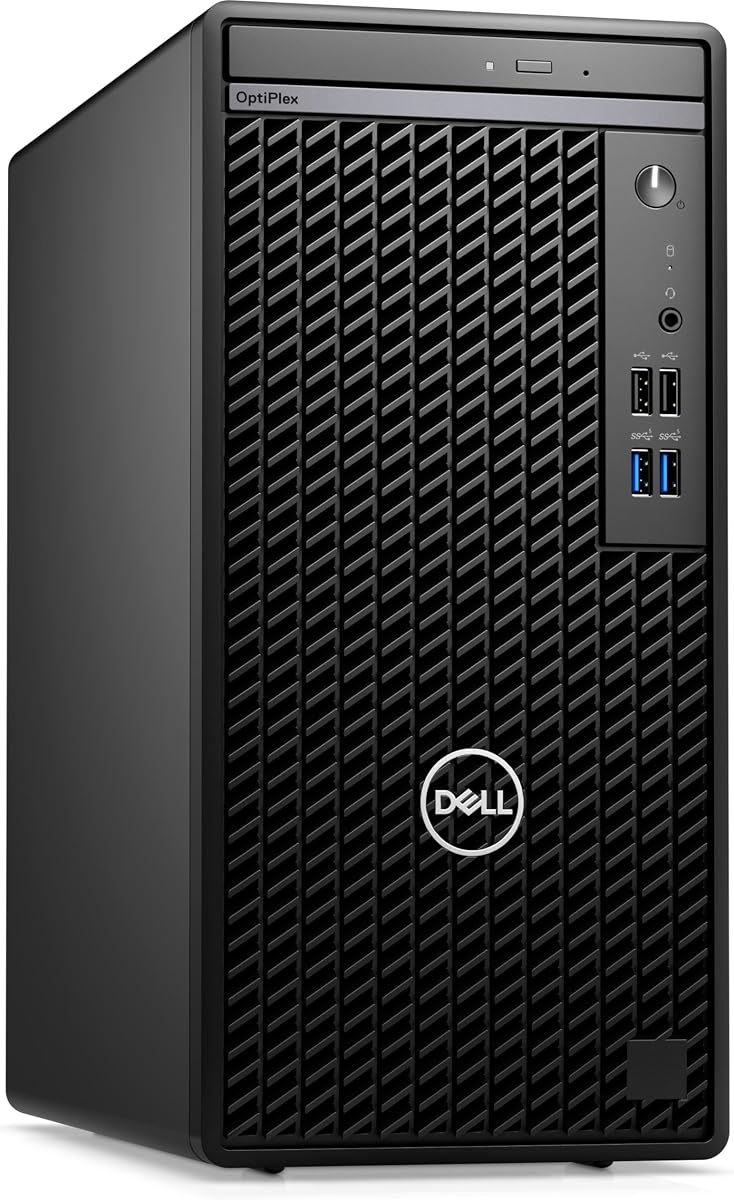
The Dell Optiplex 7010 Business Mini Tower delivers excellent value by including a 13th gen Intel i5 processor and Ubuntu Linux 22.04 out of the box. It is an affordable entry point for desktop Linux users.
We may earn a commission when you buy through this link, at no additional cost to you.
This mini tower provides essential ports like HDMI and DisplayPort alongside USB options for versatile connectivity. While the memory and storage are modest it supports upgrades to meet future needs.
Ideal for light office work or development tasks this system saves money on initial hardware. The included keyboard and mouse make it ready to use immediately after unboxing without extra purchases.
Budget conscious buyers will appreciate the balance of modern CPU architecture and open source software. It serves as a reliable workstation for users who do not need excessive resources immediately.
The combination of a recent Intel processor and pre-installed Ubuntu offers a competitive price for new desktop PC users.
The compact mini tower design fits easily on crowded desks while providing enough power for everyday computing tasks.
We may earn a commission when you buy through this link, at no additional cost to you.
The Dell Optiplex 7050 SFF is a renewed desktop that offers a generous 32GB of RAM and a 1TB SSD. Although it runs Windows it is a stable platform for users planning to install Ubuntu.
We may earn a commission when you buy through this link, at no additional cost to you.
Its dual monitor support and HDMI and DisplayPort make it suitable for multitasking environments. The system is thoroughly tested and certified to ensure it functions well for business or home office use.
This model is ideal for those who need plenty of memory but do not require the latest CPU speeds. The renewed status provides a cost effective way to access reliable enterprise grade hardware at a lower price.
While it requires installing Linux manually the hardware is robust enough to run modern distributions smoothly. It is a practical choice for IT departments or individuals managing multiple tasks efficiently.
With 32GB of RAM this machine handles multiple applications simultaneously without performance degradation or slowdowns.
Professional renewal ensures the device meets high standards for functionality and durability before reaching the customer.
We may earn a commission when you buy through this link, at no additional cost to you.
The DELL Optiplex 7060 SFF balances core count and speed with a 6-core i7-8700 processor. It comes renewed with a 32GB RAM and a fast 512GB NVMe SSD for quick boot times.
We may earn a commission when you buy through this link, at no additional cost to you.
Wireless features like built-in WiFi and Bluetooth eliminate the need for extra adapters and keep the desk clean. This unit supports dual monitors and includes a wireless keyboard and mouse for convenience.
Developers looking for a Linux host can easily swap the OS on this reliable Dell chassis. The small form factor saves space while providing ample internal room for future storage expansions.
This desktop is a strong candidate for small businesses needing stable and efficient PCs. Its hardware configuration ensures it remains relevant for general computing and development tasks for years.
Built-in WiFi and Bluetooth reduce cable clutter and allow for easy peripheral connections without extra dongles.
The SFF design and professional features make it well suited for office environments where reliability is paramount.
We may earn a commission when you buy through this link, at no additional cost to you.
The Dell Optiplex 5050 SFF is an entry level business desktop that provides a quad-core i7 and 16GB of RAM. It comes renewed with a 512GB NVMe SSD for fast storage access.
We may earn a commission when you buy through this link, at no additional cost to you.
Although it ships with Windows it is a capable machine for installing Linux if you want an open source setup. The slim form factor is perfect for tight spaces or dual monitor desk arrangements.
This model is ideal for light office tasks or basic development work without a large investment. The renewed status ensures it is in excellent condition with necessary peripherals included for immediate use.
It offers a balance of performance and cost that fits many home office budgets well. Users should consider upgrading storage if they need more than the included capacity for large files.
The small form factor allows this desktop to fit discreetly behind monitors or on compact desks effectively.
Buying renewed provides access to business grade hardware at a fraction of the price of new units.
We may earn a commission when you buy through this link, at no additional cost to you.
The Dell Pro Micro QCM1250 AI features a 15th gen Ultra processor and DDR5 memory for modern performance. It comes with Ubuntu Linux 18.04 pre-installed for a ready-to-go Linux experience.
We may earn a commission when you buy through this link, at no additional cost to you.
This mini desktop is designed for business environments where space and efficiency are critical. The compact design allows for VESA mounting and integration into kiosk or digital signage setups easily.
While the base RAM is 8GB the DDR5 technology ensures speed for everyday tasks. Users can upgrade memory later if needed for more demanding applications or virtual machine use cases.
For those needing a fresh Linux install with new hardware this model is a strong contender. It combines the latest Intel silicon with the stability of a professional business mini desktop form factor.
The 15th gen processor brings improved efficiency and AI capabilities to small form factor business desktops.
Its tiny footprint and mounting options make it easy to integrate into clean professional or commercial setups.
We may earn a commission when you buy through this link, at no additional cost to you.
The ASUS NUC 14 Pro comes with Linux Mint pre-installed offering a secure open source environment right away. It is powered by the latest Intel Core Ultra 7 155H processor for high performance.
We may earn a commission when you buy through this link, at no additional cost to you.
This mini PC handles heavy workloads with 16GB of DDR5 RAM and a fast PCIe SSD. The Intel Arc graphics and AI acceleration features make it suitable for content creation and development tasks.
Advanced cooling ensures silent operation during intense workloads making it ideal for 24/7 server or rendering use. Users can expand memory up to 96GB and add storage via SATA HDD for massive capacity.
For professionals seeking a Linux desktop without Windows bloat this is an excellent investment. The combination of modern specs and a privacy-focused OS makes it a powerful tool for creators and developers.
Linux Mint provides a clutter-free experience that respects user data and avoids unnecessary proprietary bloatware.
Expandable memory and storage options allow the system to grow with your needs for large projects.
We may earn a commission when you buy through this link, at no additional cost to you.
The ASUS PB64 Full System Mini PC offers desktop grade performance with a Series 2 Intel Core Ultra 7 processor. It provides stable connectivity via WiFi 6E and Bluetooth 5.4 for modern office needs.
We may earn a commission when you buy through this link, at no additional cost to you.
Security is a priority with dTPM 2.0 protection which comprehensively safeguards data and personal information. The toolless chassis allows for effortless upgrades reducing downtime for IT maintenance tasks.
This device supports up to four 4K displays enabling immersive virtual workspace setups. While it comes with Windows its robust specs make it a strong candidate for Linux installation if required.
For businesses wanting the latest technology and security features this mini PC is a top choice. It balances speed and stability for professional environments that demand reliable and powerful computing resources.
Hardware TPM ensures enterprise level protection against unauthorized access and data breaches.
Toolless access to internal components simplifies upgrades and repairs for IT administrators effectively.
We may earn a commission when you buy through this link, at no additional cost to you.
Choosing the right Desktop PC with Ubuntu Pre Installed involves evaluating several key factors to ensure it meets your performance and workflow requirements.
While many systems run Windows out of the box finding one with Ubuntu Pre Installed saves setup time and ensures driver compatibility. Look for models that specify Linux support or dual boot options.
Always check if the OS version matches your needs as older versions may require updates for newer hardware support.
The processor dictates how smoothly your system handles tasks like compiling code or running virtual machines. For Ubuntu systems aim for at least an Intel i5 or AMD Ryzen 5 processor.
Higher core counts offer better multitasking capabilities which are essential for development and server workloads.
RAM is crucial for running multiple applications simultaneously without slowdowns. 16GB is a good baseline for modern development environments on Linux.
Consider models with expandable slots so you can increase capacity later if your projects grow in complexity.
SSDs significantly improve boot times and application load speeds compared to traditional hard drives. NVMe SSDs are preferred for their faster data transfer rates.
Ensure the storage capacity meets your file storage needs while allowing space for multiple system images or large datasets.
Verify the number and type of ports available for peripherals monitors and network connections. USB-C and HDMI are essential for modern displays and docks.
Built-in WiFi and Bluetooth capabilities reduce the need for external adapters and keep your workspace tidy.
Decide between a mini PC for space saving or a tower for expandability. Small form factors are great for offices while towers offer more internal upgrade potential.
VESA mounting options are valuable if you plan to hide the PC behind a monitor for a clean setup.
Set a budget that balances cost with the hardware performance you need. Pre-installed Linux systems may cost slightly more but save time and money on setup.
Renewed or refurbished business desktops often provide high quality at a lower price point for those comfortable with custom installations.
Once you receive your Desktop PC with Ubuntu Pre Installed power it on and log in to check for system updates to ensure all drivers are current.
Install necessary development tools or applications using the software center or package manager provided by your Ubuntu distribution for a secure setup.
Regularly clean the exterior vents with compressed air to prevent dust buildup and maintain optimal cooling performance for long term use.
Ubuntu Pre Installed means the computer comes with the Ubuntu Linux operating system already set up and ready to use. You do not need to download or install the OS yourself which saves time and effort.
Yes you can install Ubuntu on most Windows PCs by creating a bootable USB drive and following the installation instructions. However pre-installed options ensure better driver compatibility from the start.
Choosing a pre-installed Linux desktop ensures the system is optimized for the OS and saves setup time. It is ideal for developers and users who prefer open source software for privacy and performance.
Many modern Linux systems support gaming through compatibility layers like Proton but performance varies. Check the GPU specs to ensure they meet the requirements of the games you want to play.
Ubuntu is designed to be user-friendly and does not require advanced technical skills for basic use. However familiarity with command line tools can help with advanced configurations or troubleshooting.
Desktop Ubuntu comes with a graphical interface for daily tasks while Server Ubuntu is designed for headless operation without a screen. Most users should choose the Desktop version for standard PCs.
The Beelink Mini PC SER9 Pro and NIMO Mini PC stand out as top choices for their powerful specs and pre-installed Linux environments.
Prioritize processor speed and memory capacity based on your specific tasks to ensure smooth performance across your workflow.
Always check current pricing and availability before purchasing since offers and stock levels can change frequently.