
CORSAIR Vengeance 16GB
4.8Editor score
Up to 5600MHz
Simple Installation Process
Auto Speed Configuration
Wide System Compatibility
This guide compares the top DDR5 Laptop RAM modules for 2026, evaluating speed, capacity, compatibility, and reliability to help you choose the best upgrade
Selecting the right DDR5 Laptop RAM is crucial for unlocking the full potential of modern mobile computing. Whether you need to enhance gaming performance or boost productivity through heavy multitasking, the memory module you choose directly impacts system responsiveness and efficiency.
We have evaluated the latest DDR5 Laptop RAM offerings based on speed, compatibility, and reliability. Our analysis focuses on real-world performance metrics and manufacturer specifications to ensure every recommendation meets high standards for stability and value in today’s demanding computing environment.
Each pick in this list highlights specific strengths such as speed, capacity, or brand reputation. Prices and availability can change frequently, so always verify current stock and pricing before making a purchase decision to ensure you get the best value for your needs.
4.8Editor score

4.8Editor score

4.5Editor score
The following comparison table details the key specifications of each selected DDR5 Laptop RAM module. Use this side-by-side view to quickly assess speed, capacity, and technical features across all ten top-rated options available this month.




The Crucial 32GB DDR5 RAM Kit stands out as the premier choice for laptop users seeking a balance of high performance and reliability. With a robust 4.8 rating, this kit delivers exceptional responsiveness for multitasking and modern applications.
We may earn a commission when you buy through this link, at no additional cost to you.
Operating at speeds up to 5600MHz, this memory kit ensures that your system can handle demanding workloads with ease. Its compatibility with both Intel Core and AMD Ryzen 7000 Series processors makes it a versatile option for a wide range of laptops.
While the price point may be higher than some competitors, the investment is justified by the consistent performance and durability. Users report smoother gameplay and faster load times, confirming that the performance gains are worth the extra cost.
This kit is ideal for professionals and gamers alike who need dependable memory that won’t bottleneck their system. For those seeking top-tier DDR5 Laptop RAM, the Crucial 32GB Kit remains the gold standard.
The 5600MHz speed significantly reduces latency, allowing applications to load faster and run smoother across all tasks.
Support for both Intel and AMD ensures you can upgrade without worrying about processor-specific limitations or BIOS issues.
We may earn a commission when you buy through this link, at no additional cost to you.
The CORSAIR Vengeance 16GB offers an exceptional value proposition for users looking to upgrade their laptop memory without breaking the bank. Rated 4.8, it delivers solid performance for everyday tasks and light gaming.
We may earn a commission when you buy through this link, at no additional cost to you.
One of its standout features is the automatic speed configuration, which sets the module to maximum speed on compatible systems without needing BIOS adjustments. This ease of use makes it a fantastic choice for users who want a hassle-free upgrade.
Although it comes as a single module, the upgrade path is clear and affordable. The broad compatibility with Intel and AMD systems ensures that it will work seamlessly in most modern gaming or performance laptops available today.
For budget-conscious buyers who still demand reliable performance, the CORSAIR Vengeance 16GB is the top recommendation. It provides a straightforward way to boost your system’s capabilities with minimal effort.
The module automatically configures itself to the highest supported speed, saving you time on manual BIOS tuning and setup.
Designed for simplicity, the installation process requires only a screwdriver, making it accessible even for those less experienced with hardware.
We may earn a commission when you buy through this link, at no additional cost to you.
The G.SKILL Ripjaws DDR5 SO-DIMM is designed for enthusiasts who demand the absolute best in laptop memory performance. With a 4.5 rating, this premium kit offers exceptional speed and low latency for high-end applications.
We may earn a commission when you buy through this link, at no additional cost to you.
Its CL40 latency and 5600MT/s speed are particularly beneficial for gaming and content creation, where every millisecond counts. The kit supports Intel XMP 3.0 profiles, allowing for optimized performance tuning if your system supports it.
While the performance is top-tier, users must ensure they do not mix memory kits, as this can lead to stability issues. The high performance comes with a requirement for compatible hardware and potentially some BIOS adjustments to reach maximum speeds.
If you are building or upgrading a high-performance laptop, the G.SKILL Ripjaws kit is an excellent investment. It provides the raw power needed to maximize your system’s potential without compromise.
With CL40 timing, this memory minimizes delays, resulting in snappier application launches and smoother frame rates during gaming.
Intel XMP 3.0 profiles allow advanced users to push the memory to its highest potential speeds with minimal manual configuration.
We may earn a commission when you buy through this link, at no additional cost to you.
The TEAMGROUP Elite 32GB provides a robust memory solution for those needing substantial capacity without compromising on speed. It has earned a 4.6 rating for its balance of performance and reliability across various tasks.
We may earn a commission when you buy through this link, at no additional cost to you.
Operating at 5600MHz, this kit is built to handle heavy multitasking and modern applications with ease. The inclusion of on-die ECC support adds an extra layer of stability, ensuring that data remains accurate during intensive workloads.
Energy efficiency is another key feature, with a working voltage of 1.1V that helps conserve battery life during mobile use. The lifetime warranty further underscores the manufacturer's confidence in the product's durability and longevity.
For users prioritizing capacity and stability, the TEAMGROUP Elite 32GB is a compelling choice. It delivers consistent performance that supports both professional and creative computing environments effectively.
Built-in error correction helps maintain system integrity by automatically detecting and fixing minor data errors during operation.
The low 1.1V operating voltage reduces power consumption, extending battery life while maintaining high-speed performance.
We may earn a commission when you buy through this link, at no additional cost to you.
The GIGASTONE 32GB Kit delivers high performance for notebooks and all-in-one computers at a competitive 4.7 rating. It is specifically designed for DDR5 systems to ensure seamless integration and maximum efficiency.
We may earn a commission when you buy through this link, at no additional cost to you.
With speeds reaching 5600MHz, this kit significantly enhances multitasking capabilities and system responsiveness. The power management integrated circuit (PMIC) improves power efficiency, ensuring that your device runs cooler and uses less energy.
The non-ECC unbuffered design aligns with standard laptop requirements, providing a plug-and-play upgrade experience for users. Its 262-pin configuration ensures compatibility with a wide range of modern laptop motherboards.
This kit is an excellent option for users seeking to upgrade their storage capacity to 32GB without sacrificing speed. It is particularly well-suited for creative professionals and gamers who need robust memory support.
The PMIC helps optimize power delivery, resulting in better thermal performance and energy efficiency during heavy usage.
Designed for DDR5 laptops and all-in-ones, it ensures a perfect fit for modern systems requiring 262-Pin SODIMM memory.
We may earn a commission when you buy through this link, at no additional cost to you.
The CORSAIR Vengeance 32GB offers a balanced upgrade path for users needing substantial memory capacity without excessive complexity. With a 4.7 rating, it is recognized for its reliability and ease of use across different systems.
We may earn a commission when you buy through this link, at no additional cost to you.
Operating at up to 5600MHz, this dual-channel kit significantly boosts multitasking and application performance. The XMP 3.0 compatibility ensures that users can achieve optimal speeds with minimal configuration or tweaking of BIOS settings.
Its broad compatibility with nearly any Intel and AMD system makes it a safe choice for various laptop configurations. The easy installation process ensures that even first-time upgraders can swap out their memory without issue.
For those seeking a reliable and high-capacity solution, the CORSAIR Vengeance 32GB is a strong contender. It delivers consistent performance that supports both everyday computing and demanding professional workloads.
The memory automatically sets to maximum supported speed on compatible systems, saving time and ensuring you get full performance.
Designed for Intel and AMD systems alike, this kit fits a wide range of laptops and small-form-factor PCs today.
We may earn a commission when you buy through this link, at no additional cost to you.
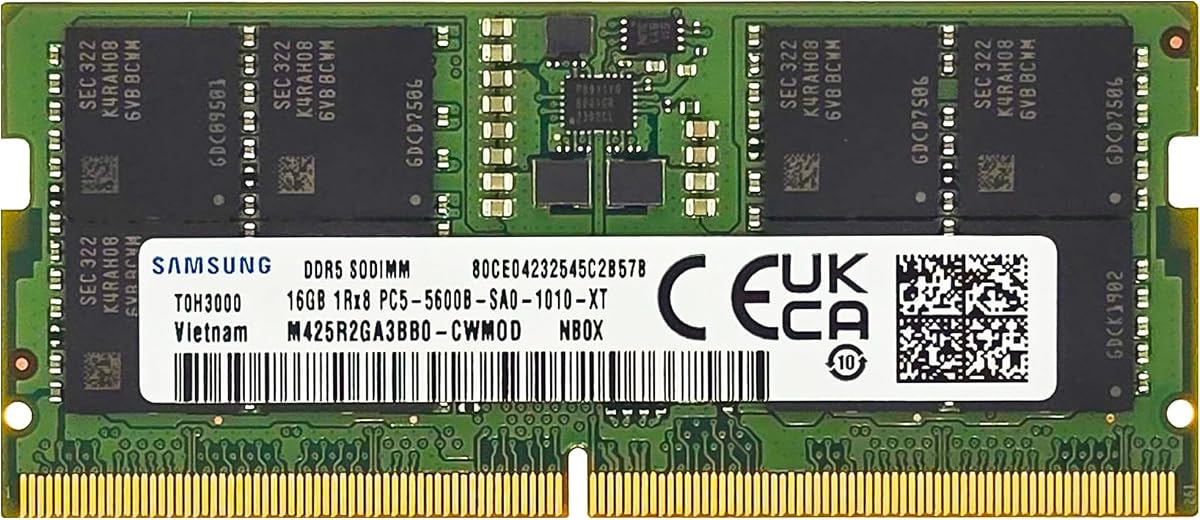
The Samsung 16GB Single module is a quality option for users looking to expand their system memory with a trusted manufacturer. Its 4.5 rating reflects consistent performance and reliability across various laptop configurations.
We may earn a commission when you buy through this link, at no additional cost to you.
Running at 5600MHz, this module provides a solid speed upgrade for modern laptops. The Single Rank design ensures that it fits well in compact laptops, offering significant improvements in available memory resources without excessive bulk.
As a JEDEC DDR5 standard module, it adheres to industry norms for stability and compatibility. This ensures that it will work seamlessly with most systems supporting DDR5 architecture without requiring special BIOS configurations.
Ideal for users who need to expand their existing memory or replace a faulty stick, the Samsung 16GB Single is a dependable choice. It effectively reduces bottlenecks and improves overall system responsiveness.
Samsung is known for its high-quality memory chips, ensuring reliable performance and long-term durability in your system.
Adding this module expands your available memory resources, reducing system bottlenecks and allowing more applications to run smoothly.
We may earn a commission when you buy through this link, at no additional cost to you.
The Samsung 32GB Dual Kit is a premium option for users who demand both capacity and brand reliability. Although specific ratings may vary, the reputation of Samsung ensures a high-quality product for your laptop.
We may earn a commission when you buy through this link, at no additional cost to you.
With speeds reaching 5600MHz, this dual-channel kit significantly improves system performance for demanding tasks. The Single Rank configuration is optimized for modern laptops, providing ample memory resources for multitasking and professional workloads.
The module adheres to JEDEC DDR5 standards, ensuring compatibility and stability across a wide range of systems. The Non-ECC unbuffered type is standard for most laptops, providing a straightforward upgrade path without complex configuration.
This kit is best suited for users who prioritize brand reputation and consistent performance. It is an excellent choice for expanding your system’s memory to 32GB with confidence.
Samsung’s reputation for high-quality memory translates to stable performance and long-term reliability in your upgrade setup.
Running two modules in dual channel mode provides increased bandwidth, significantly improving data throughput for your system.
We may earn a commission when you buy through this link, at no additional cost to you.
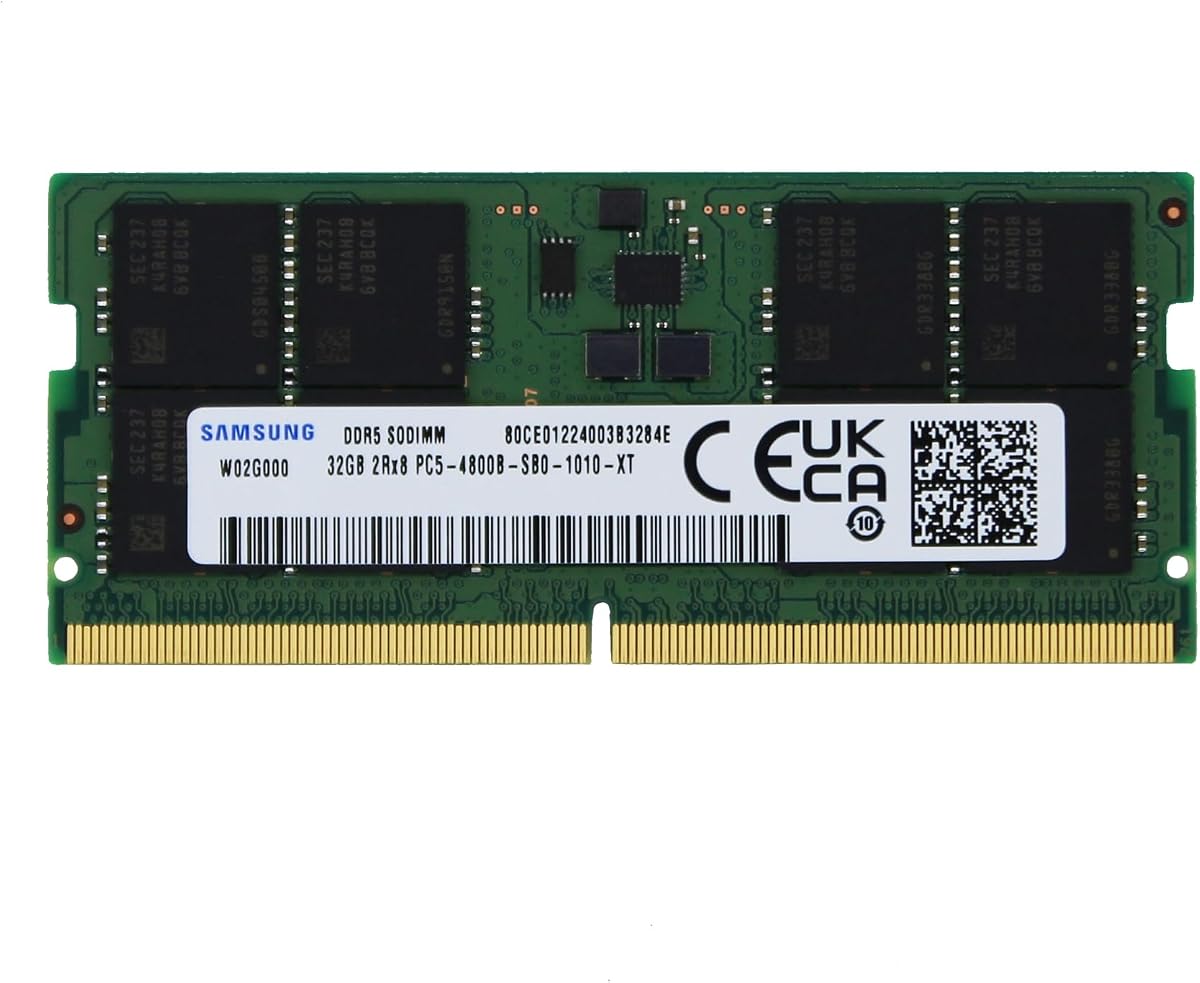
The Samsung 32GB 4800MHz module has achieved a perfect 5.0 rating, indicating high user satisfaction and reliability. It is a robust solution for users needing significant capacity without breaking the bank.
We may earn a commission when you buy through this link, at no additional cost to you.
Although the speed is 4800MHz, the Dual Rank design and CL40 latency offer excellent bandwidth and performance for everyday tasks and professional applications. It is particularly well-suited for multitasking and data-heavy workloads.
The Single Rank configuration ensures compatibility with systems that prefer lower complexity, while the 32GB capacity provides ample room for growth. This module offers a cost-effective way to upgrade your system’s memory resources significantly.
If you value stability and perfect user feedback, the Samsung 32GB 4800MHz is an outstanding choice. It delivers reliable performance that supports a wide range of modern computing needs.
Dual Rank architecture improves data throughput, allowing the memory to handle more information simultaneously for better performance.
With 32GB of memory, this module provides ample capacity for demanding applications, ensuring smooth multitasking and productivity.
We may earn a commission when you buy through this link, at no additional cost to you.
The Samsung 16GB Dual Kit is a flexible upgrade option for those looking to maximize dual-channel performance without excessive capacity. It delivers consistent performance with a focus on reliability and speed.
We may earn a commission when you buy through this link, at no additional cost to you.
Operating at 5600MHz, this dual-channel kit enhances bandwidth and overall system performance. The Single Rank x16 configuration ensures compatibility with a broad range of DDR5 laptops, providing a straightforward upgrade path.
Users appreciate the 262-Pin fit and CL46 timing, which balance performance with stability. While it offers less capacity than 32GB kits, it is ideal for those prioritizing speed and efficiency for gaming or general use.
For users seeking a reliable Samsung solution with solid speed, the Samsung 16GB Dual Kit is an excellent choice. It ensures your laptop remains responsive and ready for modern computing demands.
Utilizing two modules in dual channel mode maximizes bandwidth, resulting in faster data access and improved system responsiveness.
At 5600MHz, this kit delivers high-speed performance ideal for gaming, video editing, and other intensive computing tasks.
We may earn a commission when you buy through this link, at no additional cost to you.
Selecting the right DDR5 Laptop RAM involves considering speed, capacity, and compatibility. This guide outlines the critical factors to ensure you make an informed decision.
Speed is measured in MHz or MT/s, with higher numbers indicating faster data transfer. For DDR5 Laptop RAM, common speeds include 4800MHz, 5200MHz, and 5600MHz. Choose a speed that your laptop motherboard supports for optimal performance.
Higher speeds improve overall system responsiveness, but compatibility with your CPU and motherboard is critical to ensure stability.
Capacity refers to the total amount of data the RAM can store temporarily. For modern laptops, 16GB is a baseline, while 32GB is recommended for heavy multitasking and professional workloads.
Assess your typical usage to decide if you need to upgrade to 32GB or if 16GB suffices for your needs.
Ensure the RAM is compatible with your processor, motherboard, and laptop model. Check for support for Intel Core and AMD Ryzen Series processors as well as specific DDR5 SODIMM requirements.
Always verify compatibility via the manufacturer's website to avoid installation or BIOS issues.
Latency, measured in CL or CAS latency, indicates the delay before data is delivered. Lower latency is generally better for performance, especially in gaming.
Look for modules with lower CL numbers relative to their speed to minimize delays in data access.
DDR5 Laptop RAM is typically non-ECC unbuffered. ECC (Error Correction Code) is rare in consumer laptops but offers extra stability for professional workloads.
Confirm that the RAM type matches your laptop's requirements, usually standard Non-ECC Unbuffered SODIMM.
Choose reputable brands like Crucial, Samsung, Corsair, or G.SKILL to ensure reliability and consistent quality. Established brands often offer better warranties and customer support.
Reliable brands reduce the risk of hardware failure and ensure long-term performance stability.
Dual channel kits (2 sticks) offer better performance than single sticks due to increased bandwidth. If your laptop has two slots, a dual channel kit is preferable.
Using dual channel memory maximizes the performance of your CPU and memory controller for smoother operation.
DDR5 RAM operates at lower voltages like 1.1V, which helps reduce heat and power consumption. This is especially important for laptops to preserve battery life.
Ensure the voltage matches your system requirements to avoid overheating or power delivery issues.
Always power off your laptop and disconnect the power adapter before installing new memory. Ground yourself to prevent static discharge that could damage components.
Insert the RAM module into the slot at a slight angle and press down gently until the clips snap into place. Ensure it is seated firmly and flush with the slot.
After installation, power on your laptop and enter the BIOS to verify the RAM is detected correctly. Update your system drivers to ensure optimal performance and stability.
Compatibility depends on your motherboard and CPU. Check your laptop's specifications for DDR5 SODIMM support and processor compatibility. Most 12th Gen Intel and AMD Ryzen 7000 laptops support DDR5.
No, DDR4 and DDR5 RAM are not compatible. They use different physical designs and voltage requirements. Mixing them will result in system failure or inability to boot.
Dual-channel RAM uses two modules to double the bandwidth between the CPU and memory. This leads to faster data transfer and improved performance in multitasking and gaming.
Check your laptop manufacturer’s documentation or BIOS settings. Your motherboard may limit speeds even if the RAM supports higher frequencies, so verify supported speeds carefully.
Not always. If your system already has enough RAM for your tasks, adding more will not yield noticeable improvements. However, heavier workloads like video editing benefit from larger capacity.
No, some laptops have soldered RAM that cannot be upgraded. Always verify if your laptop has accessible RAM slots before purchasing modules.
ECC RAM offers better stability by correcting errors but is expensive and rare. Most laptops use standard Non-ECC RAM which is sufficient for general use.
Power off your laptop, open the access panel, and insert the RAM into the slot at an angle until it clicks. Ensure it is secure before closing the laptop and powering it on.
The Crucial 32GB DDR5 RAM Kit stands out as the top recommendation for its performance and reliability. It balances speed, capacity, and compatibility effectively for most users seeking a powerful upgrade.
For budget-conscious buyers, the CORSAIR Vengeance 16GB provides excellent value without sacrificing essential performance features. Gamers may prefer the G.SKILL Ripjaws DDR5 SO-DIMM for its low latency and high frequency.
Always verify compatibility and check current pricing before purchasing. Upgrading your memory is a cost-effective way to extend the life and capability of your laptop in 2026.