
Square Reader for magstripe (USB-C)
4.6Editor score
Free POS app included
No long-term commitments
Quick setup process
This guide compares the top credit card readers for phones to help you choose the right mobile payment solution for your business needs and budget.
Mobile payments have transformed how businesses accept transactions. A reliable credit card reader for phones enables seamless transactions anywhere. The best devices offer security, speed, and compatibility with your existing tools.
We evaluated ten top models based on connectivity, security features, and ease of use. Each option supports major card types and integrates with popular point of sale software. Our analysis highlights strengths and trade-offs for different business sizes.
Each pick includes key specs, pros, cons, and expert insights to simplify your decision. Note that pricing and availability may change frequently. Always verify current terms before purchasing to ensure the best value for your specific setup.
4.6Editor score

4.5Editor score

4.5Editor score
The following table provides a side-by-side comparison of all ten products evaluated in this guide. Review each specification carefully to determine which reader aligns best with your mobile payment requirements.




The Square Reader for contactless and chip stands out as the top choice for most mobile businesses. With a 4.5 rating, it delivers reliable performance across various transaction types. Its second-generation improvements ensure smoother pairing and faster processing times.
We may earn a commission when you buy through this link, at no additional cost to you.
This device accepts contactless payments, chip cards, Apple Pay, and Google Pay. The connectivity has been significantly enhanced to maintain a stable link with your smartphone. You benefit from extended battery life, ensuring you can process payments throughout the day without interruptions. Security is paramount, featuring 24/7 fraud prevention and payment-dispute management at no extra cost.
While the upfront price is higher than basic magstripe readers, the versatility justifies the investment. Offline payments allow you to continue taking transactions for up to 24 hours if internet connectivity is lost. This feature is crucial for businesses operating in areas with poor signal strength.
Choose this reader if you need a robust, secure, and versatile solution for your mobile point of sale. It is ideal for retail shops, food trucks, and service providers who value speed and reliability. The absence of long-term contracts provides flexibility as your business grows or changes.
The improved Bluetooth connection ensures your reader stays paired to your device, reducing dropped transactions and frustrating delays during busy periods.
Built-in security features protect both you and your customers from data breaches and fraudulent charges without requiring additional software subscriptions.
We may earn a commission when you buy through this link, at no additional cost to you.
For businesses seeking an affordable way to start accepting payments, the Square Reader for magstripe offers exceptional value. With a 4.6 rating, users appreciate its simplicity and effectiveness. This reader connects via USB-C to compatible Apple devices, streamlining the transaction process without bulky hardware.
We may earn a commission when you buy through this link, at no additional cost to you.
The standout feature is the free Square Point of Sale app. You can download it, create an account, and start taking payments anywhere quickly. There are no long-term commitments or contracts required. You can track sales, manage inventory, and send digital receipts all within one unified platform. Deposits arrive as soon as the next business day.
The main limitation is that it only reads magstripes, not chip cards or contactless payments. This may slow down transactions compared to modern readers. However, for low-volume sellers or those starting out, the cost savings are significant. The compact design fits easily into a pocket or bag.
Select this reader if you need a basic, low-cost solution for simple transactions. It is perfect for small vendors, artisans at markets, or consultants who rarely accept card payments. The ease of setup and free software make it a practical starting point for your digital payment journey.
The included POS app handles sales tracking, inventory management, and customer receipts without any additional licensing fees or monthly subscriptions.
Get access to your earnings as soon as the next business day, helping you manage cash flow efficiently without waiting for long settlement periods.
We may earn a commission when you buy through this link, at no additional cost to you.
The Square Terminal is a comprehensive mobile POS solution that combines payment processing with a full touchscreen interface. Rated 4.5 stars, it offers the convenience of a traditional register with the portability of a mobile device. This unit accepts all major credit and debit cards securely.
We may earn a commission when you buy through this link, at no additional cost to you.
Businesses appreciate the ability to ring up sales, accept payments, and print receipts all with one device. You can use it cordlessly thanks to the built-in battery designed to last all day. Chip cards are processed quickly, often in just two seconds. There are no hidden fees or long-term contracts, providing financial transparency for your operations.
The primary trade-off is the higher initial investment compared to simple card readers. It is a larger device that requires space on your counter or bag. However, for businesses needing an all-in-one solution, it eliminates the need for separate printers or cash drawers. The unified experience reduces complexity.
This terminal is ideal for restaurants, retail shops, or event vendors needing a robust standalone system. It suits those who want a professional setup that looks like a dedicated register. If you value efficiency and want to manage your entire transaction flow on one screen, this device delivers premium performance.
Combine sales ringing, payment acceptance, and receipt printing into a single device, simplifying your checkout counter and reducing equipment costs.
The internal battery allows you to move freely around your store or take your business mobile without being tethered to a power outlet.
We may earn a commission when you buy through this link, at no additional cost to you.
This specialized reader bridges the gap between standard credit card processing and secure government authentication. With a 4.3 rating, it serves military and government users effectively. The device supports CAC, PIV, and military ID cards alongside standard bank credit cards. It features both USB-A and USB-C heads for broad compatibility.
We may earn a commission when you buy through this link, at no additional cost to you.
Certified under multiple standards including FCC, CE, and Microsoft WHQL, it ensures high security for sensitive authentication. The plug-and-play design works on Windows, macOS, Linux, and Android without extra drivers. A reinforced cable and compact body make it durable for field verification. The package includes a 24-month warranty and lifetime technical support.
While robust, it is overkill for general retail needs due to the complexity of CAC and PIV protocols. It explicitly does not support health insurance cards. Users should be aware that third-party decoding software is not included in the package. The LED and buzzer prompts help confirm successful readings clearly.
Choose this for identity verification in government or defense contexts. It is perfect for tax declaration, vehicle registration, or access control scenarios. If you need a reliable tool that handles both standard payments and secure military IDs, this reader offers the necessary versatility and certified security standards.
Fully supports high-security military and government cards like CAC and PIV with certified protocols ensuring reliable and safe identity verification.
Works seamlessly across Windows, macOS, Linux, and Android devices without requiring additional software installations or complex driver setups.
We may earn a commission when you buy through this link, at no additional cost to you.
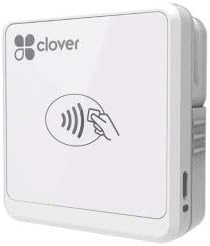
The Clover GO (3rd Generation) offers a secure mobile POS experience with a perfect 5.0 rating from users. It connects wirelessly via Bluetooth to any smart phone. Security is prioritized with end-to-end protection from card acceptance through transaction completion. You can manage custom tip amounts and multiple tax rates easily.
We may earn a commission when you buy through this link, at no additional cost to you.
Employees can be granted specific permissions, ensuring only authorized staff access sensitive data. Paperless receipts are sent via email or text, keeping operations green and efficient. The device is designed for US-based businesses only and requires new processing through SwyftPAY before shipping. This integration ensures a seamless ecosystem for your transactions.
The requirement for SwyftPAY processing may limit flexibility for those already using other providers. Additionally, it is restricted to US-based operations. However, the seamless integration and high security make it a strong choice for compatible businesses. The compact design keeps your pocket light while maintaining full functionality.
Opt for this reader if you are setting up a new US business with SwyftPAY. It suits retail or service providers needing strong security and flexible tax settings. The ability to control employee access and send digital receipts enhances customer service and operational control effectively.
End-to-end security ensures sensitive customer and business data remains protected throughout the entire payment transaction process.
Offer customers the choice to receive their receipts via email or text message, reducing paper waste and improving convenience.
We may earn a commission when you buy through this link, at no additional cost to you.
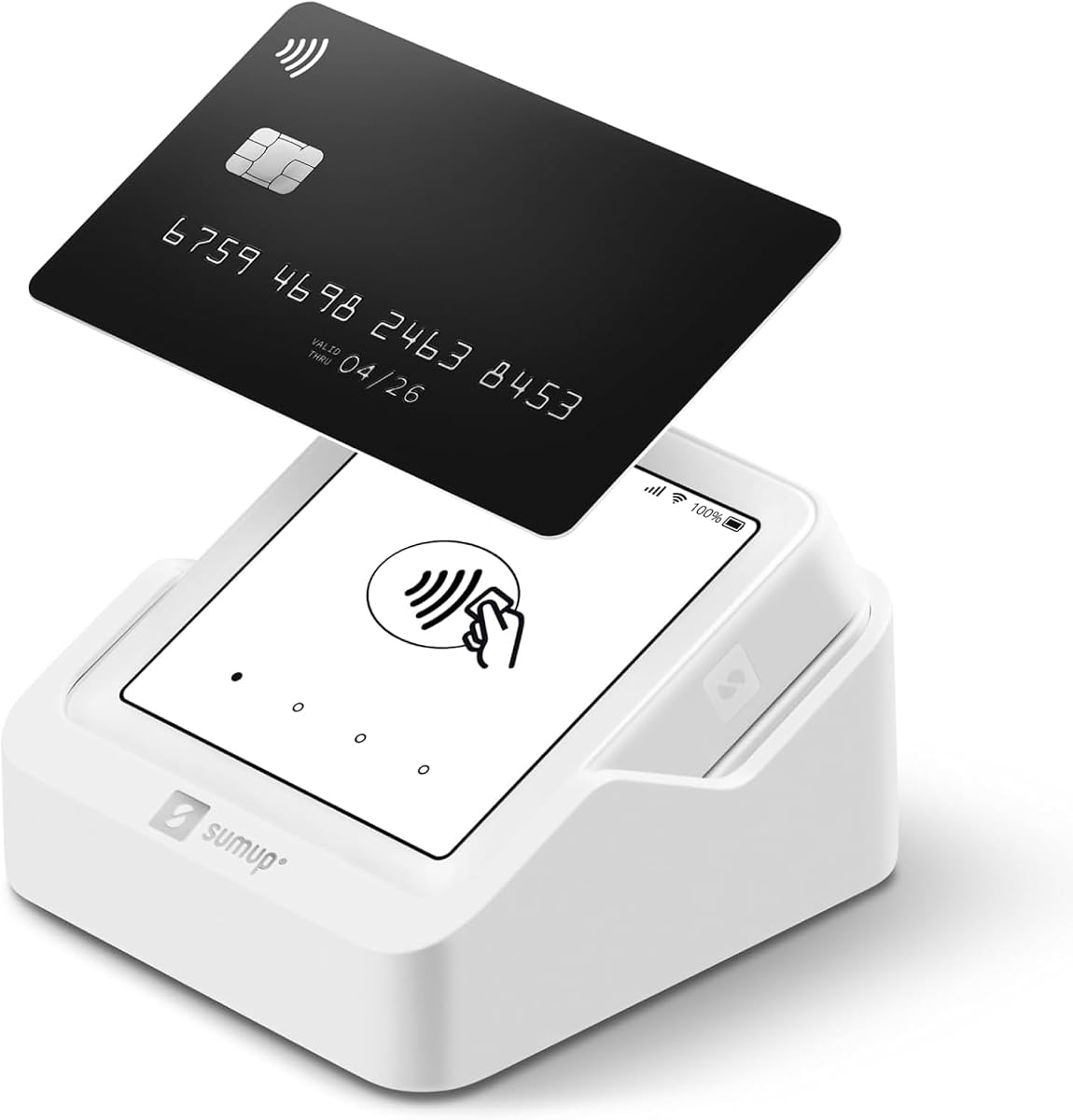
The SumUp Plus Card Reader provides a straightforward way to accept payments via Bluetooth and NFC. It connects to your smartphone or tablet using the free SumUp App. You can accept all major credit and debit cards. There are no hidden fees or long-term contracts, offering flexibility for small businesses.
We may earn a commission when you buy through this link, at no additional cost to you.
Transactions cost a flat rate, which is transparent and easy to calculate. This simplicity helps in budgeting and planning without surprise charges. However, the 3.8 rating suggests some users experience connectivity or functional issues compared to higher-rated models. It remains a viable option for those prioritizing basic acceptance.
While it lacks advanced POS features like inventory tracking, it focuses purely on payment processing. The mobile card reader accepts payments anywhere and anytime. This is ideal for very small vendors who do not need complex reporting or employee management tools. The pay-per-use model reduces upfront financial risk.
Choose this if you need a simple, contract-free payment solution quickly. It works well for occasional sellers or those testing a new market. Verify connectivity performance for your specific phone model before relying on it for high-volume days to avoid transaction delays.
Pay a clear flat rate per transaction without hidden charges or monthly fees, making cost prediction simple for small business owners.
No long-term contracts are required, allowing you to stop or change your payment provider whenever you need without penalties.
We may earn a commission when you buy through this link, at no additional cost to you.
The SumUp Solo is a portable device with a full touchscreen interface for managing sales. It comes with a free SIM card and mobile data, ensuring you can process payments anywhere without relying on external Wi-Fi. The battery capability is strong, supported by an included charging station for continuous operation.
We may earn a commission when you buy through this link, at no additional cost to you.
Setup is fast and hassle-free upon registration on the SumUp website or app. Support is available through phone, email, and chat for US-based users. The strong Wi-Fi connection maintains reliability. While the rating is lower than other premium options, the standalone nature of the device offers significant convenience for mobile sellers.
The reliance on the included mobile data connection may be a limitation depending on your location or provider coverage. However, it reduces the need for a separate smartphone. The touchscreen interface is intuitive for quick transaction management. This device is truly portable and keeps you in control of your business on the move.
Select this terminal if you prefer a standalone unit over a phone-connected reader. It suits food vendors or market stalls needing reliable connectivity without tethering to a phone. Check current data policies to ensure the free SIM meets your coverage needs in your operating areas.
A free SIM card and mobile data are included, allowing you to process payments independently of your smartphone's data connection.
Strong battery life paired with an included charging station ensures your device stays operational throughout long business days.
We may earn a commission when you buy through this link, at no additional cost to you.
The Clover GO (Newest Model) pairs with your mobile device via Bluetooth. It is fully compatible with any smart phone. Security is a priority with end-to-end protection for data during transactions. You can create custom tip amounts and manage multiple tax rates. The system allows for multiple employee permissions, which is useful for larger teams.
We may earn a commission when you buy through this link, at no additional cost to you.
Paperless receipts can be sent via email or text. Customer preferences are easily accommodated. The device requires processing through Powering POS and is limited to US-based businesses. Call support for specific questions regarding the setup. This functionality helps in organizing access and protecting your sales data effectively.
The requirement for Powering POS processing restricts flexibility for users tied to other payment processors. It is not universally compatible with all merchant accounts. However, for those using the correct provider, the permission controls add valuable operational oversight. The compact design fits easily into a pocket.
This reader is ideal for businesses needing staff management features. If you have employees handling payments, setting specific permissions ensures accountability. The Bluetooth connectivity provides reliable pairing. Verify your processing requirements before purchasing to ensure compatibility with your current business structure.
Create and manage multiple employee permissions easily so only authorized staff can access specific sales data or functions.
Set custom percentage amounts for tips and multiple tax rates to match the specific needs of your business inventory accurately.
We may earn a commission when you buy through this link, at no additional cost to you.
The Clover Go Contactless Reader is designed for secure EMV chip transactions. It works with iOS and Android devices. No merchant account is required to use the hardware. A 4.0 rating indicates decent reliability for users. It provides a secure way to accept modern card payments.
We may earn a commission when you buy through this link, at no additional cost to you.
However, quantities are limited and it may be near the end of its lifecycle. Orders might be fulfilled with the most current version of Clover Go. This uncertainty requires caution if you need a guaranteed model for specific business planning. Still, it offers the convenience of no account hurdles for quick setup.
The lack of merchant account requirements simplifies the entry for new users. It supports essential chip card processing securely. Despite potential availability issues, it remains a viable option for mobile acceptance. Always check current stock status before placing an order to avoid delivery delays.
Choose this if you need a chip-ready reader without complex account setup. It suits small businesses needing immediate payment capabilities. Verify the current version availability to ensure it meets your long-term support needs. The secure processing aligns with modern payment standards.
EMV chip readiness ensures compliance with modern payment security standards, reducing risk for both merchants and customers during transactions.
No merchant account is required to use the hardware, making it easier for new businesses to start accepting payments quickly.
We may earn a commission when you buy through this link, at no additional cost to you.
This 3rd generation Bluetooth reader connects your mobile device securely. It protects data from acceptance through transaction. You can set custom percentage amounts for tips and multiple tax rates. It works with any Clover account, providing flexibility. No merchant account is required separately for this device.
We may earn a commission when you buy through this link, at no additional cost to you.
The Bluetooth connectivity ensures mobile payments on the go. It is designed for flexibility within the Clover ecosystem. However, the 3.6 rating suggests some users prefer newer models. The custom tax and tip features allow for precise billing. Ensure your account type matches the device requirements before use.
Tying to the Clover ecosystem limits switching to other processors later. It is best for those already invested in Clover services. The security features are robust. The hardware allows for custom settings to match diverse business needs. This utility supports various retail and service scenarios.
Use this if you already have a Clover account and need additional readers. It suits businesses needing flexible tax and tip settings. Verify the current version features to ensure compatibility with your existing software. The secure design protects your transaction data effectively.
This device will work with any Clover Go account, ensuring seamless integration with your existing sales management tools.
Set custom percentages for tips and multiple tax rates to accurately match the specific pricing requirements of your products or services.
We may earn a commission when you buy through this link, at no additional cost to you.
Selecting the right card reader depends on your business size, volume, and technical needs. This guide outlines key factors to consider before purchasing.
Ensure the reader supports the payment methods your customers use. Modern transactions often require EMV chip and contactless support. Magstripe only readers are cheaper but slower. Choose contactless for speed and security.
Verify support for Apple Pay and Google Pay if needed.
Bluetooth readers connect wirelessly to smartphones. Wired options plug into USB or lightning ports. Bluetooth offers mobility. Wired options may be more stable. Check phone compatibility for ports.
Consider battery life for wireless options.
Different providers charge varying transaction fees. Look for clear pricing with no hidden monthly costs. Flat rates simplify budgeting. Some require contracts. Others allow month-to-month use. Compare total cost per transaction.
Calculate long-term expenses based on your volume.
The reader should pair with POS software you trust. Check if inventory and sales tracking are included. Some apps offer loyalty programs. Ensure the interface is user-friendly. Compatibility with your phone OS is vital.
Test the app before committing to hardware.
Data security is paramount. Look for end-to-end encryption and PCI compliance. Secure devices protect customer info from breaches. Check if fraud prevention is included. Security features build customer trust.
Ensure the device meets current industry standards.
Battery powered readers enable cordless transactions. Long battery life reduces downtime. Rechargeable units are convenient. Consider usage hours per day. Some come with charging stations. Check standby times for reliability.
Plan charging routines to avoid interruptions.
If you move often, choose a compact and light reader. It should fit easily in a pocket or bag. Durability matters for field work. Avoid bulky models if traveling. Weight affects user comfort during long shifts.
Packaging should include protective carrying cases.
Reliable support is crucial when issues arise. Check for phone, email, or chat availability. Responsive teams reduce operational risks. Review community feedback on service speed. Ensure support matches your time zone.
Clear documentation helps in self-troubleshooting.
First, download the recommended POS app and create your account. Pair the reader with your phone via Bluetooth or plug it in securely. Follow the on-screen setup steps to activate transactions.
Keep the reader clean by wiping it with a soft dry cloth. Avoid exposure to moisture or extreme temperatures. Store it in a protective case when not in use to prevent physical damage.
Regularly check for software updates to maintain security. Monitor battery levels and charge fully before busy shifts. Test transactions periodically to ensure connectivity remains strong.
Most modern readers do not require a separate merchant account. They work directly with payment processing services like Square or SumUp. However, some advanced POS systems might need additional setup. Check the specific provider terms before purchasing.
Not all models support contactless payments. Basic magstripe readers often lack this feature. Contactless support requires NFC technology. Ensure the product details mention Apple Pay or Google Pay compatibility.
Most readers support Android phones with Bluetooth. Some specific models may be iOS focused. Check the specifications for OS compatibility. Always verify port types like USB-C for wired options.
Payment timing depends on the processor. Some offer next business day deposits. Others might take a few days. Review the payout schedule in the app settings to plan your cash flow effectively.
Some advanced readers have offline modes. They store transactions securely to process later when connected. Check if your chosen model supports offline payments to avoid missing sales in low signal areas.
Many basic readers have no monthly fees. Costs are usually per transaction. Some advanced software might have subscription tiers. Read the pricing terms carefully to avoid unexpected charges.
Higher tier devices often support employee management features. They allow individual logins and sales tracking. Basic readers usually lack this function. Look for permission settings in the app.
Yes, most use end-to-end encryption. They comply with PCI security standards. Customer data is protected during transmission. Always keep your device firmware updated for maximum safety.
We have reviewed ten top options ranging from basic magstripe readers to all-in-one terminals. The Square Reader for contactless and chip leads in versatility. The Square Reader for magstripe offers the best budget entry point.
Prioritize security and card type compatibility for your daily needs. Consider processing fees and software integration to ensure long-term value. Choose a device that grows with your business volume and complexity.
Always check current pricing and availability before buying. Features and stock levels change frequently. Verify the latest terms to get the best deal for your specific mobile payment setup.