
79866M Main Drive Belt
4.6Editor score
High strength reinforced composite
Fits Zebra ZT410 series
Heat resistant material
Compare the top computer printer transfer belts for reliability and performance. This guide reviews leading models from Brother, HP, Lexmark, and more to help
Finding the right computer printer transfer belt is essential for maintaining print quality and avoiding costly downtime in any office environment. A worn belt can cause streaks, smudges, and alignment issues that ruin important documents and labels daily.
We evaluated ten top-rated transfer belts based on compatibility, yield, build quality, and user feedback. Our comparison covers options for thermal printers, color laserjets, and enterprise models to ensure you find the perfect fit.
Each pick highlights key specs and real-world performance insights to guide your decision. Please note that product availability and pricing may vary over time, so always verify details before purchasing.
4.6Editor score

4.2Editor score

5.0Editor score
This side-by-side comparison highlights the key specifications and compatibility of each transfer belt option to help you quickly identify the right part for your specific printer model.


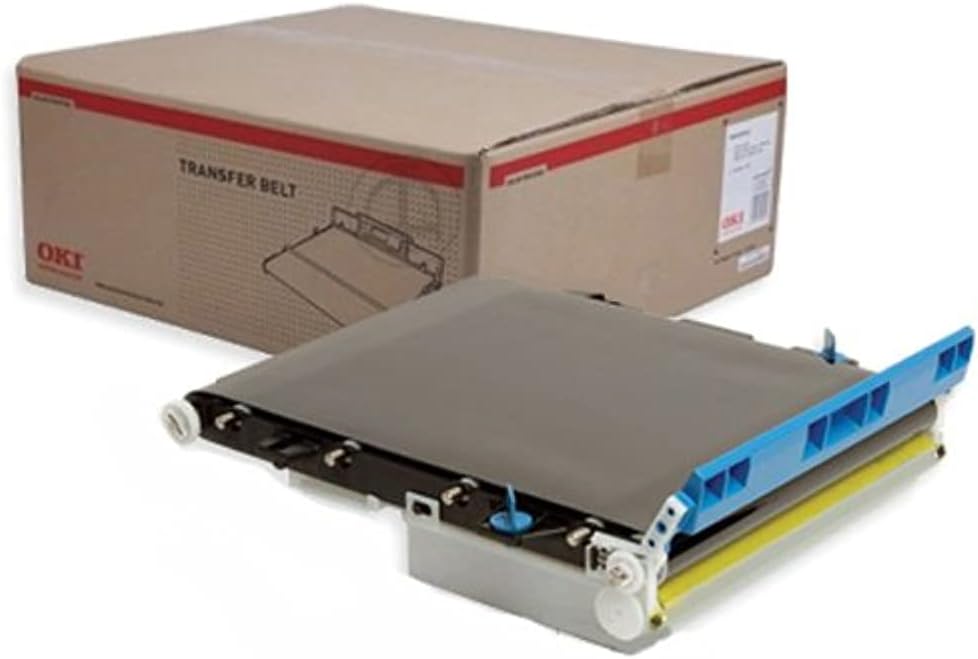


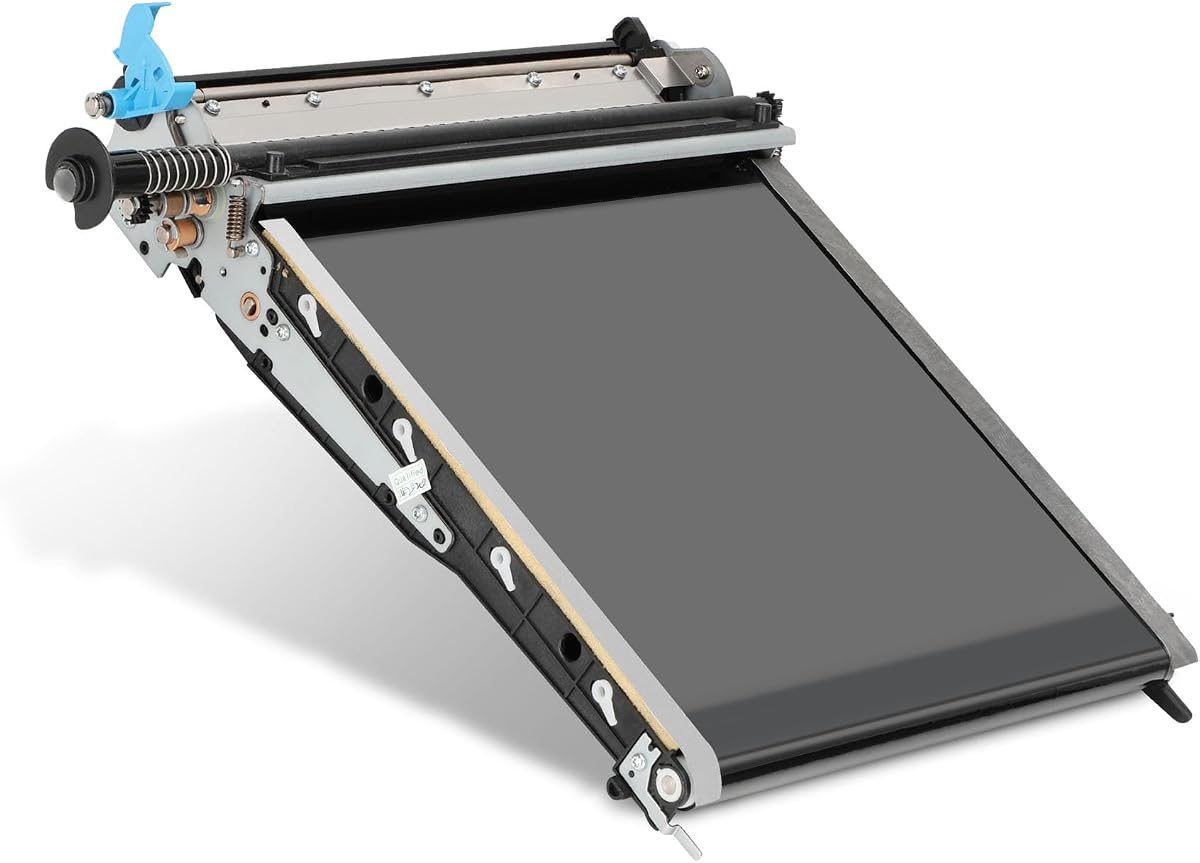

The 79866M Main Drive Belt is an ideal choice for owners of Zebra ZT410 series printers who need a reliable replacement without breaking the bank. With a solid 4.6 rating, users appreciate its durability and precise fit for 203dpi models. This belt ensures continuous thermal printing operations with minimal disruption to daily workflows.
We may earn a commission when you buy through this link, at no additional cost to you.
Constructed from high-strength reinforced composite material, this belt offers excellent heat resistance and anti-aging properties. It is specifically designed to avoid cracking and permanent deformation under heavy-duty conditions. The part number compatibility with ZT410 and ZT420 series makes it a straightforward upgrade for existing setups.
While it is a budget option, there are minor trade-offs such as limited availability for other printer brands. However, for Zebra users, the cost savings and performance are well worth it. The anti-aging performance ensures longevity even in warm industrial environments.
Anyone needing a dependable transfer belt for Zebra thermal printers should consider this product. It balances price and performance effectively, making it a top budget pick for maintenance teams looking to keep operations running smoothly without unnecessary costs.
The belt uses high-strength reinforced composite material that resists heat and aging, ensuring long life even in demanding environments.
Designed specifically for ZT410 and ZT420 series printers, this belt matches the OEM specifications for seamless installation.
We may earn a commission when you buy through this link, at no additional cost to you.
The Brother Genuine Belt Unit BU223CL stands out as our Editor's Choice for its seamless integration with Brother color laser printers. It delivers consistent professional output for up to 50,000 pages, making it ideal for busy offices. Users report sharp prints that withstand the test of time without fading or streaking.
We may earn a commission when you buy through this link, at no additional cost to you.
Engineered as part of a complete printing system, this belt ensures optimal performance when paired with specific Brother models like the HL-L3210CW. Its intelligent engineering reduces alignment issues and maintains color fidelity throughout its lifecycle. This reliability is crucial for businesses relying on high-quality branding materials.
The primary downside is the higher cost compared to third-party alternatives, but the quality justifies the investment. Additionally, it is limited to certain Brother printer models, so verification is necessary before purchasing. The environmentally responsible disposal program is a nice bonus for green-focused teams.
Businesses needing consistent color laser output should prioritize this genuine unit. It offers peace of mind with its high yield and seamless performance, ensuring your documents always look professional and crisp.
This belt unit delivers reliable color laser quality that remains sharp and vibrant even after printing thousands of pages.
Brother offers responsible disposal options for branded products, helping businesses reduce their environmental footprint effectively.
We may earn a commission when you buy through this link, at no additional cost to you.
The CE249A Transfer Kit is our Best Premium pick, offering a comprehensive solution for HP Color LaserJet users. It includes not only the intermediate transfer belt but also secondary rollers and feed rollers for a complete maintenance refresh. With a perfect 5.0 rating, customers praise its ability to restore peak performance to aging printers.
We may earn a commission when you buy through this link, at no additional cost to you.
Each component uses high-quality raw materials and is factory tested to ensure reliability. The kit includes an anti-drop box and multi-layer protective packaging, ensuring the product arrives intact. Professional support is available within 24 hours, providing confidence for complex replacements.
While it is expensive, the inclusion of multiple rollers makes it a cost-effective long-term investment compared to buying parts separately. The need for careful installation means it is best suited for experienced technicians or careful DIYers. However, the results justify the effort involved.
Offices with HP LaserJet printers seeking a thorough maintenance overhaul will find this kit invaluable. It addresses multiple wear points at once, extending the printer life and ensuring consistent high-quality output for years to come.
This kit includes the transfer belt along with multiple rollers, addressing all critical wear points in one purchase.
Every component undergoes factory testing to ensure optimal performance, giving users confidence in the product quality.
We may earn a commission when you buy through this link, at no additional cost to you.
The Brother Printer BU330CL Belt Unit is a solid mid-range option for users of the HL8260CDW series. With a 4.3 rating, it offers a respectable 50,000-page yield in retail packaging. It provides a reliable replacement that ensures consistent color printing without the complexity of larger kits.
We may earn a commission when you buy through this link, at no additional cost to you.
As a genuine OEM part, it guarantees compatibility and performance with supported models. The retail packaging protects the unit during shipping and storage, which is a nice touch for businesses stocking spare parts. It is an affordable way to maintain high print quality.
The main limitation is its compatibility with older printer models, which may not suit everyone. However, for those with the HL8260CDW, it is a straightforward and effective solution. The black color and standard design fit seamlessly into existing workflows.
Office managers looking for a cost-effective OEM replacement for their Brother printers will appreciate this unit. It strikes a balance between price and performance, making maintenance easier and more predictable for daily operations.
The unit comes in retail packaging that safeguards it during shipping and storage, ensuring it arrives in perfect condition.
As a genuine part, it delivers the expected performance levels for Brother color laser printers, reducing the risk of jams.
We may earn a commission when you buy through this link, at no additional cost to you.
The Brother Genuine Transfer Unit BU220CL is a high-quality option for HL-3140CW and MFC-9330CDW users. With a 4.6 rating, it provides the reliability of original equipment without unnecessary packaging. It ensures smooth color transitions and consistent output for a range of compatible models.
We may earn a commission when you buy through this link, at no additional cost to you.
Manufactured to precise specifications, this unit is designed for seamless installation and long-term use. The lack of retail packaging makes it more eco-friendly and cost-effective. It is lightweight, which reduces shipping costs while maintaining high quality standards.
The trade-off is the lack of protective retail packaging, which might matter for bulk storage. However, for immediate use, it offers excellent value. The high rating confirms its durability and reliability in demanding office environments.
Users of compatible Brother MFC or HL series printers should consider this genuine unit for dependable performance. It simplifies maintenance by providing a direct replacement that guarantees compatibility and consistent output quality.
This genuine unit is built to Brother's exact standards, ensuring it works perfectly with your specific printer model.
By omitting retail packaging, this product reduces waste while still delivering high-quality protection during transit.
We may earn a commission when you buy through this link, at no additional cost to you.
The Oki Transfer Belt boasts an impressive 60,000-page yield, making it a top choice for high-volume printing environments. With a perfect 5.0 rating, users report it significantly reduces downtime and keeps productivity high. It is a genuine OEM replacement designed to extend machine life effectively.
We may earn a commission when you buy through this link, at no additional cost to you.
This belt is built to withstand heavy use, ensuring consistent output quality over time. The high yield means fewer replacements are needed, which saves time and maintenance costs. It is manufactured to strict standards to ensure compatibility with specific Oki printers.
While the pricing is premium, the extended life and reliability justify the cost for businesses. However, it is limited to specific Oki models, so compatibility checks are crucial. The product supports efficient workflow by minimizing interruptions.
Businesses relying on Oki printers for heavy daily output should invest in this high-yield belt. It provides the reliability needed to keep operations running smoothly without frequent maintenance stops or quality issues.
With a 60,000-page yield, this belt lasts longer than standard units, reducing the frequency of replacements needed.
Regularly replacing critical parts like this belt helps prevent unexpected failures, keeping your printing workflow uninterrupted.
We may earn a commission when you buy through this link, at no additional cost to you.
The HP CC468-67927 Maintenance Kit is designed for enterprise environments needing maximum uptime. With a 150,000-page yield, it is one of the longest-lasting options on the market. However, the 3.3 rating reflects the complexity of installation and the need for professional handling.
We may earn a commission when you buy through this link, at no additional cost to you.
This is an authentic OEM kit that guarantees compatibility with HP Color LJ CM3530 series printers. It ensures that all critical parts are replaced correctly to maintain performance. The high yield makes it cost-effective for high-volume settings over the long term.
The trade-off is the installation requirement, which may add to labor costs. Users recommend having an experienced technician handle it to avoid damage. This ensures the kit performs as intended without voiding warranties.
Large offices with HP enterprise printers should prioritize this kit for its longevity. While it requires professional installation, the extended yield ensures minimal disruption and consistent quality for critical business documents.
Designed for heavy enterprise use, this kit offers a 150,000-page yield that supports continuous operations effectively.
For optimal performance and warranty safety, this kit should be installed by an experienced technician familiar with HP systems.
We may earn a commission when you buy through this link, at no additional cost to you.
The P1B93A Transfer Belt Kit is a robust alternative for Color LaserJet Enterprise M652 printers. It features high-quality plastic components that ensure smooth operation without hindrance. Users appreciate the included pickup rollers which enhance the completeness of the kit.
We may earn a commission when you buy through this link, at no additional cost to you.
Each unit undergoes strict production and quality tests to ensure superior performance. The professional after-sales service team responds within 24 hours, providing reliable support for any installation questions. This commitment to customer satisfaction sets it apart from generic parts.
While user ratings are not yet available, the detailed product description and rigorous testing give confidence in its quality. Compatibility verification is crucial, but once confirmed, it offers a dependable solution for enterprise users looking for value.
Enterprises seeking a comprehensive kit for their HP LaserJet printers will find this a strong option. It balances quality and support, ensuring minimal downtime and professional performance for daily printing needs.
Every component is tested through multiple quality and performance checks to ensure it meets high standards of reliability.
With 24-hour response times, the support team helps resolve any issues quickly, keeping your printing workflow on track.
We may earn a commission when you buy through this link, at no additional cost to you.
The 40X9929 Transfer Belt Assembly offers a 150,000-page yield for Lexmark CS720 and CX725 printers. Crafted from premium materials and rigorously factory tested, it ensures optimal performance. The secure anti-drop packaging ensures the unit arrives without damage or issues.
We may earn a commission when you buy through this link, at no additional cost to you.
With a focus on durability, this assembly supports long-term printer health. The responsive customer service team addresses inquiries within 24 hours, helping users with installation or compatibility questions. This support adds significant value for businesses managing complex hardware.
While there is limited user rating data, the detailed product claims and premium materials suggest high reliability. It is specifically designed for Lexmark models, so checking your model number is essential. Once confirmed, it offers a robust maintenance solution.
Organizations using Lexmark enterprise printers should consider this assembly for its high yield and secure packaging. It protects your investment by providing a durable part that keeps machines running efficiently with minimal interruptions.
With a 150,000-page yield, this assembly reduces the frequency of replacements, saving time and maintenance costs.
The professional packaging design enhances durability during shipping, ensuring the transfer belt arrives intact and ready.
We may earn a commission when you buy through this link, at no additional cost to you.
The 40X9929 Transfer Belt Assembly is designed for a wide range of Lexmark models including the CS720 and XC4140. It boasts a high yield of 150,000 pages, ensuring long-term reliability for enterprise printers. Crafted from premium materials, it is tested rigorously to meet performance standards.
We may earn a commission when you buy through this link, at no additional cost to you.
The product comes with superior customer service that promises prompt responses to any concerns. Secure anti-drop packaging ensures safe delivery, maintaining product integrity. This combination of quality and support makes it a trustworthy choice for maintenance planning.
With limited review data, buyers should verify their model numbers carefully. However, the premium build and high yield indicate strong performance. It is an effective solution for keeping Lexmark printers running efficiently over extended periods.
IT managers with Lexmark fleets should consider this assembly for its durability and wide compatibility. It reduces maintenance frequency and supports consistent output quality for daily business operations.
This assembly supports multiple Lexmark models, making it versatile for offices with varied printer hardware.
The support team is dedicated to resolving inquiries quickly, ensuring you can complete installations without delay.
We may earn a commission when you buy through this link, at no additional cost to you.
Selecting the right transfer belt involves checking compatibility, yield, and build quality. This guide outlines the key factors to consider to ensure you choose a part that fits your needs.
Always verify that the transfer belt matches your exact printer model and DPI specifications. Using an incompatible part can lead to print defects or hardware damage. Check the product details or consult your printer manual to confirm the part number before purchasing. Compatibility is the most critical factor to ensure proper functionality.
Ensure the belt is specifically listed for your model to avoid installation issues.
Page yield indicates how many prints the belt can produce before needing replacement. Higher yields are better for offices with heavy printing volumes to reduce maintenance frequency. Consider your average monthly print count to determine if a standard or high-yield belt is more cost-effective for you. This metric helps you budget for long-term costs.
Match the yield to your printing volume to avoid frequent replacements.
Look for belts made from high-strength reinforced composite or OEM materials that resist heat and wear. Industrial-grade materials prevent cracking and shedding which can cause internal printer damage. Premium plastics and rubber formulations ensure smoother operation and better color transfer quality. Durability depends heavily on the raw materials used in construction.
Opt for industrial-grade or OEM materials to ensure long-lasting performance.
Genuine OEM parts often guarantee better integration with your printer than third-party alternatives. Established brands usually offer better customer support and warranty options if something goes wrong. However, some third-party manufacturers provide reliable options at lower prices. Research user reviews to see real-world performance before deciding between brands.
Choose reputable brands with positive user reviews and reliable support channels.
Secure packaging with anti-drop layers is essential to prevent damage during transit. Transfer belts are sensitive components that can deform if mishandled. Professional packaging ensures the product arrives intact and ready for installation. Always check for protective packaging when ordering online.
Ensure the product comes in secure packaging to prevent shipping damage.
Some transfer belts are designed for DIY installation while others require professional technicians. Complex maintenance kits may need specific tools or expertise to install correctly. Always check the product description for installation notes to avoid voiding warranties. Proper installation ensures the belt functions as intended without causing further issues.
Check if professional installation is recommended for your chosen belt model.
Look for products that offer customer service or warranty coverage in case of defects. Responsive support teams can help troubleshoot installation issues or return requests. A strong after-sales service record indicates a reliable vendor committed to quality. Ensure you know how to contact the seller for any problems.
Prioritize sellers who offer responsive support and warranty protection.
While price matters, consider the long-term value based on yield and durability. Cheaper belts might need replacing sooner, increasing total cost of ownership. Balance the upfront price with expected performance and support benefits. Sometimes spending a bit more ensures reliability for critical office printers.
Evaluate the total cost of ownership rather than just the initial price.
Always power off and unplug your printer before attempting to replace a transfer belt. Open the printer cover and locate the belt unit according to the manufacturer manual. Gently remove the old belt by releasing any locking mechanisms and avoid touching the internal rollers with bare hands.
Install the new belt carefully ensuring it aligns perfectly with the gear tracks and rollers. Close the printer cover and run a calibration or cleaning cycle as prompted by the printer interface. This ensures the belt seats correctly and the printer recognizes the new component.
Regularly clean the internal printer area to prevent dust from affecting belt performance. Avoid touching the belt surface as skin oils can degrade the material over time. Follow recommended maintenance schedules to ensure your transfer belt lasts through its full expected yield.
Check your printer model number and consult the manual to find the correct part number. The product listing should explicitly state compatibility with your specific model series. Always verify the part number before ordering to avoid returns or installation issues.
Many belts are designed for DIY installation if you follow the printer manual carefully. However, complex kits may require professional assistance to ensure proper alignment. If your printer is under warranty, check if DIY installation is allowed to avoid voiding coverage.
Page yields vary significantly, from 50,000 to 150,000 pages depending on the model. High-volume enterprise printers usually have higher yields than standard office models. Always check the specific yield listed in the product description before purchasing.
Not necessarily. Transfer belts generally have a longer lifespan than toner cartridges. Check the printer settings or product manual for the recommended replacement cycle which is often based on pages printed.
Using an incompatible belt can cause print defects, streaks, or mechanical damage. It might not fit the gear tracks properly leading to printer errors. Always ensure exact compatibility with your model to avoid costly repairs.
Lifespan depends on page yield and usage frequency. Some belts last for 150,000 pages while others might be closer to 50,000. High-quality materials help extend the life even in demanding industrial conditions.
Choosing the right computer printer transfer belt ensures your office hardware performs optimally. Our top picks highlight budget-friendly thermal options and premium enterprise kits that deliver long-term reliability.
Prioritize compatibility and yield when making your decision to minimize downtime and costs. OEM parts offer integration reliability while third-party options provide cost savings for many users.
Always verify current prices and availability before purchasing to get the best deal. These belts are critical components that keep your printing workflows efficient and professional.