
HP DeskJet 2955
3.7Editor score
Wireless all-in-one functionality
Compact design fits any space
Mobile printing support included
This guide compares the top ten cheap fax machines for home and office use, evaluating speed, memory, and connectivity to help you find the most affordable
Finding a cheap fax machine can be challenging in today's digital world. Many businesses still require fax capabilities for legal documents. This guide helps you choose a reliable unit without overspending on unnecessary features.
We compared ten models based on transmission speed, paper capacity, and user ratings. Each product was selected for its value and ability to handle daily faxing tasks. Our analysis focuses on performance and ease of use.
Each pick shows key specifications and real user feedback to guide your decision. Prices may change due to market conditions or retailer promotions. Always verify the current cost before finalizing your purchase online.
3.7Editor score

3.8Editor score

4.0Editor score
This side-by-side comparison highlights the key differences between our top ten selections. Each entry includes essential specifications to help you weigh performance against cost effectively.




This unit stands out as a reliable choice for small offices needing fax capabilities. It holds a strong rating from users who value its straightforward operation and durability. The device manages faxing, phone calls, and copying with ease.
We may earn a commission when you buy through this link, at no additional cost to you.
Its 9600 BPS modem ensures fast transmission times, reducing wait periods during busy hours. The 512 KB memory allows storage of up to 25 pages, which is helpful when paper runs out unexpectedly. Users appreciate the 50-sheet paper capacity for uninterrupted workflow.
While it is a robust machine, the paper tray may need frequent refills for high-volume tasks. Some users note that the interface can feel dated compared to newer models. However, the consistent performance makes these trade-offs acceptable for budget-conscious buyers.
Ideal for home offices or small businesses requiring a dedicated fax line. This model offers a balanced mix of features without the high cost of enterprise systems. We recommend it for those prioritizing reliability over advanced connectivity.
The 9600 BPS modem transmits pages in about 15 seconds, keeping your workflow efficient during peak times.
With 512 KB of memory, you can store up to 25 pages if the machine runs out of paper.
We may earn a commission when you buy through this link, at no additional cost to you.
This renewed version offers the same core features as the original at a reduced price point. It maintains a solid rating from buyers looking for affordable fax solutions. The device is tested to ensure it functions correctly before shipping.
We may earn a commission when you buy through this link, at no additional cost to you.
You get the same 9600 BPS modem speed and 512 KB memory storage as the new model. The 50-sheet paper capacity supports steady workflow without constant refills. Users find it convenient for basic faxing and copying needs in small spaces.
Since it is renewed, there may be minor cosmetic imperfections on the exterior. The warranty is typically shorter than what comes with a brand-new unit. These factors are acceptable given the significant savings it provides.
Perfect for startups or remote workers needing a fax machine without breaking the bank. It delivers reliable performance for essential document transmission. We suggest considering this if your priority is cost efficiency over pristine condition.
Buying renewed allows you to access high-quality features while spending significantly less than the retail price of a new unit.
The machine undergoes testing to ensure it meets the same operational standards as the original factory-sealed product.
We may earn a commission when you buy through this link, at no additional cost to you.
This inkjet fax machine provides a straightforward solution for basic document transmission. It holds a moderate rating reflecting mixed user experiences over time. The device includes essential features like caller ID and speed dial presets.
We may earn a commission when you buy through this link, at no additional cost to you.
Its 449 KB memory supports 24 pages of out-of-paper storage, ensuring you do not lose important messages. The multi-copy function allows up to 99 copies in one go, useful for distributing documents quickly. The 9600 bps modem ensures decent transmission speed.
Some users report issues with ink cartridge longevity and maintenance requirements. The lower rating suggests it may not be as durable as laser alternatives. However, it remains a viable option for occasional faxing tasks.
Best for users who prefer inkjet printing quality and need basic fax capabilities. It suits environments where fax volume is low to moderate. Consider this model if you need a compact unit with standard communication tools.
You can store up to 24 pages when the machine runs out of paper, ensuring no transmissions are lost.
With 30 speed dial presets, you can quickly send faxes to frequent contacts without entering numbers each time.
We may earn a commission when you buy through this link, at no additional cost to you.
This versatile unit combines printing scanning and copying in a compact frame suitable for home offices. It earns a solid rating for its value and ease of setup. The device supports wireless printing from various mobile devices.
We may earn a commission when you buy through this link, at no additional cost to you.
With a 60-sheet input tray, you can handle moderate printing tasks without constant refills. The HP AI feature optimizes web pages and emails to reduce wasted paper. Users appreciate the dual-band Wi-Fi for stable connections.
Fax capabilities may require a separate phone line or specific app integration. The ink system is efficient but may need monitoring to avoid running out mid-job. These minor drawbacks are offset by its affordability and design.
Ideal for households needing basic document management without dedicated fax hardware. It works well for occasional scanning and printing needs. We recommend this for users prioritizing space savings and modern connectivity options.
Dual-band Wi-Fi keeps your printer connected reliably, automatically resolving common connection issues you face daily.
HP AI removes unwanted content from web pages ensuring your prints look professional without awkward layouts.
We may earn a commission when you buy through this link, at no additional cost to you.
This four-in-one printer integrates fax capabilities directly into a home-friendly design. Users rate it positively for its ease of setup and versatile functionality. The device handles printing scanning copying and faxing efficiently.
We may earn a commission when you buy through this link, at no additional cost to you.
The 100-sheet paper tray supports consistent operation without frequent interruptions. Its Auto Document Feeder simplifies multi-page scanning and faxing tasks. The Canon PRINT app allows simple control from mobile devices easily.
While it handles faxing well, memory features are basic compared to dedicated fax machines. Ink consumption may be higher for high-volume tasks. However, its compact size makes it perfect for home office setups.
Best for home users needing a complete office solution in one device. It balances performance with simplicity effectively. We suggest this model for those wanting fax features without taking up extra desk space.
The ADF allows you to scan and fax multiple pages automatically, saving time on repetitive manual feeding.
Use the Canon PRINT app to manage print and fax jobs directly from your smartphone or tablet effortlessly.
We may earn a commission when you buy through this link, at no additional cost to you.
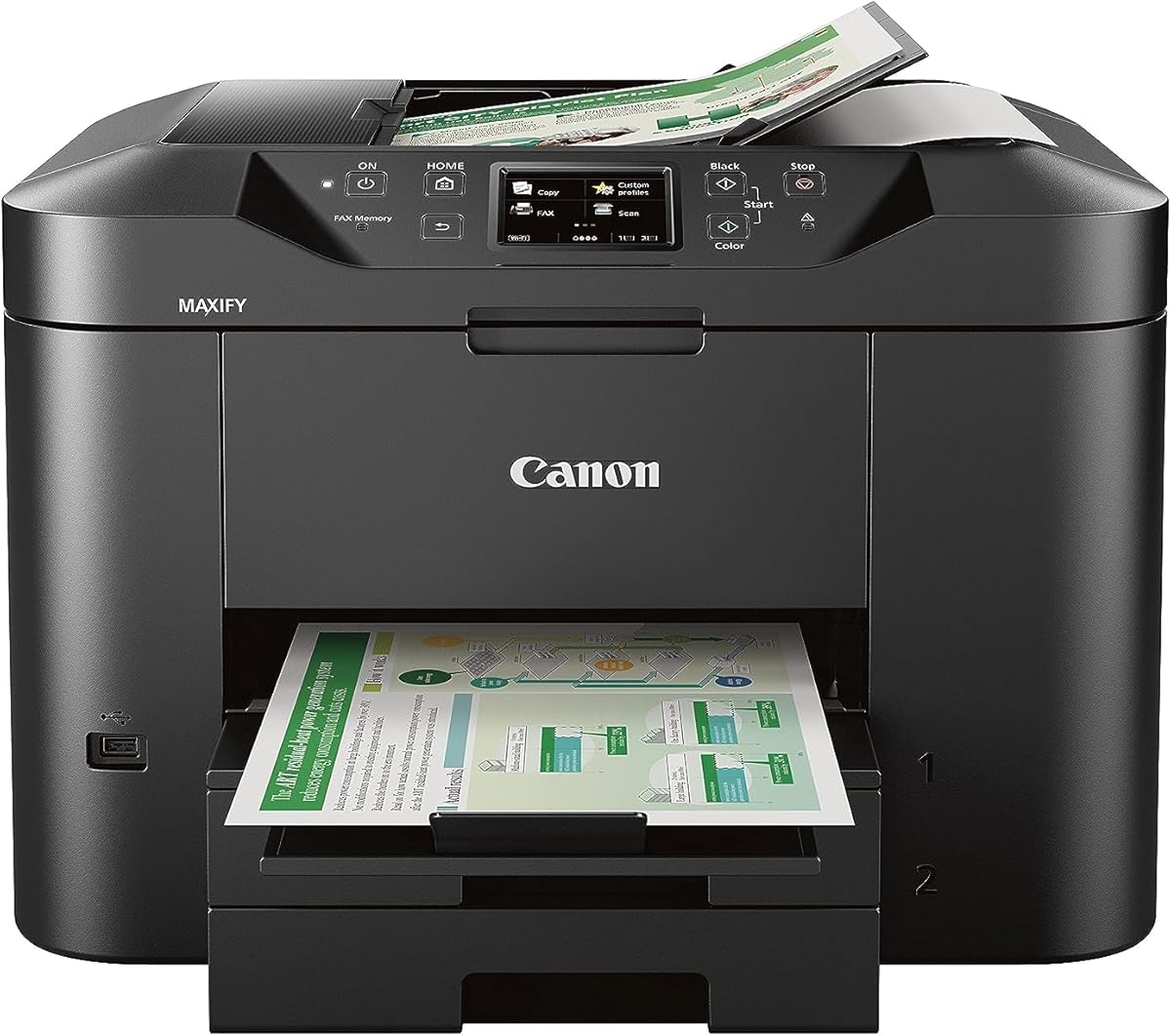
This business-focused printer offers robust fax and printing features for demanding environments. It holds a strong rating for its durability and high output capacity. The device is built to handle substantial daily workflows without issues.
We may earn a commission when you buy through this link, at no additional cost to you.
With two paper cassettes totaling 500 sheets, you can run for days without refilling. The DRHD inks ensure text is smudge and highlighter resistant for professional documents. Users appreciate the 20,000 page duty cycle for longevity.
Its size is larger than home models, requiring dedicated space in an office. The cost is higher but justified by the durability and speed. These factors are acceptable for businesses needing consistent output.
Best for small businesses with high fax and print demands. It provides reliable performance and strong support options. We recommend it for environments where document quality and volume are critical daily.
Two paper cassettes provide 500 sheets total, ensuring you stay ready for any job without frequent interruptions.
DRHD inks produce laser-sharp text that resists smudging and highlighting for professional document quality.
We may earn a commission when you buy through this link, at no additional cost to you.
This premium all-in-one printer integrates smart features like voice control for modern convenience. Users rate it highly for its performance and intelligent design. The device supports faxing scanning copying and printing seamlessly.
We may earn a commission when you buy through this link, at no additional cost to you.
Connecting to Alexa allows you to manage printer status and reorder ink via voice commands. The 200-sheet capacity and auto two-sided printing reduce manual intervention. Its energy efficiency is recognized with ENERGY STAR certification.
The price is higher than basic models, but the smart features justify the cost for tech-savvy users. Voice commands require a stable internet connection which may limit offline usability. These are minor drawbacks for a high-end unit.
Ideal for users seeking the latest technology in fax and printing tools. It suits modern offices wanting automated supply management. We recommend it for those prioritizing convenience and smart home integration.
Enrolling in Smart Reorders ensures you never run out of ink supplies without needing a subscription.
Use Alexa to discover your printer and manage basic tasks using simple voice commands for ease of use.
We may earn a commission when you buy through this link, at no additional cost to you.
This laser fax machine delivers fast output for environments needing quick document turnaround. It holds a strong rating for its reliability and speed. The device focuses on core fax and print functions without unnecessary bells and whistles.
We may earn a commission when you buy through this link, at no additional cost to you.
Printing speeds of 21 ppm ensure you do not wait long for pages. The laser technology produces clear text that is resistant to smudging. Users find it efficient for steady workflows in professional settings.
It does not support network connectivity which limits sharing capabilities compared to modern models. The cost is higher than inkjet options. These trade-offs are acceptable for dedicated fax tasks requiring speed and clarity.
Best for small offices prioritizing speed and text quality over wireless features. It suits users needing a reliable standalone unit. We recommend it for those who need consistent high-quality output daily.
With 21 ppm printing speed, you get fast output that keeps your daily workflow moving without delays.
Laser technology ensures sharp text that is resistant to smudging for professional looking documents every time.
We may earn a commission when you buy through this link, at no additional cost to you.
This thermal transfer fax unit provides a compact solution for essential communication needs. It receives a moderate rating reflecting basic functionality. The device combines faxing and copying in a small footprint.
We may earn a commission when you buy through this link, at no additional cost to you.
With 512 KB of memory, it stores faxes effectively when paper runs out. The 10-sheet automatic feeder simplifies multi-page sending tasks. Users appreciate its low energy consumption and simple interface.
Thermal paper can fade over time compared to plain paper alternatives. It lacks advanced connectivity features like wireless networking. However, its size and efficiency make it suitable for restricted spaces.
Best for small spaces where desk real estate is limited. It suits users needing basic fax functions without high power usage. We recommend it for occasional use in home environments.
Designed to fit any workspace, this unit saves space while delivering reliable faxing and copying functions.
The 10-sheet automatic feeder simplifies sending multi-page documents, reducing manual effort for users.
We may earn a commission when you buy through this link, at no additional cost to you.
This plain paper fax machine offers basic communication features at a standard price. It holds a lower rating reflecting user feedback on reliability. The device integrates with answering machines for streamlined communication.
We may earn a commission when you buy through this link, at no additional cost to you.
It supports caller ID to help identify incoming faxes quickly. The 9.6 Kbps modem speed is standard for traditional faxing tasks. Users find it suitable for simple home office needs.
The lower rating suggests potential reliability issues over time. It lacks advanced memory or speed features. However, the exchange program provides some protection against defects early on.
Best for users needing a basic fax unit with standard paper support. It suits environments where cost is a primary concern. We suggest this for simple tasks where advanced features are unnecessary.
Caller ID compatibility helps you identify incoming faxes quickly so you can prioritize important messages immediately.
Using standard plain paper means you avoid the need for special thermal rolls and keep costs lower.
We may earn a commission when you buy through this link, at no additional cost to you.
Selecting the right fax machine involves evaluating several key factors to ensure it meets your needs without overspending.
Transmission speed determines how quickly documents are sent over phone lines. Faster modems like 9600 bps reduce wait times significantly. Look for units with higher speeds to improve workflow efficiency during busy periods.
Prioritize models with at least 9600 bps to ensure quick document delivery and less idle time.
Memory capacity allows the machine to store faxes when it runs out of paper or is busy. This feature prevents lost documents and ensures smooth operation. Check the internal memory size before purchasing.
Choose units with at least 512 KB memory to store up to 25 pages reliably.
Paper handling features like tray capacity and automatic feeders impact usability. Larger trays mean less frequent refilling. Automatic feeders simplify sending multi-page documents manually.
Opt for a capacity of 50 sheets or more and an automatic feeder for convenience.
Connectivity options such as Wi-Fi or network capabilities allow remote access and easier setup. Wireless models support mobile printing and scanning. Consider whether you need physical or digital connections.
Select wireless models if you need to print or scan from smartphones or laptops.
Different machines use specific paper types like thermal or plain paper. Plain paper is more common and cost-effective for most. Thermal paper may fade over time but offers a compact solution.
Choose plain paper models for long-term storage and general office use.
Durability and warranty coverage ensure long-term reliability and support. Units with robust warranties protect against defects and malfunctions. Check the warranty period before finalizing your purchase.
Look for products with at least a one-year warranty or an exchange program for peace of mind.
Budget considerations should balance cost with required features. Higher-priced units often offer better speed and memory. Define your priorities to avoid overspending on unnecessary capabilities.
Set a price range based on your needs and compare models within that limit.
User reviews provide insights into real-world performance and potential issues. Ratings reflect customer satisfaction over time. Analyze feedback to understand common pros and cons of specific models.
Focus on models with higher average ratings and detailed user comments for reliability.
To use your fax machine, connect the phone line to the designated port and ensure it is properly grounded. Load paper into the tray and check the display for any error messages. Dial the recipient's number and press start to send.
Regular maintenance includes cleaning the glass scanner glass and rollers to prevent jams. Keep the unit in a dry area away from direct sunlight. Update any software if your model supports firmware upgrades.
Store spare paper and ink or toner cartridges in a cool place to prevent damage. Turn off the machine when not in use for extended periods. Follow the manual for any specific troubleshooting steps.
Yes, most traditional fax machines require a standard analog phone line to transmit documents. However, some modern models support VoIP services or internet faxing. Check your specific model's manual to confirm compatibility with your setup.
Many modern fax machines connect to computers via USB or network to send faxes directly. Alternatively, you can use online fax services without a physical machine. Ensure your software or service supports fax protocols.
Transmission time depends on the modem speed and file size. A standard page takes about 15 to 30 seconds with a 9600 bps modem. Faster modems reduce this time significantly for large documents.
If the machine runs out of paper, it may store pages in memory if available. Refill the paper tray immediately and press resume to print stored pages. Ensure memory is enabled for automatic storage.
Thermal paper can fade over time when exposed to heat and sunlight. For permanent records, use plain paper models that produce standard documents. If you use thermal paper, photocopy important documents immediately.
To improve speed, use a modem with higher BPS ratings like 9600 bps or more. Keep phone lines clear and avoid other calls during transmission. Check your model's settings for compression options.
Many all-in-one machines allow scanning directly to computer or email without printing. Check if your model supports scan to email or network folders. This feature saves paper and simplifies workflow.
Buying a renewed fax machine can save money while providing similar features to new units. Ensure it comes with a warranty and tested functionality. It is a good option if budget is your primary concern.
We have reviewed ten top options that balance cost and performance for fax needs. Our top picks include the Brother FAX-575 for reliability and Canon PIXMA TR4720 for versatility. Each offers unique strengths for different user requirements.
Consider your volume of faxing and required features like memory or speed when deciding. Prioritize units with high ratings and clear specs to ensure satisfaction. A good machine should simplify your workflow without extra costs.
Remember that prices may change based on promotions or availability. Always check the current offer before purchasing to get the best deal. We hope this guide helps you find the perfect fit.