
CyberPower CP1000PFCLCD
4.2Editor score
Pure sine wave output
Ten outlets available
Automatic voltage regulation
Discover the top battery backup for workstation PC options reviewed in October 2026. Compare features, reliability, and performance to protect your critical
Protecting your workstation from power disruptions is essential for maintaining productivity and data integrity. A reliable battery backup ensures your systems stay online during outages while preventing hardware damage from surges and fluctuations.
We analyzed ten leading UPS models to identify the most effective solutions for workstations. Our comparison evaluates output capacity, waveforms, outlet configurations, and management features to help you choose the right protection.
Each selection below highlights unique strengths tailored to specific workstation needs. Please note that prices and availability change frequently so verify current details before purchasing your preferred power protection system now.
4.2Editor score

4.5Editor score

4.4Editor score
This table compares key specifications across all ten selected battery backup units to help you evaluate capacity, outlets, and features at a glance for your workstation setup.




The CyberPower CP1500PFCLCD stands out as the top choice for workstation users needing reliable power protection. With a high rating of 4.5 stars, it delivers 1500VA capacity using pure sine wave technology. This ensures compatibility with active PFC power supplies found in modern workstations.
We may earn a commission when you buy through this link, at no additional cost to you.
Its twelve outlets provide ample room for computers, monitors, and peripherals. The color LCD panel offers real-time monitoring of battery and power conditions. Automatic voltage regulation corrects minor fluctuations without draining battery power unnecessarily. This extends battery life and ensures consistent performance during usage.
While the pure sine wave design is superior for sensitive electronics, it comes at a higher price point. The unit is also relatively large compared to standby UPS options. However, the protection offered justifies the space and investment for professional workstation setups.
This model is ideal for users who prioritize data integrity and hardware safety. It suits workstations with high performance power supplies that require clean power. For those needing robust protection, this remains the best overall choice available today.
Pure sine wave output ensures safe operation with active PFC power supplies that are standard in modern workstations.
The color LCD displays detailed information allowing users to monitor battery health and power load effectively.
We may earn a commission when you buy through this link, at no additional cost to you.
The GOLDENMATE 2000VA Lithium UPS represents the premium end of battery backup technology. It uses advanced LiFePO4 battery cells that last over 10 years with minimal maintenance. This long lifespan reduces the total cost of ownership compared to traditional lead acid units.
We may earn a commission when you buy through this link, at no additional cost to you.
Its 2000VA capacity supports demanding workstation loads including high end graphics cards. The pure sine wave output ensures safe power delivery to sensitive components. The unit includes an LCD display for monitoring status and communication ports for automatic PC shutdown.
The main tradeoff is the increased weight and size caused by the transformer needed for lithium support. Users must also verify their outlet voltage is compatible with the input range. Despite these physical considerations the performance and longevity are exceptional.
This model suits users who want a set and forget solution with long term reliability. It is perfect for workstations where frequent battery replacements are inconvenient. For those seeking premium features the GOLDENMATE is a strong investment.
The lithium iron phosphate battery provides a lifespan exceeding 10 years with over 3000 charge cycles.
Supports up to 1600W allowing protection of high performance workstations with heavy power demands.
We may earn a commission when you buy through this link, at no additional cost to you.
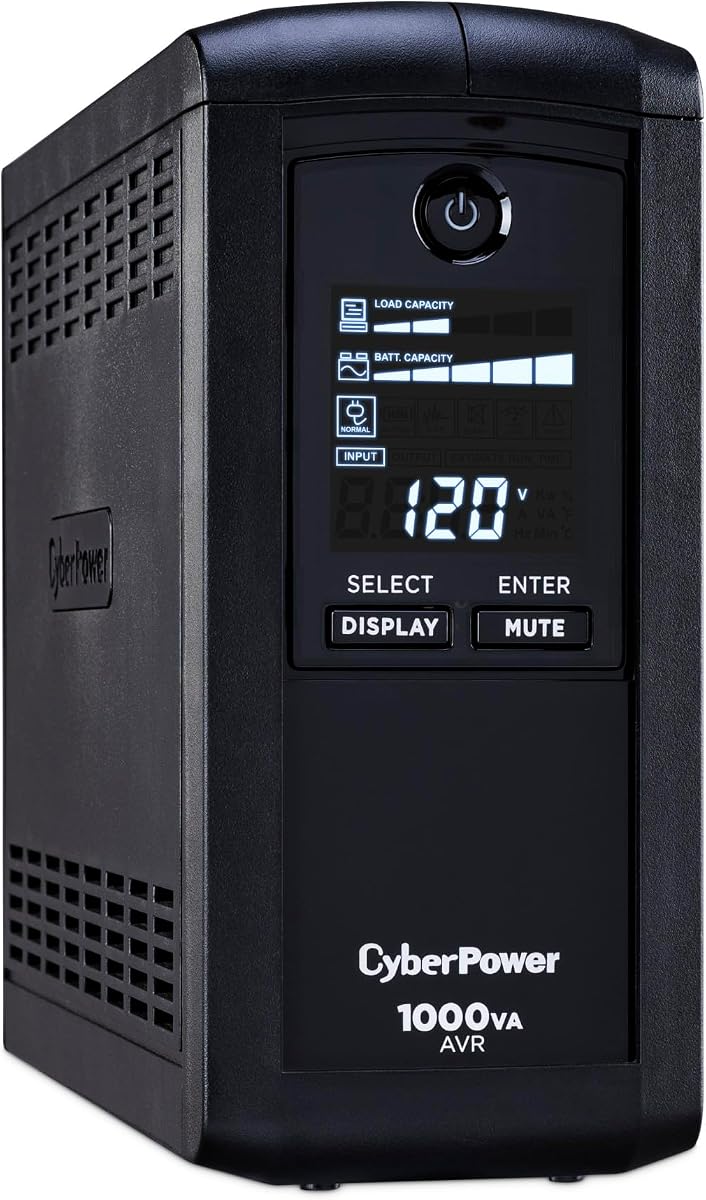
The CyberPower CP1000PFCLCD offers an affordable entry point into pure sine wave protection. With a 4.2 star rating it provides 1000VA capacity which is sufficient for standard workstations. It supports active PFC supplies ensuring safe power for modern computers.
We may earn a commission when you buy through this link, at no additional cost to you.
Its ten outlets accommodate multiple devices while the color LCD keeps you informed. Automatic voltage regulation helps extend battery life by correcting minor power issues. USB ports are included for charging phones or tablets during an outage.
While cost effective the lower wattage may not support extremely high end graphics cards. Runtime will be shorter under heavy loads compared to higher VA models. However for typical office workstations this balance is often acceptable.
This unit is best for users on a budget who still need sine wave safety. It avoids the risks of simulated waveforms while keeping costs down. For cost conscious buyers this remains a top value recommendation.
Delivers pure sine wave protection at a lower price point than most competitors in the category.
Automatic voltage regulation prevents unnecessary battery use by correcting small power fluctuations automatically.
We may earn a commission when you buy through this link, at no additional cost to you.
The CyberPower CP1500AVRLCD3 delivers strong performance with its 1500VA capacity. It uses simulated sine wave technology which works well for most conventional power supplies. The color LCD panel offers clear visibility of battery and power status.
We may earn a commission when you buy through this link, at no additional cost to you.
With twelve outlets it supports complex setups with multiple monitors and peripherals. USB ports are included to keep mobile devices charged. Automatic voltage regulation ensures stable power without draining the battery unnecessarily.
The simulated sine wave might not be ideal for active PFC supplies but fits conventional ones. While not perfect for every workstation it provides robust protection for standard office use. The price reflects the additional capacity and outlets.
This model suits users needing many outlets and high capacity without pure sine wave needs. It is a reliable choice for home office workstations. For those prioritizing capacity this unit offers excellent value.
Twelve outlets provide ample space to connect computers monitors and peripheral devices easily.
The color LCD displays detailed power conditions helping users stay informed during operation.
We may earn a commission when you buy through this link, at no additional cost to you.
The CyberPower CP850AVRLCD is designed for smaller workstation setups needing reliable backup. It offers 850VA capacity with nine outlets to connect essential devices. The LCD panel provides basic status information on battery and power conditions.
We may earn a commission when you buy through this link, at no additional cost to you.
Automatic voltage regulation helps maintain stability without using battery power. The unit is smaller than many rivals making it suitable for crowded desks. It includes a solid warranty and equipment guarantee for peace of mind.
Its lower wattage limits use on high performance systems with heavy loads. The simulated sine wave is also less ideal for active PFC supplies. However for basic office tasks this size and capacity are often sufficient.
This model is best for compact workstations where space is limited. It provides essential protection without taking up much room. Users with simpler power needs will find it practical.
The compact profile fits easily on desks where space is limited.
Automatic voltage regulation ensures stable power and extends battery life.
We may earn a commission when you buy through this link, at no additional cost to you.
The CyberPower CP1000AVRLCD offers a balanced mix of capacity and features. It provides 1000VA capacity which fits many standard workstation setups. The LCD displays estimated runtime and battery capacity for better planning.
We may earn a commission when you buy through this link, at no additional cost to you.
Nine outlets allow connection of computer and peripheral devices. Automatic voltage regulation stabilizes power without switching to battery unnecessarily. This feature helps extend the battery life over time.
The simulated sine wave output may not suit active PFC power supplies. There are also no USB ports for charging mobile devices. Despite these limits it remains a reliable choice for general use.
This unit is best for users who need essential protection at a fair price. It suits workstations without high end power supplies. For basic safety this model delivers good performance.
The LCD panel displays estimated runtime helping users plan shutdowns during outages.
Automatic voltage regulation corrects fluctuations without depleting battery power.
We may earn a commission when you buy through this link, at no additional cost to you.
The CyberPower EC850LCD introduces ECO mode to reduce energy waste. It provides 850VA capacity and twelve outlets for extensive connectivity. The LCD panel shows detailed information on battery and power status.
We may earn a commission when you buy through this link, at no additional cost to you.
When the PC sleeps the ECO outlets cut power to peripherals saving energy. Automatic voltage regulation ensures stable power. This design helps lower costs over time while protecting equipment.
The ECO mode might cut power too early for some users. Simulated sine wave limits active PFC support. However the energy savings are a unique benefit.
This model is best for eco conscious users wanting power savings. It fits workstations with conventional supplies. For those prioritizing efficiency this is a great pick.
ECO mode automatically turns off power to connected peripherals when the PC is asleep.
Twelve outlets allow connection of many devices without needing extra strips.
We may earn a commission when you buy through this link, at no additional cost to you.
The CyberPower AVRG900LCD is highly rated for its data line protection. It provides 900VA capacity with twelve outlets for multiple devices. The LCD panel offers clear visibility of battery and power conditions.
We may earn a commission when you buy through this link, at no additional cost to you.
Data line protection prevents surges from damaging network gear. Automatic voltage regulation stabilizes power. This ensures consistent safety for workstations with networked peripherals.
The lower wattage limits use on high end systems. Simulated sine wave is also less ideal for active PFC. However for general office setups this protection is valuable.
This model is best for workstations needing network safety. It suits users wanting robust outlet coverage. For those valuing data security this is a strong choice.
Data line protection prevents power surges from damaging networking equipment.
Twelve outlets allow connection of computers and many peripheral devices.
We may earn a commission when you buy through this link, at no additional cost to you.
The CyberPower ST900U features a slim profile ideal for tight spaces. It offers 900VA capacity with twelve outlets for various devices. The widely spaced outlets help with large power plugs.
We may earn a commission when you buy through this link, at no additional cost to you.
High efficiency design reduces power consumption. The LCD provides status information for monitoring. This model is great for home office setups where space is limited.
The simulated sine wave may not suit active PFC supplies. Lower wattage limits use on heavy workloads. However for light duty setups this is practical.
This model is best for users needing a compact solution. It suits workstations where desk space is valuable. For those prioritizing size this is a top pick.
The slim profile fits easily on crowded desks without taking up room.
Widely spaced outlets accommodate multiple devices with bulky plugs.
We may earn a commission when you buy through this link, at no additional cost to you.
The CyberPower BRG1500AVRLCD2 provides high capacity for demanding workloads. It offers 1500VA power with twelve outlets for all devices. The color LCD displays detailed power conditions clearly.
We may earn a commission when you buy through this link, at no additional cost to you.
USB charging ports are included for mobile devices. Automatic voltage regulation extends battery life. This model suits users wanting robust protection for standard workstations.
The simulated sine wave limits active PFC support. The price reflects the higher capacity and warranty. Despite this it offers good value for capacity.
This model is best for users needing high power. It suits workstations with multiple peripherals. For those prioritizing capacity this is a strong option.
1500VA capacity supports demanding workstations with multiple monitors.
The five year warranty provides long term peace of mind for users.
We may earn a commission when you buy through this link, at no additional cost to you.
Selecting the right battery backup requires understanding your power needs. This guide breaks down key factors to consider for your workstation setup.
VA rating determines how much power the unit can handle. Match this to your computer and monitors total wattage. Ensure headroom for peak loads.
Choose a VA rating at least 20 percent higher than your load for safety.
Pure sine wave is ideal for active PFC power supplies. Simulated sine wave works for conventional supplies. Check your power supply requirements.
Pure sine wave ensures safe operation with sensitive workstation hardware.
Count all devices you need to connect. Includes monitors printers and networking gear. Ensure the UPS has enough outlets.
Twelve outlets provide flexibility for complex workstation setups.
Lead acid batteries last 3 to 5 years. Lithium lasts over 10 years. Consider replacement costs over time.
Longer lifespan reduces total cost of ownership significantly.
AVR corrects voltage fluctuations without using battery power. This extends battery life and stabilizes power. Look for models with built in AVR.
AVR helps protect your battery from unnecessary drain.
LCD panels show status and runtime. Software allows automatic shutdown. USB ports charge devices.
Monitoring features help you manage power during outages effectively.
Measure your desk or under desk space. Some units are large due to battery type. Ensure the unit fits your area.
Check dimensions to avoid space issues after purchase.
Look for at least a 3 year warranty. Check connected equipment guarantee coverage. Ensure it matches your hardware value.
Strong warranties protect your investment against failures.
Connect your critical devices directly to the battery backed outlets. Plug networking gear into surge protected outlets. Ensure the UPS is plugged into a standard wall outlet.
Perform a self test monthly using the LCD panel. Check battery status regularly. Replace the battery when alerts appear or capacity drops.
Avoid overloading the unit with devices exceeding the wattage. Keep ventilation clear for cooling. Update management software for automatic shutdowns.
Pure sine wave delivers clean power like a wall outlet ideal for active PFC supplies. Simulated sine wave uses stepped approximations suitable for conventional supplies. Check your power supply needs before buying.
Lead acid batteries typically last 3 to 5 years. Lithium models last over 10 years. Runtime during outage depends on load and capacity.
Yes but protection varies. A UPS includes surge suppression for minor surges. For heavy lightning use a dedicated whole house surge protector.
No do not connect a power strip to the UPS. It increases load risk and may void warranty. Plug devices directly into the UPS outlets.
Use battery backed outlets for monitors to prevent shutdown. Surge only outlets are for noncritical devices like printers.
Software allows automatic shutdown saving data. It is useful for remote workstations. Basic monitoring works without software.
Check your power supply label or manual. Active PFC models typically require pure sine wave. Modern workstations often have PFC supplies.
Lead acid and lithium batteries contain hazardous materials. Do not throw in trash. Recycle at local e waste or battery recycling centers.
The CyberPower CP1500PFCLCD leads with pure sine wave and comprehensive features. The GOLDENMATE offers premium lithium longevity for long term needs. The CP1000PFCLCD delivers pure sine wave at a budget price.
Prioritize waveform compatibility and capacity for your specific workstation setup. Ensure the unit matches your power supply needs. Check outlet counts for all devices.
Prices and availability change frequently so verify current details before purchasing. Select a model that fits your budget and performance needs today.