
ASUS Prime AP201 Micro-ATX PC Case
4.7Editor score
Quasi-filter mesh panels
Optimized for cooling
Tool-free side panels
This guide compares the top ten ASUS PC Case models to help you choose the right chassis for your build based on airflow and design.
Selecting the right chassis is crucial for any computer build. An ASUS PC Case offers robust protection and efficient cooling for your components.
We compared ten models based on airflow, expansion options, and build quality. Each entry provides detailed specs to help you decide quickly.
Read our reviews to see which case fits your needs. Prices fluctuate regularly so check current listings before you buy today.
4.7Editor score

4.8Editor score

4.6Editor score
Below is a side-by-side comparison of all ten models to help you find the right fit for your hardware.


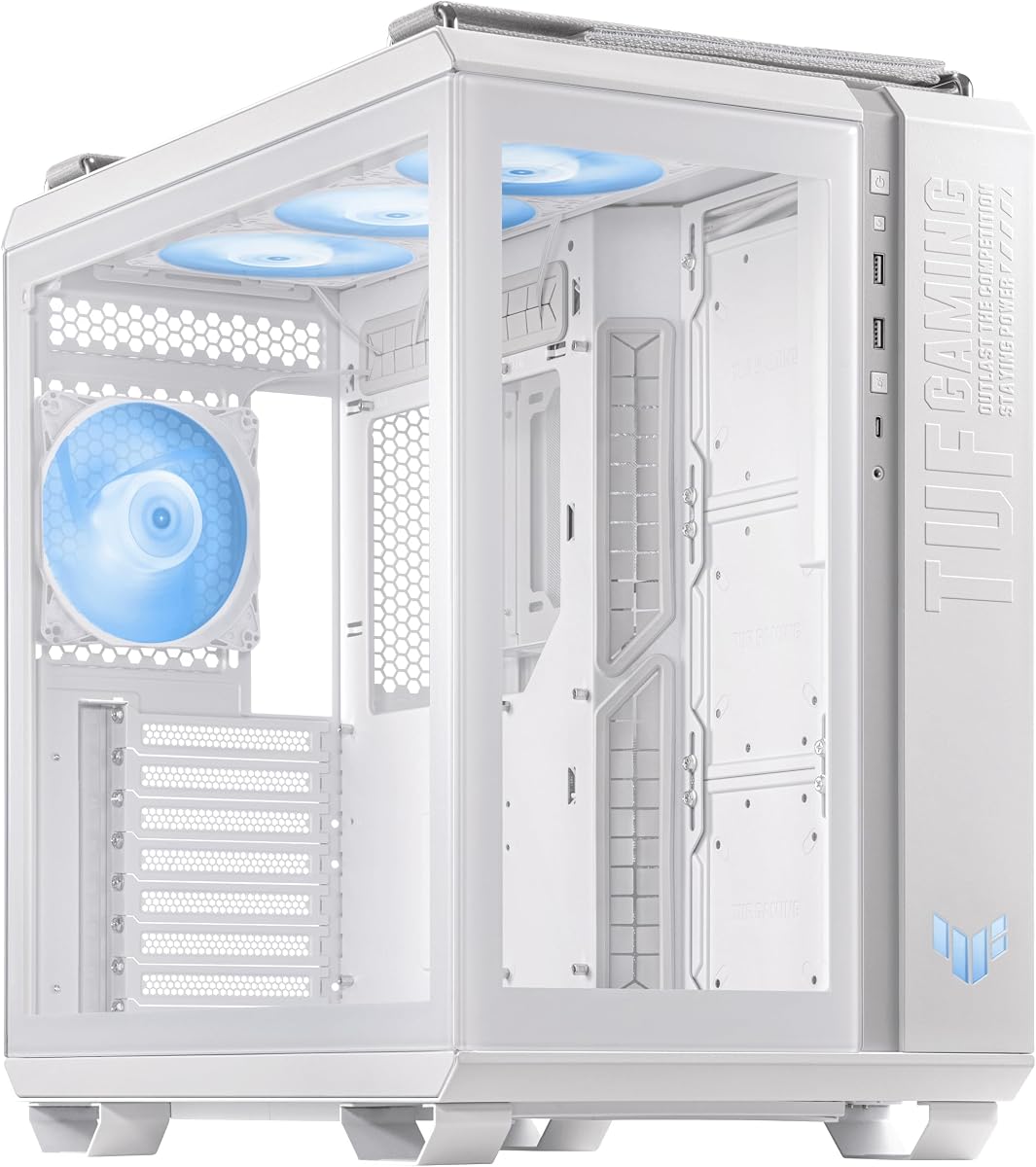
This full tower case stands out for its durability and cooling. It earns a high rating for its balanced design and features.
We may earn a commission when you buy through this link, at no additional cost to you.
The chassis supports EATX boards and offers seven fan mount points. Three ARGB fans come included for instant visual impact.
While the glass is heavy, it provides a clear view. The handles make moving the weight easier for most users.
Buy this if you need space and style. It is a top choice for serious gaming setups.
The mesh front and included fans ensure components stay cool under load.
Side panels remove easily to simplify hardware swaps during upgrades.
We may earn a commission when you buy through this link, at no additional cost to you.
AP201 offers value without sacrificing performance. It is a top pick for budget builds needing airflow.
We may earn a commission when you buy through this link, at no additional cost to you.
Over 57k holes in the mesh panels drive air to hardware. It supports large radiators despite its small size.
The clip mechanism removes panels quickly. However, you may need extra care with large cards.
Get this for compact high-performance builds. It balances cost and function well for most users.
Supports radiators and fans to handle thermal loads of high-end parts.
The tray and gap keep cables tidy for a clean look.
We may earn a commission when you buy through this link, at no additional cost to you.
This model brings premium features and massive cooling potential. It is ideal for enthusiasts seeking top-tier hardware.
We may earn a commission when you buy through this link, at no additional cost to you.
The aluminum frame supports up to 420mm radiators. Integrated storage and Type-C ports add real convenience.
While expensive, the build quality justifies the cost. It offers a unique look for bold setups.
Buy this if budget is not a concern. It delivers luxury and function in one chassis.
Open structure allows huge radiators for custom loops or AIOs.
A built-in drawer keeps small tools and parts close by.
We may earn a commission when you buy through this link, at no additional cost to you.
GT502 Horizon provides an unobstructed view of your build. It is a strong choice for showpiece systems.
We may earn a commission when you buy through this link, at no additional cost to you.
Two chambers isolate CPU and GPU cooling. This keeps heat from mixing and improves performance.
Removing panels is easy with hidden buttons. The glass adds weight but looks great.
Choose this for style and clear separation. It stands out in any desk setup.
Two chambers help CPU and GPU stay cooler together.
Front USB-C port gives quick access for fast drives.
We may earn a commission when you buy through this link, at no additional cost to you.
A31 PLUS is built for modern motherboards with hidden connectors. It simplifies cable management for a tidy look.
We may earn a commission when you buy through this link, at no additional cost to you.
Four ARGB fans give instant style and airflow. It supports very long GPUs up to 380mm.
The 8-degree base improves airflow. It is not premium but offers solid value for new builds.
Pick this if you want clean cables. It works well with the latest board designs.
Hidden connector support hides wires for a cleaner look.
Angled base improves cooling and view at the same time.
We may earn a commission when you buy through this link, at no additional cost to you.
This white edition matches the black GT501 with identical performance. It fits white builds with style and function.
We may earn a commission when you buy through this link, at no additional cost to you.
Cooling remains top-tier with RGB fans and radiator space. Handles make moving easier despite the weight.
The spatter pattern stands out on white. It may show dust more than darker shades.
Get this for a clean aesthetic. It keeps the performance of the original.
The white color and pattern suit clean build themes.
Optimized for software control and TUF motherboards.
We may earn a commission when you buy through this link, at no additional cost to you.
GT301 is a compact case with excellent airflow. It suits smaller desks while supporting ATX parts.
We may earn a commission when you buy through this link, at no additional cost to you.
The honeycomb front aids cooling. A dedicated RGB hub and hanger add convenience.
It fits standard cards but is not huge. The warranty adds peace of mind.
Choose this for small spaces. It packs great airflow into a small box.
Integrated hub controls lights without extra software.
Built-in hanger saves desk space for peripherals.
We may earn a commission when you buy through this link, at no additional cost to you.
This white version of the GT502 offers a clear view and strong cooling. It is great for white builds.
We may earn a commission when you buy through this link, at no additional cost to you.
Four ARGB fans and dual chambers keep temps down. The panel removal is easy and modular.
The USB-C port adds speed. It is a large case so measure your space.
Buy this for white aesthetics. It matches the dark version with style.
White panels and glass suit clean color themes.
Front Type-C port offers high speed storage access.
We may earn a commission when you buy through this link, at no additional cost to you.
A31 Plus TG ARGB features an 8-degree angled base for better airflow and view. It stands out with this design.
We may earn a commission when you buy through this link, at no additional cost to you.
Concealed ports help keep cables hidden. It supports large GPUs and radiators well.
The glass is tinted for privacy. The angle makes a visual difference at your desk.
Get this for a unique look. It offers great value for the price.
Eight degrees improves airflow and viewing angle.
Optimized for boards with hidden connectors.
We may earn a commission when you buy through this link, at no additional cost to you.
GT502 Plus offers modular white design with dual chambers. It keeps CPU and GPU cool with separation.
We may earn a commission when you buy through this link, at no additional cost to you.
USB 3.2 Gen 2 speeds make data transfer fast. Tool-free panels make access easier.
It is large so measure your space. The ARGB fans add great visual appeal.
Pick this for white builds. It balances cooling and style well.
Separate zones help CPU and GPU stay cool.
Fast front port helps with quick file transfers.
We may earn a commission when you buy through this link, at no additional cost to you.
Choosing an ASUS PC Case depends on several factors like size and cooling needs.
Check if the case supports your motherboard size. ATX cases fit larger boards while Micro-ATX saves space.
Ensure the case fits your board size before buying.
Look for mesh fronts and included fans to keep parts cool. Cases with fan mounts allow future upgrades.
Prioritize airflow for better thermal performance.
Verify maximum graphics card length. Modern GPUs can be large and need extra space.
Measure your GPU to ensure it fits inside.
Check radiator support sizes like 360mm for liquid cooling. Air cooling height limits matter too.
Match cooling size to your build needs.
Modern cases include USB-C for fast transfers. Check speeds like 10Gbps for performance.
USB-C ports add convenience for modern gear.
Look for cutouts and gaps to hide cables. Hidden connector support helps keep things tidy.
Good cable management improves airflow and looks.
Steel and aluminum frames offer durability. Glass panels should be tempered for safety.
Strong materials last longer and look better.
Side panels that pop off save time. Modular designs make building easier.
Tool-free panels simplify assembly and upgrades.
Start by removing the side panels and installing your motherboard. Use the provided cutouts for clean cable routing.
Install fans first to guide airflow. Place intake fans at the front and exhaust at the rear.
Clean dust regularly with compressed air. Keep vents open to maintain proper cooling.
The GT501 supports E-ATX and ATX boards. It is a full tower with extra space for large components.
Yes it supports ATX PSUs up to 180mm. It is compact but fits standard parts well.
Yes it comes with four ARGB fans. These provide lighting and airflow right out of the box.
The A31 Plus supports up to 380mm. This fits most modern graphics cards easily.
Yes it supports up to 420mm radiators. It is built for large AIOs and custom water cooling.
Many include USB-C but check the model. The GT502 has 10Gbps USB-C on the front.
The GT501 and AP201 lead for value and performance. They offer great balance for most users.
Pick cooling and size first then style. These factors affect your build more than looks.
Check current listings for stock and pricing. Prices change often so verify before buying today.