
UPPERCASE NimbleGrip
4.6Editor score
Premium silicone construction
Dual-sided exterior grip
Dust-free coating applied
Removable for wireless charging
This guide compares the top 10 Apple Pencil Grips for comfort and control, reviewing features, materials, and compatibility to help you choose the right grip.
Finding the right Apple Pencil grip can transform your drawing and writing experience. A good grip reduces hand fatigue and provides better control during long creative sessions. It also protects your expensive stylus from drops and scratches while maintaining full functionality.
We evaluated ten leading options based on ergonomics, material quality, and compatibility with various Apple Pencil models. Our analysis focuses on how each product affects your daily workflow. We considered user feedback, design features, and build durability to compile this definitive list.
Each pick highlights specific strengths such as magnetic charging support or textured surfaces. You will see detailed breakdowns of pros and cons for every item. Please note that pricing and availability can change frequently. Check current listings for the most up to date offers.
4.6Editor score

4.3Editor score

4.5Editor score
This side-by-side comparison helps you quickly identify the right grip for your specific needs. We have organized key specifications and features to make your decision process easier.




This top-rated grip offers exceptional comfort for daily creative work. With a solid 4.3 rating from verified buyers it stands out for its balance of performance and design. The shape is engineered to match natural hand curvature reducing strain during long sessions.
We may earn a commission when you buy through this link, at no additional cost to you.
The ultra-thin silicone zones ensure that all Apple Pencil features remain accessible. Magnetic charging and double-tap gestures work without removing the grip. This convenience makes it ideal for users who switch between sketching and note-taking frequently throughout the day.
While it fits most cases the angled sidewalls are designed to prevent interference. Some users might find the price higher than generic silicone sleeves but the durability justifies the cost. It resists stretching and slipping better than cheaper alternatives over time.
Artists and students who prioritize ergonomics will appreciate this choice. The two included colors allow for personalization without sacrificing function. We recommend this grip for anyone seeking a reliable upgrade to their pencil experience without losing core features.
The shape mimics pens that taught generations to write ensuring a natural hold that feels intuitive during extended drawing or writing sessions.
Angled sidewalls allow the pencil to attach securely even when your iPad has a case on ensuring charging works without obstruction.
We may earn a commission when you buy through this link, at no additional cost to you.
This grip provides excellent value for users needing basic ergonomic support. With a 4.5 rating it appeals to those looking for effective pain relief without extra cost. The design focuses on simplicity and functionality rather than complex features or aesthetics.
We may earn a commission when you buy through this link, at no additional cost to you.
The internal anti-slip grooves ensure the grip stays firmly on the stylus during use. Users report that the curved shape fits their hand comfortably which helps reduce fatigue. The high-quality silicone makes it durable for daily handling and cleaning.
Installation is straightforward and the sleeve can be moved to different positions as needed. However the design is basic compared to premium options which might limit its appeal for professional artists. It is best suited for casual users or students.
For budget-conscious buyers this is a strong contender. It delivers on the core promise of improving grip and comfort. We suggest it for anyone wanting to try a grip without investing heavily in advanced features or branding.
The bottom of the sleeve is larger than the top to align better with hand curvature for maximum comfort and grip relief.
Internal grooves provide strong friction to hold the stylus firmly preventing slips even during vigorous drawing or writing activities.
We may earn a commission when you buy through this link, at no additional cost to you.
This product stands out for its innovative split-back design. It allows easy removal for charging without taking the whole grip off. With a 4.4 rating users appreciate the practical approach to common usability issues with Apple Pencil accessories.
We may earn a commission when you buy through this link, at no additional cost to you.
The split allows you to twist the pencil or roll the grip over the edge for a secure fit. This feature is particularly useful for Gen 2 users who need regular access to charging ports. The grip enhances control without blocking features.
While the design is clever some international buyers should note potential differences in terms and fit. The product aims to maximize comfort and control across different pencil generations. It is a versatile choice for users with mixed iPad setups.
We recommend this for users who value quick access to charging functions. The design addresses real workflow needs effectively. Consider this if you want a grip that adapts to your usage patterns rather than just sitting on the pen.
The split design lets you remove the grip easily when you need to charge your pencil without extra tools or full removal.
Works with Gen 1 and Gen 2 models ensuring you get the same comfort and benefits regardless of your specific pencil version.
We may earn a commission when you buy through this link, at no additional cost to you.
UPPERCASE delivers a premium experience with this high-end silicone grip. Its 4.6 rating reflects top satisfaction regarding build quality and comfort. The focus on health and comfort makes it a favorite for serious digital artists and professionals.
We may earn a commission when you buy through this link, at no additional cost to you.
The dust-free coating is a standout feature that keeps the grip clean and looking new longer. The dual-sided exterior offers round and hexagonal shapes allowing you to choose the feel that suits your hand best. This versatility is rare in standard grips.
Removing it for wireless charging is straightforward with the specific technique provided. Users note that the ribbed interior keeps it firmly in place during intense sessions. While slightly more expensive the quality justifies the investment for daily heavy users.
We recommend this for those who prioritize premium materials and design details. The attention to lint reduction and texture shows high manufacturing standards. Choose this if you want a grip that feels as refined as your iPad and pencil setup.
Crafted from premium silicone that is soft yet supportive providing long-lasting comfort for extended periods of use without irritation.
Choose between round and hexagonal exterior grips to find the perfect texture and shape for your personal preference and writing style.
We may earn a commission when you buy through this link, at no additional cost to you.
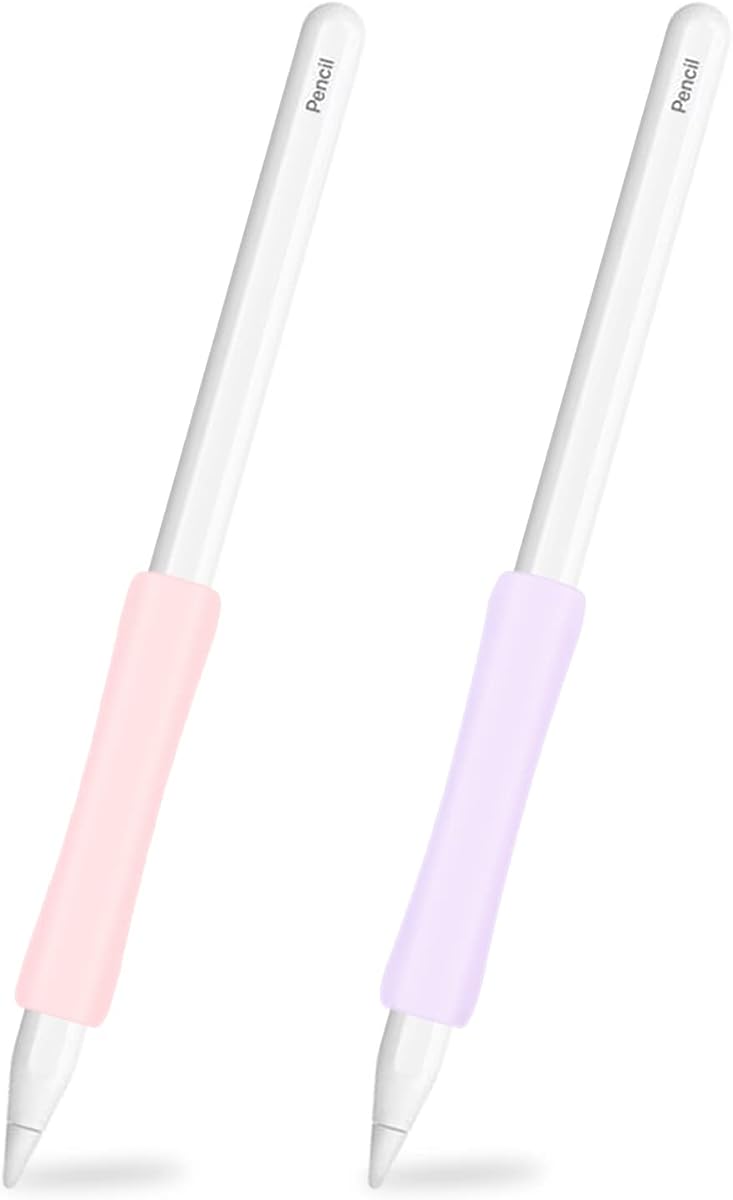
This multipack offers exceptional value for families or users who like to switch looks. With a 4.4 rating it delivers solid performance for everyday tasks. The inclusion of three colors makes it versatile for matching accessories or different moods.
We may earn a commission when you buy through this link, at no additional cost to you.
The ultra-thin profile ensures that magnetic charging and double-click functions work seamlessly. The anti-sweat texture helps maintain grip during sweaty hands or long sessions. Users appreciate the simple silicone rubber construction that is easy to clean and install.
While the thin design makes it convenient it might not last as long as thicker models. However at this price point replacing them is low cost. It is a practical choice for students or casual users needing basic protection and comfort.
We suggest this for anyone wanting variety without spending much. The color options make it fun and functional. Consider this if you need multiple grips for different pencils or want to gift grips to friends and family members.
The package includes white pink and purple grips allowing you to choose your favorite look or match your iPad case style.
At 0.35mm thickness the sleeve is thin enough to maintain wireless charging and double tap function without interference.
We may earn a commission when you buy through this link, at no additional cost to you.
elago is known for thoughtful design and this grip reflects their brand values. The 4.5 rating highlights satisfaction with its build and ergonomic shape. The company creates products they use themselves ensuring practical functionality.
We may earn a commission when you buy through this link, at no additional cost to you.
Premium silicone prevents scratches on both the pencil and surfaces it rests on. The ergonomic shape sits comfortably in the hand reducing strain over time. It serves as both a grip enhancer and a protective sleeve for your device.
While it may cost more than basic sleeves the added protection is valuable. Users find it durable and reliable for daily use. The design focuses on simplicity and sophistication which appeals to tech enthusiasts.
We recommend this for users who care about brand and material quality. It is a great gift option for pencil users. Choose this if you want a product that looks and feels well-engineered for your tech accessories.
Silicone prevents scratches on the surface it rests on which helps protect your pencil from damage and keeps it looking new longer.
The ergonomic shape allows the holder to sit comfortably in your hand boosting grip and reducing fatigue over continued use.
We may earn a commission when you buy through this link, at no additional cost to you.
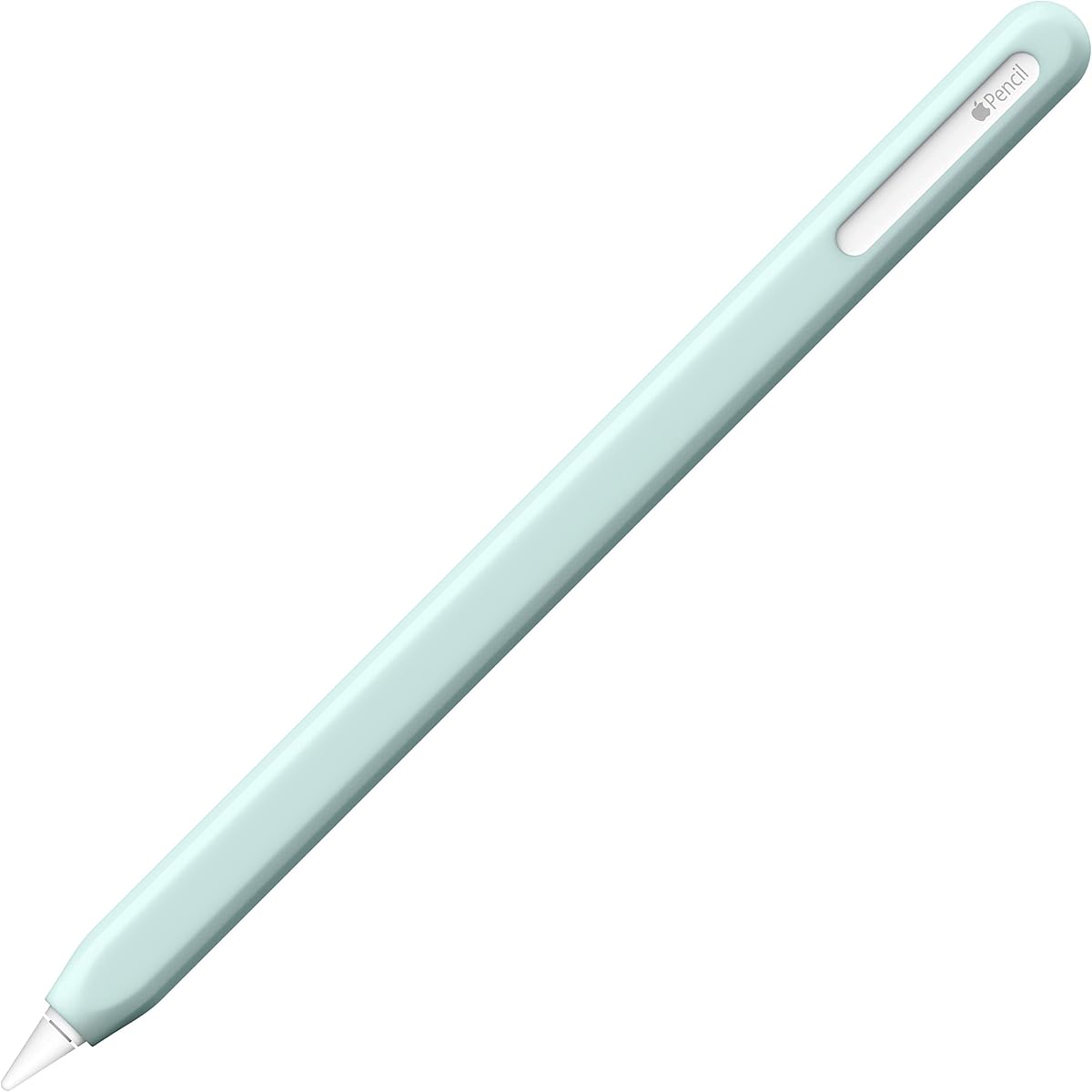
This sleeve combines style with functionality in a sleek package. The faceted look gives it a unique visual appeal while providing comfort. With a 4.3 rating it is appreciated by users who value both aesthetics and utility.
We may earn a commission when you buy through this link, at no additional cost to you.
The faceted design prevents the pencil from rolling off tables when you set it down. This practical feature improves workflow efficiency. It also covers the entire pencil offering protection against dust and accidental drops during transport.
Users should note that third-party iPad cases need a cutout for charging. The slim profile maintains magnetic compatibility but setup requires attention. For those who prioritize look and protection this is a strong candidate.
We suggest this for users who want a protective sleeve that looks great. The dust-free coating keeps it clean easily. Consider this if you need full coverage protection without sacrificing the magnetic charging capability of your pencil.
The faceted design resists rolling after you have set it down making it more secure on desks and tables.
Complete coverage of the Apple Pencil makes it easier to grip and control while also protecting against dust dirt and accidental drops.
We may earn a commission when you buy through this link, at no additional cost to you.
This option provides a convenient two-pack with a handy storage solution. The 4.2 rating indicates satisfaction for users looking for versatility. The square and circle design offers different holding styles for varied tasks.
We may earn a commission when you buy through this link, at no additional cost to you.
The ultra-thin cross-section supports wireless charging and double-tap without removing the grip. It is important to align the thin section with the charging port. The included mini buckle box helps organize the grips when not in use.
Users should be aware of the alignment requirement for charging to work properly. It does not work with compact pen slots. However for general use the grip is effective and comfortable for long writing sessions.
We recommend this for users who want a two-pack with storage included. The color variety is useful for different moods. Consider this if you need a practical set with organization features for your workspace.
The square and circle in one design provides you many different comfortable ways to hold the Apple Pencil for design and writing.
Includes a mini buckle storage box to keep your grips organized and safe when not in use.
We may earn a commission when you buy through this link, at no additional cost to you.
This multipack covers a wide range of iPad and pencil models with ease. A 4.4 rating shows users value its broad compatibility. The ergonomic design focuses on concave shaping to match hand curvature for comfort.
We may earn a commission when you buy through this link, at no additional cost to you.
The stretchy material ensures a firm hold without sliding. Installation is simple and the sleeve can be moved to different positions as needed. This flexibility allows you to find the most comfortable spot for your grip style.
While it lacks advanced features it delivers on the basics effectively. The design relieves hand pain for long work sessions. Users appreciate the straightforward approach to improving pencil usability without extra complexity.
We suggest this for users needing a reliable grip for multiple devices. It is great for families with different iPad generations. Consider this if you want a practical and affordable solution for ergonomic writing support.
The middle of pencil sleeve is more concave than both ends to better align with the curvature of your hand for maximum grip.
The sleeve is easy to install and can be moved to the most suitable position for your preferred writing angle.
We may earn a commission when you buy through this link, at no additional cost to you.
This grip is tailored for newer Pro and USB-C models ensuring modern compatibility. The 4.3 rating reflects users who need support for 2024 devices. The design focuses on concave shaping to match hand curvature.
We may earn a commission when you buy through this link, at no additional cost to you.
It does not interfere with magnetic charging due to ultra thin skin. The soft material protects the pencil from scratches and dust while improving grip. Users note that it is easy to install and stays firmly in place during use.
Keep in mind it is not for 1st Gen pencils. This limits its audience to those with newer hardware. For Pro owners it offers a straightforward upgrade for better ergonomics and protection.
We recommend this for Pro users needing a reliable sleeve. It balances protection with functional access. Consider this if you want a modern solution for your latest Apple Pencil setup.
Designed specifically for Apple Pencil Pro 2nd Gen and USB-C models to ensure a perfect fit and modern compatibility.
The ultra thin sleeve skin won't influence the wireless charging for pencil 2nd gen ensuring seamless functionality.
We may earn a commission when you buy through this link, at no additional cost to you.
Choosing the right grip depends on your specific workflow, iPad model, and personal comfort needs.
The shape of the grip should match your hand curvature to reduce strain. Look for designs that widen at the bottom or have concave sections to cradle your fingers comfortably during long sessions.
A well-designed shape prevents pain and improves control over time.
High-quality silicone offers the best balance of grip and softness. Durable materials resist stretching and lint accumulation which ensures the grip remains effective for months.
Investing in premium materials ensures long-lasting comfort and performance.
Verify that the grip supports your specific pencil model whether it is 1st Gen 2nd Gen Pro or USB-C. Some designs only work with newer models due to diameter differences.
Always check model compatibility to avoid buying an ill-fitting grip.
Many users rely on magnetic charging for convenience. Ensure the grip is ultra-thin or has an access cutout so you do not have to remove it every time you charge.
Look for thin cross-sections or split-back designs to maintain charging functionality.
If you use an iPad case check that the grip fits alongside the case without blocking the pencil holder. Angled sidewalls or slim profiles help prevent interference.
Testing fit with your case ensures smooth workflow integration.
Grips with textured surfaces or ribbed interiors prevent slipping during use. Anti-sweat coatings are beneficial for long drawing sessions where hands might get warm.
Texture features enhance security and comfort significantly.
A good grip should be easy to install and remove. Look for stretchy silicone that slides on smoothly and stays in place without excessive force.
Easy installation saves time and ensures consistent placement.
Some users prefer multiple colors to match their accessories. Check if the product comes in a multipack or various colors for personalization.
Color options add a nice touch to your setup without compromising function.
To install your grip, slide it onto the barrel of your Apple Pencil ensuring the charging side faces out for wireless charging models. If the grip is split, open it and roll it over the flat edge of the pencil.
Clean your grip regularly with mild soap and water to remove oils and dust. Avoid harsh chemicals that might degrade the silicone material or affect the texture over time.
Check periodically that the grip has not stretched out or lost its shape. If it becomes loose or less comfortable, replace it to maintain optimal ergonomics and protection.
Most modern grips are designed to be ultra-thin so they do not interfere with wireless charging. Look for models with thin cross-sections or split designs that allow charging without removal.
Compatibility depends on the pencil model not the iPad. Since Apple Pencil sizes vary by generation, choose a grip that specifically supports your pencil type whether it is 1st 2nd Gen or USB-C.
Yes, but ensure the grip has angled sidewalls or a slim profile to fit within your case. Some cases have built-in holders that may not accommodate bulky grips.
Use mild soap and water to clean silicone grips gently. Dry them completely before putting them back on your pencil to prevent moisture buildup.
Grips provide some protection against scratches and minor bumps but are not drop-proof. Full sleeves offer better protection but may be thicker than standard grips.
Premium grips are designed to keep the double-tap area accessible. Ensure the grip does not cover the specific touch zone on your Pencil to maintain this feature.
High-quality silicone is generally best for comfort as it is soft yet supportive. It offers good grip without being too sticky or hard on the hands.
We have reviewed ten top options ranging from budget-friendly multipacks to premium ergonomic solutions. Each choice offers distinct benefits for different workflows and preferences.
Prioritize your specific needs such as charging access or material durability when selecting a grip. Investing in a quality grip can significantly improve your long-term creative experience.
Remember to check current availability and prices as these details may change regularly. The right grip is an affordable upgrade that enhances every creative session.