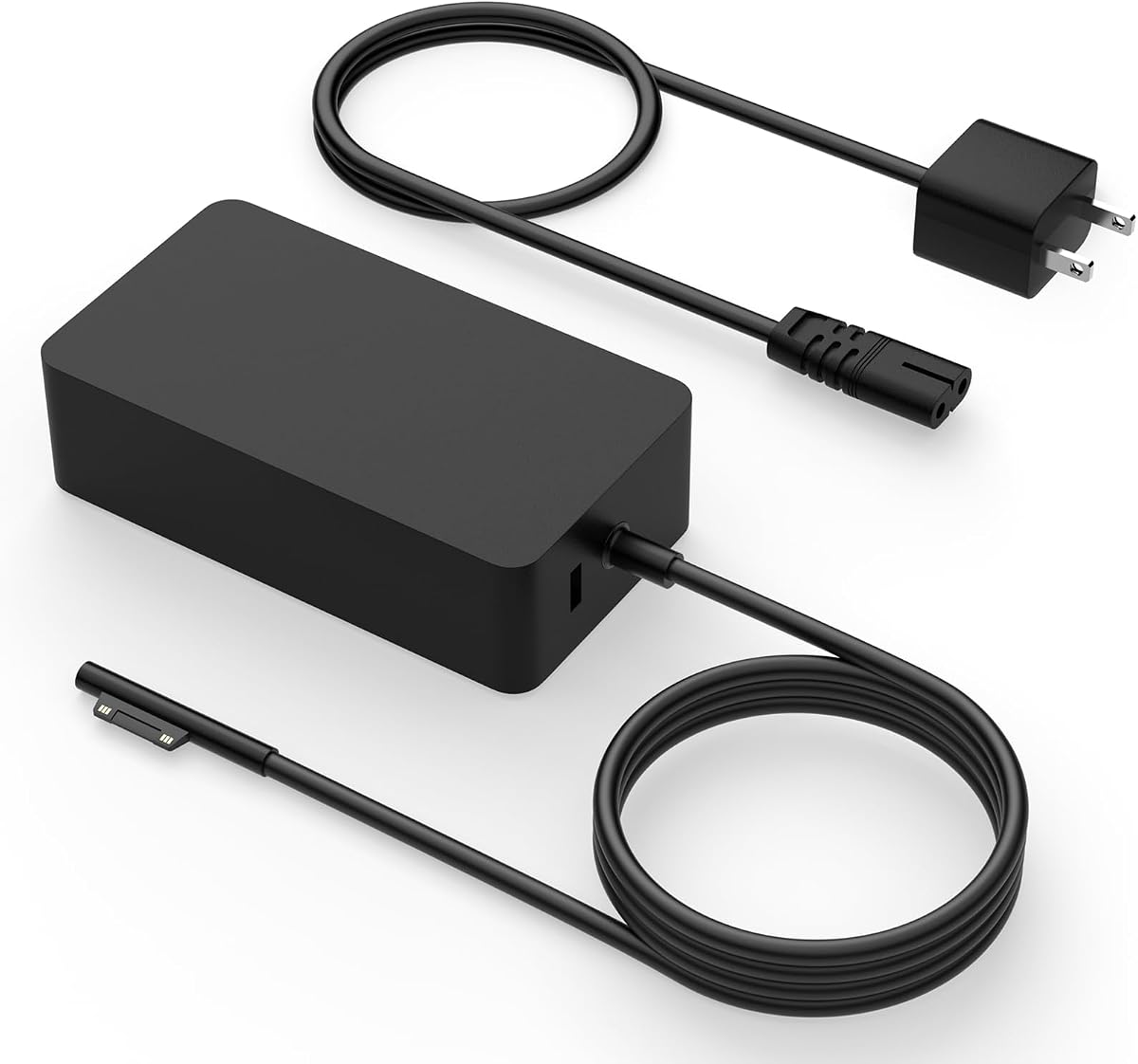
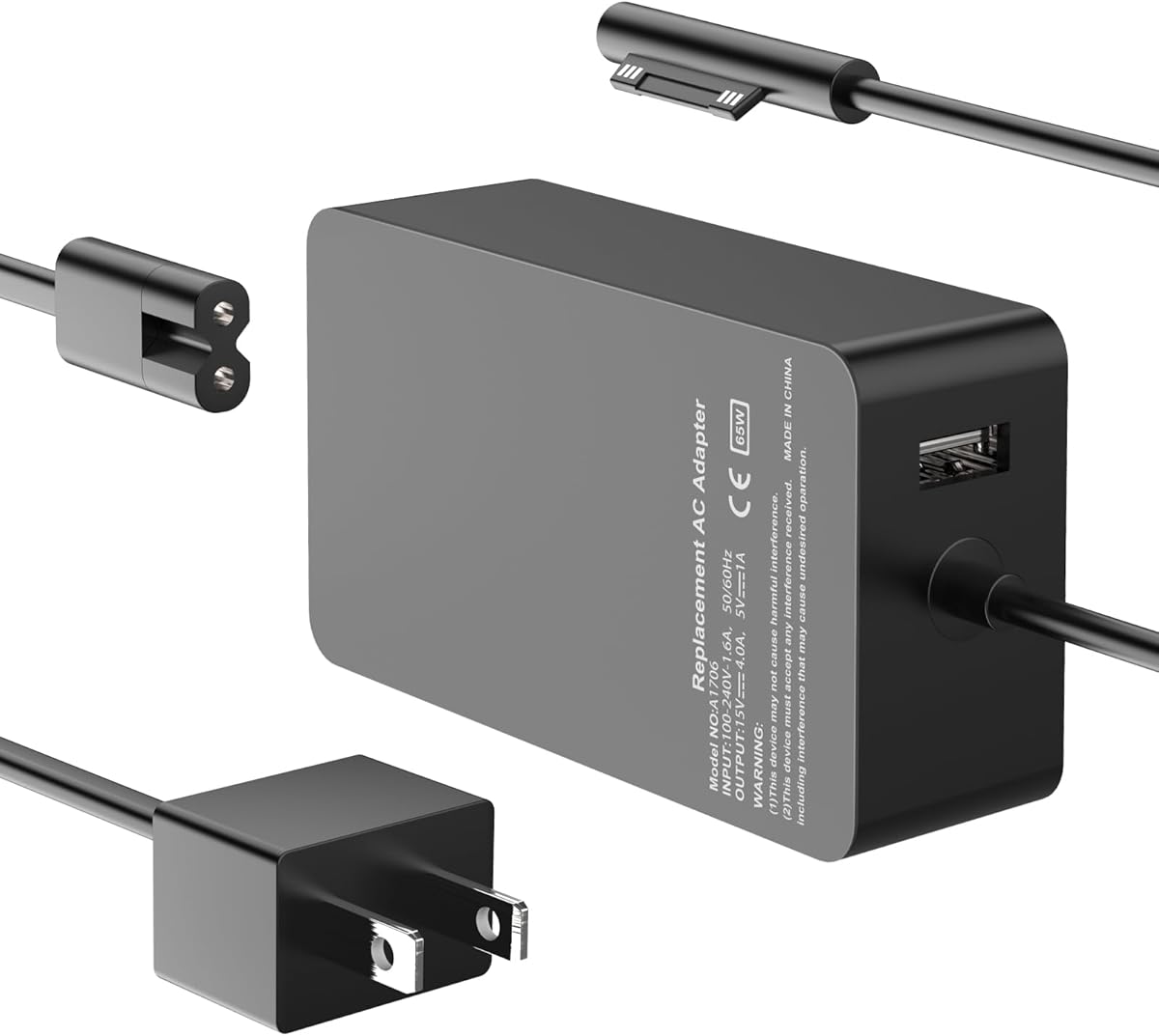
10 Best 65W Microsoft Surface Pro Charger Replacement in 2026
This guide compares the top 65W Microsoft Surface Pro Charger Replacement options for speed, safety, and compatibility across Pro, Laptop, and Book models.
As an Amazon Associate we earn from qualifying purchases. We may earn a commission when you buy through links on this page, at no additional cost to you. Read our affiliate disclosure.As an Amazon Associate we earn from qualifying purchases.Purchases through our links may earn us a commission, at no extra cost to you. Read our affiliate disclosure.
Finding a reliable power source for your Microsoft Surface device is essential for uninterrupted productivity and daily use. A high-quality charger ensures your tablet or laptop stays ready for work, creativity, or entertainment without unexpected downtime or battery anxiety during critical tasks.
We evaluated ten leading replacement chargers based on compatibility, charging speed, safety features, and user feedback. Each product was scrutinized for its ability to handle various Surface models while delivering consistent power output and protecting your device from potential electrical issues or overheating risks.
Each pick in this list highlights specific strengths like cable length, additional ports, or build quality to help you choose wisely. Please note that prices fluctuate frequently on Amazon, so checking the current listing before purchase ensures you get the best value for your specific needs today.
Top 3 Picks for Best 65W Microsoft Surface Pro Charger Replacement
Best Budget
Replacement for Surface Pro Charger 65w Compatible with Microsoft Surface Pro 11, 10, 9, 8, 7+, 7, 6, 5, 4, 3, X, Surface Laptop 7/6/5/4/3/2/1, Surface Go Book 2/1
65W Charger Compatible with Microsoft Surface Pro 11, 10, 9, 8, 7+, 7, 6, 5, 4, 3, X, Power Adapter for Windows Surface Laptop 7/6/5/4/3/2/1, Go Tablet, Book 3/2/1, Support 44W, 36W, LED, 10FT
65W Surface Pro Laptop Charger-for Microsoft Surface Pro Charger Windows Surface Laptop 7,6,5,4,3,2,for Microsoft Surface Pro10,9,8,7+,7,6,5,4,3,X,Surface Book3,2,1,Surface Go Tablet,Support 44W,10FT
Top 10 Best 65W Microsoft Surface Pro Charger Replacement in 2026 Compared
The following table provides a side-by-side comparison of all ten selected chargers to help you quickly identify key specifications and features relevant to your specific Surface device model and usage requirements.
ProductsSpecificationsEditor scorePrice
1
Editor's Choice
65W Charger Compatible with Microsoft Surface Pro 11, 10, 9, 8, 7+, 7, 6, 5, 4, 3, X, Power Adapter for Windows Surface Laptop 7/6/5/4/3/2/1, Go Tablet, Book 3/2/1, Support 44W, 36W, LED, 10FT
Replacement for Surface Pro Charger 65w Compatible with Microsoft Surface Pro 11, 10, 9, 8, 7+, 7, 6, 5, 4, 3, X, Surface Laptop 7/6/5/4/3/2/1, Surface Go Book 2/1
65W Surface Pro Laptop Charger-for Microsoft Surface Pro Charger Windows Surface Laptop 7,6,5,4,3,2,for Microsoft Surface Pro10,9,8,7+,7,6,5,4,3,X,Surface Book3,2,1,Surface Go Tablet,Support 44W,10FT
YURCIPWE Surface Pro Charger 65W, Surface Laptop Charger Compatible with Microsoft Surface Pro 11/10/9/8/7+/7/6/5/4/X, Surface Laptop 7/6/5/4, Surface Book 3/2, Surface Go 3/2/1 with 8.8ft Power Cord
[Upgraded Version] Surface Pro Charger 65W for Surface Pro 3/4/5/6/7/8/9/X Power Supply Adapter, Compatible for Both Microsoft Surface Book Laptop/Tablet,Works with 65W&44W&36W&24W (10 Ft Cord)
65W Surface Pro Laptop Charger for Microsoft Surface Pro 11,10, 9, 8, 7+, 7, 6, 5 Surface Laptop 5 Studio 4 Go 3 2, Surface Book 3 2 1, Surface Go Tablet, Support 36W, 44W
65W Charger Compatible with Microsoft Surface Pro 11, 10, 9, 8, 7+, 7, 6, 5, 4, 3, X, Power Adapter for Windows Surface Laptop 7/6/5/4/3/2/1, Go Tablet, Book 3/2/1, Support 44W, 36W, LED, 10FT
Full Pro 8 charge in 1.5 hours
Ten foot cable for flexible reach
Cool-blue LED charging status indicator
Built-in multi safeguards for protection
This charger stands out as the top choice for most Surface users due to its impressive charging speed and extensive compatibility. With a rating of 4.5 stars, it has gained trust from users who need reliable power for their Pro and Laptop models.
Pros
Fast charging for Surface Pro 8
Long cable offers great flexibility
Clear LED status indicator included
Compatible with many Surface models
Strong safety features protect battery
Cons
Cable may be bulky for travel
Not compatible with non-Surface laptops
We may earn a commission when you buy through this link, at no additional cost to you.
The key strength lies in its ability to fully charge a Surface Pro 8 in just 1.5 hours, which is significantly faster than lower wattage options. The ten-foot cable provides ample reach to work from couches or desks without being tethered to a wall outlet.
While the cable length is a major benefit, it can make the unit slightly less portable for frequent travelers who prefer compact accessories. Additionally, the compatibility is specifically tuned for Microsoft devices, so it won't work with generic Windows laptops.
If you own a modern Surface device and need a dependable daily charger, this model is the recommended choice. It balances speed, safety, and convenience better than most alternatives on the market today.
Fast Charging Performance
The 65W output ensures that your device reaches full capacity quickly, minimizing downtime during busy workdays or study sessions.
Extended Cable Reach
With a ten-foot cord, you can position your device comfortably on a bed or sofa without worrying about outlet proximity.
Replacement for Surface Pro Charger 65w Compatible with Microsoft Surface Pro 11, 10, 9, 8, 7+, 7, 6, 5, 4, 3, X, Surface Laptop 7/6/5/4/3/2/1, Surface Go Book 2/1
Input: 100-240V for global use
Output: 65W/44W/36W/24W
Built-in USB port for phones
Efficiency up to 96 percent
This replacement charger offers an excellent balance of performance and price, making it ideal for budget-conscious buyers. It holds a strong 4.6 rating and includes unique features like a USB port for charging phones simultaneously.
Pros
Very affordable price point
USB port for device charging
High efficiency ratings
Built-in heat dissipation
Compatible with many models
Cons
Standard cable length
Basic build quality
We may earn a commission when you buy through this link, at no additional cost to you.
The main advantage is its affordability without sacrificing essential charging capabilities. The built-in USB port allows you to charge your phone while powering your laptop, reducing the need for extra adapters. Its high efficiency rate minimizes energy waste during use.
However, it lacks the extended cable length found in premium options, which may limit placement flexibility. The build quality is functional but not as robust as higher-end alternatives, potentially affecting long-term durability under heavy use.
For those seeking a cost-effective solution that still delivers solid performance, this is a top pick. It is particularly useful for students or casual users who need a reliable backup charger.
Dual Charging Capability
The integrated USB port enables you to charge a smartphone while the main adapter powers your Surface device.
Energy Efficiency
With efficiency up to 96 percent, this charger reduces heat generation and saves energy during operation.
65W Surface Pro Laptop Charger-for Microsoft Surface Pro Charger Windows Surface Laptop 7,6,5,4,3,2,for Microsoft Surface Pro10,9,8,7+,7,6,5,4,3,X,Surface Book3,2,1,Surface Go Tablet,Support 44W,10FT
Input: 100-240V global voltage
Output: 65W with USB port
Multiple built-in safeguards
Ten foot power cord
This premium charger is designed for users who prioritize safety and reliability above all else. With a 4.6 rating, it offers robust protection mechanisms and fast charging capabilities suitable for demanding environments.
Pros
Comprehensive safety features
Extended cable length
Fast charging performance
Supports many Surface models
USB port for peripherals
Cons
Higher price than basic models
Heavier due to safety features
We may earn a commission when you buy through this link, at no additional cost to you.
The standout feature is its array of built-in safeguards against short circuits, overvoltage, and overheating. The ten-foot cable provides excellent flexibility for desk setups, and the USB port adds convenience for charging phones or mice.
The premium positioning comes with a higher price tag compared to budget options, which might not suit everyone. The additional safety components also make it slightly heavier, though this ensures greater durability over time.
If you need a charger that minimizes risk to your expensive device and offers long-term reliability, this is the ideal choice. It is perfect for home offices or professional settings.
Advanced Safety Protection
Multiple safeguards protect your device from electrical faults, ensuring safe and stable charging performance.
Flexible Power Setup
The ten-foot cord allows for versatile placement of your device away from wall outlets.
65W Surface Pro Charger Compatible with Microsoft Surface Pro 11,10, 9, 8, 7+, 6, 5, 4, 3, X, Windows Surface Laptop 6, 5, 4, 3, 2, 1, Surface Go Tablet, Surface Book 3, 2, 1, 44W, 36W
65W output power
USB port 5V-1A
Compatible with 44W devices
Fast charging support
This charger provides straightforward and effective power for most Surface users. It holds a 4.4 rating and is known for reliable performance without unnecessary extras.
Pros
Affordable and effective
USB port included
Wide model support
Fast charging speed
Simple design
Cons
Average cable length
Basic build materials
We may earn a commission when you buy through this link, at no additional cost to you.
Its ability to support 65W while also being compatible with 44W devices makes it versatile for different Surface models. The USB port adds value by allowing simultaneous phone charging.
The design is simple and functional but may not stand out in terms of durability compared to premium options. Cable length is standard, which is fine for most desks but not ideal for larger rooms.
For users who need a no-fuss charger that gets the job done, this is a solid pick. It works well for daily use.
Versatile Compatibility
Supports multiple wattages, making it suitable for a wide range of Surface Pro and Laptop models.
Convenience Feature
The USB port allows you to charge smaller devices while your main device powers up.
YURCIPWE Surface Pro Charger 65W, Surface Laptop Charger Compatible with Microsoft Surface Pro 11/10/9/8/7+/7/6/5/4/X, Surface Laptop 7/6/5/4, Surface Book 3/2, Surface Go 3/2/1 with 8.8ft Power Cord
65W output
Magnetic connector
Overload protection
Compact portable size
This charger stands out for its portable design and magnetic connector. It holds a 4.5 rating, reflecting its success for users who travel or move around frequently.
Pros
Magnetic plug connection
Compact and portable
Safety protections built-in
Wide device compatibility
8.8ft cord length
Cons
Cable not as long as others
Magnet might be too strong
We may earn a commission when you buy through this link, at no additional cost to you.
The magnetic connector ensures quick and easy attachment to your Surface device, while the compact size fits easily into bags. Safety features like overload protection provide peace of mind during daily use.
The cord length of 8.8 feet is adequate but not the longest available, which might be a limitation for larger spaces. Some users find the magnetic strength strong, which is good for stability but requires careful alignment.
If you need a portable charger that combines convenience with reliability, this model is a great fit. It is particularly good for commuters.
Magnetic Connection
The magnetic connector allows for easy plug and play without precise alignment every time.
Portability Focus
Its compact form factor makes it ideal for carrying in a laptop bag or backpack.
Surface Pro Charger 65W Microsoft Surface Laptop Charger, Support 44W, 36W
65W power adapter
10FT cable length
LED indicator light
Multi safeguards
This charger is similar to the top pick but with a focus on cable length and safety. It has a 4.4 rating and is well-suited for users who need flexibility in their workspace.
Pros
Ten foot cable
LED status light
Fast charging for Pro 8
Strong safety features
Compatible with many models
Cons
Heavier than standard
Cable management needed
We may earn a commission when you buy through this link, at no additional cost to you.
The ten-foot cable is a major selling point, allowing you to work from far from the outlet. The LED indicator clearly shows charging status, and the safety features protect your device from electrical issues.
Because of the longer cable and additional features, it may be slightly heavier and bulkier than others. Managing the cable might require attention to avoid tangling or tripping hazards.
For those who need extra reach without sacrificing performance, this is a strong option. It works well for home offices with distant outlets.
Cable Length
The ten-foot cord provides exceptional flexibility for placing your device anywhere in the room.
Status Indicator
An LED light gives you a quick visual confirmation of charging status.
65W Surface Pro Charger for Microsoft Surface Pro 7/6/4/3/8/9/11/5
65W power output
Compatible with Pro 7-11
8.8ft cord
Safe charging design
This charger is designed specifically for key Surface Pro models, ensuring a precise fit. It holds a 4.6 rating for its reliability and straightforward performance.
Pros
Focused model compatibility
Good value
Adequate cord length
Fast charging
Safe design
Cons
Not universal for all Surface
Basic features
We may earn a commission when you buy through this link, at no additional cost to you.
By focusing on specific models like Pro 7 through 11, it reduces compatibility confusion. The 65W power ensures fast charging for these devices, and the 8.8-foot cord offers decent reach.
It does not cover the entire Surface lineup, so checking your model is essential. The feature set is basic, lacking extra ports or advanced indicators found in other options.
If you have a supported model and want a simple reliable charger, this is a good choice. It is best for users who prioritize compatibility.
Specific Fit
Designed for specific Surface Pro models to ensure perfect compatibility and safety.
Simple Performance
Delivers fast 65W charging without unnecessary complexity or extra features.
[Upgraded Version] Surface Pro Charger 65W for Surface Pro 3/4/5/6/7/8/9/X Power Supply Adapter, Compatible for Both Microsoft Surface Book Laptop/Tablet,Works with 65W&44W&36W&24W (10 Ft Cord)
65W max output
Supports 24W to 65W
USB port included
10FT cord
This upgraded version supports a broad range of wattages, making it versatile for older and newer Surface devices. It has a 4.4 rating and is known for accommodating various power needs.
Pros
Wide wattage support
Ten foot cord
USB charging port
Thermal protection
Good for older models
Cons
Older design
Heavy unit
We may earn a commission when you buy through this link, at no additional cost to you.
The ability to support 24W to 65W means it can serve multiple devices with different requirements. The USB port and ten-foot cable add convenience for home or office use.
The design is somewhat dated compared to newer offerings, and the unit can be bulky for travel. It focuses on compatibility over modern features, which limits its appeal for some users.
For those with older Surface models or a mix of devices, this charger provides excellent versatility. It ensures compatibility where newer chargers might fail.
Versatile Power
Supports multiple wattages from 24W to 65W, covering a wide range of devices.
Extra Convenience
The USB port and long cable make it suitable for shared workspaces.
65W Surface Pro Laptop Charger for Microsoft Surface Pro 11,10, 9, 8, 7+, 7, 6, 5 Surface Laptop 5 Studio 4 Go 3 2, Surface Book 3 2 1, Surface Go Tablet, Support 36W, 44W
65W output
USB port included
Safety safeguards
Wide model range
This charger delivers solid performance with a focus on safety and speed. It holds a 4.6 rating and is designed for a wide variety of Surface models.
Pros
Full charge in 1.5 hours
USB port included
Comprehensive model list
High safety standards
Stable charging
Cons
Cable not extra long
Standard build
We may earn a commission when you buy through this link, at no additional cost to you.
It can charge a Surface Pro 9 in 1.5 hours, matching the top performers in speed. The safety safeguards and USB port make it a reliable daily driver for most users.
The cable length is standard, so it may not reach as far as other options. The build is functional but does not offer extra durability features for heavy use.
For users who want a reliable charger with proven speed and safety, this is a great pick. It is well-rounded for general use.
Quick Charging
Achieves full charge in 1.5 hours, offering high efficiency for your device.
Safety First
Built-in safeguards ensure your device is protected from electrical faults.
65W Charger Compatible with Microsoft Surface Pro 11, 10, 9, 8, 7+, 7, 6, 5
65W power
Magnetic connector
10FT cable
Multi safety system
This charger brings magnetic connectivity to an affordable price point. It holds a 4.6 rating and is designed for users who value ease of use and reach.
Pros
Magnetic connector included
Ten foot cable
Fast charging speed
Safety protections
Wide compatibility
Cons
Cable may tangle easily
Connector can loosen
We may earn a commission when you buy through this link, at no additional cost to you.
The magnetic connector allows for quick attachment without aligning ports precisely. Combined with the ten-foot cable and safety system, it offers a convenient solution for most daily scenarios.
The cable may be prone to tangling due to its length and material. Some users find the magnetic connector can loosen over time with frequent use.
If you prioritize ease of connection and cable length, this model is a strong candidate. It works well for casual users who need reliable power.
Magnetic Convenience
Magnetic connector simplifies plugging in and prevents accidental disconnects.
Reach
The ten-foot cable allows for flexible device placement away from power sources.
We may earn a commission when you buy through this link, at no additional cost to you.
Buying Guide – How to Choose the Best 65W Microsoft Surface Pro Charger Replacement
Selecting the right charger requires understanding your device model and power requirements to ensure compatibility and safety.
Compatibility with Your Model
Always verify that the charger lists your specific Surface model in its compatibility list. The Microsoft Surface line has evolved over years, and different generations may require specific power levels or connectors. Using a non-compatible charger can result in slow charging or even device damage.
Check the model number on the back of your device and cross-reference it with the charger description to avoid mismatches.
Power Output and Speed
A 65W charger is ideal for most modern Surface Pro and Laptop models, providing fast and efficient charging. Lower wattage options like 44W or 36W may charge your device but will take longer, especially if you use it while charging. Higher wattage ensures better performance during intensive tasks.
Select a charger that matches your device maximum requirements to ensure optimal charging speed.
Cable Length and Reach
The length of the cable impacts how you can use your device while it is charging. A ten-foot cable offers flexibility to work from couches or desks away from outlets, while shorter cords may restrict your movement. Consider your typical workspace layout when choosing.
Choose a cable length that fits your common charging environment.
Safety Features and Protection
Safety features such as overvoltage, overheating, and short circuit protection are crucial for protecting your expensive device. Look for chargers that mention built-in safeguards or IC chip technology to prevent electrical issues. These features ensure your battery longevity.
Prioritize chargers with proven safety protections to reduce risks.
Additional Charging Ports
Many modern chargers include an extra USB port, allowing you to charge a phone or other accessories simultaneously. This feature can reduce clutter and the need for multiple adapters. If you often travel or work on the go, this added convenience is valuable.
Look for USB ports if you want to charge multiple devices with one adapter.
Build Quality and Durability
Build quality affects how long the charger will last under regular use. Materials such as thick copper wire and protective coatings can improve lifespan. A sturdy design also helps with heat dissipation and prevents physical damage from drops or tangles.
Select a charger with robust construction for long-term reliability.
Connector Type and Ease of Use
Some chargers come with magnetic connectors that make plugging in easier and prevent cable stress. Standard plugs require precise alignment. Consider which connection style fits your needs and lifestyle preferences.
Choose a connector type that offers convenience for your daily routine.
Warranty and Customer Service
A good warranty period reflects the manufacturer's confidence in their product. Look for options that offer at least a year of support or replacement. Quality customer service ensures you can resolve any issues quickly if the charger fails.
Verify the warranty terms before purchasing to ensure peace of mind.
How to Use and Care for Your 65W Microsoft Surface Pro Charger Replacement
Always connect the charger to a stable power source before plugging it into your Surface device. This prevents power surges that could damage either the charger or your laptop. Ensure the magnetic connector aligns properly to establish a solid electrical connection.
Place the charger on a hard, flat surface during charging to avoid overheating. Do not cover the unit with blankets or place it under cushions, as this restricts airflow and can cause internal components to overheat. This is critical for maintaining the device lifespan.
Store the cable in a loose loop or use a cable tie to prevent internal wire damage from tight bending. Regularly inspect the connector tip for signs of wear or debris that could affect charging efficiency. Keeping the charger clean and dry will help it last longer.
Frequently Asked Questions
Can I use a 65W charger with a Surface Pro that originally came with a 44W charger?
Yes, you can use a 65W charger with a device that supports 44W because the charger will intelligently deliver only the required power. However, always confirm your specific model supports 65W input to avoid compatibility issues. The charger will not force higher power if the device does not accept it.
What happens if I use a lower wattage charger like 36W instead of 65W?
A lower wattage charger will charge your device more slowly and may not provide enough power during intensive tasks. It can lead to the battery draining even while plugged in if you are using the device heavily. For best performance, use the recommended wattage.
Are these replacement chargers safe to use without voiding the device warranty?
Third-party chargers that meet safety standards and are from reputable brands are generally safe but may not void warranties unless damage can be proven caused by the charger. Check the terms of your device warranty to be sure. Always choose certified products to reduce risk.
Why does my charger get hot during use?
Chargers generate some heat during normal operation due to energy conversion. However, excessive heat can indicate poor ventilation or a faulty component. Ensure the charger is placed in a well-ventilated area and avoid using it under covers.
What are the benefits of using a magnetic connector charger?
Magnetic connectors make it easier to plug in and prevent the cable from catching on objects. This reduces wear on the port and helps avoid accidental disconnections. They are particularly useful in shared or active environments.
How do I know if the charger is compatible with Surface Book models?
Check the product description for explicit mentions of Surface Book 1, 2, or 3. Many chargers list compatible model numbers. If unsure, compare your device model number with the supported list provided by the manufacturer.
Final Thoughts on Choosing the Best 65W Microsoft Surface Pro Charger Replacement
Choosing the right replacement charger ensures your Surface device remains powered and ready for work or play. Our top picks highlight the best overall performance, budget options, and premium choices to fit different needs.
Prioritize compatibility, safety features, and cable length when making your decision. A charger that matches your model and offers reliable protection will extend your device life and improve your daily experience.
Prices and availability change frequently, so always check the latest listings before purchase. This guide provides a starting point to help you find a charger that balances value and performance.
Discover the top 10 bass drum mic stands for 2026. We compare stability, height adjustment, and versatility to help you choose the perfect low-profile…