
MIRO UF1 4G LTE WiFi USB Network Adapter
3.5Editor score
Instant WiFi on power up
Supports up to 10 devices
Dual SIM and SD card slots
This guide compares the top 4G LTE USB WiFi Network Adapter Dongle models for portable connectivity, featuring speed tests, carrier compatibility, and ease of
Modern connectivity demands flexible solutions for work and travel. A 4G LTE USB WiFi Network Adapter Dongle provides reliable internet anywhere cellular signals exist. These devices convert cellular data into Wi-Fi for multiple gadgets without needing dedicated hotspot hardware.
We evaluated ten leading dongles based on speed, compatibility, and portability. Each model was assessed for ease of setup, network support, and power efficiency. The goal is to identify which adapters deliver consistent performance across various carriers and operating systems.
Each pick highlights key strengths and ideal use cases for different users. Note that product availability and pricing may change frequently. Always verify carrier compatibility before purchasing to ensure the device works with your existing SIM plan or desired network provider.
3.5Editor score

4.0Editor score

4.1Editor score
This side-by-side comparison outlines key specifications and features for all ten selected models. Use this table to quickly identify differences in speed, user capacity, and compatibility before making a final decision.


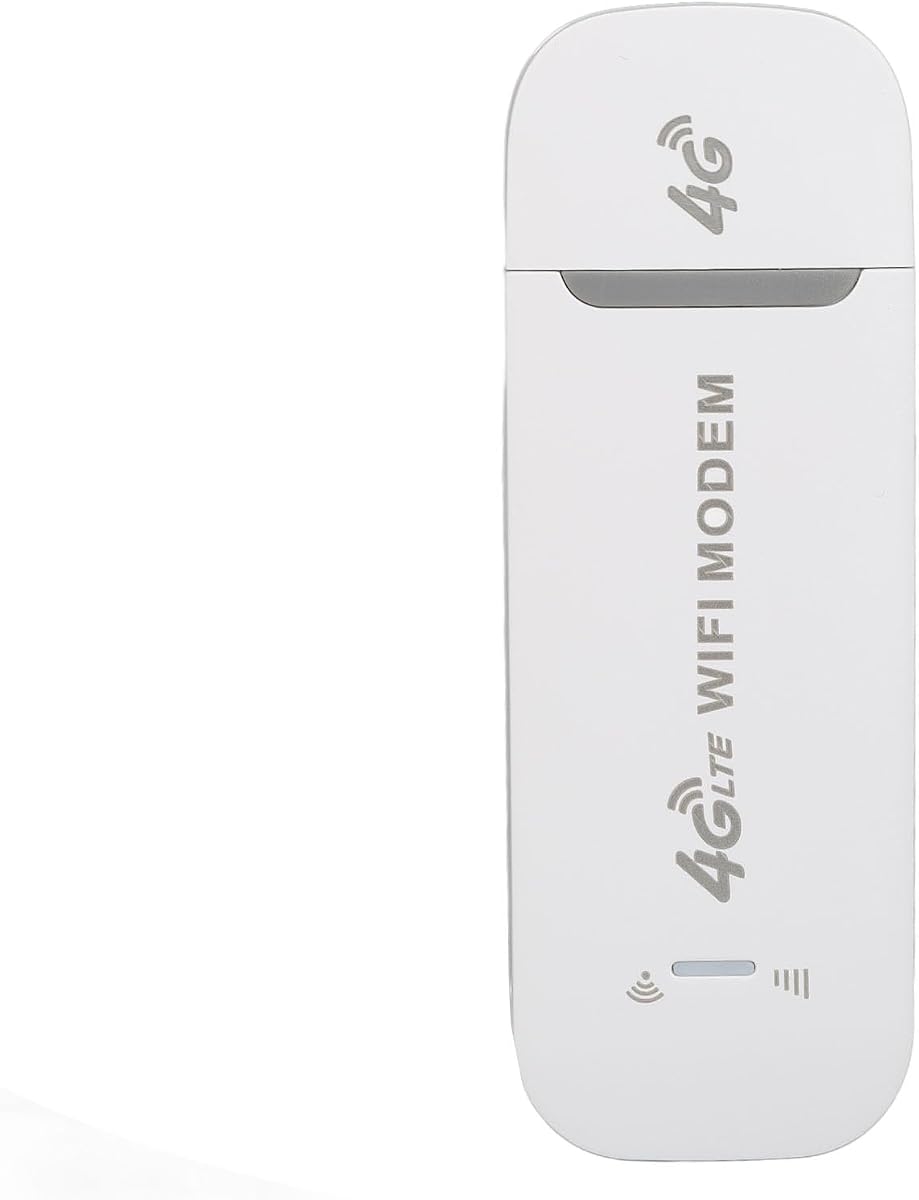
The MIRO UF1 stands out as a versatile 2-in-1 device that acts as both a mobile hotspot and a card reader. Its 3.5 rating reflects solid performance in specific use cases like travel or backup internet. The standout quality is its ability to switch between functions effortlessly.
We may earn a commission when you buy through this link, at no additional cost to you.
This dongle offers instant connectivity whenever it is powered on, whether through a computer USB port or a power bank. It supports up to 10 devices simultaneously, making it suitable for small teams or family trips. The inclusion of dual SIM slots adds flexibility for switching carriers without changing hardware.
While it lacks advanced features like WiFi 6, its simplicity and plug-and-play nature are acceptable trade-offs for budget-conscious users. The compact size ensures it fits easily in pockets or bags without adding bulk. Drivers are not required for basic functionality on major operating systems.
Anyone needing a reliable backup internet solution or a portable hotspot for multiple devices should consider this adapter. It is ideal for travelers who want to avoid roaming fees by using local SIM cards. The dual card reader function provides added value for file transfers on the go.
The ability to switch between mobile hotspot and card reader modes offers versatile utility for users needing both connectivity and file access.
Compatible with wall chargers, computers, and power banks, ensuring you stay connected wherever you find a USB power outlet.
We may earn a commission when you buy through this link, at no additional cost to you.
The EIOTCLUB dongle is designed specifically for users traveling within the US, Canada, and Mexico. With a 4.0 rating, it balances cost and functionality well. The pre-installed SIM card allows immediate use without waiting for activation or carrier verification.
We may earn a commission when you buy through this link, at no additional cost to you.
Its WiFi 6 support helps maintain speed efficiency across multiple connected devices. The compact dimensions make it easy to carry in a pocket or purse. Powering it via USB allows connection to laptops or car chargers for continuous internet access on road trips.
The main trade-off is its regional focus; users traveling outside supported areas may face connectivity issues. Additionally, the trial data plan is limited, requiring users to purchase a pay-as-you-go plan afterward. However, the QR code setup process for new plans is straightforward.
This adapter is perfect for short-term travelers or business professionals visiting North America. It eliminates the need to buy a local SIM separately upon arrival. For those needing simple plug-and-play connectivity without complex configuration, this device offers significant convenience.
Designed and tested for specific North American bands ensures reliable performance and better signal strength in supported countries.
The included SIM card and QR code activation reduce the time needed to get online, ideal for urgent travel needs.
We may earn a commission when you buy through this link, at no additional cost to you.
The HOSAYA HF26 delivers high-speed performance with an unlocked design that works with most universal SIM cards. Its 4.1 rating indicates strong user satisfaction regarding reliability and speed. The premium feature is its ability to automatically recognize APN settings in many regions.
We may earn a commission when you buy through this link, at no additional cost to you.
Users appreciate the plug-and-play functionality on Windows computers and the option to use it as a USB modem. The built-in antenna ensures adequate coverage for connecting multiple devices simultaneously. Powering it via USB makes it suitable for cars and power banks during travel.
One caveat is that some antivirus software may interfere with driver installation when used as a USB modem. Users may need to adjust settings to allow the connection. Additionally, the lack of an included SIM card means you must arrange your own data plan before first use.
This router is ideal for power users who need reliable internet for work or streaming. It works well for RVers or travelers requiring a stable connection in various countries. The unlocked nature provides freedom to choose the best local carrier without hardware restrictions.
Working with unlocked SIM cards gives users the freedom to switch carriers easily based on price or coverage in different regions.
Automatic recognition of network settings reduces configuration time, making it easier to set up quickly in new locations.
We may earn a commission when you buy through this link, at no additional cost to you.
This 4G LTE adapter is highly rated for its simplicity and reliability in home or office settings. Users appreciate the built-in antenna that provides optimal coverage without needing extra hardware. It is designed for straightforward internet sharing among a small group.
We may earn a commission when you buy through this link, at no additional cost to you.
The device allows up to eight simultaneous connections, which is sufficient for small families or meetings. Its plug-and-play design means no complex setup is required beyond inserting a SIM card. The antenna strength helps maintain reliable connections even in areas with moderate signal.
The limitation to eight users might not suit larger gatherings or heavy office environments. However, for basic tasks like browsing and chatting, the speed is adequate. The simplicity reduces the chance of technical issues, making it a user-friendly option.
Ideal for users needing a quick solution for temporary internet needs or backup connectivity. It is best suited for those who prioritize ease of use over advanced networking features. The consistent performance makes it a reliable choice for daily home usage.
The integrated antenna provides stable signal strength without adding external bulk or requiring additional accessories.
Effortless sharing of internet connection allows multiple devices to connect quickly without administrative overhead.
We may earn a commission when you buy through this link, at no additional cost to you.
This lightweight dongle is built for users who prioritize portability without sacrificing basic connectivity. It offers a speed of up to 150Mbps which supports standard browsing and streaming. The design focuses on being unobtrusive and easy to carry during travel.
We may earn a commission when you buy through this link, at no additional cost to you.
It allows up to ten WiFi connections, enabling a group to share one network. The compact design ensures it fits into small bags or pockets easily. The built-in antenna provides excellent coverage for reliable connectivity in various environments.
Because it is a generic model, there is limited detailed information on advanced features or long-term reliability. Users may need to verify driver support for specific operating systems. However, the plug-and-play nature minimizes initial setup time.
This adapter suits travelers needing a simple backup connection while on the move. It is practical for temporary setups like outdoor events or remote work spots. The balance of size and functionality makes it a good choice for occasional use.
Lightweight construction ensures you can carry the device anywhere without adding noticeable weight to your travel gear.
The absence of complex configuration steps means you can start using the internet connection almost immediately.
We may earn a commission when you buy through this link, at no additional cost to you.
The VBESTLIFE dongle is a high-performing option for travelers seeking speed and security. It supports WPA WPA2 encryption to protect data during transmission. The device is rated for fast internet access with download speeds reaching up to 150Mbps.
We may earn a commission when you buy through this link, at no additional cost to you.
It supports up to eight connected users, which is suitable for small group sharing. The device works across various operating systems including Windows and Android, enhancing versatility. Additionally, its wide operating temperature range ensures stability in harsh environments.
The limitation to eight users might restrict larger gatherings. However, for most personal travel needs, this capacity is sufficient. The security features add peace of mind when using public or private networks to connect.
Ideal for tech-savvy users who prioritize data security and speed. It is a solid choice for business travelers who need to connect multiple devices securely. The robust design ensures it remains functional even when exposed to varying temperatures.
Multiple encryption methods ensure your data remains secure during transmission over cellular networks.
Compatibility with Windows, iOS, and Android allows seamless integration with diverse personal and corporate devices.
We may earn a commission when you buy through this link, at no additional cost to you.
The Chrees router is designed to handle up to ten users efficiently, making it a strong contender for small group connectivity. It uses a Micro SIM card which is common in many regions. The plug-and-play setup means you can start using it immediately after inserting a SIM.
We may earn a commission when you buy through this link, at no additional cost to you.
Powering it via USB offers flexibility for use with power banks or car chargers. The WPA WPA2 security ensures your connection remains private and secure during use. Its portable size allows you to carry it easily in any bag or pocket.
While the Micro SIM requirement is standard, some newer networks may use Nano SIMs which could require an adapter. The lack of specific OS compatibility details may require testing on specific devices. However, the stability features aim to keep connections consistent.
This router is well-suited for families or teams needing shared internet access while traveling. Its security features are beneficial for those concerned about data privacy on public networks. The balance of size and stability makes it a practical daily driver.
Supporting ten users simultaneously allows a group to browse, stream, and work without significant lag.
Powering through USB ports ensures you can use this device with standard chargers or power banks.
We may earn a commission when you buy through this link, at no additional cost to you.
This modem stick stands out for its expandable memory feature allowing you to store files directly on the device. It supports download speeds up to 100Mbps which is sufficient for streaming and browsing. The antenna ensures robust reception in weak signal areas.
We may earn a commission when you buy through this link, at no additional cost to you.
You can share the internet connection with up to ten devices simultaneously, which is useful for travel. Its compatibility with Linux and older Windows versions makes it versatile for older systems. The plug-and-play design simplifies initial setup significantly.
The memory storage capability is a unique advantage but requires buying a separate card. The speed is lower than some competitors but acceptable for basic use. The universal compatibility ensures it works across a wide range of systems without custom drivers.
Ideal for users needing a portable storage solution alongside connectivity. It works well for those with older operating systems who need reliable internet. The extra storage feature makes it a great companion for saving documents while away from a desktop.
Support for up to 32GB memory cards lets you save files directly on the device while traveling.
Works with Linux, Windows, and Mac systems ensuring it integrates with almost any computer setup.
We may earn a commission when you buy through this link, at no additional cost to you.
This dongle is designed for quick internet access in both home and travel scenarios. Weighing only 26 grams, it is extremely lightweight and easy to carry. The 150Mbps transmission rate ensures smooth browsing and media streaming without interruption.
We may earn a commission when you buy through this link, at no additional cost to you.
It operates on both 3G and 4G networks, providing broader compatibility in areas with varying signal strength. The simple plug-and-play design means no complex software installation is required. Its stylish design also makes it a discreet accessory on a desk.
The device is basic in features compared to advanced routers but excels in simplicity and portability. It is ideal for those who need fast internet without needing advanced management tools. The support for older 3G networks ensures fallback options if 4G fails.
Best for travelers needing a simple reliable modem stick for light internet usage. It fits well in a laptop bag or pocket without adding weight. The balance of speed and portability makes it a practical choice for daily commuting.
At just 26 grams, the device is virtually unnoticeable in a travel bag, adding no burden to your daily carry.
Support for 3G and 4G networks ensures connectivity even in areas where newer signals are weak or unavailable.
We may earn a commission when you buy through this link, at no additional cost to you.
The Dpofirs dongle offers reliable performance for users needing consistent high-speed internet. It supports up to eight devices at once, making it suitable for small groups. The wide temperature range ensures it works even in hot or cold conditions.
We may earn a commission when you buy through this link, at no additional cost to you.
Security is a priority with WPA WPA2 encryption protecting your data from unauthorized access. The device is compatible with various operating systems allowing seamless integration. Its 150Mbps speed supports quick uploading and downloading of content on the go.
While it lacks advanced customization options, its straightforward nature makes it easy to maintain. The connection stability ensures you stay online without frequent dropouts. The security features are essential for protecting sensitive data during travel or remote work.
This adapter is ideal for business users or families needing a stable backup internet source. It works well in environments where temperature extremes might affect lesser devices. The focus on security and reliability makes it a trustworthy option for professional use.
Designed to handle extreme temperatures ensures stability even in harsh environmental conditions or travel climates.
Encryption methods protect your data stream ensuring that private information remains secure during transmission.
We may earn a commission when you buy through this link, at no additional cost to you.
Choosing the right adapter depends on your travel habits, device count, and carrier needs. This guide breaks down the critical factors to help you select the model that fits your specific requirements.
Ensure the device supports the LTE bands used by your local carrier or the countries you plan to visit. Some dongles are region-locked to North America or Europe, so check the supported bands list before purchasing.
Verify that the adapter works with your current SIM card or if it requires a specific type. Universal unlocked models offer the most flexibility for travelers who switch SIMs frequently to save money.
Look for adapters offering at least 150Mbps download speeds to ensure smooth video streaming and web browsing. Higher speeds reduce buffering and improve the experience for multiple users sharing the connection simultaneously.
While some models advertise higher speeds, real-world performance depends on signal strength and network congestion. Aim for a balance between advertised speed and reliability to guarantee consistent performance during critical tasks.
Determine how many devices need to connect at once. Some models support up to 10 users, while others are limited to 8. Choosing the right capacity prevents network congestion when multiple phones or laptops need internet access.
For families or small teams, a device supporting 10 connections is usually necessary. Solo travelers might find a smaller capacity sufficient which could free up budget for other travel gear.
Most dongles are USB powered meaning they draw energy directly from your computer or power bank. This feature is crucial for long trips where you need to minimize the number of chargers you carry.
Ensure the device is compatible with standard USB ports on laptops or power banks. Some models may require specific voltage or amperage to function correctly so check the power requirements before purchasing.
Confirm that the adapter works with your device's operating system whether it is Windows, macOS, or Linux. Some models require specific drivers that may not be available for newer or less common OS versions.
Plug-and-play functionality is a valuable feature that avoids the need for complex software installation. Look for models that list your specific OS version to ensure seamless connectivity without technical hurdles.
Since these devices are designed for travel, compact size and low weight are essential. A smaller dongle fits easily into a pocket or laptop bag without adding unnecessary bulk to your carry-on items.
Check the physical dimensions and weight in the product description to ensure it meets your portability needs. Lightweight models are less likely to get damaged during transit and are easier to keep track of while on the go.
Always choose a dongle that offers WPA or WPA2 encryption to protect your data from unauthorized access. Security is vital when using public networks or shared connections to prevent data theft or interception.
Advanced models may offer additional security settings to control access and manage bandwidth. Prioritize security features to ensure safe browsing habits while traveling or working remotely in public spaces.
Some models include extra functionality like memory card slots or dual SIM support which add versatility to the device. These features can be useful for users who need to transfer files or switch between carriers seamlessly.
Evaluate whether you actually need these extra features before purchasing. While they add value, they may also increase the price or complexity if you do not use them regularly.
To set up your dongle, insert an activated SIM card into the slot ensuring the chip aligns with the guide. Plug the device into a powered USB port on your computer or a power bank to activate the WiFi signal.
Once powered, wait for the LED indicator to stabilize which shows a successful connection to the cellular network. Access the network settings on your computer or phone to connect to the new WiFi hotspot name and password provided.
To maintain performance, keep the device in a dry and cool environment to prevent overheating. Regularly check for firmware updates on the manufacturer's website to ensure optimal security and compatibility with carrier networks.
Most modern dongles offer plug-and-play functionality meaning they work without additional software on supported operating systems. However, some older or specialized models might require drivers for specific OS versions which are usually available for download.
Unlocked dongles accept most standard SIM cards but you must ensure the SIM plan supports mobile data usage. Some carriers lock devices to their network so always verify the dongle is unlocked before purchasing to avoid compatibility issues.
Most adapters support between 8 to 10 connected devices simultaneously. Check the product specifications to confirm the exact limit as exceeding this can cause slower speeds and connection drops for all users.
It depends on the model's supported frequency bands and whether it is unlocked. Some dongles are region-locked to specific countries while others support global networks. Always verify international compatibility before traveling abroad.
You can power most dongles using a portable power bank or a car USB charger. Ensure the power source provides the correct voltage and amperage required by the device to maintain a stable connection without interruptions.
Speed depends on local cellular signal strength and network congestion but modern 4G LTE offers comparable speeds for browsing and streaming. For heavy downloads or professional use, check signal quality in your specific area before relying on it.
Most dongles can be reset by unplugging the USB cable and waiting a few seconds before plugging it back in. Some models have a small reset pinhole on the device that can be pressed with a paperclip to reboot the system.
We have reviewed ten top models offering speed, portability, and security for various needs. The MIRO UF1, EIOTCLUB, and HOSAYA HF26 stand out for their unique features and reliability in specific scenarios.
Prioritize network compatibility and speed requirements when selecting a dongle to ensure it meets your daily connectivity needs. A balance of features and ease of use often leads to the best long-term satisfaction for travelers and professionals.
Prices and availability fluctuate regularly so check current listings to confirm the best value for your budget. Always verify carrier details before finalizing a purchase to avoid unexpected compatibility issues upon arrival.