
Amazon Fire HD 8 Kids tablet
4.6Editor score
Bright eight inch HD screen
Up to thirteen hour battery life
Three gigabytes RAM included
Finding the right digital device for young children requires balancing entertainment with safety and educational value. Parents need tablets that are durable enough to survive drops while offering robust controls to manage screen time effectively. The market offers many options tailored specifically for toddlers and early elementary students.
We evaluated ten leading models based on build quality, battery life, and software features designed for family use. Each product was analyzed for its parental control capabilities, screen quality, and included content subscriptions. Our goal is to highlight devices that offer genuine utility beyond simple toys.
Every recommendation below details specific strengths and potential trade-offs to help you make an informed decision. Note that availability and pricing fluctuate frequently so check current offers before purchasing. We update this guide regularly to reflect the latest releases and user feedback from families.
4.6Editor score

4.3Editor score

4.0Editor score
As an Amazon Associate we earn from qualifying purchases.
This side-by-side comparison highlights key specifications across all ten selected tablets to help you find the best match for your needs.


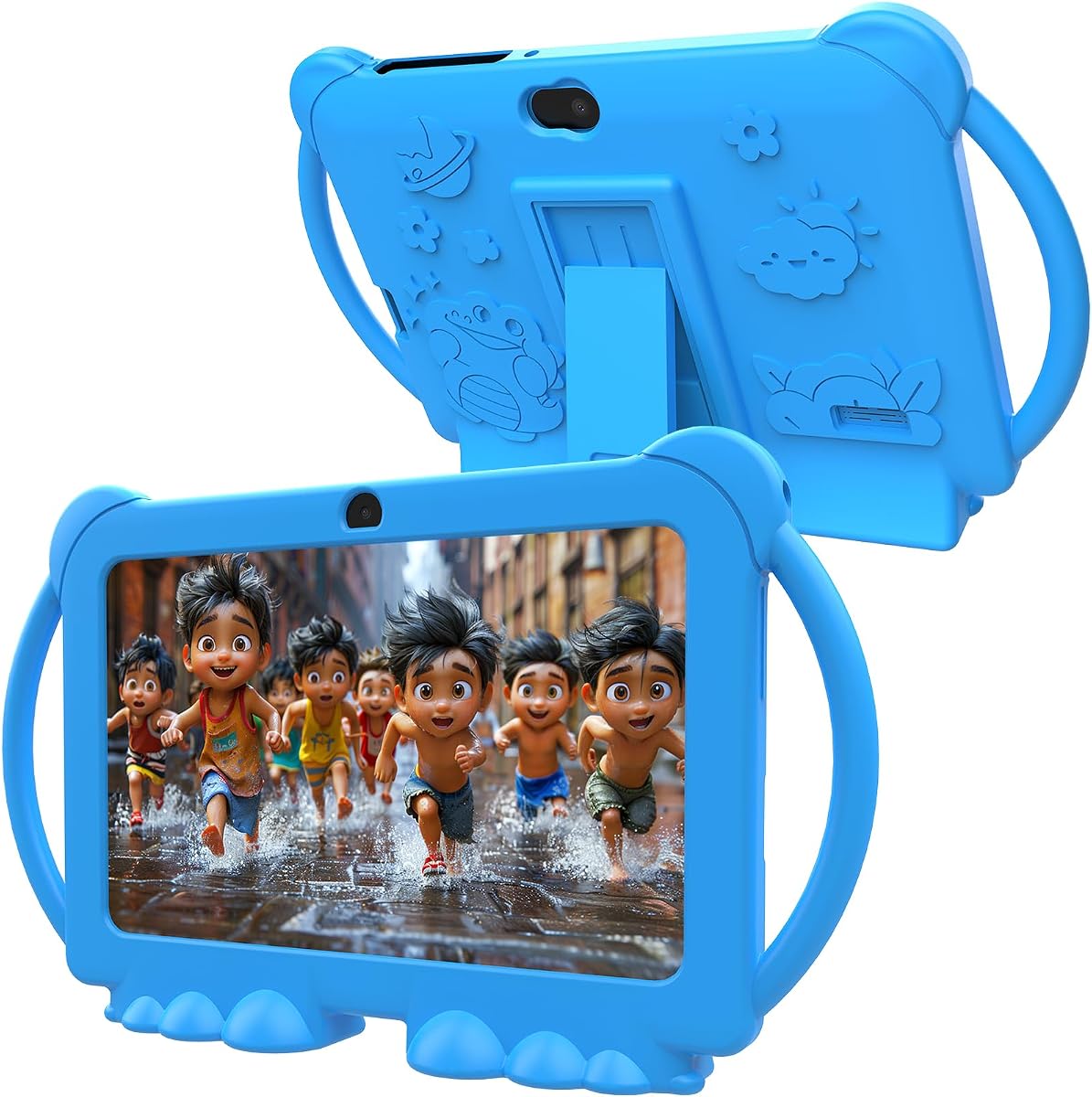


The Amazon Fire 7 Kids tablet stands out as a top choice for families seeking reliable entertainment without breaking the bank. With a 4.3 rating from thousands of users it delivers consistent performance for ages three to seven. The bundle includes essential protections and content that make setup straightforward for parents.
We may earn a commission when you buy through this link, at no additional cost to you.
Key strengths include the two year worry-free guarantee which allows free replacement if the device breaks. Parents appreciate the Parent Dashboard that lets them set time limits and filter content by age. The included one year Amazon Kids+ subscription provides thousands of ad-free books games and videos from brands like Disney and PBS Kids.
Honest trade-offs involve the base storage capacity which is sixteen GB. While expandable via microSD up to one TB initial downloads may be limited compared to higher end models. The screen resolution is adequate for reading but may not match the clarity of larger HD displays.
This tablet is ideal for parents who want a secure device with minimal setup effort. The combination of robust physical protection strong parental controls and included content makes it a safe investment. We recommend it for first time buyers or as a secondary device for the home.
The two year worry-free guarantee means you can replace a broken tablet for free without worrying about costs.
Amazon Kids+ includes thousands of educational games and books from trusted brands ensuring safe exploration for young children.
We may earn a commission when you buy through this link, at no additional cost to you.
The Amazon Fire HD 8 Kids tablet offers an upgraded experience with a larger screen and longer battery life for active children. It holds a high 4.6 rating reflecting strong user satisfaction with its performance and durability. The HD display makes videos and reading more engaging for young users.
We may earn a commission when you buy through this link, at no additional cost to you.
Its key strengths include the ten hour battery life which supports all day use without frequent charging. The three GB RAM ensures apps run smoothly even with multiple processes open. Parents can remotely review activity and prioritize learning apps over games using the easy-to-use parental controls.
Trade-offs include a higher price compared to the Fire 7 model. The larger form factor may be slightly heavier for very small hands to hold for extended periods. However the enhanced display and battery make up for these minor inconveniences for most families.
We recommend this model for parents seeking the best balance of performance and protection. The HD screen and longer battery life make it excellent for travel or long play sessions. It is a solid upgrade for families already invested in the Amazon ecosystem.
Up to thirteen hours of battery life ensures the tablet lasts through long car rides or days at school.
Three GB of RAM allows apps to load faster and multitask more efficiently than standard budget models.
We may earn a commission when you buy through this link, at no additional cost to you.
This tablet offers a full Android experience at an affordable price making it accessible for many families. It supports the Play Store which allows download of thousands of third party apps. A 4.0 rating suggests it is a functional option for basic entertainment and learning needs.
We may earn a commission when you buy through this link, at no additional cost to you.
The key strength is the four GB RAM which helps applications run smoothly without lag during everyday tasks. Parents can limit screen time and set separate profiles for each child via parental control features. The device supports microSD cards up to 512GB for ample storage expansion.
Trade-offs include a lower screen resolution compared to premium tablets which may look less sharp for high definition video. The pre-installed content is limited compared to Amazon bundles so parents may need to spend time setting up apps initially.
We recommend this for families wanting flexibility with Android apps without a high price tag. It is suitable for older toddlers who need more app variety. Ensure you set up parental controls immediately as the full Android system requires more management.
Full Google Play Store access lets you download educational games and tools not available on locked platforms.
Support for up to 512GB microSD cards ensures you can store hundreds of videos and games easily.
We may earn a commission when you buy through this link, at no additional cost to you.
YosaToo focuses on learning with pre-installed offline apps that help children access STEM and art content without internet. It runs Android 16 providing a modern interface for kids. The 4.2 rating indicates satisfied parents who value educational focus over pure entertainment.
We may earn a commission when you buy through this link, at no additional cost to you.
Key strengths include the offline learning software which is perfect for road trips or areas with unstable Wi-Fi. The device also supports the Play Store for downloading additional games. Parental controls allow filtering of content and setting daily screen time limits.
Trade-offs involve battery life which may not last as long as Amazon tablets during video playback. The case is durable but the plastic feel may not be as robust as premium models. Ensure settings are checked to ensure safe browsing habits.
This tablet is best for parents who prioritize educational content and offline capabilities. It is a strong choice for children aged three to twelve who need a learning companion. Verify warranty terms as support may vary compared to major brand retailers.
Pre-loaded apps allow learning anytime without needing Wi-Fi ideal for travel or remote areas.
Google Kids Space provides a safe environment where children can learn and create without exposure to web risks.
We may earn a commission when you buy through this link, at no additional cost to you.
This Pro model is designed specifically for children aged six to twelve with a more mature look and features. It keeps the durability parents need but removes the colorful toddler case. The 4.6 rating reflects its strong appeal to families with older elementary students.
We may earn a commission when you buy through this link, at no additional cost to you.
Strengths include sixty four GB of internal storage which holds more apps and games than standard models. The web browser includes guardrails to filter inappropriate sites independently. Kids can also make approved voice and video calls to friends and family using Alexa devices.
Trade-offs mean this is less suitable for toddlers under six who need more guided content. The price is higher than the standard HD 8 model. However the extra storage and older kid design justify the cost for growing children.
We recommend this for kids who are outgrowing toddler tablets but still need protection. The slim case and web browser access make it a great bridge device. Ensure parental controls are set to allow web browsing safely.
The web browser allows older kids to research safely with built-in filters managed by parents.
Sixty four GB of storage means more apps and games can be stored locally without needing an SD card.
We may earn a commission when you buy through this link, at no additional cost to you.
PEICHENG provides a functional Android option with essential specs like four GB RAM and thirty two GB storage. The 3.9 rating suggests decent performance for basic apps but potential inconsistencies. It is a viable choice for families prioritizing low cost.
We may earn a commission when you buy through this link, at no additional cost to you.
The main benefit is the full Android system allowing access to the Play Store. Parents can control screen time and block unsafe web pages. The shockproof case protects against drops making it suitable for active toddlers.
Trade-offs include potential performance lag with demanding apps. Quality control may vary compared to major brands so checking warranty details is important. The screen quality is basic and may not be as vibrant.
This tablet is good for light usage like reading e-books or simple educational games. It offers flexibility for families who need an Android interface. Verify return policies before buying in case of hardware issues.
Full Play Store access allows you to find specific educational apps that fit your curriculum.
A lower price point makes this a great choice for families on a tight budget needing multiple devices.
We may earn a commission when you buy through this link, at no additional cost to you.
This tablet features a ten inch screen ideal for sharing content between siblings or watching videos. It includes eight GB RAM for fast performance. A 3.8 rating indicates mixed results but high specs for the price. Parents looking for a large display should consider this.
We may earn a commission when you buy through this link, at no additional cost to you.
The main strength is the ten inch HD display which offers sharp visuals for reading and videos. The eight GB RAM helps multitask efficiently. Google Kids Space provides a safe environment for children aged three and up.
Trade-offs include the larger size which may be heavy for children under five. The manufacturer is less known than Amazon so support may take longer. Ensure the case is sturdy to protect the large screen.
We recommend this for older kids or shared family use. The screen size makes it great for creative apps and homework. Check warranty terms carefully before purchasing to ensure support if needed.
A ten inch screen makes watching videos and reading e-books more comfortable for children.
Eight GB RAM ensures applications load quickly and run smoothly without freezing.
We may earn a commission when you buy through this link, at no additional cost to you.
HOTTABLET offers an Android tablet with support for up to 1TB expansion via microSD cards. The 4.0 rating suggests solid performance for basic needs. It is a functional option for families needing storage flexibility.
We may earn a commission when you buy through this link, at no additional cost to you.
Key features include full access to the Play Store and parental controls to manage screen time. The silicone case protects against drops and scratches. Dual cameras allow for simple photo taking.
Trade-offs include potential issues with software updates and customer support. The screen is basic and may not be as bright as premium options. It works best for simple tasks rather than heavy gaming.
This tablet is best for families who need storage expansion without high cost. Ensure you download content locally if you plan to use offline features. Check return policies in case of early hardware issues.
Support for up to 1TB microSD cards allows storing thousands of videos and games.
Full Play Store access means you can download specific apps for your child's needs easily.
We may earn a commission when you buy through this link, at no additional cost to you.
The aiprotablet features a large 6000mAh battery for extended use. It runs Android 16 with an octa-core processor for smooth performance. A 4.0 rating suggests it handles daily tasks well. The larger battery makes it suitable for travel.
We may earn a commission when you buy through this link, at no additional cost to you.
Key strengths include the fast charging capability which reduces downtime. The ten inch display provides a good viewing experience. Parents can set learning goals and manage app usage easily.
Trade-offs include the weight due to the large battery which may tire small hands. Support may be limited compared to major brands. Ensure settings are configured correctly for child safety.
This tablet is ideal for families needing long battery life. It works well for older kids who use the device for learning. Verify warranty details before purchasing to ensure support if problems arise.
The 6000mAh battery supports extended play and learning sessions without frequent charging.
18W PD fast charging gets the tablet back to full power quickly for continuous use.
We may earn a commission when you buy through this link, at no additional cost to you.
PRITOM offers a simple Android tablet with essential features for children. It has four GB RAM and thirty two GB storage. The 3.9 rating suggests it is adequate for basic tasks. The case is durable and supports standing.
We may earn a commission when you buy through this link, at no additional cost to you.
Key features include parental controls to manage app usage and screen time. The Android thirteen system allows access to the Play Store. USB Type-C charging ensures modern connectivity.
Trade-offs include potential lag with complex apps and limited brand support. The screen is adequate but not premium. It works well for reading and light educational use.
We recommend this for families seeking a simple entry-level Android device. Ensure you set up parental controls immediately. Check warranty terms in case of early hardware issues.
USB Type-C charging ensures fast charging and modern cable compatibility for future use.
Built-in controls allow parents to manage screen time and block apps effectively.
We may earn a commission when you buy through this link, at no additional cost to you.
Choosing the right tablet involves balancing hardware specs with software safety features.
Screen size affects comfort and battery consumption. Smaller seven inch screens are lighter but have less resolution while eight and ten inch options provide better visuals for learning apps.
Prioritize at least 720p resolution for clear text and images to reduce eye strain.
Effective controls let you limit screen time set goals and filter content. Look for dashboards that allow remote monitoring and app approval.
Ensure controls cover web browsing and in-app purchases to maintain safety standards.
A good case absorbs drops and protects the screen from cracks. Look for sturdy silicone materials and built-in stands for hands-free viewing.
Check if the device includes a warranty that covers accidental damage for peace of mind.
Long battery life is essential for travel and extended play. Aim for at least ten hours of use before needing a charge.
USB Type-C charging is a modern standard that supports faster power-up times compared to older ports.
Internal storage affects how many apps and videos you can save locally. Sixteen GB is entry level while thirty two GB or more is better.
Verify support for microSD expansion to add space for media and educational content easily.
Android offers more app flexibility while locked systems provide tighter security. Decide if you need Play Store access or prefer curated content.
Newer OS versions ensure security updates and app compatibility for a longer device lifespan.
Many bundles include access to content like Amazon Kids+ which saves on ongoing costs. Check how long the subscription lasts and renewal terms.
Cancel early if needed or switch to free educational content to manage budget expenses.
A decent processor prevents lag when opening apps or playing videos. Quad-core or octa-core chips ensure smoother operation.
More RAM like four GB or eight GB helps multitasking and loading times significantly.
Set up the device immediately by creating separate profiles for each child. Use the parental dashboard to assign age-appropriate content and limit daily usage time.
Regularly update the software to keep security patches current. Check the dashboard weekly to review activity reports and adjust time limits as needed.
Keep the screen clean with a soft microfiber cloth and store in a cool dry place when not in use to extend battery health.
Most kid tablets include restricted browsers or require approval to open specific websites. Amazon devices use a curated web experience while Android tablets can block unsafe sites through settings. Always review web access rules in the dashboard.
If the device includes a subscription like Amazon Kids+ it will auto-renew unless you cancel in the parent dashboard. You can still access content you downloaded or purchased permanently. Always check the renewal terms at purchase.
Most tablets are water resistant but not fully waterproof. Keep liquids away from the device to avoid damage. Use a protective case with a waterproof cover if you expect wet conditions.
Android devices allow full access to the Play Store for installing any app you choose. Amazon devices use a curated store but you can enable access to other apps through developer settings. Verify your needs before purchasing.
Use the parental dashboard to set daily usage limits and bedtimes. Most tablets allow remote control via a linked adult device. You can also set educational goals that reward more time for learning apps.
Yes they provide access to thousands of educational games and books. Amazon tablets include built-in learning content while Android tablets support popular apps like Khan Academy. Ensure the device has enough storage for large apps.
We selected the Amazon Fire 7 Kids tablet as our top pick for its balance of price and features. The Fire HD 8 Kids offers a premium upgrade for families wanting more power and storage.
Prioritize parental controls and durability when choosing a device for your child. Look for warranties that cover accidental damage and ensure the OS supports the apps you need.
Always check current pricing before buying as deals change frequently. We update this guide regularly to ensure you have the latest information.