
ANQ-L336 Mini eGPU Enclosure
3.8Editor score
40Gbps Thunderbolt 3/4
Supports SFX and DC PSUs
85W PD pass-through charging
This guide compares the top ten eGPU enclosures for Thunderbolt and USB4 systems, evaluating performance, power delivery, and connectivity for laptop users.
External GPU enclosures transform lightweight laptops into powerful workstations capable of handling demanding creative tasks and modern gaming titles with ease.
We compared ten leading models based on Thunderbolt version support, power supply capacity, build quality, and compatibility with various desktop graphics cards.
Each pick highlights specific strengths like bandwidth speed or modular design, helping you find the right dock for your workflow since prices and availability often change.
3.8Editor score
5.0Editor score

4.5Editor score
The following table provides a side-by-side comparison of the top eGPU enclosures, highlighting key specifications to help you decide which model fits your needs.


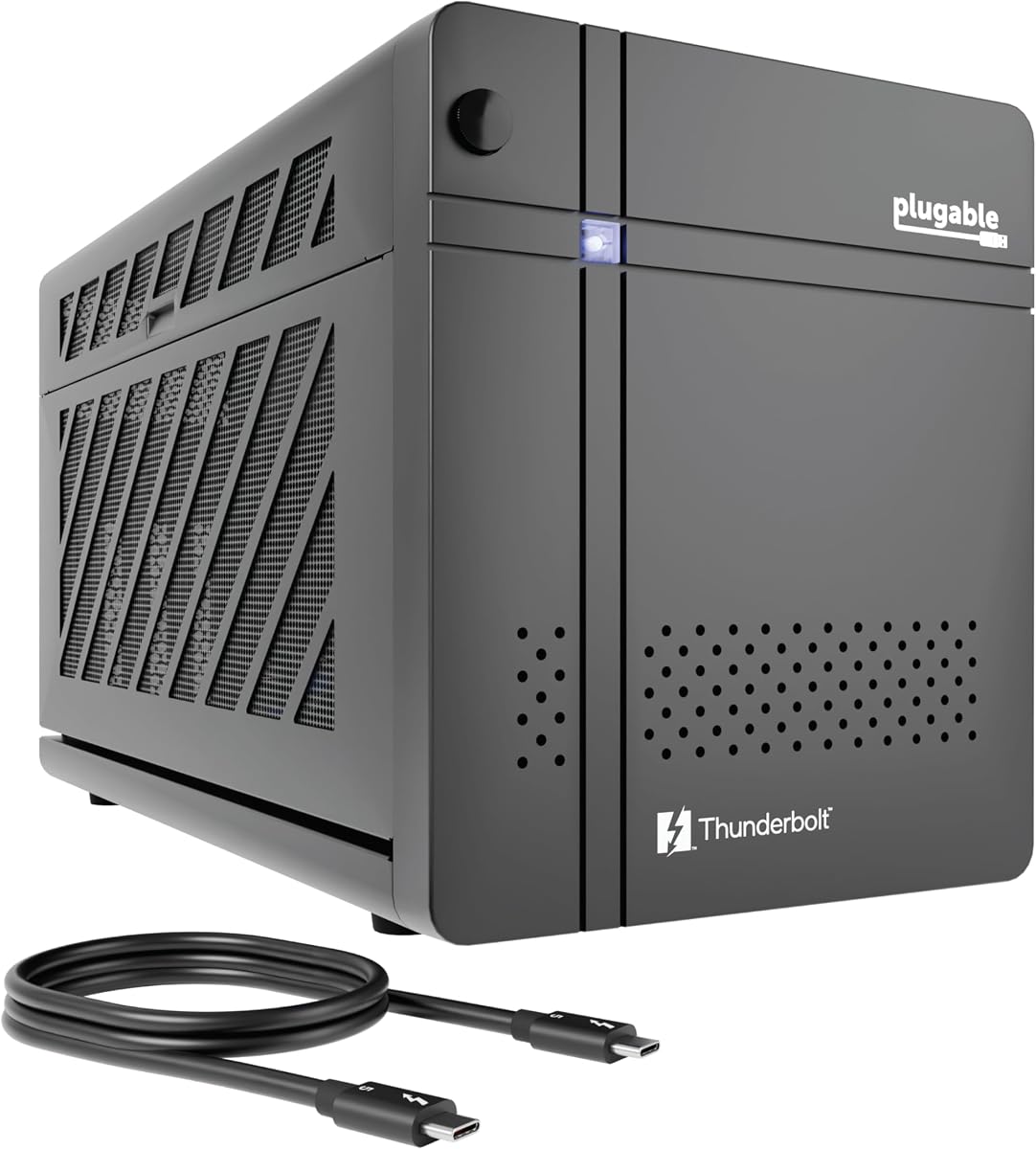
The Plugable Thunderbolt 5 AI eGPU Enclosure stands out with a perfect rating and cutting-edge connectivity for high-performance workflows.
We may earn a commission when you buy through this link, at no additional cost to you.
Its 80Gbps speed and 850W PSU enable powerful offline AI model training without cloud dependency, ensuring data privacy.
While it lacks macOS compatibility, the included Ethernet and USB ports make it a complete hub for desktop replacement setups.
Professional users needing reliable local AI processing should choose this enclosure for its secure and scalable design.
Run models locally with an air gap to keep sensitive data within your perimeter.
Enjoy 2.5Gbps Ethernet and multiple USB ports for a fully connected workspace.
We may earn a commission when you buy through this link, at no additional cost to you.
Sonnet delivers exceptional desktop-class performance with its new Breakaway Box 850 T5 designed for professional video editing.
We may earn a commission when you buy through this link, at no additional cost to you.
The 850W supply supports massive graphics cards while the integrated dock reduces cable clutter on your desk.
Although it requires a Thunderbolt 5 or USB4 Windows laptop, the speed gains for rendering workflows are significant.
This enclosure is the ideal choice for creatives seeking maximum power and convenience in a single unit.
Accelerate editing and rendering tasks with near-desktop GPU power and efficient cooling.
Connect extra devices via the built-in Thunderbolt 5 and USB-A ports effortlessly.
We may earn a commission when you buy through this link, at no additional cost to you.
The ANQ-L336 offers an accessible entry into external graphics by supporting a wide range of power supplies and devices.
We may earn a commission when you buy through this link, at no additional cost to you.
It features a JHL7440 controller that ensures stable data transfer for users on limited budgets or using handheld consoles.
While it lacks the latest Thunderbolt 5 speeds, it provides sufficient bandwidth for many gaming and light creative applications.
This dock is perfect for gamers and students needing affordable graphics expansion for their laptop or handheld device.
Choose your own power supply type including ATX, SFX, or DC inputs for flexibility.
Compatible with Windows, Linux, and macOS systems for broader usability.
We may earn a commission when you buy through this link, at no additional cost to you.
Razer updates its iconic lineup with the Core X V2 offering future-proof Thunderbolt 5 speeds for next-gen graphics cards.
We may earn a commission when you buy through this link, at no additional cost to you.
The enclosure accommodates wide 4-slot GPUs and provides strong power delivery to charge your laptop while gaming.
Users note that while it requires an ATX power supply, the build quality and tool-free setup are highly appreciated.
This is the best choice for enthusiasts planning to upgrade to the latest hardware without changing enclosures.
Enjoy up to 80Gbps bandwidth for smoother gaming and rendering workflows.
Vented steel construction keeps powerful GPUs cool during intense usage sessions.
We may earn a commission when you buy through this link, at no additional cost to you.
This enclosure provides a complete kit with a power supply and carrying case for users needing portable graphics boost.
We may earn a commission when you buy through this link, at no additional cost to you.
The anodized aluminum shell is durable and includes a 240W PSU suitable for mid-range graphics cards.
While it supports smaller GPUs compared to desktop cases, it simplifies the buying process for laptop owners.
Ideal for digital nomads who need reliable connectivity without buying separate power components.
Comes with a custom carrying case for easy travel between locations.
Connect via one Thunderbolt cable for instant performance boosts.
We may earn a commission when you buy through this link, at no additional cost to you.
Designed with portable handhelds in mind, this enclosure offers optimized 30W turbo mode support for devices like ROG Ally.
We may earn a commission when you buy through this link, at no additional cost to you.
The ENIG PCB ensures stable electrical connections while the dual ports allow for pass-through charging at 85W.
Although you must source your own power supply, the specialized support team helps resolve driver issues quickly.
It is a solid option for handheld gamers wanting to expand their rig with standard desktop graphics cards.
Specifically tuned to enable turbo modes for gaming handhelds like ROG Ally.
High-grade ENIG PCB ensures long-term oxidation resistance and conductivity.
We may earn a commission when you buy through this link, at no additional cost to you.
The 750ex model offers reliable Thunderbolt 3 connectivity with a robust 750W power supply for a wide range of GPUs.
We may earn a commission when you buy through this link, at no additional cost to you.
It includes extra USB ports and Ethernet making it a versatile dock for older laptops and desktops.
While Thunderbolt 3 is slower than newer standards, it remains effective for editing and rendering tasks.
This unit is excellent for Mac users on older hardware who need stable graphics acceleration.
Designed to work seamlessly with compatible macOS systems.
Significantly cuts time for video editing and animation workflows.
We may earn a commission when you buy through this link, at no additional cost to you.
This mini enclosure is ideal for users seeking a small footprint that still offers reliable Thunderbolt connectivity.
We may earn a commission when you buy through this link, at no additional cost to you.
It includes a second Thunderbolt port allowing you to chain additional devices through the dock easily.
Note that users must verify their system controllers before purchasing as compatibility varies by CPU generation.
Best suited for budget-conscious buyers with confirmed Thunderbolt 3 or USB4 ports on their laptops.
Use the second TB3 port to attach more peripherals to your system.
Always check Device Manager to ensure Thunderbolt controllers exist before buying.
We may earn a commission when you buy through this link, at no additional cost to you.
The DEG2 stands out by supporting both USB4 V2 and OCuLink, offering high bandwidth for various device connections.
We may earn a commission when you buy through this link, at no additional cost to you.
Its built-in M.2 slot allows direct storage of projects keeping files synced with the dock host device.
Re-drive technology stabilizes signals ensuring fewer interruptions during heavy rendering tasks.
Tech enthusiasts who value storage integration and high-speed dual modes will find this dock very useful.
Store project files directly on the dock via the M.2 NVMe slot.
Built-in signal booster minimizes latency for smooth high-bandwidth transfers.
We may earn a commission when you buy through this link, at no additional cost to you.
This unit earns top marks for including all essentials like a power supply and case ready for immediate use.
We may earn a commission when you buy through this link, at no additional cost to you.
Its compact design fits smaller desktop GPUs while maintaining high compatibility with current laptops.
The 240W power supply is sufficient for many mid-range cards though high-end models may need more.
Great for users wanting a hassle-free solution to boost their graphics performance immediately.
Everything needed for setup is included in the box.
Supports a wide range of graphics cards and host operating systems.
We may earn a commission when you buy through this link, at no additional cost to you.
Selecting the right eGPU enclosure requires understanding your laptop's ports and your power needs.
Check if your laptop supports Thunderbolt 3, 4, or 5. Newer versions offer higher bandwidth which improves graphics performance.
Ensure the enclosure matches your device port to avoid connection issues.
Graphics cards vary in power draw. Select a PSU that meets or exceeds your GPU requirements to prevent crashes.
Higher wattage PSUs allow for more powerful cards in the future.
Measure your graphics card dimensions against the enclosure limits. Some support only single-slot cards while others fit wide models.
Choosing the wrong size can render a card unusable in the dock.
Windows is widely supported but some enclosures do not work with macOS or specific Linux distributions.
Verify the manufacturer lists your operating system as compatible before buying.
Look for extra USB, Ethernet, or DisplayPort outputs to reduce cable clutter on your desk.
More ports add convenience when using the dock as a hub.
If you travel with your dock, consider models with aluminum shells and carrying cases.
Durability is key to protecting sensitive electronics during transport.
Active cooling fans are essential to keep GPUs running efficiently without throttling.
Check reviews to ensure the fan noise is acceptable for your workspace.
Some models include a power supply while others require you to buy one separately which affects total cost.
Compare total system cost to find the best value for your needs.
Connect the power supply first then plug the GPU into the PCIe slot securely before closing the case.
Install the latest GPU drivers on your host computer before connecting the enclosure to ensure recognition.
Keep the vents clean and avoid covering the enclosure during operation to maintain safe temperatures.
No they only work with laptops that have Thunderbolt 3, 4, or USB4 ports supporting external graphics. Check your hardware specs before buying.
Most desktop GPUs fit but you must check the width and length limits of the enclosure. Low profile cards are needed for mini enclosures.
It depends on the model. Some come with an internal PSU while others are sold as empty shells requiring you to buy one separately.
macOS support is limited especially on newer Apple Silicon chips. Many Windows compatible docks do not work on Mac systems.
You typically see a small performance drop compared to internal desktop GPUs due to bandwidth limits but it is still much faster than integrated graphics.
Many modern docks support Power Delivery allowing you to charge your laptop while using the external graphics card simultaneously.
We found the Plugable Thunderbolt 5 AI and Sonnet Breakaway Box 850 T5 to lead in performance for high-end workflows.
For budget shoppers the ANQ-L336 provides a versatile entry point with flexible power options for many users.
Always check current prices and compatibility before buying since technology and availability change frequently.