
KNAON Bluetooth Thermal Shipping Label Printer
4.4Editor score
Wireless Bluetooth printing
Thousands of templates
Compact portable design
Find the perfect Dhl Label Printer for your business with our expert guide comparing top thermal models for speed, connectivity, and platform compatibility
Choosing the right shipping printer is critical for efficiency. A good Dhl Label Printer delivers crisp barcodes, handles high volumes, and connects seamlessly to your chosen shipping platforms without frustrating delays or software conflicts.
We compared ten top-rated thermal printers based on print quality, connectivity options, and platform support. Our analysis focuses on real-world performance for small businesses handling daily DHL and multi-carrier shipping needs reliably.
Each pick below highlights key strengths and potential trade-offs. You will find detailed reviews and comparison data to help you decide. Please note that availability and pricing can change frequently on retailer sites.
4.4Editor score

4.6Editor score

4.1Editor score
This side-by-side comparison helps you quickly identify the right model for your specific shipping volume and budget requirements.






The Rollo USB Shipping Label Printer stands out as a top choice for businesses needing reliable high-volume performance. With a 4.6 rating it delivers crisp clear labels that scan easily every time.
We may earn a commission when you buy through this link, at no additional cost to you.
Its direct thermal technology prints one 4×6 label per second which is ideal for busy shipping environments. The high resolution 203 DPI head ensures sharp text and barcodes that meet carrier requirements.
While it lacks wireless options the consistent USB connection ensures stability during peak times. Some users may find the initial driver setup slightly involved compared to plug-and-play models.
This printer is perfect for online sellers shipping daily volumes of packages. Its durability and speed make it a worthwhile investment for growing small businesses.
At 150mm per second this model keeps up with high order volumes without slowing down your workflow.
Works seamlessly with major marketplaces and shipping software to streamline your entire label creation process.
We may earn a commission when you buy through this link, at no additional cost to you.
The JADENS Bluetooth Thermal Shipping Label Printer offers great value for small businesses needing flexibility. It combines wireless convenience with reliable thermal printing quality at an affordable price point.
We may earn a commission when you buy through this link, at no additional cost to you.
Equipped with a Japanese thermal head it produces clear labels without mess. The printer supports both roll and fanfold labels giving you options for different supply preferences.
Note that mobile printing requires the Jadens printer app for iOS and Android users. Windows and Mac users can print via Bluetooth or USB depending on their setup.
Ideal for home offices this printer handles daily shipping tasks efficiently. Its simple calibration process saves time when switching label sizes.
Choose between wireless Bluetooth for laptops or USB for a stable direct connection to your desktop computer.
Accommodates various label widths making it useful for more than just standard 4×6 shipping labels.
We may earn a commission when you buy through this link, at no additional cost to you.
The KNAON Bluetooth Thermal Shipping Label Printer is an excellent entry point for new sellers. It delivers strong performance at a budget friendly price without sacrificing essential features.
We may earn a commission when you buy through this link, at no additional cost to you.
With over 3000 templates you can customize labels beyond simple shipping. The fast 180mm per second speed ensures your packages move quickly through your shipping station.
You must use the FlashLabel Pro app to print on most devices. This adds a step but provides rich editing options for branding and design.
Its compact size fits easily on crowded desks. For startups needing to print branded shipping labels cheaply this is a smart choice.
Access a vast library of icons and fonts to create professional looking labels that reflect your brand identity.
Small enough to move around your workspace yet sturdy enough for regular daily use in a home office.
We may earn a commission when you buy through this link, at no additional cost to you.
This Thermal Shipping Label Printer provides a solid balance of features for small business shipping. It focuses on efficiency and uptime with protective features for long runs.
We may earn a commission when you buy through this link, at no additional cost to you.
Printing up to 150mm per second it handles peak hours well. The included 25 sheets of labels help you start immediately upon arrival.
Built-in overheat protection ensures stability during extended use sessions. You will need to rely on the FlashLabel Pro app for wireless printing on phones.
Ideal for offices needing a consistent workhorse this printer minimizes downtime. It is a reliable choice for standard shipping tasks.
Safeguards the printhead during busy periods ensuring you stay productive during the rush.
Comes with enough labels to test the device right away so you can verify performance instantly.
We may earn a commission when you buy through this link, at no additional cost to you.
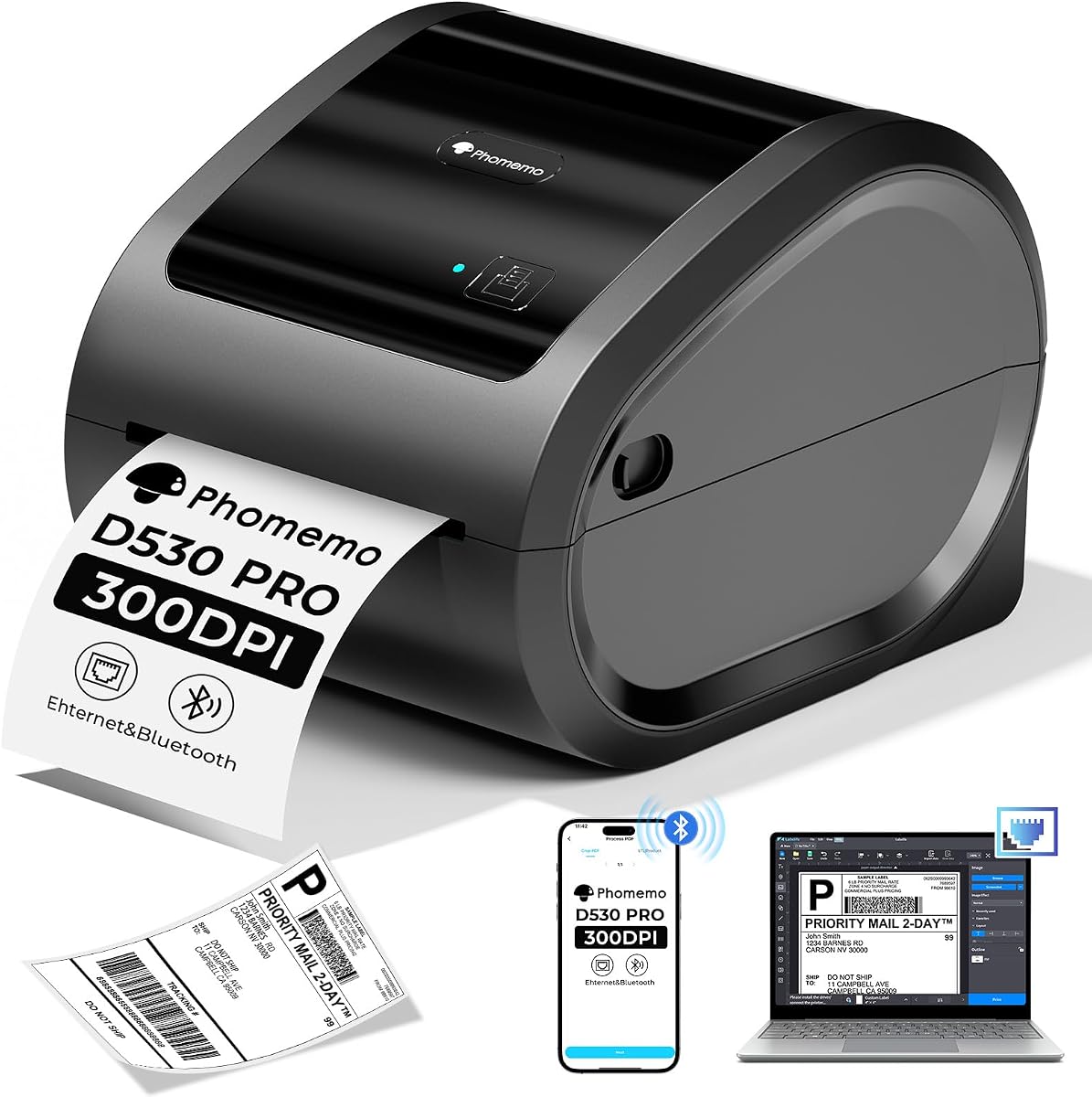
The Phomemo 300DPI Ethernet Thermal Label Printer offers premium resolution for detailed shipping needs. The higher DPI ensures clearer text on smaller labels.
We may earn a commission when you buy through this link, at no additional cost to you.
With a built-in paper bin it holds up to 500 rolls which reduces clutter on your desk. This design feature is rare at this price point.
Ethernet connectivity provides a rock solid connection for office environments. Bluetooth remains available for mobile needs. Some users may prefer wireless over Ethernet.
Best for businesses requiring crisp barcodes and professional presentation. The paper bin is a practical addition for heavy daily use.
The 300 DPI head prints finer details making it easier to scan labels even if they are partially damaged.
Keep your rolls inside the printer to save counter space and keep your workspace organized and tidy.
We may earn a commission when you buy through this link, at no additional cost to you.
The Rollo Wireless Shipping Label Printer removes cables completely with AirPrint and Wi-Fi support. It is the most flexible option for mobile workflows.
We may earn a commission when you buy through this link, at no additional cost to you.
Its print heads last for over 650,000 labels which is four times more than many competitors. This longevity lowers long term costs significantly.
AirPrint means you can print directly from an iPhone or iPad. You may find the initial Wi-Fi setup more complex than USB connection though.
Best for those who want maximum freedom without sacrificing the Rollo quality. It is ideal for offices with many mobile devices.
Print directly from your iPhone or iPad without installing any drivers on the device itself.
The durable printheads reduce replacement frequency which is critical for high volume shipping operations.
We may earn a commission when you buy through this link, at no additional cost to you.
The MUNBYN Bluetooth Thermal Label Printer introduces advanced DAC chip technology for precision. It helps eliminate label misalignment through automatic calibration.
We may earn a commission when you buy through this link, at no additional cost to you.
Operating at just 60 dB it is quieter than typing. This makes it suitable for quiet home offices or shared spaces.
The indicator light behavior is unique but indicates a stable connection once lit. The long life of over 970,000 labels ensures years of service.
Choose this for quiet efficiency and alignment accuracy. The auto-calibration feature reduces waste from misprinted labels.
Maintain a peaceful workspace with minimal noise output that does not disturb others nearby.
The chip detects label gaps automatically reducing the time you spend adjusting settings.
We may earn a commission when you buy through this link, at no additional cost to you.
The Nelko Bluetooth Thermal Shipping Label Printer is compact and designed for simplicity. It ships with drivers on a disk for easy setup.
We may earn a commission when you buy through this link, at no additional cost to you.
It supports nearly all major platforms and allows you to upload saved PDFs for printing. The print speed matches industry standards.
Mac users may find Bluetooth options limited compared to Windows. However the USB connection remains stable for desktop printing.
Great for small spaces where size matters. It handles daily shipping with reliable performance.
Its small footprint ensures it fits even on the most limited desk space without sacrificing utility.
Access setup instructions and drivers immediately without needing to search the internet.
We may earn a commission when you buy through this link, at no additional cost to you.
The Rongta Bluetooth Shipping Label Printer features automatic label identification to save time. It detects and feeds labels without manual adjustment.
We may earn a commission when you buy through this link, at no additional cost to you.
Its compact design makes it easy to store or take on the road. The wide label range covers most common shipping needs.
Setup on Mac and Windows is straightforward with drivers available. The app on mobile phones allows quick printing access.
Best for users who want a hassle-free setup. The auto detection feature simplifies the workflow significantly.
The printer senses label gaps instantly eliminating the need for tedious manual adjustments.
Take your printing anywhere with a lightweight unit that fits easily into any bag.
We may earn a commission when you buy through this link, at no additional cost to you.
The DYMO LabelWriter 550 Series offers automatic recognition for branded labels. It simplifies setup by identifying the label type automatically.
We may earn a commission when you buy through this link, at no additional cost to you.
It is optimized for precision quantities which helps reduce waste during shipping prep. The paper is FSC certified and eco friendly.
Note it works only with DYMO branded labels which can be more expensive. The rating suggests some users prefer broader label options.
Choose this if you value automation and eco-friendly packaging. It is great for occasional light printing needs.
The printer detects the label size and type automatically so you do not have to configure settings manually.
Uses FSC certified paper and comes in plastic-free packaging reducing environmental impact.
We may earn a commission when you buy through this link, at no additional cost to you.
Selecting the right printer involves evaluating several technical and practical factors.
Decide if you need wireless or wired printing. USB is reliable for desktops. Bluetooth and Wi-Fi provide flexibility for mobile devices.
Check device compatibility carefully. Some models need specific apps for Android or iOS users.
Aim for at least 203 DPI for clear barcodes and text. Higher resolution like 300 DPI helps with small fonts and detailed graphics.
Higher DPI ensures scans are readable. This reduces return issues and delivery delays.
Ensure the printer works with your shipping platform and sales channel. DHL support should be explicit in the specifications.
Test the workflow before committing. PDF support can be a useful backup method.
Standard 4×6 is essential for shipping. Check if the printer supports smaller widths for return or inventory tags.
Wide flexibility allows you to use one printer for multiple labeling tasks.
Higher speeds improve throughput during busy times. Look for speeds around 150mm per second or faster for efficiency.
Fast printers reduce bottlenecks. They are critical for growing order volumes.
Built-in storage bins help reduce clutter on your desk. Larger capacity means less frequent reloading.
Consider the volume you print daily. A larger bin supports uninterrupted operation.
Drivers and apps are key to setup and daily use. Look for clear instructions and tutorials provided by the manufacturer.
Good software support simplifies troubleshooting. It enhances the overall user experience.
Check the rated lifespan of the printhead. Longer life models reduce maintenance and replacement costs over time.
Invest in durability. Quality components prevent downtime during peak shipping seasons.
Start by downloading the latest drivers or mobile app. Follow the setup guide provided with your specific model.
Always calibrate the printer when you change label sizes. This ensures the sensor correctly identifies the label boundaries.
Keep the printhead clean using a lint-free cloth. Avoid using harsh chemicals or touching the heating element directly.
Most printers accept standard thermal labels of specific sizes. However some brands like DYMO require proprietary labels. Always check the width range supported by your device.
No thermal printers use heat to create images on special paper. They do not require ink cartridges or toners which lowers ongoing costs significantly.
Try resetting the Bluetooth pairing on both devices. Ensure you are using the correct app and that the printer firmware is up to date.
Clean the printhead gently with rubbing alcohol. Verify your print settings are set to high resolution. Also ensure the label roll feeds smoothly without tension.
Most models support Windows 7 and newer as well as macOS. Linux and ChromeOS may require specific drivers or extensions.
Yes many models offer mobile apps for iOS and Android. You must usually download the specific app to print via Bluetooth.
Our top picks cover a wide range of needs from budget to premium. The Rollo USB offers unmatched reliability while the KNAON provides great value.
Prioritize compatibility and speed to ensure smooth operations. Wireless features can enhance flexibility depending on your workspace.
Prices and availability change frequently. Always check current deals and verify specs before purchasing your next shipping printer.