
GIGABYTE X470 AORUS ULTRA GAMING
4.4Editor score
8+3 Phase Hybrid Digital PWM
USB 3.1 Gen 2 Front Type C
2-Way CrossFire SLI Support
Compare the top Amd Ryzen Gen 2 X470 Motherboards for performance and value. This guide reviews features, connectivity, and reliability for your AM4 build.
Choosing the right motherboard is crucial for any PC build. You need reliable power delivery and modern connectivity to support your processor effectively. A good board ensures stability and room for future upgrades.
We analyzed the best options available on the market. Our selection focuses on VRM quality, expansion slots, and user features. Each product was chosen for its balance of performance and price.
Each pick highlights key strengths and target users. Prices fluctuate often so check current listings before buying. This guide helps you find the perfect match for your specific needs today.
4.4Editor score

4.3Editor score

4.6Editor score
This table provides a side-by-side look at the top ten models. Compare their key specifications and features to find the best fit for your system requirements easily.


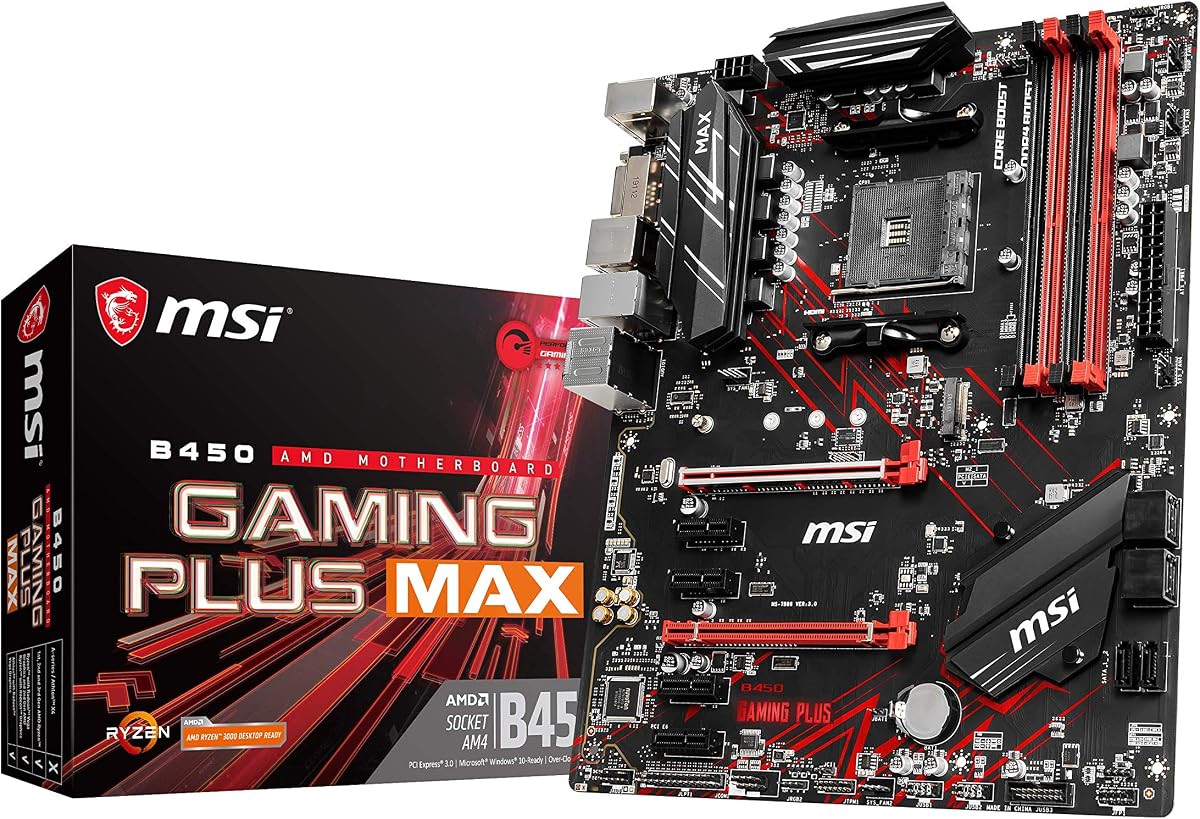
This motherboard is a top tier option for AMD Ryzen users needing modern connectivity. It boasts a strong rating for its balance of features and performance. The inclusion of WiFi 6E and PCIe 4.0 makes it future proof.
We may earn a commission when you buy through this link, at no additional cost to you.
The power solution is robust with 12+2 teamed stages ensuring stable performance. It supports fast RAM and provides excellent cooling for VRMs. The BIOS Flashback feature allows easy updates without a CPU.
While powerful, the price might be steep for budget focused builders. Some features may go unused in simpler setups. However, the reliability and speed justify the cost for enthusiasts.
If you want cutting edge tech and solid build quality this is the pick. It suits gamers and creators needing high speeds. We recommend it for those who value performance.
The WiFi 6E and PCIe 4.0 support ensure your system stays relevant for years to come.
The 12+2 power stages deliver consistent electricity to your CPU for stable overclocking.
We may earn a commission when you buy through this link, at no additional cost to you.
This board stands out for its comprehensive feature set and solid power delivery. It earned our Editor's Choice for balancing high end specs with broad compatibility. The 10+2 phase design handles heavy loads well.
We may earn a commission when you buy through this link, at no additional cost to you.
Networking is excellent with Intel Wave 2 Wi-Fi built right in. The audio codec provides clear sound for gaming and media. Its support for ECC memory adds reliability for workstation tasks.
There are occasional reports of BIOS configuration needs after updates. The price can vary significantly so timing your purchase matters. These issues are minor compared to the overall value offered.
We recommend this for users wanting a feature rich AM4 board. It fits well in performance oriented builds needing wireless connectivity. Check current stock before committing to a purchase.
The 10+2 phase IR digital PWM ensures precise power delivery for your processor.
Fins-Array Heatsink with Direct Touch Heatpipe keeps temperatures low under load.
We may earn a commission when you buy through this link, at no additional cost to you.
This model offers a premium feel with robust build quality and key connectivity. It is ideal for those needing multi GPU capabilities in an X470 form. The front Type C port adds modern utility.
We may earn a commission when you buy through this link, at no additional cost to you.
The 8+3 hybrid digital PWM design delivers efficient power to the CPU. It supports SLI and CrossFire for expanded graphical power. Armor protects slots and components from physical damage.
The front C connection requires a specific cable which may be missing. The cost is higher than standard boards in this segment. These are small trade-offs for the added versatility.
Buy this if you need advanced connectivity and multi GPU support. It suits high end gaming setups well. Ensure your case supports the front panel USB correctly.
Front USB 3.1 Gen 2 Type C provides quick access for modern peripherals.
2-Way CrossFire and SLI support allows for dual graphics card configurations.
We may earn a commission when you buy through this link, at no additional cost to you.
This board offers a great balance of performance and cost for most users. It simplifies setup with 5-Way Optimization that handles tuning automatically. The SafeSlot feature adds durability to the GPU slot.
We may earn a commission when you buy through this link, at no additional cost to you.
Audio quality is high with the 8-channel HD codec included. Fan control is comprehensive allowing for quiet operation under load. It is a solid choice for general desktop tasks.
The lack of extensive RGB might disappoint some builders. The USB 3.1 Gen 2 is not as new as other boards. Still the price makes up for these minor omissions easily.
Select this for a reliable budget friendly X470 option. It works well for workstations and casual gaming. Check compatibility with your case size before buying.
5-Way Optimization handles CPU and cooling tuning automatically for beginners.
SafeSlot uses metal framing to secure heavy graphics cards firmly.
We may earn a commission when you buy through this link, at no additional cost to you.
A compact option for those needing a smaller footprint without losing features. It supports modern Ryzen processors and offers PCIe 4.0 speeds. The two M.2 slots allow fast storage connections easily.
We may earn a commission when you buy through this link, at no additional cost to you.
Power delivery is handled by a 3+3 VRM design which is decent for standard use. Q-Flash allows easy BIOS updates without a CPU installed. It fits well in smaller cases for home office setups.
The smaller form factor limits expansion options significantly. It may not support high power CPUs for long term overclocking. These limits are acceptable for a budget micro build.
Use this if you are building a small PC for everyday use. It handles Ryzen 5000 series well. Ensure your case matches the board size before purchasing.
Micro-ATX size allows for smaller cases and cleaner setups.
Dual M.2 slots support fast NVMe SSDs for improved load times.
We may earn a commission when you buy through this link, at no additional cost to you.
This model offers standard ATX size with modern B550 features. It is a solid choice for building a reliable PC without extra cost. The PCIe 4.0 support ensures GPU speeds are maximized.
We may earn a commission when you buy through this link, at no additional cost to you.
Connectivity includes Type-C ports which are useful for modern peripherals. The 8+1 DrMOS power stages provide stable power. OptiMem helps RAM reach higher frequencies for better speeds.
WIFI 5 is present instead of the newer WiFi 6. The audio is standard rather than premium quality. These are minor points in an otherwise strong board for daily use.
Ideal for general users needing a stable B550 board. It fits most ATX cases easily. Check if you need WiFi 6 specifically for your needs.
USB 3.2 Gen 2 Type-C ports offer fast data transfer speeds.
ASUS OptiMem layout allows kits to run at higher frequencies.
We may earn a commission when you buy through this link, at no additional cost to you.
This is a solid gaming board at a reasonable price point. It offers strong power delivery with the 10+3 phase design. Q-Flash Plus is a great tool for updating BIOS without components.
We may earn a commission when you buy through this link, at no additional cost to you.
Front USB-C ensures you can connect devices easily at the front. RGB Fusion allows you to customize lighting effects across your system. The price is very competitive for these features.
The audio and rear USB selection are somewhat basic. You might need more rear ports for extra peripherals. Still it handles gaming loads effectively without major issues.
Recommended for budget gamers needing solid power and features. The front C and Q-Flash Plus are great additions. Check your port needs before finalizing the purchase.
Q-Flash Plus allows BIOS updates without installing CPU RAM or GPU.
RGB Fusion lets you sync lighting effects with compatible accessories.
We may earn a commission when you buy through this link, at no additional cost to you.
This board brings WiFi 6 to the micro-ATX space effectively. It is great for home office builds needing wireless speed. The HDMI 2.1 support ensures your display gets the right signal.
We may earn a commission when you buy through this link, at no additional cost to you.
SafeSlot protects the PCIe slot ensuring it handles heavy cards. The OptiMem layout improves memory stability for better performance. It offers good value for a compact wireless build.
There are fewer expansion slots due to the small size. The VRM cooling is adequate for standard CPUs. These limits are expected for this form factor and price.
Choose this for a small PC needing modern wireless. It handles Ryzen 3000 and up well. Check if your case has enough room for the layout.
Integrated WiFi 6 provides faster and more reliable connections.
HDMI 2.1 supports 4K at 60Hz for high resolution visuals.
We may earn a commission when you buy through this link, at no additional cost to you.
This model supports older Ryzen chips which is great for upgrades. It has strong memory boost tech for stability. The M.2 speed is excellent for storage needs in this tier.
We may earn a commission when you buy through this link, at no additional cost to you.
Audio Boost provides clear sound for media consumption. Crossfire allows multi GPU support for older setups. It is a reliable board for those on a tight budget.
It lacks PCIe 4.0 support found in newer boards. The chipset is older which limits future expansion. Still it handles current gaming needs effectively for the price.
Buy this if you need a budget board for older CPUs. It works well for 1080p gaming. Ensure your case fits the ATX size before ordering.
DDr4 Boost delivers pure signals for stability and higher speeds.
Studio grade sound ensures an immersive experience for games.
We may earn a commission when you buy through this link, at no additional cost to you.
This is the value leader for budget focused builds. It offers stable performance without breaking the bank. The audio is surprisingly good for this price range.
We may earn a commission when you buy through this link, at no additional cost to you.
Support for 2nd and 3rd Gen Ryzen ensures you can use newer chips. Storage speeds are handled well by the M.2 slot. It is a no-nonsense choice for simple tasks.
The lack of modern features like PCIe 4.0 is expected. RGB is minimal which might bother some users. Still it works reliably for daily computing needs.
Select this for a simple PC with limited budget. It handles standard gaming and office work well. Verify case dimensions before purchasing to ensure fit.
High quality construction ensures reliability even at a lower price.
Simplified design helps new builders install components without fuss.
We may earn a commission when you buy through this link, at no additional cost to you.
Selecting the right board depends on your CPU and future plans. Look for strong power and connectivity to get the most value.
The socket determines which CPUs will physically fit the board. For AM4 you must check if the board supports your specific Ryzen generation. Some boards need BIOS updates to run newer chips. Always verify support lists before buying to avoid returns.
Always confirm your CPU is listed on the support page before purchase.
Power delivery keeps your CPU stable under load. A higher phase count usually means better power for demanding chips. If you plan to use high core count CPUs look for strong heatsinks and phases. Cheap boards may throttle your processor during heavy tasks.
Check the VRM phase count and heatsink design before buying.
RAM speed affects overall system performance significantly. Most AM4 boards support DDR4 but speeds vary by chipset. High frequency kits need good PCB design to run stable. Check supported profiles to ensure your RAM works without issues.
Ensure the board supports your RAM speed and profiles.
Fast storage requires good slots like M.2 for speed. Newer boards offer PCIe 4.0 slots for NVMe drives. Older boards may only support PCIe 3.0 speeds. Check how many slots you need for your drives.
Count the M.2 and SATA slots needed for your storage.
Rear ports determine how you connect peripherals. USB Type-C is useful for modern devices. Some boards lack specific versions so check the rear IO panel. Ethernet and WiFi options vary widely between models.
Check rear IO panel for required USB and network ports.
Wireless can remove cable clutter from your setup. WiFi 6 is faster than older WiFi 5 versions. Not all boards include WiFi so check for included cards. Ethernet remains a stable alternative if you use cables.
Verify if WiFi is included and check the standard version.
The board size must match your PC case. ATX fits standard cases but Micro-ATX saves space. Small cases require specific sizes to fit inside. Always measure your case before choosing a board.
Match the board size to your PC case dimensions.
Prices range widely so set a budget early. High end boards offer features you might not need. Basic boards work well for standard tasks. Balance features with cost for the best value.
Set a budget and prioritize only needed features.
Install your CPU gently by matching the triangle mark on the chip to the socket. Lower the retention arm to lock it in place. Do not force it if it does not align.
Apply a small amount of thermal paste to the center of the CPU. Place the cooler over the chip and secure it firmly. Connect the fan header to the correct header on the board.
Ensure all screws are tightened evenly to avoid board warping. Keep the board in a static free area during setup. Check all connections before powering on for the first time.
Most X470 boards support Ryzen 3000 series with a BIOS update. Check the support page for compatibility before buying. Some brands offer updates on arrival or easy update tools.
Speeds depend on your CPU and the board PCB. Most support up to 3200 MHz officially. Some can reach higher speeds with XMP profiles enabled in BIOS.
Some X470 boards support SLI and CrossFire. Check your specific model for slot spacing and support. Not all boards offer multi GPU connectivity for performance.
Only specific models include WiFi antennas and modules. Standard models usually require you to add a card. Check the product title for included wireless features.
If using newer CPUs you might need an update. Check if the board has BIOS flashback for easy updates. Some stores update boards before shipping for you.
Use the standoffs in your case to mount the board. Align it with the rear IO shield. Tighten screws evenly to keep it secure and flat.
Our top picks cover a range of needs from budget to high performance. Each board offers unique features for different system goals. Consider your CPU and future plans when making your choice.
Focus on power delivery and connectivity for best results. A good board ensures stability and speed for years. Choose a model that fits your budget and case size.
Prices change often so check current listings before buying. Verify support for your CPU to avoid setup issues. We hope this guide helps you build a reliable PC today.