
UJ8C2 UJ8E2 UJ8G2 9.5mm Super Slim SATA CD DVD Burner Writer Player ROM Drive for Laptop with USB 3.0 SATA Cable
5.0Editor score
9.5mm slim form factor
Plug and play setup
Includes USB 3.0 cable
This comprehensive guide compares the top internal DVD drives for laptops in October 2026, evaluating speed, compatibility, durability, and features to help
Finding a reliable internal DVD drive for your laptop can be challenging in an era dominated by cloud storage and streaming. However, many professionals and students still need optical drives for software installation, media playback, or data archiving. A quality drive ensures smooth operation without excessive noise or compatibility issues.
We have carefully evaluated ten top-rated internal DVD drives based on performance, build quality, and user feedback. Our analysis focuses on critical factors like readwritewrite speeds, interface types, physical dimensions, and additional features such as M-DISC support. This list covers a range of options to suit different laptop models and budgets.
Each product in this guide highlights key specifications and real-world performance traits to help you make an informed decision. Keep in mind that availability and pricing may vary depending on your region and current market conditions. We recommend verifying compatibility with your specific laptop model before finalizing your purchase.
5.0Editor score

4.4Editor score

5.0Editor score
The following comparison table provides a side-by-side overview of all ten internal DVD drives evaluated in this guide. Each entry includes essential specifications and direct links to product details to help you quickly identify the best fit for your laptop.



The Hitachi-LG GTC2N is a robust internal DVD drive designed for laptops with a 12.7mm optical bay. With a rating of 4.4 stars, it stands out for its superior data protection features and silent operation. This drive is ideal for users who need reliable media playback and disc burning capabilities without excessive noise.
We may earn a commission when you buy through this link, at no additional cost to you.
Its M-DISC support allows users to store data on a rock-like recording surface, ensuring longevity for important files. The Silent Play technology automatically adjusts playback speed to minimize disc spin noise, enhancing the viewing experience. Super Multi-Compatibility ensures the drive can read and write various disc types including DVD-R, DVD+RW, and CD-RW.
While the drive offers excellent performance, the 12.7mm thickness may not fit modern ultra-slim laptops that often use 9.5mm bays. Users should verify their laptop model compatibility before purchasing. Additionally, installation may require opening the laptop chassis which could void warranties if not done carefully.
This drive is recommended for users with older or business-class laptops that support 12.7mm drives and need dependable optical media access. Its balance of speed, compatibility, and data protection features makes it a top choice for those prioritizing reliability over ultra-slim form factors.
M-DISC technology provides a durable storage solution that can preserve photos and data for up to 1000 years. This makes the drive excellent for creating backup discs that withstand environmental factors better than standard DVDs.
The built-in Silent Play technology reduces noise by adjusting the drive speed based on the media type. This feature ensures a quieter environment when watching movies or listening to audio discs on your laptop.
We may earn a commission when you buy through this link, at no additional cost to you.
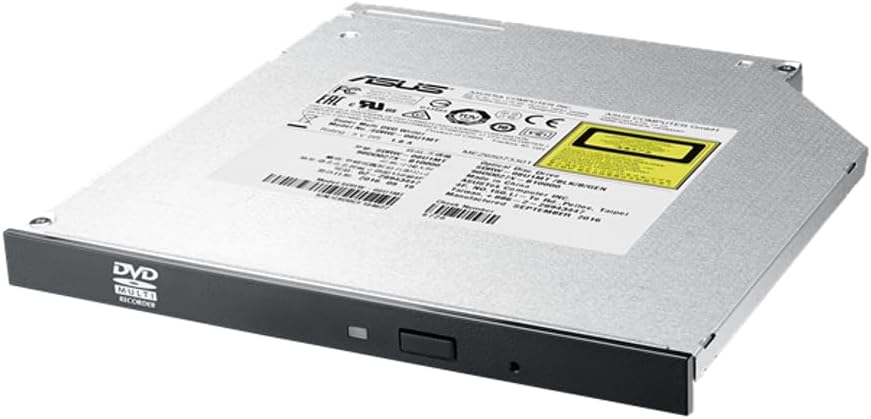
The ASUS SDRW-08U1MT is a premium internal DVD drive designed for laptops with 9.5mm optical bays. Rated at 4.4 stars, it combines ultra-slim form factor with advanced features like M-DISC support and energy-saving technology. This drive is perfect for users seeking a balance between modern design and functional versatility.
We may earn a commission when you buy through this link, at no additional cost to you.
Its 9.5mm thickness makes it suitable for a wide range of modern laptops including ASUS, Acer, HP, and Lenovo models. The M-DISC feature allows for archival-quality storage protecting photos and data for up to 1000 years. E-Green technology automatically closes the drive application when not in use reducing power consumption significantly.
While the drive offers premium features, it comes at a higher cost than standard models. Users should also consider that installation involves removing the existing optical drive which may be challenging for those unfamiliar with laptop hardware. Ensuring compatibility with your specific laptop model is crucial before purchase.
This drive is best suited for professionals and students who need a reliable optical solution for thin laptops. Its combination of slim design, long-term data protection features and energy efficiency makes it a standout choice for premium laptop upgrades.
E-Green technology helps users save over 50% power by auto-closing the drive application when not in use. This feature is particularly beneficial for laptop users concerned about battery life and environmental impact.
The inclusion of M-DISC support ensures that your precious data can be stored on discs that resist degradation over time. This is ideal for long-term backups of photos and critical documents.
We may earn a commission when you buy through this link, at no additional cost to you.
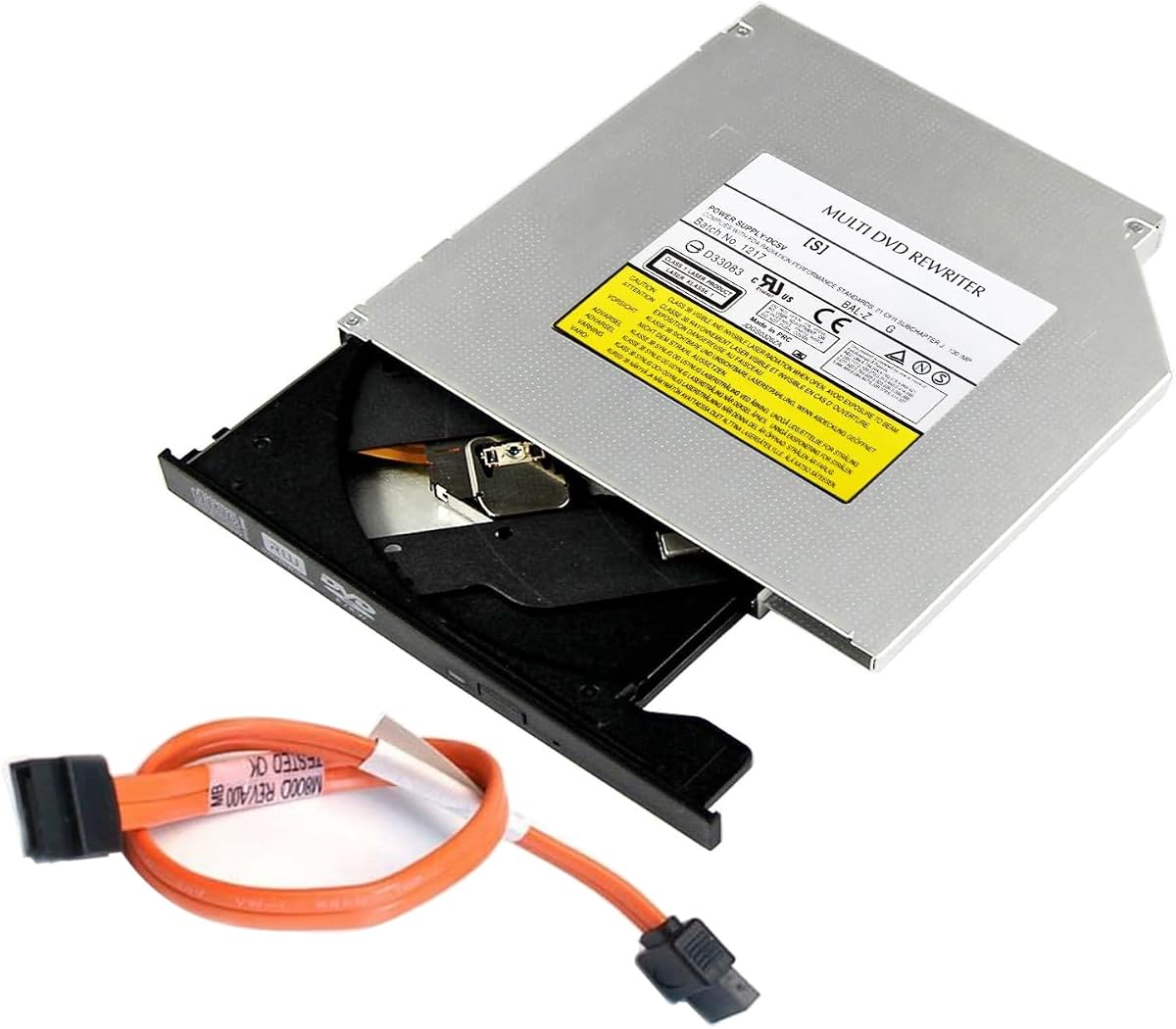
The UJ8C2 UJ8E2 UJ8G2 drive offers an affordable solution for laptops needing a 9.5mm internal optical drive. With a perfect 5.0 rating, it impresses users with its plug and play functionality and included accessories. This drive is ideal for budget-conscious users seeking reliable performance without breaking the bank.
We may earn a commission when you buy through this link, at no additional cost to you.
Its 9.5mm height makes it compatible with a wide range of laptops including ASUS ACER HP DELL and more. The slot-in loading mechanism provides a modern touch allowing easy disc insertion without a traditional tray. The package includes a USB 3.0 SATA cable simplifying installation and testing processes significantly.
While the drive offers great value, it is from a third-party manufacturer which may raise concerns about long-term durability compared to OEM brands. Users should ensure their laptop supports SATA interfaces and the correct thickness before purchasing. Proper installation is key to avoiding potential connection issues.
This drive is recommended for users looking for a cost-effective replacement for their existing optical drive. Its strong support and high customer satisfaction make it a compelling choice for those on a tight budget needing immediate functionality.
No driver programs are needed for this drive making it easy to install and use immediately. This plug and play feature saves time and technical effort for users of all skill levels.
The seller offers one-year after-sales service and access to user manuals and technical support. This ensures that any installation issues can be resolved quickly with professional assistance.
We may earn a commission when you buy through this link, at no additional cost to you.
The HP 16X DVD-ROM Drive is designed for users who primarily need to read discs rather than burn them. With a perfect 5.0 rating, it delivers fast and reliable performance for accessing software or media. This drive is suitable for office environments or users with read-heavy workflows.
We may earn a commission when you buy through this link, at no additional cost to you.
Its 16X read speed ensures quick access to large data files or media content stored on DVDs. The Serial ATA interface provides stable and efficient data transfer rates essential for smooth playback and installation processes. HP's reputation for quality ensures the drive can withstand regular use in professional settings.
A key limitation is that this drive does not support writing or burning discs which may not suit all users. The higher price point reflects its specialized purpose but may not offer value for those needing burn capabilities. Users should verify their specific needs before choosing this read-only option.
This drive is best for users who need a robust read-only solution for older software or media archives. Its speed and reliability make it a strong choice for environments where frequent media access is required without write functionality.
The drive offers 16X read speed which allows for quick loading of software and media content. This reduces wait times and improves overall productivity when working with large files.
Built with durability in mind this drive is suited for environments with high usage demands. Its robust construction ensures it can handle daily use in offices or shared computer setups.
We may earn a commission when you buy through this link, at no additional cost to you.
The HP DVD±RW Dual Layer SATA Optical Drive offers versatile functionality for users needing both read and write capabilities. With a 4.7 rating, it is praised for its ability to handle dual layer discs which provide double the storage capacity. This drive is well-suited for creating backups or burning large files.
We may earn a commission when you buy through this link, at no additional cost to you.
Its dual layer support allows users to store up to 8.5GB on a single DVD which is beneficial for large backups. The SATA interface ensures stable and efficient data transfer minimizing errors during writing processes. HP OEM quality guarantees that the drive meets high performance standards.
While the drive performs well, installation requires technical knowledge to replace the existing internal drive. Users should ensure their laptop has the correct SATA bay and thickness for compatibility. The price may be higher than generic alternatives but reflects the brand's quality assurance.
This drive is recommended for users who need to burn large files and rely on HP's reliability. Its dual layer capability and strong performance make it a solid choice for data-intensive tasks within a laptop environment.
The ability to read and write dual layer discs significantly increases the amount of data that can be stored. This is particularly useful for backing up large projects or media files efficiently.
Using a SATA interface ensures that data transfers are fast and stable during both read and write operations. This minimizes the risk of errors when burning important data or installing software.
We may earn a commission when you buy through this link, at no additional cost to you.
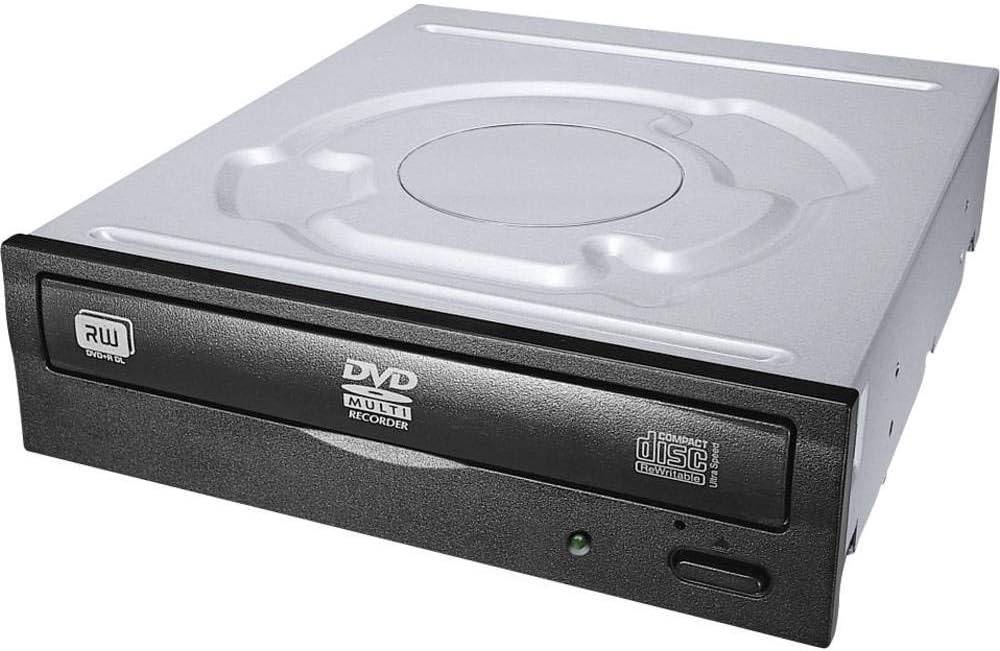
The Lite-On 24X SATA Internal DVD+/-RW Drive is a practical choice for users seeking speed and versatility at an affordable price. With a 4.5 rating, it provides reliable read and write performance for various disc types. This drive is suitable for general media playback and data burning tasks.
We may earn a commission when you buy through this link, at no additional cost to you.
Its 24X SATA interface ensures high data transfer speeds which can reduce burning times significantly. The drive supports DVD+/-RW formats allowing users to burn and rewrite discs multiple times as needed. Lite-On is known for manufacturing quality optical drives making this model a solid option for replacements.
While the drive offers good speed it lacks M-DISC support which may be a drawback for long-term archival needs. The design is basic compared to premium models with fewer energy-saving or silent technologies. Users should verify compatibility with their laptop bay before installation.
This drive is best for users who need a standard high-speed optical solution without extra features. Its balance of performance and cost makes it a reliable choice for everyday use in laptops and desktops.
The 24X SATA interface allows for quick data transfers which can reduce the time required to burn discs. This efficiency is beneficial for users who frequently create backups or burn media.
Support for both DVD+R and DVD-R formats provides flexibility in choosing media types. This allows users to utilize the widest range of discs for their burning tasks.
We may earn a commission when you buy through this link, at no additional cost to you.
The LG DVD Rewriter Internal Slim is a highly rated option for users needing a quiet and compatible optical solution. With a perfect 5.0 rating, it excels in noise reduction and support for various disc formats. This drive is ideal for environments where minimal disruption is preferred.
We may earn a commission when you buy through this link, at no additional cost to you.
Its Silent Play technology reduces noise from disc spin during playback enhancing the user experience. The drive supports M-DISC for long-term storage ensuring important files can be archived reliably. With 8X DVD write speed it balances performance with energy efficiency and quiet operation.
While the drive is versatile users should confirm their laptop bay dimensions to ensure proper fit. The lack of extensive documentation might make installation slightly challenging for beginners. However the high user satisfaction suggests reliable performance once installed.
This drive is recommended for users prioritizing quiet operation and compatibility with modern laptops. Its combination of silent performance and data protection features makes it a strong choice for multimedia and backup tasks.
Silent Play technology minimizes noise during disc playback ensuring a quiet environment. This feature is particularly valuable for users working in shared spaces or requiring focus.
Support for M-DISC allows users to store data on discs that resist degradation over time. This ensures that backups remain readable for extended periods protecting important files.
We may earn a commission when you buy through this link, at no additional cost to you.
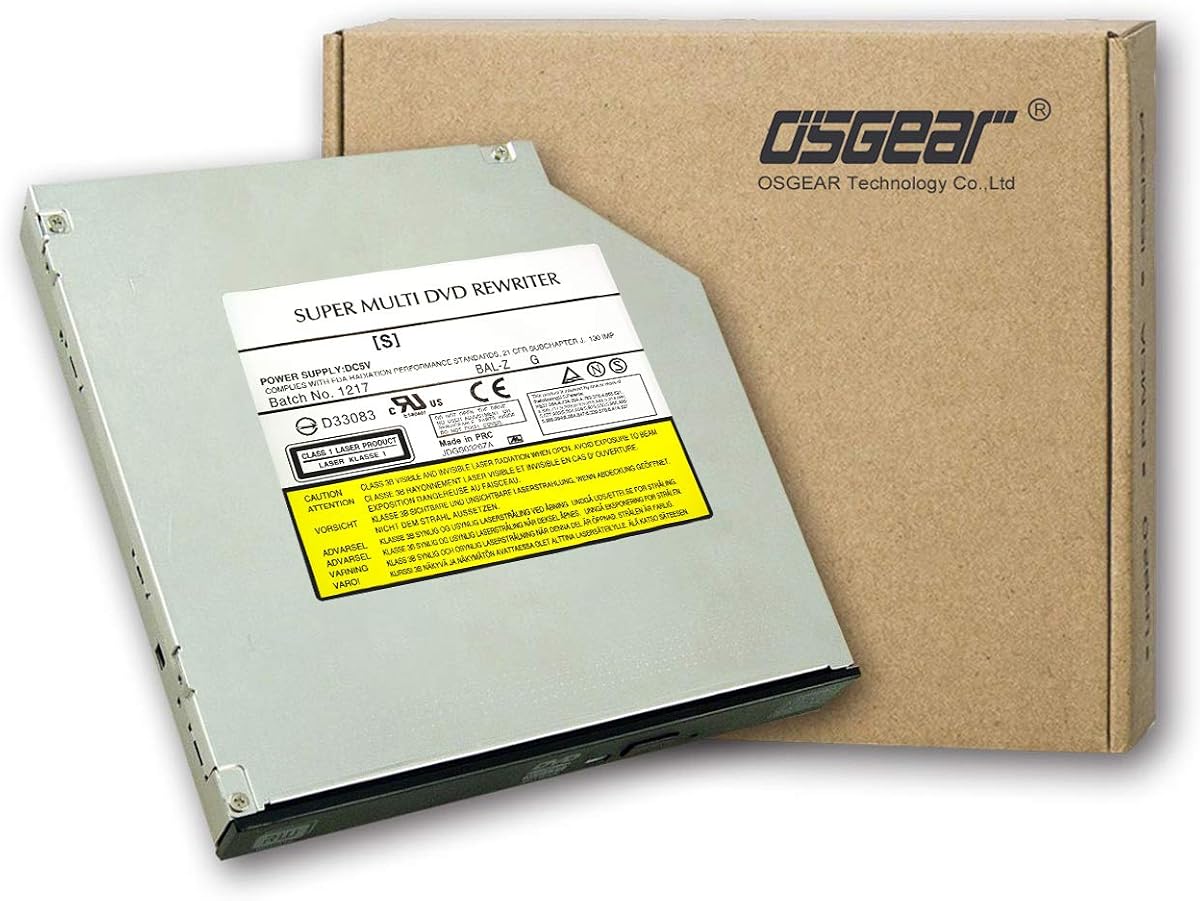
The OSGEAR Internal 9.5mm slim SATA drive is a budget-friendly option for users needing standard optical functionality. With a 4.1 rating, it provides reliable read and write capabilities across many operating systems. This drive is suitable for basic media playback and data burning tasks.
We may earn a commission when you buy through this link, at no additional cost to you.
Its 9.5mm thickness ensures compatibility with most modern laptops from brands like ASUS HP and Dell. The drive supports a wide range of operating systems including Windows versions Linux and Mac OS making it versatile for different user needs. Tray loading design allows for straightforward disc insertion and removal.
While the drive offers good compatibility it lacks some advanced features found in premium models like M-DISC support. The rating is lower than top contenders suggesting occasional issues or inconsistencies. Users should verify their laptop's bay specifications before purchase.
This drive is recommended for users needing a cost-effective solution with broad OS compatibility. Its straightforward design and support resources make it a practical choice for general optical drive replacement needs.
This drive supports a wide range of operating systems including Windows versions and Mac OS. This versatility ensures it can be used in various computing environments without driver issues.
The tray loading design provides easy access for inserting and removing discs without complex mechanisms. This simplicity ensures reliable handling for users of all technical levels.
We may earn a commission when you buy through this link, at no additional cost to you.
The TechMagnet Internal 7mm Slim SATA drive is designed for laptops with ultra-thin optical bays. With a 3.8 rating, it offers M-DISC support and versatile disc compatibility at an affordable price. This drive is ideal for users with modern slim laptops needing optical access.
We may earn a commission when you buy through this link, at no additional cost to you.
Its 7mm height is significantly thinner than standard drives fitting newer laptop models that require compact components. The drive supports M-DISC ensuring data can be stored reliably over long periods. Tray loading design allows for simple disc handling and reliable access to optical media.
However as a renewed product there may be signs of cosmetic wear or variability in performance. Users should consider warranty options when purchasing renewed items to mitigate potential issues. Verifying laptop compatibility is essential given the specific thickness requirement.
This drive is recommended for users with ultra-slim laptops needing a budget optical solution. Its thin profile and M-DISC support make it a practical choice for those prioritizing fit and data longevity over brand prestige.
The 7mm thickness allows this drive to fit in ultra-slim laptops that cannot accommodate standard 9.5mm drives. This makes it accessible for users with modern compact devices.
As a renewed product this drive offers a lower price point while still providing essential optical functionality. This can be a cost-effective solution for budget-conscious buyers.
We may earn a commission when you buy through this link, at no additional cost to you.
The 9.5mm SATA Internal DVD RW Drive GUD1N offers a straightforward solution for users needing optical media support. With a 4.2 rating, it provides versatile disc compatibility and includes a data cable for convenience. This drive is suitable for general media and data management tasks.
We may earn a commission when you buy through this link, at no additional cost to you.
Its Super Multi compatibility allows reading and writing various DVD and CD formats in one drive. The included data cable simplifies installation reducing the need for additional purchases. M-DISC support ensures users can store important files reliably over time.
While the drive covers essential needs it lacks advanced features like silent technologies or energy saving modes. Users should verify their laptop bay thickness to ensure it matches the 9.5mm specification. The basic design keeps costs low but may not appeal to power users.
This drive is recommended for users seeking a simple and complete optical solution with included accessories. Its compatibility and M-DISC support make it a practical choice for everyday use and backups in standard laptops.
The package includes a data cable which simplifies the installation process by reducing additional purchases. This ensures users have everything needed to connect the drive immediately.
Supporting multiple DVD and CD formats ensures the drive can handle various disc types for different tasks. This versatility makes it suitable for diverse media and data needs.
We may earn a commission when you buy through this link, at no additional cost to you.
Choosing the right internal DVD drive requires understanding your laptop's specifications and your specific media needs.
The most critical factor is the thickness of your laptop's optical bay which typically comes in 9.5mm or 12.7mm sizes. Measure your current drive or check your laptop manual to ensure the new drive fits correctly. A mismatch in thickness can prevent installation or cause hardware damage.
Always verify the exact bay size before purchasing to avoid compatibility issues and return hassles.
Most modern internal drives use a SATA interface which provides stable and fast data transfer rates. Ensure your laptop motherboard supports SATA connections rather than older IDE standards which are rare today. Incorrect interface selection can lead to connectivity problems or inability to boot.
Check your system specifications to confirm the supported interface type for smooth integration.
Decide whether you need read-only capabilities or read and write functionality. If you plan to back up data or install software from discs a DVD-RW drive is necessary. If you only need to play movies or install software a DVD-ROM model may be more affordable.
Choose the drive type based on your specific media usage patterns to get the best value.
For users requiring long-term data storage M-DISC support is a valuable feature that ensures archival quality. This technology allows discs to resist degradation for up to 1000 years protecting your photos and files. Look for drives explicitly mentioning M-DISC compatibility if durability is a priority.
Prioritize M-DISC support if you need to store critical data safely for extended periods.
DVD writing speeds typically range from 8X to 24X which affects how quickly you can burn discs. Faster speeds are useful if you frequently create backups or install large software packages regularly. However higher speeds often come with increased power consumption and noise levels.
Balance your speed requirements with noise and power considerations based on your usage environment.
Some drives include Silent Play or similar technologies that reduce noise during disc playback. This feature is beneficial for users who need a quiet environment for work or entertainment. Look for specific mentions of noise reduction if audio disturbance is a concern.
Select a drive with noise reduction features if you value a peaceful computing experience.
Energy-efficient drives often include features like E-Green that save battery life by reducing power usage. This is particularly important for laptop users who rely on battery power frequently during travel. Check product details for power-saving technologies if portability is a priority.
Choose a drive with energy-saving features to maximize your laptop's battery longevity.
Reputable brands like LG ASUS and HP often offer better quality assurance and customer support. Consider the warranty period and after-sales service options available with your purchase to protect your investment. Third-party drives may be cheaper but could lack reliable support channels.
Prioritize brands with good warranty support to ensure peace of mind after installation.
To use your internal DVD drive simply insert a disc into the tray or slot when the drive is powered on. Your operating system will typically recognize the disc automatically allowing you to access files or play media. Use standard disc handling techniques to avoid scratching the surface during insertion or ejection.
Keep the drive clean by using compressed air to remove dust from the tray mechanism periodically. Avoid forcing discs into the drive and ensure the laptop is stable during operation to prevent mechanical strain. Regular software updates can also ensure the drive firmware is up to date.
Store discs in protective cases when not in use to prevent damage and scratching. If you plan to store discs long-term consider using M-DISC media for better preservation. Avoid exposing discs to extreme heat or moisture which can cause warping or data loss.
No you must ensure your laptop has an optical bay and the correct thickness such as 9.5mm or 12.7mm. Check your laptop manual or measure the existing drive to confirm compatibility before purchasing. Many modern laptops omit optical drives entirely requiring external USB alternatives instead.
Most laptops from the last decade use SATA interfaces which are compatible with current internal drives. Older models may use IDE interfaces which require adapters or are not supported by modern drives. Check your laptop specifications to confirm the interface type for successful installation.
M-DISC uses a rock-like recording surface instead of organic dye ensuring data lasts up to 1000 years. It is useful for long-term archival storage of photos critical documents and backups. Look for drives with M-DISC support if you need durable data preservation.
Most modern internal DVD drives are plug and play and use standard drivers already included in your OS. However checking the manufacturer website for specific firmware updates is recommended for optimal performance. Some specialized features may require additional software installation.
You can check your laptop user manual or measure the existing drive to determine the correct thickness. Common sizes are 9.5mm for most modern laptops and 12.7mm for older models. Using the wrong thickness can cause physical fitting problems or damage.
Yes an internal DVD drive can boot and install operating systems from installation discs provided your BIOS supports it. Ensure you configure your boot order to prioritize the optical drive during installation. This is a reliable method for installing software without internet access.
In conclusion choosing the best internal DVD drive depends on your specific laptop compatibility and usage needs. The top picks highlighted in this guide offer reliable performance across various form factors and feature sets.
Consider prioritizing thickness and interface compatibility to ensure a smooth installation process. M-DISC support and speed features can enhance value if you require long-term storage or high efficiency.
Always verify current pricing and availability as these can change rapidly. We encourage you to review the detailed comparisons and user feedback to make the most informed choice for your needs.