
Light Gaming Laptop Ryzen 7 5700U
4.6Editor score
AMD Ryzen 7 5700U CPU
16GB DDR4 RAM Included
Affordable Entry Level Price
Finding a light gaming laptop for Minecraft requires balancing portability with performance. You need a machine that handles mods and shaders smoothly without weighing down your backpack during travel or daily commutes between classes or work locations.
We evaluated ten distinct models based on processor power graphics capabilities and battery endurance. Each candidate was assessed for its ability to run the game reliably while maintaining a slim profile and offering enough connectivity for peripherals like mice or external monitors.
Each pick highlights specific strengths and trade-offs to help you decide. Note that product details and availability can shift quickly so verify current stock and specs before finalizing your purchase decision for your unique gaming and productivity needs.
4.6Editor score

4.6Editor score

4.5Editor score
As an Amazon Associate we earn from qualifying purchases.
The following table provides a side-by-side overview of all ten selected laptops. It highlights key specifications like processor type memory capacity storage speed and display size to help you compare options at a glance.



This NIMO 15.6-inch laptop offers a strong balance for Minecraft play and daily tasks. It carries a 4.6 rating from users who appreciate its speed. The Radeon 680M graphics support smooth visuals even with mods running in the background during extended sessions.
We may earn a commission when you buy through this link, at no additional cost to you.
The Ryzen 7 7735HS processor handles open worlds well. You can keep browser tabs and voice chats open while exploring. The DDR5 RAM ensures quick app switching without stuttering. The backlit keyboard aids typing in dim dorm rooms or cabins.
Portability is a key trade-off here. While lightweight, it relies on integrated graphics so you should manage expectations for heavy shaders. The 100W PD charger reduces the need for bulky adapters when traveling between work or school.
Students or remote workers who game lightly will find this ideal. It delivers consistent speed and includes US-based support. Check availability before buying to ensure the stock matches your immediate needs for a reliable laptop.
The AMD Ryzen 7 7735HS reduces slowdowns when running Zoom and games simultaneously. This ensures your gameplay remains smooth even when other apps are active.
The 100W PD charger allows rapid power replenishment during short breaks. This means you can stay productive or gaming longer without hunting for specific outlets.
We may earn a commission when you buy through this link, at no additional cost to you.
This laptop serves as an affordable entry for Minecraft fans. It holds a 4.6 rating due to its reliable performance. The Ryzen 7 5700U chip provides enough power for standard game modes without breaking the bank for casual gamers.
We may earn a commission when you buy through this link, at no additional cost to you.
You get 16GB of DDR4 RAM which helps with multitasking. The 512GB NVMe SSD ensures fast boot times. Integrated graphics handle the game well at standard settings. The thin bezel design offers a modern look for a budget device.
The main trade-off is the older DDR4 standard compared to DDR5 models. This might affect peak speed but remains adequate for Minecraft. Build quality is durable enough for daily use. You can expect consistent performance for work or school.
Budget-conscious buyers should consider this model for value. It delivers key features without extra cost. Confirm current stock to ensure you get the right configuration. This option balances price and capability effectively.
The Zen 3 architecture delivers responsive processing for games. You can enjoy smooth play even at a lower price point.
512GB of space stores your game files and documents easily. The NVMe speed keeps loading times short and efficient.
We may earn a commission when you buy through this link, at no additional cost to you.
This NIMO model brings premium features to a light chassis. It holds a 4.5 rating from verified buyers. The Ryzen 7 processor supports AI tools alongside gaming. You can run local apps without lag while playing Minecraft in the background.
We may earn a commission when you buy through this link, at no additional cost to you.
The DDR5 memory boosts overall system speed. Loading apps and games happens quickly. The fingerprint sensor adds convenience for daily logins. The 180-degree hinge allows easy screen sharing in meetings or classrooms.
You sacrifice dedicated graphics for portability. Integrated graphics still work for Minecraft but might struggle with extreme shaders. The warranty adds value for long-term use. This laptop fits professionals who need power on the go.
Creators and students who need security and speed should look here. The build is robust and portable. Verify current availability to avoid delays. This model offers a premium experience in a slim package.
The fingerprint sensor in the touchpad allows quick logins. This protects your data when you are in public spaces.
Dual USB-C ports handle charging and data. HDMI 2.0 connects to external displays for a larger view.
We may earn a commission when you buy through this link, at no additional cost to you.
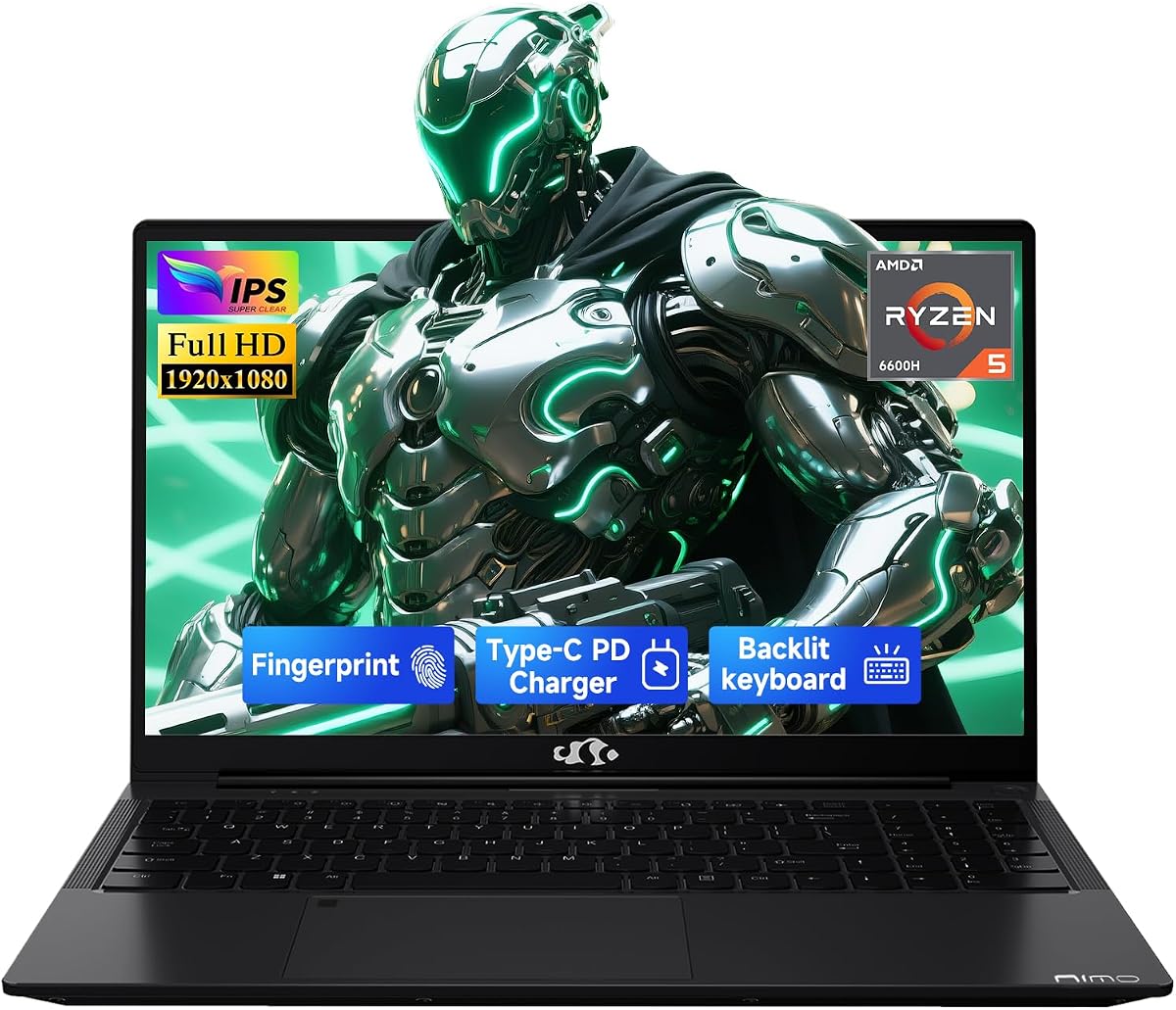
This NIMO model stands out with a perfect 5.0 rating. Users praise its ability to handle multitasking well. The Ryzen 5 6600H CPU is fast for daily tasks. It offers a solid platform for Minecraft and online learning.
We may earn a commission when you buy through this link, at no additional cost to you.
You get 16GB of DDR5 RAM which helps with smoothness. The hidden webcam protects your privacy during video calls. The fingerprint sensor allows secure access to your work. The backlit keyboard helps you type at night.
The 256GB SSD is smaller than some rivals. You might need external storage for large files. But the expandability lets you upgrade later. The lightweight design makes it easy to carry around campus.
Students who want reliability and security should pick this. The warranty covers hardware defects well. Check stock for immediate delivery. This unit delivers quality and peace of mind daily.
The hidden webcam ensures your video stays private. This is useful for business meetings at home or school.
You can swap the SSD later to add space. This ensures your laptop grows with your storage needs.
We may earn a commission when you buy through this link, at no additional cost to you.
This KAIGERR laptop offers a traditional laptop feel. It uses an AMD Ryzen R2544 processor for steady power. The 16-inch display gives you plenty of room for multitasking. You can enjoy smooth gaming without heavy hardware costs.
We may earn a commission when you buy through this link, at no additional cost to you.
The 16GB DDR4 RAM supports basic multitasking well. The integrated UHD graphics card clocked at 1200MHz handles visuals. The 512GB SSD loads Windows 11 quickly. This setup helps keep your files organized easily.
Battery life is a standout feature here. The 54.72Wh battery supports long hours of work. You can take this anywhere without the power adaptor. But the CPU is older than newer Ryzen models.
Users who want a large screen on a budget will like this. Technical support is unlimited for peace of mind. Verify specs before purchase to ensure it meets your needs. This model offers a classic and reliable design.
The 16-inch display delivers clearer details and vivid colors. This creates a wide viewing angle for comfortable gaming.
The long battery life lets you work or play anywhere. It reduces the hassle of carrying extra chargers daily.
We may earn a commission when you buy through this link, at no additional cost to you.
This KAIGERR model handles daily loads well. It features the Ryzen 7430U processor with 3.7GHz frequency. The 16GB RAM allows you to run many apps. This supports Minecraft alongside other tools without slowing down.
We may earn a commission when you buy through this link, at no additional cost to you.
You get WiFi 6 and Bluetooth 5.2 for fast connections. The 512GB NVMe SSD offers fast boot speeds. The thin-bezel display maximizes screen space for immersion. The compact design makes it easy to carry with you.
The main trade-off is the older DDR4 memory standard. It is slower than DDR5 but sufficient for basic gaming. The support team solves problems within 12 hours. This gives you reliability for work or school.
Professionals needing a portable workhorse should consider this. It balances power and carry weight well. Check current listings for availability. This device offers consistent performance for everyday tasks.
The laptop includes HDMI, Type-C, and USB 3.2 ports. You can connect devices easily without adapters.
WiFi 6 offers strong wireless signal and fast connections. This ensures reliable transmission speed for streaming tasks.
We may earn a commission when you buy through this link, at no additional cost to you.
This KAIGERR laptop offers a massive screen for its class. The 18.5-inch display fits well into a compact chassis. The Ryzen 7430U processor runs at up to 4.3GHz. This supports heavy workloads and smooth gaming sessions.
We may earn a commission when you buy through this link, at no additional cost to you.
You get 16GB DDR4 RAM and 512GB NVMe SSD. The system loads apps quickly and runs smoothly. The front-facing webcam is centered for video calls. The 12 threads help you handle multitasking easily.
The larger screen may make it heavier to carry. It is best for stationary or semi-portable use. The high rating shows strong customer satisfaction. It handles office work and games efficiently.
Users who prioritize screen size over portability will like this. The build quality is durable for long-term use. Check current stock before ordering. This laptop delivers a big screen in a light body.
The Ryzen 7430U uses ZEN 3 architecture for fast speeds. This ensures exceptional loading and processing power for games.
The 18.5-inch display maximizes onscreen space. Thin bezels allow a larger screen in a smaller footprint.
We may earn a commission when you buy through this link, at no additional cost to you.
This NIMO model is designed for business and school. The Ryzen 5 6600H handles intense multitasking. The 16GB DDR5 RAM boosts speed for daily apps. This ensures smooth performance for complex software.
We may earn a commission when you buy through this link, at no additional cost to you.
You can upgrade the RAM and SSD easily later. The physical hidden webcam protects your privacy. The fingerprint sensor allows fast secure logins. Dual full-function Type-C ports support external monitors.
Some users report mixed experiences with stability. The business features are strong but might need tweaking. The 2-year warranty offers good protection. It is a solid tool for professional use.
Professionals needing a powerful business tool should look here. The port mix reduces desk friction. Verify specs before purchase. This laptop balances productivity with light gaming needs well.
The fingerprint sensor on the touchpad helps secure logins. The hidden webcam ensures your privacy is never compromised.
Dual full-function Type-C ports connect to monitors easily. This enables a clean efficient desk setup for work.
We may earn a commission when you buy through this link, at no additional cost to you.
This NIMO laptop handles school and light gaming. The Ryzen 5 6600H supports intense multitasking. The 16GB DDR5 RAM helps with speed. It offers a balanced platform for student workflows.
We may earn a commission when you buy through this link, at no additional cost to you.
You can swap the RAM or SSD later for upgrades. The fingerprint sensor allows instant secure logins. The backlit keyboard helps you work in dim rooms. The 100W Type-C adapter keeps you powered up.
User reviews show some variability in reliability. This model may need extra attention for setup. The 2-year warranty gives peace of mind. It is a good option for students with tight budgets.
Students who want a reliable tool for college should check this. The dual Type-C ports reduce clutter. Verify specs to ensure it meets your needs. This laptop fits well for daily student use.
The 100W Type-C adapter lets you power up anywhere. This ensures fast charging during layovers or coffee breaks.
The backlit keyboard allows comfortable typing in low-light environments. This helps you work in dorm rooms or late-night flights.
We may earn a commission when you buy through this link, at no additional cost to you.
This NIMO model targets pros with AI needs. The Ryzen 7 7735HS offers 8 high-speed cores. It handles 1080p gaming and creative editing easily. The system supports local AI tools smoothly.
We may earn a commission when you buy through this link, at no additional cost to you.
You get a PCIe 4.0 SSD for fast boot times. Dual DDR5 RAM slots allow future hardware upgrades. The 100W PD adapter reduces charger bulk. The 53.58Wh smart battery optimizes energy use.
The lack of a dedicated GPU is a trade-off. Integrated graphics work well for most standard games. The backlit keyboard supports typing in any lighting. This model fits mobile professionals well.
Professionals needing fast workflows should choose this. The fingerprint sensor adds quick security. Verify current stock for delivery. This laptop delivers elite speed in a slim design.
The AMD Ryzen 7 7735HS processor enables seamless multitasking. Combined with Radeon 680M graphics it handles 1080p gaming easily.
The 53.58Wh smart battery is designed to match your busiest days. Intelligent power management optimizes energy use based on tasks.
We may earn a commission when you buy through this link, at no additional cost to you.
Selecting the right laptop involves understanding how specific parts affect your gameplay experience. This guide breaks down the key factors to help you find a machine that fits your needs and budget.
The processor is the engine of your gaming experience. For Minecraft, a Ryzen 7 or Core i7 ensures smooth performance when mods or chunks load. Look for processors with multiple cores to handle background tasks like voice chat without lag.
Prioritize a CPU with high clock speeds for better frame rates.
RAM is vital for running the game and your operating system together. 16GB of DDR5 or DDR4 RAM allows you to switch apps quickly. This prevents freezing when you have many browser tabs open during a session.
Aim for at least 16GB to ensure smooth multitasking.
While Minecraft is not heavy on graphics, shaders can be demanding. Integrated graphics like Radeon 680M handle standard play well. If you plan to use intense shaders, check the GPU specifications carefully.
Choose models with strong integrated graphics for better visuals.
Storage affects how fast your game loads. NVMe SSDs provide fast boot times and quick app loading. A 512GB drive gives you enough space for the game and your files.
Select a laptop with at least 512GB of SSD storage.
A clear screen makes gaming more enjoyable. Look for Full HD resolution and thin bezels for a modern look. A larger screen helps you see distant blocks and mobs in the game.
A 15 to 16-inch FHD display is ideal for portability.
Battery life determines how long you can game away from an outlet. Look for models with efficient power management or fast charging support. This ensures you stay powered during travel.
Check battery specs to ensure it meets your needs.
A light gaming laptop should be easy to carry. Weigh the device and consider its thickness. A lightweight build reduces strain when you move between classes or work locations.
Aim for a slim design that fits in your backpack.
A good warranty protects your investment. Look for models with 2-year warranties or US-based support. This gives you peace of mind if hardware issues arise later.
Verify warranty terms before making your purchase decision.
Keep your laptop on a hard surface to prevent overheating during gaming sessions. This helps maintain performance and extends the device life.
Use the manufacturer recommended power adapter to avoid damage. Fast chargers are efficient but ensure they match the device specs.
Regularly update drivers and Windows to improve gaming stability. This ensures compatibility with new game versions and security patches.
Yes you can play with shaders depending on the graphics. Integrated AMD Radeon GPUs handle basic shaders well. For extreme shaders consider a model with stronger integrated graphics.
16GB of RAM is sufficient for most gameplay. It allows you to run background apps without lag. This capacity ensures smooth multitasking for school or work.
No you do not need a dedicated GPU for Minecraft. Modern integrated graphics handle the game well. A dedicated GPU helps only for high-end graphics mods.
A 15 to 16-inch screen is best for portability. It offers a good balance between visual space and weight. This size fits easily in most backpacks.
Battery life varies by model and usage. Light tasks can last longer than gaming. Check the specs for estimated hours and charging speed.
Yes many models allow RAM and SSD upgrades. This helps future-proof your device. Check the manual for specific upgrade steps.
DDR5 is faster and more efficient than DDR4. It improves system speed. DDR4 is still sufficient for basic gaming.
Most models include a 2-year manufacturer warranty. This protects against hardware defects. Always check the seller terms for details.
You have explored ten top picks for light gaming laptops. Each offers a unique balance of speed and portability. The NIMO and KAIGERR models stand out for their value and performance.
Prioritize the processor and RAM for the best experience. Ensure the device fits your travel needs. A reliable warranty adds confidence to your choice.
Verify current availability before buying to avoid delays. Prices and stock can shift quickly. This guide helps you make an informed decision.