
WANLUTECH IPC-9800CADH Pro
4.4Editor score
Upgraded 8K IP support
Dual Gigabit Ethernet
PTZ control with OSD
Choosing the right CCTV Test Monitor is critical for security installers who need reliable verification tools on-site. These devices combine display, testing, and power features into one portable unit to streamline workflows and ensure camera compatibility before final deployment.
We evaluated ten leading models based on screen quality, supported camera types, PoE output, and built-in network tools. Each product offers unique strengths for different installation scenarios, from basic analog checks to advanced 8K IP system diagnostics and fiber optic testing.
Each pick below highlights key specifications, pros, and cons to help you match a monitor to your specific needs. Note that product availability and pricing can change frequently, so always check current details before making your final purchasing decision today.
4.4Editor score

4.4Editor score

5.0Editor score
As an Amazon Associate we earn from qualifying purchases.
This side-by-side comparison highlights the core specifications of all ten reviewed monitors to help you quickly identify which model fits your technical requirements and budget constraints most effectively.


This WANLUTECH model stands out as the top choice for comprehensive testing needs with its 8-inch touchscreen and robust feature set. It earns the Editor's Choice award for balancing high-end specs with practical usability in field environments.
We may earn a commission when you buy through this link, at no additional cost to you.
The device supports up to 8K IP cameras and includes a gigabit SFP optical fiber module port for advanced network diagnostics. Its 90W PoE output ensures compatibility with high-power PTZ cameras without external adapters.
While the battery requires removing an isolation sheet before first use, the extensive toolkit including TDR cable testing and HDMI inputs compensates for minor setup steps. The Android OS allows flexibility for installing additional apps as needed.
Installers managing mixed IP and fiber networks will find this unit indispensable for quick, accurate diagnostics. It delivers professional-grade performance that justifies its position as the premier monitor for complex security projects.
The inclusion of a gigabit SFP port allows direct fiber optic module insertion for efficient network testing without extra hardware.
Running on Android enables users to customize workflows and install compatible security apps directly on the device.
We may earn a commission when you buy through this link, at no additional cost to you.
The IPC-9800CADH Pro earns Best Premium status with its upgraded hardware and expanded connectivity options for top-tier installations. It provides advanced tools that professional technicians require for verifying complex video surveillance systems efficiently.
We may earn a commission when you buy through this link, at no additional cost to you.
This unit features dual Gigabit Ethernet ports and a cable tracer for locating BNC network lines easily. Its 90W PoE output and support for 8K IP cameras ensure it meets future-proofing standards for modern security projects.
While it shares the battery isolation note and higher price with other premium models, the included color bar generator and media player add distinct value. The RS485 port ensures reliable PTZ communication with diverse camera brands.
Investors in high-end systems benefit from the comprehensive test suite and durable build quality offered here. It is the ideal companion for professionals prioritizing maximum diagnostic depth and connectivity in their toolbox.
Dual Gigabit Ethernet ports enable simultaneous connections for testing upstream and downstream network traffic without re-cabling.
Built-in color bar testing helps verify signal integrity and display quality across analog and digital video paths.
We may earn a commission when you buy through this link, at no additional cost to you.
This WSDCAM unit claims the Best Budget title by delivering essential coaxial testing functions at an affordable price without sacrificing core utility. It is perfect for technicians focused on analog and HD-over-coax system installations specifically.
We may earn a commission when you buy through this link, at no additional cost to you.
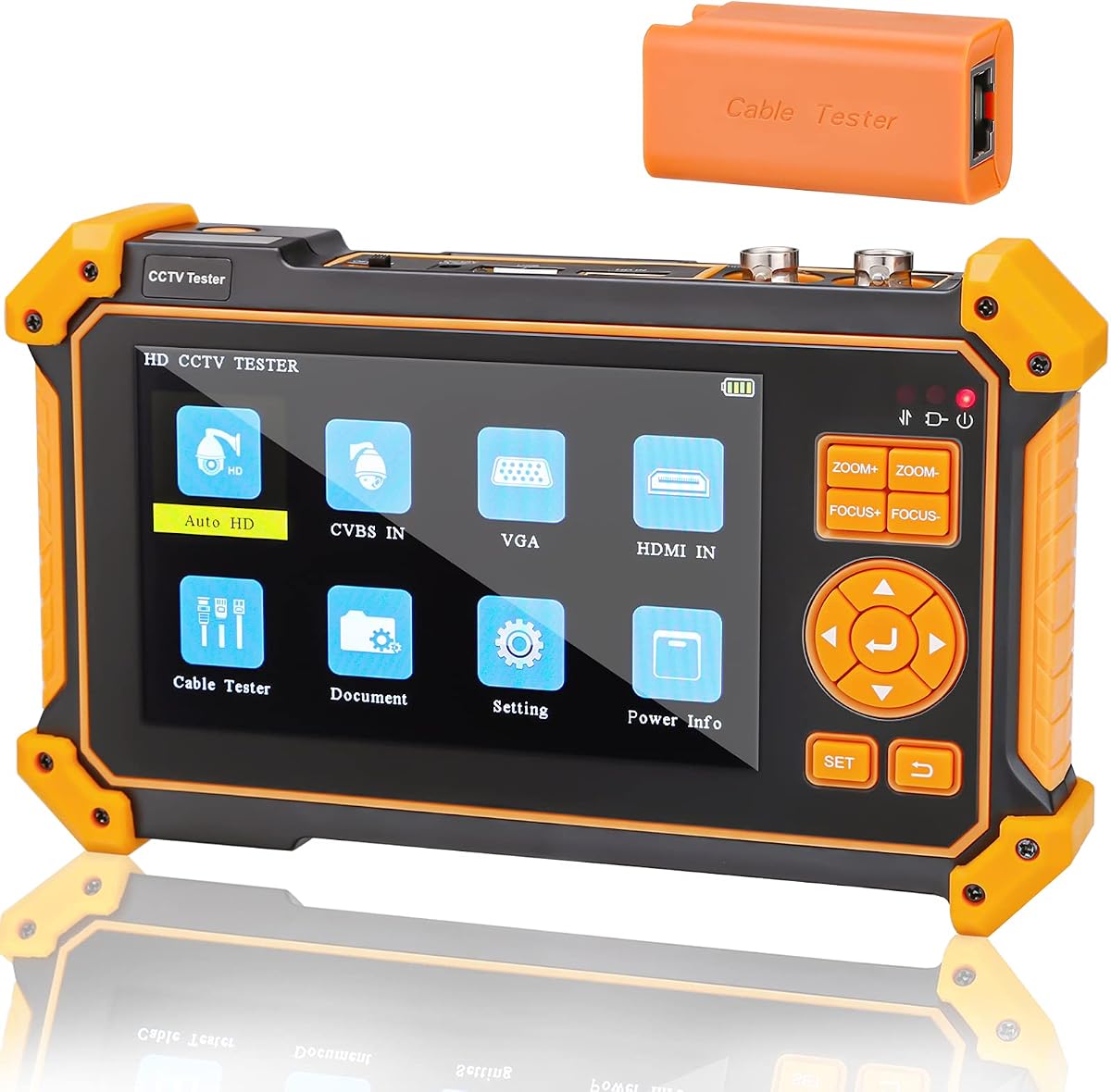
Its standout feature is the integrated UTP cable tester which detects faults and measures lengths up to 3KM. The Auto HD app automatically recognizes signal types to speed up verification of AHD CVI and TVI cameras.
While it does not support IP cameras or use a touch screen, its dedicated analog tools ensure focused performance where it counts. The 4.3-inch display remains clear and bright enough for outdoor troubleshooting in varied lighting conditions.
Small crews and independent installers seeking cost-effective solutions will appreciate this reliable and simple device. It proves you do not need to spend heavily to get accurate video signal testing results on-site.
The Auto HD app simplifies testing by automatically identifying the connected camera type and frame rate instantly.
Built-in UTP testing helps detect cable connection faults quickly without needing separate handheld testers.
We may earn a commission when you buy through this link, at no additional cost to you.
The Rsrteng model provides exceptional value for high-resolution IP testing with support for up to 32MP cameras and Android 11 OS. Its technical specs match top competitors while offering unique software advantages for managing large camera inventories.
We may earn a commission when you buy through this link, at no additional cost to you.
Key strengths include real-time network traffic detection and specialized tools for batch activating Dahua and Hikvision devices efficiently. The 90W PoE++ output and SFP optical fiber port make it versatile for powering and connecting diverse network infrastructure.
Users must remove the battery isolation paper before use which is a common step across many manufacturers. Despite this minor prep, the upgraded OS allows more app installations than older models for tailored workflow customization.
Techs upgrading from older units will find the extra processing power and OS flexibility highly beneficial. This unit is a solid investment for those needing precise control over modern high-res IP camera networks.
Specialized tools allow quick batch IP modification and password setup for multiple cameras of supported brands at once.
Built-in traffic detection monitors network load directly on the status bar to ensure bandwidth sufficiency during install.
We may earn a commission when you buy through this link, at no additional cost to you.
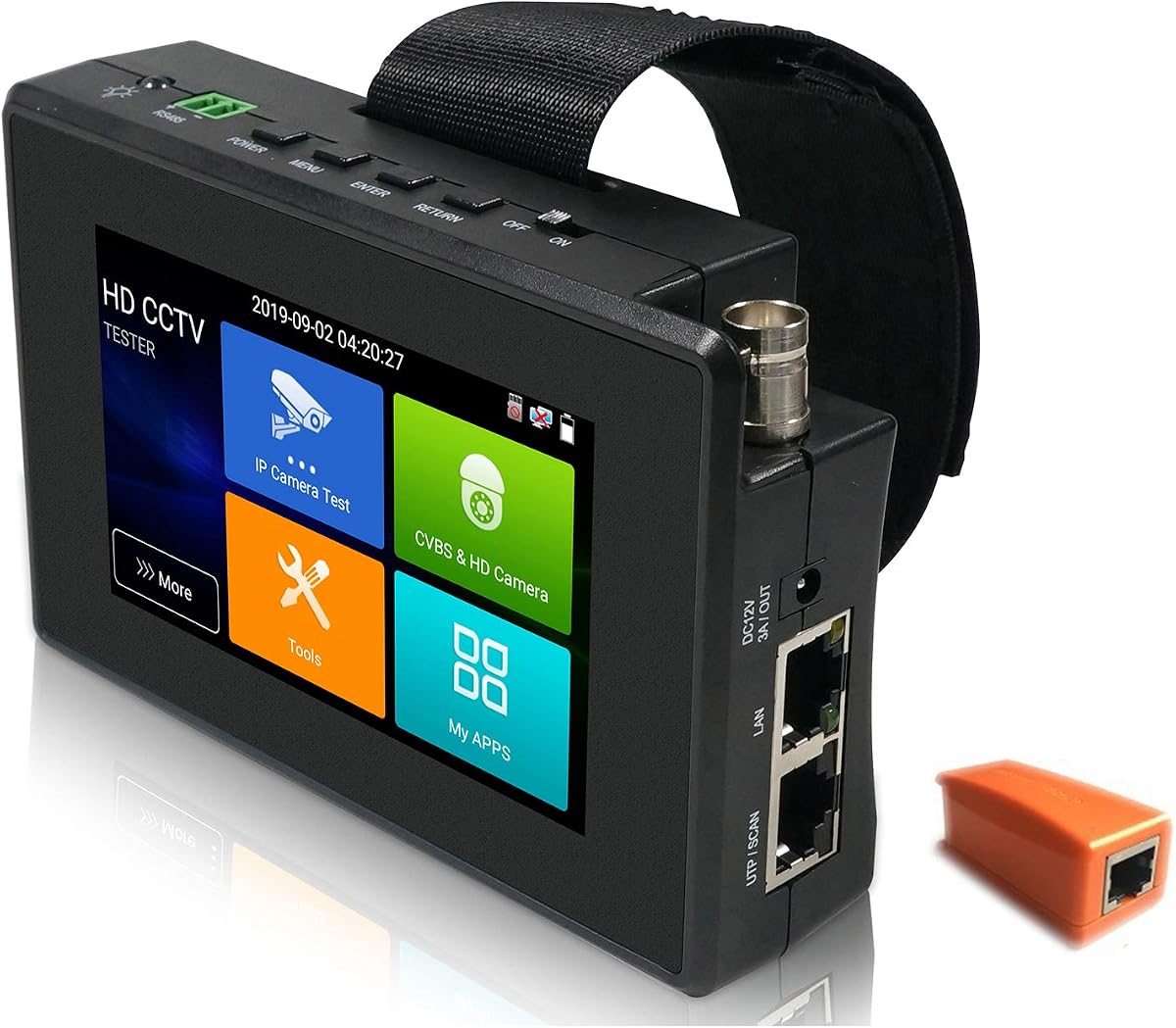
This 4-inch tester offers a compact solution for installers needing portability without sacrificing touch screen functionality for easier menu navigation. It balances size and features effectively for daily maintenance tasks in tight spaces.
We may earn a commission when you buy through this link, at no additional cost to you.
The unit includes standard network tools like IP discovery and RJ45 TDR tests along with a 30W PoE output for basic cameras. Its built-in Wi-Fi allows hotspot creation to test wireless security feeds without external routers.
While it lacks the high PoE power of larger models its screen responsiveness and small size make it convenient for quick checks. The 7.4V battery supports field use though capacity is standard rather than extended.
For mobile crews or those needing a lightweight secondary monitor this model is highly practical. It serves well as a backup unit or for residential jobs where carrying heavy equipment is unnecessary.
Built-in Wi-Fi allows you to create a hotspot for testing wireless cameras directly on-site efficiently.
The 4-inch IPS touch screen simplifies input and menu selection compared to traditional button-only testers.
We may earn a commission when you buy through this link, at no additional cost to you.
Triplett introduces network bandwidth diagnostics directly into the testing workflow with its included Ookla speed test feature. This addition helps installers verify connection quality before camera installation to prevent bandwidth-related issues later on.
We may earn a commission when you buy through this link, at no additional cost to you.
It supports a wide range of camera types including analog TVI and CVI models along with HDMI inputs for NVR verification. The 24W PoE output is sufficient for most standard IP cameras but may fall short for high-power PTZ units.
While the design is compact and lightweight making it easy to carry the screen size is modest compared to 8-inch units. The lack of fiber support limits its utility in enterprise fiber-optic network environments specifically.
This device is ideal for general security professionals who prioritize quick internet diagnostics alongside standard video testing. Its straightforward interface makes it accessible even for technicians with basic networking knowledge.
The built-in Ookla speed test verifies network bandwidth before camera setup to ensure optimal recording performance.
Compatible with IP, analog, TVI, CVI, and AHD cameras for versatile use across different systems.
We may earn a commission when you buy through this link, at no additional cost to you.
This unit delivers an impressive 11-hour working time on a single charge which is rare for portable testers in its class. It is engineered for long maintenance shifts where frequent recharging is inconvenient or impossible.
We may earn a commission when you buy through this link, at no additional cost to you.
The 5-inch screen with 800×480 resolution provides clear visuals for analog CVI TVI and AHD signals. It includes PTZ control and audio test features along with HDMI inputs to debug NVR recorders effectively.
While it lacks IP camera compatibility and touch input the extended battery life ensures uninterrupted focus on the task at hand. The lightweight body makes it easy to carry for technicians moving across multiple sites.
For analog-focused installations this tester offers reliable performance and endurance without extra bulk. It is a practical choice for crews specializing in traditional video surveillance systems that do not use IP feeds.
A 2600mAh battery supports up to 11 hours of continuous operation reducing downtime during long shifts.
HDMI and VGA inputs allow direct connection to DVRs or NVRs for broader system debugging tasks.
We may earn a commission when you buy through this link, at no additional cost to you.
EVERSECU provides unique video management features like onboard recording and a video level meter for precise signal quality assessment. These capabilities help technicians document tests and adjust camera settings with greater accuracy.
We may earn a commission when you buy through this link, at no additional cost to you.
The 7-inch IPS touch screen supports 8K IP and analog formats with HDMI and output for versatile display options. A built-in optical power meter and VFL enhance its utility for basic fiber network diagnostics.
While its LAN port speed is limited to 100M and PoE power is modest compared to 90W units the software tools stand out. The snapshot with zoom feature allows detailed inspection of fine camera details.
This model suits professionals needing detailed visual documentation alongside standard connectivity testing. It bridges the gap between basic monitors and advanced diagnostic tools with practical field-friendly software features.
Onboard recording allows you to capture footage during tests for quality assurance documentation and client review.
Built-in optical tools help verify fiber signal strength ensuring reliable connections in hybrid network setups.
We may earn a commission when you buy through this link, at no additional cost to you.
This model supports 4K HDMI input at 30FPS which is useful for verifying high-res DVR outputs without additional equipment. It combines analog testing with modern digital inputs for a flexible workflow in mixed system environments.
We may earn a commission when you buy through this link, at no additional cost to you.
The built-in UTP tester detects connection issues and the audio surveillance function helps check microphone inputs on cameras. A 5200mAh battery provides six hours of continuous operation for standard daily job durations comfortably.
While it does not support IP cameras the HDMI capability and SDI support add distinct value for NVR verification tasks. The compact form factor and included tool bag make it easy to transport between sites.
Technicians needing a dedicated analog HDMI verification tool will find this unit highly functional. It offers essential testing capabilities at a price point that remains accessible for small businesses and freelancers.
HDMI inputs support 4K 30FPS enabling accurate verification of high-resolution NVR output quality easily.
Built-in audio input helps technicians verify microphone functionality on cameras during initial installation checks.
We may earn a commission when you buy through this link, at no additional cost to you.
The unique screen rotation feature allows users to connect cables at the bottom without flipping the device which is a major ergonomic benefit. This design choice significantly improves ease of use during on-site wiring tasks.
We may earn a commission when you buy through this link, at no additional cost to you.
It supports 4K IP and analog formats with network tools like IP scan and trace route for connectivity verification. The interface theme customization lets users adjust desktop and background colors to suit personal preference or visibility needs.
While its PoE output is lower than high-end units the combination of rotation and software customization sets it apart in its class. The 4-inch screen is compact but provides clear visuals for most testing scenarios.
This unit is ideal for installers who value ergonomic design and interface flexibility in their tools. It delivers solid performance for general testing needs without sacrificing practical on-site usability.
The 180-degree rotation helps users access cables and ports without needing to turn the device around.
Users can adjust background colors and icons to improve visibility or personal preference during testing.
We may earn a commission when you buy through this link, at no additional cost to you.
Selecting the right monitor requires balancing technical requirements with budget constraints to ensure efficient field testing.
Larger screens such as 7 or 8 inches provide better visibility for checking fine details and color accuracy during testing. Ensure the resolution is at least 1280×800 for clear image rendering of high-definition feeds.
Choose a size that fits comfortably in your field kit while providing enough visual clarity to diagnose image quality issues quickly.
Confirm whether your primary work involves IP cameras analog signals or both. Monitors supporting 4K IP formats are future-proof while those limited to CVI TVI or AHD suffice for traditional systems.
Select a model that explicitly supports the camera brands and resolutions you encounter most often in your daily projects.
Power over Ethernet (PoE) output allows you to power cameras directly from the monitor without extra power supplies. Look for at least 30W for standard IP cameras or 90W for high-power PTZ models requiring more energy.
Prioritize higher wattage if you frequently install high-performance cameras to avoid carrying separate power bricks during jobs.
Integrated tools like TDR cable testing and IP scanning reduce the need for separate handheld testers. These features help identify wiring faults and verify connectivity instantly before mounting cameras permanently.
A model with comprehensive network diagnostics saves time and simplifies troubleshooting for complex networked security systems.
Consider the weight and battery life especially if you work across multiple remote sites daily. Units with longer battery life such as 10+ hours ensure you can work without needing frequent access to charging outlets.
Opt for a lightweight portable design that balances screen size with ease of transport in your technician's bag.
Touchscreens offer intuitive navigation compared to physical button panels which can be difficult to use in the field. However ensure the OS supports essential camera protocols and has a user-friendly menu system for quick adjustments.
Choose an interface that reduces learning curves so you can focus on testing rather than configuring settings during work.
Extra capabilities like optical fiber support (SFP), video recording, or PTZ control add value depending on your specific job demands. Fiber support is critical for enterprise installations while recording helps document installation quality for clients.
Identify which specialized tools you truly need to avoid paying for features that will not be used regularly on-site.
Check that the monitor supports the major brands you work with such as Hikvision or Dahua for seamless batch configuration. Compatibility tools allow quick IP changes and password setup which speeds up large-scale deployments.
Ensure the device is compatible with your existing camera fleet to prevent issues during testing and integration phases.
Always remove the battery isolation film before first use to prevent power issues. Initialize the OS by connecting to a stable Wi-Fi or Ethernet network to download any pending firmware updates.
Use the appropriate cable type such as RJ45 for IP cameras and BNC for analog setups. Connect the monitor to the camera or NVR and enable PoE if available to power the device directly.
Clean the screen with a soft microfiber cloth after each job to avoid scratches. Store the unit in its protective case when not in use to preserve the screen and ports from dust and physical damage.
Most high-end monitors support major brands like Hikvision and Dahua with specific batch tools. Check the product specs for compatibility with your specific brands before purchasing to ensure full functionality.
Only monitors with SFP optical fiber module ports can test fiber directly. Some models include SFP slots allowing you to insert a fiber module for verifying optical network connections efficiently.
Battery life varies by screen size and usage. Typically expect between 6 to 11 hours of continuous testing on a full charge depending on the model and brightness settings used.
Most come pre-loaded with essential testing apps. Some run on Android allowing extra installs but basic functions like PoE and video testing are ready out of the box without extra software.
Many modern testers support 4K IP cameras. Verify the max resolution in the specs since some models may only support up to 1080p or 8MP depending on their hardware capabilities.
Most monitors are not fully waterproof. Use them indoors or under temporary cover during outdoor testing to protect the electronics from moisture and harsh environmental elements safely.
The top picks for November 2026 include the WANLUTECH IPC Tester E88 for its robust feature set and the WSDCAM 4-in-1 for budget-conscious users. Each model offers distinct strengths tailored to different installation complexities.
Prioritize PoE power output and network tool integration based on your most common job types. Choosing a monitor that matches your specific camera ecosystems will save time and reduce installation errors.
Prices and availability can change so always verify current details on Amazon before purchasing. Use this guide to narrow down the best fit for your professional needs and equipment budget today.