
Noctua NA‑FC1
4.8Editor score
Compact 4-Pin PWM Design
No Stop Mode for Quiet Fans
Includes 3-Way Splitter Cable
Discover the top 10 Front Panel Fan Controller models rated by experts. Compare features, LCD displays, PWM control, and cooling performance for your PC build
Finding the right cooling solution for your computer is essential for maintaining peak performance and extending hardware life. A Front Panel Fan Controller gives you direct access to manage fan speeds and temperatures without relying on BIOS settings or software alone. These devices sit conveniently in your drive bay, offering real-time monitoring and manual override options for precise thermal management.
We have carefully evaluated the leading models available this month to bring you a comprehensive list of the most reliable options. Each product was assessed based on build quality, display clarity, control precision, and safety features like alarms and over-temperature protection. Our goal is to help you choose a unit that fits your specific case layout and cooling needs effectively.
Every recommendation below highlights key strengths and potential trade-offs to ensure you make an informed decision for your setup. Please note that pricing and availability can fluctuate frequently, so checking the latest details before purchasing is always advisable. This guide covers a wide range of budgets and capabilities to suit both casual users and enthusiasts.
4.8Editor score

5.0Editor score

4.2Editor score
The following table provides a side-by-side comparison of all ten models reviewed in this guide. It highlights key specifications and unique features to help you quickly identify which unit aligns best with your system requirements and budget constraints.


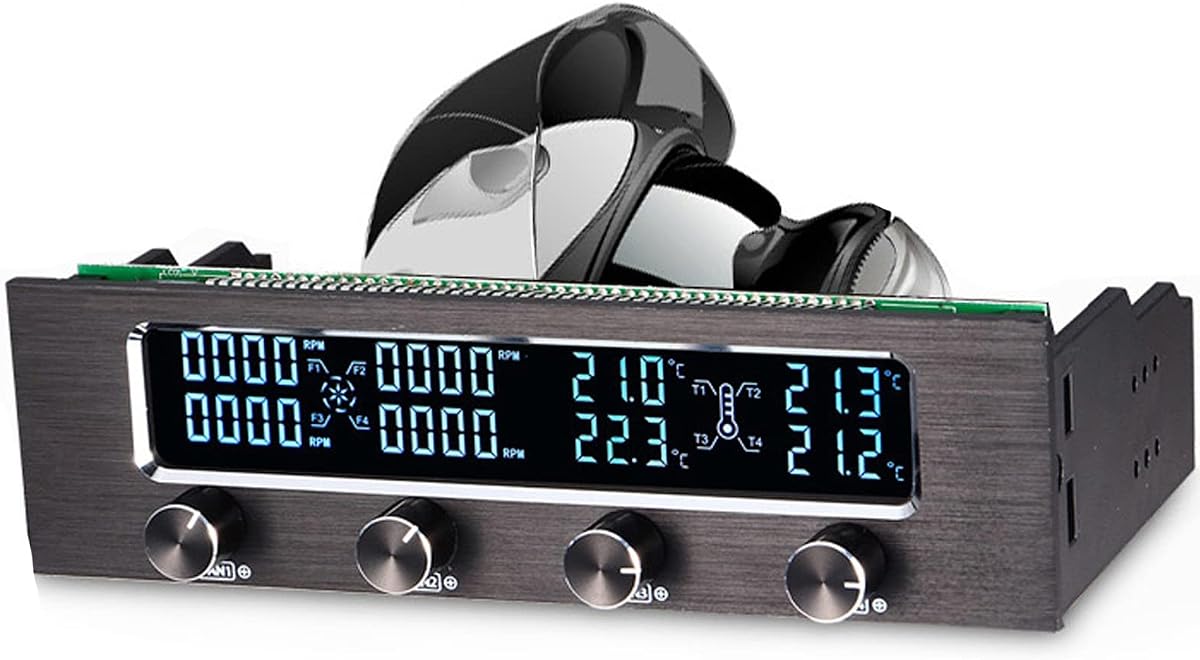
The STW‑6041 stands out as a top choice for users seeking a reliable Front Panel Fan Controller with essential monitoring features. It boasts a perfect rating from users who appreciate its clear LCD display and sturdy construction. This model is particularly well-suited for those who want to keep an eye on their system temperatures without diving into complex software settings.
We may earn a commission when you buy through this link, at no additional cost to you.
Its primary strength lies in the wide LCD screen that shows four sets of fan speeds and temperatures simultaneously. The aluminum alloy panel has undergone multiple matte treatments, ensuring it looks professional and fits well in any chassis. Safety is a key consideration here, as the unit includes a high temperature alarm that flashes and sounds an alert when the temperature exceeds sixty degrees.
While the design is functional, some users might find the aesthetic somewhat basic compared to more modern RGB options. However, the focus on reliability and noise reduction through PWM circuitry makes up for this trade-off. The high-specification capacitors ensure the unit can withstand high temperatures over time, reducing the risk of electrical issues.
This controller is an excellent choice for anyone building a system where visibility and safety are paramount. If you need a straightforward solution to manage your CPU and case fans with reliable temperature monitoring, this model delivers exceptional value. We recommend it for users who prioritize function and durability over flashy visual effects.
The wide LCD screen provides immediate visual feedback on fan speeds and temperatures, allowing for quick adjustments without interrupting your workflow.
Built-in temperature alarms ensure you are notified immediately of overheating risks, protecting your hardware from potential damage due to cooling failures.
We may earn a commission when you buy through this link, at no additional cost to you.
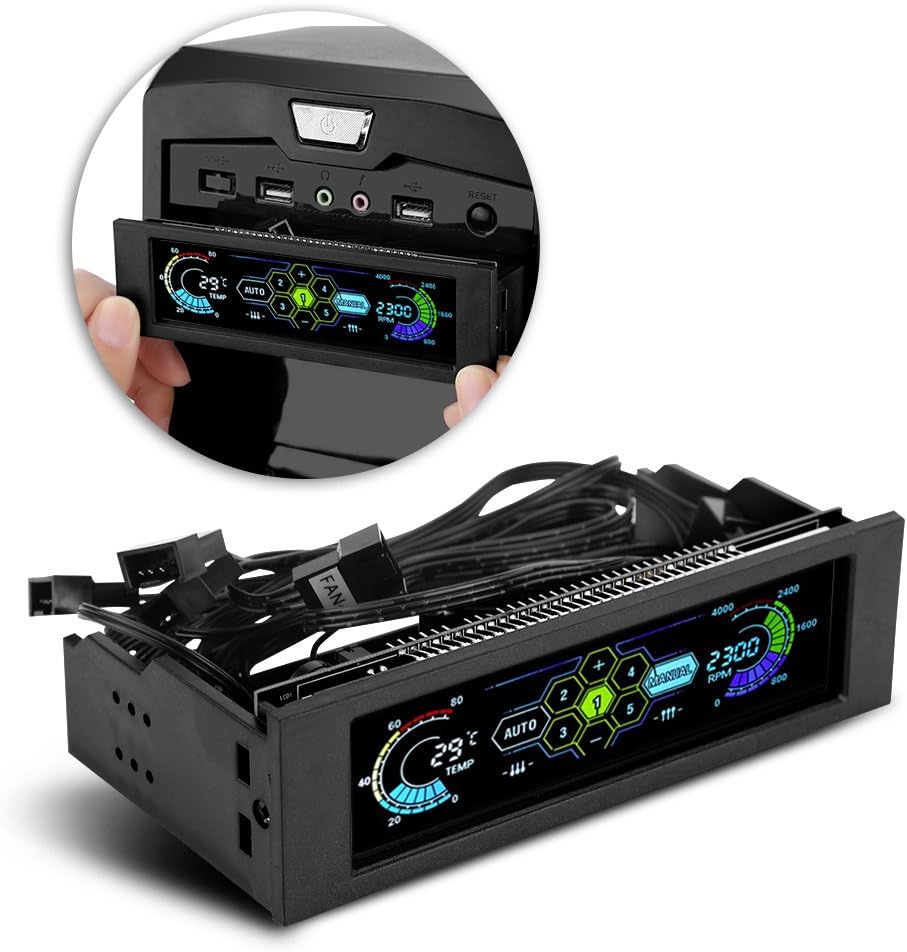
The V BESTLIFE Fan Speed Controller offers a compelling option for those who need to manage more than the standard number of fans. It provides a big LCD screen that displays not just temperature and fan speed but also hard disk state, giving you a comprehensive view of your system health. This model is designed to let you control the wind speed of five fans based on computer temperature or manual settings.
We may earn a commission when you buy through this link, at no additional cost to you.
One of its notable features is the ability to manually set the alarm temperature range from forty to ninety degrees. This flexibility allows you to tailor the safety triggers to your specific hardware tolerance levels. Additionally, the system is designed to alert you immediately if a fan breaks down and can no longer cool the computer effectively.
While it offers extensive control, some users may find the interface slightly more complex to navigate compared to simpler units. The build quality is generally good, but it may not feel as premium as higher-end models with metal panels. However, the functionality and channel count make it a strong contender for those needing more robust control options.
This unit is ideal for users who need to manage multiple fans and want detailed system monitoring in one place. If you prioritize having control over five separate fan groups and like the idea of monitoring hard disk state alongside temperature, this controller fits the bill. It offers a solid balance of features and performance for the price point.
Control up to five fans independently, providing greater flexibility for complex cooling setups that require individual attention for different zones.
Monitor hard disk state alongside temperature and fan speed to ensure all critical components are functioning within safe operating parameters.
We may earn a commission when you buy through this link, at no additional cost to you.
The SaiDian controller is an attractive option for budget-conscious builders who still want a Front Panel Fan Controller with essential monitoring. It features a large screen that displays temperature, fan speed, alarm temperature, and hard disk status. A unique selling point is the inclusion of a date and time display, which adds a small but useful utility to the dashboard.
We may earn a commission when you buy through this link, at no additional cost to you.
You can control three groups of fans manually or automatically, with the alarm temperature range settable from fifty to ninety degrees. This helps prevent hardware damage from overheating effectively by slowing down or adjusting speeds based on thermal conditions. The unit supports both 5V and 12V input power, making it versatile for various PC cases.
However, this model has lower user ratings compared to others on the list, which may indicate some inconsistencies in quality or performance. The power supply interface uses standard connectors, but the overall build feels more basic than the aluminum-alloy competitors. You might need to double-check the cable length as the fan line is limited to sixty centimeters.
If you are looking for a cost-effective way to add temperature monitoring and fan control to your build, this unit serves that purpose well. It is particularly useful for secondary systems or older builds where a basic controller is sufficient without needing advanced features. Just be aware that it may not offer the same level of durability as higher-rated models.
The date and time display adds a practical touch for users who want a simple clock on their front panel without needing additional hardware.
Achieve basic thermal management and alarm functionality at a very competitive price point, ideal for those on a tight budget.
We may earn a commission when you buy through this link, at no additional cost to you.
The Thermaltake Commander F6 RGB LCD is a premium choice for enthusiasts who want to add style and control to their system. It features an RGB LCD screen and six voltage control knobs, giving you precise adjustment for up to six fans. The unit is also compatible with up to two Lumi LED strips, allowing for cohesive lighting throughout your build.
We may earn a commission when you buy through this link, at no additional cost to you.
Safety is not compromised despite the focus on aesthetics, as the controller includes a warning alarm with short circuit protection. This ensures that even with complex wiring and lighting connections, your system remains protected against electrical faults. The one-year warranty further supports the reliability of this hardware from a well-known manufacturer in the PC cooling space.
On the downside, this unit comes at a significantly higher price point than the other options on this list. The setup can be more complex due to the additional features like LED strip compatibility and multiple voltage knobs. Some users may find the value proposition less appealing if they do not plan to use the RGB or lighting features extensively.
This controller is perfect for custom loop builders or gamers who prioritize a high-end look alongside performance. If you are willing to invest in a unit that combines visual flair with robust control options, the Commander F6 delivers. It is a strong recommendation for those who want their cooling system to look as good as it performs.
Combine fan control with lighting customization through RGB support, creating a unified visual theme for your gaming or workstation PC.
Six independent voltage knobs allow for granular control over fan speeds, enabling you to fine-tune cooling and noise levels individually.
We may earn a commission when you buy through this link, at no additional cost to you.
The Ejoyous Computer Fan Controller is a solid mid-range option that balances performance with build quality. It allows you to control up to four case fans independently with a wide LCD display showing RPM and temperature values. The panel is made of aluminum alloy with multiple matte finishes, giving it a robust and premium appearance in your drive bay.
We may earn a commission when you buy through this link, at no additional cost to you.
Its automatic temperature control uses four sensors to monitor different areas inside the PC case, supporting demand-oriented cooling. This ensures that your system operates efficiently without manual intervention. The unit also includes a double safety function where the temperature symbol blinks and an alarm sounds if temperatures exceed sixty degrees, enhancing reliability.
While it shares similarities with the STW model, the Ejoyous offers slightly different sensor placement and a robust execution that users appreciate. However, it lacks the hard disk state monitoring seen in other models, which might be a minor drawback for some. The PWM circuitry helps reduce annoying high-frequency noises, making the system operate more comfortably.
This controller is a great fit for users who want a durable unit with clear displays and reliable safety features. If you value aluminum construction and independent control over four fans, this is a strong candidate. We suggest it for those who need a dependable solution that performs well without the high cost of premium RGB options.
The aluminum alloy panel offers durability and heat resistance, ensuring the controller remains functional and attractive over long periods of use.
Four separate temperature sensors allow you to track heat levels in different parts of the case for more accurate thermal management.
We may earn a commission when you buy through this link, at no additional cost to you.
The ARCTIC Fan Controller is unique on this list as it lacks a front-panel LCD display but offers massive scalability with ten ports. It provides individual PWM control for each fan, allowing you to optimize airflow without the complexity of splitting cables. This makes it an excellent choice for users who prefer software-based monitoring over physical dials.
We may earn a commission when you buy through this link, at no additional cost to you.
It supports both Windows and Linux, ensuring compatibility with a wide range of control and monitoring software. The controller supplies up to two amps per port with a total maximum current of four and a half amps, which is higher than many motherboard ports. You can mount it using magnetic or adhesive options, offering flexibility in placement within your case.
The absence of a display might be a downside for those who want to see temperatures at a glance. However, the centralized cable management significantly reduces cable chaos, leading to a cleaner build and better airflow. The price point is incredibly competitive, making it the best budget choice for those needing high port counts.
This unit is ideal for enthusiasts with complex multi-fan setups who are comfortable managing fans through software. If you need to connect many fans and want to simplify your cabling without spending a lot, this is the clear winner. We recommend it for server cabinets, multi-GPU builds, or any project requiring extensive fan coordination.
Ten ports allow you to connect a large number of fans directly, eliminating the need for multiple hubs or splitters in large builds.
Native support for major operating systems enables seamless integration with popular control tools for automated and precise fan management.
We may earn a commission when you buy through this link, at no additional cost to you.
The Noctua NA‑FC1 is a specialized tool for users who want manual control over PWM fans without the bulk of a front panel unit. It is compact and highly flexible, working as a manual speed reducer or in tandem with motherboard control. This allows you to achieve truly quiet operation, even with high-speed industrial fans that might otherwise spin too loudly.
We may earn a commission when you buy through this link, at no additional cost to you.
One of its standout features is the No stop mode, which prevents fans from falling below 300 RPM to avoid BIOS errors. This ensures that your fans always spin at a safe minimum speed, preventing system warnings or shutdowns. The unit comes with a 3-way splitter cable, allowing you to control up to three fans simultaneously from a single port.
While it lacks a display, its simplicity is its strength for users who do not need on-the-fly temperature monitoring. The six-year manufacturer warranty speaks to the high quality and durability expected from the Noctua brand. It is a straightforward solution for those who want to reduce noise and manage fans physically without complex electronics.
This controller is best suited for small form factor builds or quiet PC enthusiasts who need a reliable PWM reducer. If you have high-speed fans that are too loud and want a simple way to throttle them, this unit is perfect. We recommend it for anyone who values build quality and reliability over a fancy display.
Its small size allows it to be tucked away inside the case without consuming valuable space or requiring a drive bay slot.
The No stop mode ensures fans remain active even at low speeds, protecting your system from potential BIOS warnings due to undetected fans.
We may earn a commission when you buy through this link, at no additional cost to you.
The Delinx fan controller is designed for DIY enthusiasts who want precise thermal management for various projects beyond just PC cooling. It includes a 5-channel fan hub and works with any PD USB-C charger, offering flexibility in power sources. The digital display can switch between real-time temperature and fan speed, with the ability to show up to 50,000 RPM.
We may earn a commission when you buy through this link, at no additional cost to you.
Its dual control modes support automatic temperature-based control and manual adjustment. When the temperature probe is disconnected, it switches to manual mode for direct PWM duty cycle control. The wide voltage range of 5V to 30V and built-in protections against over-voltage and reverse polarity make it safe for a wide variety of applications.
While it is a complete kit, it requires assembly which might be a barrier for some users looking for a plug-and-play solution. The adhesive mounting and compact size make it suitable for integration into AV cabinets, 3D printers, or greenhouses. However, it relies on external power, so you need to ensure you have a compatible USB-C source available.
This controller is ideal for makers and hobbyists working on diverse thermal regulation projects. If you need a versatile unit that can handle different voltages and offers precise control, this is a strong option. We recommend it for those who enjoy DIY projects and need a compact, powerful controller for non-standard setups.
Compatibility with USB-C PD chargers allows you to power the controller anywhere, making it portable and useful for non-permanent installations.
Beyond PC cooling, the wide voltage support and dual modes make it suitable for aquariums, printers, and industrial machinery cooling needs.
We may earn a commission when you buy through this link, at no additional cost to you.
This model shares similarities with the STW unit but includes a date and time display feature. It is designed to be a rare CPU fan speed controller with an alloy panel suitable for any chassis. The LCD screen displays four sets of fan speeds and temperatures, allowing you to monitor your system work status effectively.
We may earn a commission when you buy through this link, at no additional cost to you.
It features a safety system with high temperature alarm and fan anti-seize protection. When temperatures exceed sixty degrees, the system alerts you with flashing lights and sound. However, with lower user ratings, there may be inconsistencies in quality control or reliability compared to more established brands in this segment.
The PWM circuit helps reduce noise by adjusting speed, which is a standard feature for this type of controller. While the build quality mentions high-specification capacitors, the lower ratings suggest some users might have experienced issues. It remains a functional option if you need a basic controller with a clock display at a competitive price.
If you are looking for a basic front panel controller that offers date and time alongside fan management, this is a viable choice. It suits users who do not require advanced features and are comfortable with a potentially lower reliability score. We recommend comparing this with the STW model to decide based on current stock and price.
The inclusion of a date and time display on the LCD adds a practical element to the panel, helping you keep track of time at a glance.
Standard safety features like high temperature alarms provide essential protection, though reliability may vary compared to top-tier models.
We may earn a commission when you buy through this link, at no additional cost to you.
This controller offers the ability to control five groups of fans with an LCD screen that displays temperature and hard disk state. It provides an auto/manual manual mode switch and allows you to set the alarm temperature range manually between forty and ninety degrees. While it offers a lot of channels for the price, user feedback suggests potential reliability concerns.
We may earn a commission when you buy through this link, at no additional cost to you.
The unit alerts you immediately if a fan breaks down and can not cool the computer, which is a critical safety feature. However, the low ratings indicate that some users may experience issues with the display or switch functionality over time. It is a very budget-friendly option if you need to manage multiple fans but might lack long-term durability.
Compared to other five-fan controllers, this model is significantly cheaper but may compromise on component quality. If you plan to use it for a temporary build or are on a tight budget, it could serve its purpose. However, for a primary system, investing in a more reliable unit might be a better choice.
We recommend this only for users who absolutely need five channels and cannot afford a higher-end model. It is a functional but basic solution that requires you to manage expectations regarding its longevity. Always check current reviews and prices before finalizing your purchase to ensure it meets your specific needs.
The ability to manage five separate groups of fans makes it a rare option for those needing extensive control at a budget price.
Despite its low cost, it still provides essential monitoring for hard disk state and temperature, covering basic safety needs for your system.
We may earn a commission when you buy through this link, at no additional cost to you.
Selecting the right Front Panel Fan Controller involves considering several key factors that impact performance and usability. This guide breaks down the most important aspects to help you make an informed decision.
The number of channels determines how many fans you can control independently. Basic units offer three to four channels, while premium models may offer six or more. Consider how many fans you plan to install in your case. If you have a complex cooling setup with multiple zones, a controller with more channels provides better flexibility to manage temperatures effectively.
Choose a controller with enough channels to cover all your fans without needing extra splitters that can complicate cabling.
Most controllers feature an LCD screen to show fan speeds and temperatures. Look for a display that is easy to read and provides clear information. Some models include additional data like hard disk status or date and time. A larger screen often makes it easier to monitor multiple parameters simultaneously without squinting.
Ensure the display brightness and resolution meet your needs for visibility in both dark and lit environments.
Controllers typically offer manual and automatic modes. Manual mode lets you set fan speeds directly, while automatic mode adjusts based on temperature sensors. Some models include No Stop modes or advanced PWM circuitry to reduce noise. Check if the unit allows for specific temperature alarm settings to trigger alerts when thresholds are exceeded.
Prioritize a controller that offers the level of automation you need to maintain optimal cooling without constant manual adjustment.
The materials used in the controller panel affect durability and aesthetics. Aluminum alloy panels are common and provide a sturdy feel compared to plastic units. High-specification capacitors and robust circuitry ensure the controller can withstand heat and electrical stress over time. Look for products with warranties that indicate manufacturer confidence in quality.
Invest in a unit with metal construction and quality internal components to ensure long-term reliability and safety.
Safety features are critical to prevent overheating and hardware damage. Look for controllers with high temperature alarms that alert you with sound or light. Fan anti-seize features detect when a fan stops spinning and warn you immediately. Over-voltage and reverse polarity protection protect your components from electrical issues during operation.
Select a controller that includes at least one temperature alarm and fan failure detection to protect your system.
Most controllers require standard 12V or 5V power from your PSU. Some modern options use USB-C for flexible power delivery. Ensure the controller supports the total current of your fans to avoid overload. If you use a software-supported model like the ARCTIC, check that your operating system is compatible.
Verify that the power supply requirements match your system's capabilities to ensure stable performance without overloading your PSU.
Front panel controllers usually fit into a 5.25-inch drive bay. Check your case has an available slot before purchasing. Some units support magnetic or adhesive mounting if you do not want to use a drive bay. Ensure the included cables are long enough to reach your fans and power source.
Choose a unit that fits your case layout and includes mounting options that simplify your installation process.
Prices vary from budget-friendly options to premium units with RGB and advanced features. Determine your budget and prioritize features that matter most to you. Sometimes a simpler unit offers better value than a complex one with features you will not use. Read reviews to ensure the price matches the reliability of the product.
Balance your budget with the features you need to find a controller that offers the best value for your specific build.
Install the controller in an available 5.25-inch drive bay slot in your PC case. Secure it using the provided screws and connect it to the 12V power supply from your PSU. Then connect your fans to the controller channels and attach any temperature probes to the designated ports for monitoring.
Power on your system and use the controller knobs or buttons to set manual speeds or enable automatic temperature-based control. Adjust the thresholds to your preferred settings and test the alarms by simulating high temperatures if the unit allows. Ensure the display is visible to you for easy monitoring while using your computer.
Regularly check the controller for dust buildup on the display or vents to ensure proper ventilation. If you notice any fan failures or alarms, replace the fan immediately to prevent overheating. Keep the firmware or settings backed up if your controller supports software features for easy restoration after power outages.
Most controllers support standard 3-pin and 4-pin PWM fans found in modern PCs. Some advanced models also support 5V or 24V fans. Check the product specifications to ensure compatibility with your specific fan type before purchasing to avoid connection issues.
You can install one if your case has an available 5.25-inch drive bay. If your case does not have this slot, consider models with adhesive or magnetic mounting options. Ensure there is enough cable length to reach the controller and your fans.
Manual mode lets you set fan speeds directly using knobs or buttons. Automatic mode adjusts fan speeds based on temperature readings from sensors. Automatic mode is better for maintaining optimal cooling without manual input while manual gives you precise control.
This may happen if the alarm threshold is set too low or the temperature probe is disconnected. Check the alarm settings and ensure the probe is connected properly. If the issue persists, reset the controller to default settings or consult the manual.
Use a soft, dry cloth to wipe the display and panel surface. Avoid using liquids or compressed air directly on the connectors to prevent damage. If dust accumulates inside the case, use a vacuum or air blower carefully around the controller.
No, it only manages fan speeds and does not impact CPU or GPU performance. In fact, proper cooling can improve performance by preventing thermal throttling. The controller itself consumes minimal power from the PSU.
Warranty periods vary by brand and model, typically ranging from one to six years. Always check the manufacturer details for specific terms. Some units offer longer warranties to indicate better quality and reliability over time.
Yes, you can use multiple controllers if you need more channels. Ensure your power supply can handle the additional load. This setup allows for modular expansion in large systems with many fans.
We have reviewed ten top options for Front Panel Fan Controllers ranging from budget-friendly models to premium choices with RGB and advanced features. The STW‑6041 stands out as the best overall due to its clear LCD display and reliable alarm system. For budget buyers, the ARCTIC Fan Controller offers exceptional value with ten ports and software support.
When making your final choice, prioritize the features that matter most to your build such as channel count or display clarity. A controller with robust safety features like temperature alarms can save your hardware from potential overheating damage. Consider your case layout and available power sources before finalizing your purchase.
Prices for these items can fluctuate frequently so check the current listings before you buy. We hope this guide helps you select the right controller to keep your system cool and efficient. For more details on specific models please refer to the reviews above.