
Lenovo Essential 15.6" FHD Laptop
4.1Editor score
Lightweight portable design
Includes HDMI and USB-C
Windows 11 Home S mode
Finding a laptop with two HDMI ports can significantly boost your workflow by allowing direct connections to multiple displays without adapters. This guide reviews top models designed for seamless multi-screen productivity.
We compared ten carefully selected laptops based on performance, connectivity options, display quality, and user ratings to help you find the right fit for your specific needs.
Each pick highlights key features, pros, and cons to guide your decision. Please note that product availability and pricing may change over time, so verify details before purchasing.
4.1Editor score

4.4Editor score

4.2Editor score
As an Amazon Associate we earn from qualifying purchases.
The following table provides a side-by-side comparison of the top ten laptops selected for their connectivity, performance, and display capabilities in today's market.



The Dell Inspiron 16 Plus 7640 stands out as a top pick for professionals needing dual display support. It features a spacious 16:10 aspect ratio screen that enhances productivity. Its Intel Core i7 processor ensures smooth multitasking for complex tasks.
We may earn a commission when you buy through this link, at no additional cost to you.
Its standout quality lies in its 2.5K resolution with an optional 120Hz refresh rate. This provides sharp and lag-free visuals for work or media. The military-grade testing adds reliability for daily business use.
While premium, the included Dell ComfortView Plus reduces blue light for eye comfort. The built-in TPM module protects data securely. These features justify the investment for users prioritizing quality and security.
Buy this if you need a powerful machine for multiple projects. Its high-quality display and robust build make it an excellent choice for demanding environments.
The 2.5K resolution offers detailed visuals ideal for creative and analytical work.
Military-grade testing and TPM security ensure the laptop survives daily use and protects data.
We may earn a commission when you buy through this link, at no additional cost to you.
The HP 17 Laptop offers massive storage and memory for heavy users. With 64GB RAM and 2TB SSD, it handles vast data needs effortlessly. The 17.3-inch touchscreen provides ample workspace for multitasking.
We may earn a commission when you buy through this link, at no additional cost to you.
Its key strength is the enormous capacity for applications and files. You can run dozens of browser tabs without slowing down. The large display supports detailed viewing for spreadsheets or media.
However, it is a larger device which may reduce portability. The HDMI version may limit external monitor refresh rates. These trade-offs are acceptable for users prioritizing capacity over portability.
Choose this laptop if you need top-tier storage and memory. It serves as a desktop replacement for high-demand tasks with excellent connectivity.
64GB RAM and 2TB SSD allow seamless handling of large datasets and multiple virtual machines.
The HD+ touchscreen supports intuitive navigation and presentation needs directly from the laptop.
We may earn a commission when you buy through this link, at no additional cost to you.
This HP Touch Laptop combines powerful performance with affordability. The AMD Ryzen 5 processor supports heavy daily tasks smoothly. With 32GB RAM, it handles multitasking efficiently for business and students.
We may earn a commission when you buy through this link, at no additional cost to you.
Its strengths include a responsive IPS touchscreen and backlit keyboard. The large storage and fast SSD boot times enhance user experience. It supports stable wireless connections for remote work.
DDR4 RAM is slightly slower than newer standards but sufficient for most tasks. The display brightness is standard but clear for indoor use. These are minor trade-offs for the price point.
Buy this for balanced productivity and cost. It offers great specs for those needing a reliable touch-enabled laptop.
Responsive touchscreen control offers precise operations for creative design and presentations.
Numpad and backlit keyboard support detailed data entry and low-light typing.
We may earn a commission when you buy through this link, at no additional cost to you.
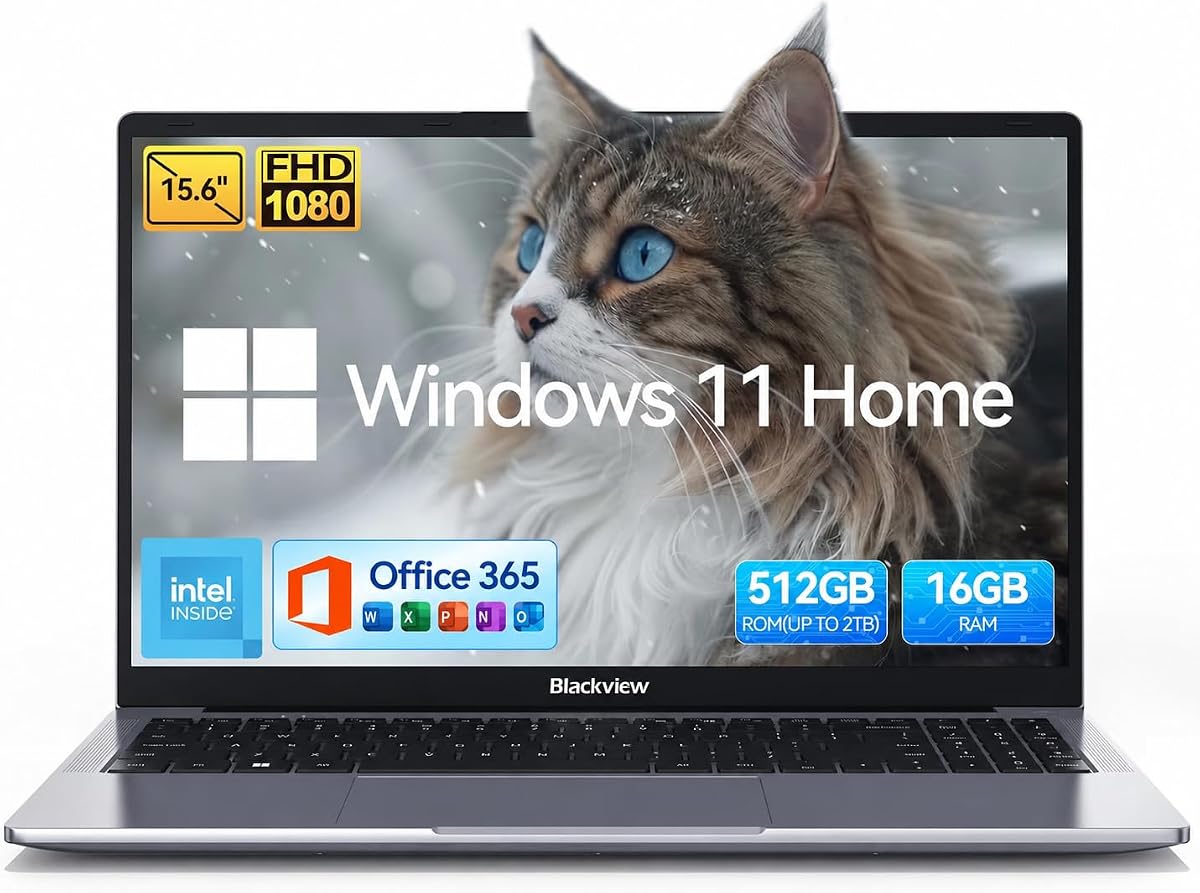
Designed for students, this laptop supports up to three displays. It includes HDMI and USB-C for extended workspaces. The budget-friendly design meets basic study and entertainment needs.
We may earn a commission when you buy through this link, at no additional cost to you.
Key strengths include multi-screen capability for research and reference. The lightweight build aids daily transport. It handles everyday tasks like browsing and streaming easily.
The processor is modest, limiting heavy gaming or editing. Battery life may vary with load. These limitations fit a budget focus for academic use.
Choose this if you need a low-cost triple-display solution. It suits students prioritizing screen real estate over raw power.
Support for extended displays helps organize research and coding tools simultaneously.
Lightweight design makes it easy to carry for classes or casual use.
We may earn a commission when you buy through this link, at no additional cost to you.
This business laptop offers a blend of speed and storage. The Intel Core i7 processor handles corporate apps efficiently. With Windows 11 Pro, it supports enterprise security features.
We may earn a commission when you buy through this link, at no additional cost to you.
Key strengths include a 2TB SSD for ample file storage. The touchscreen adds flexibility for presentations. It connects well via Wi-Fi 6 and HDMI.
HDMI version limits monitor specs slightly but fits general business use. Weight may impact portability compared to ultrabooks. These factors suit a fixed office setup.
Buy this for reliable office productivity and storage. It offers strong specs for teams needing secure and capable laptops.
Windows 11 Pro enables secure enterprise management and remote access features.
2TB SSD provides room for large archives and project files without external drives.
We may earn a commission when you buy through this link, at no additional cost to you.
This HP laptop balances performance with portability for users. The 12th Gen i7 supports efficient productivity tasks. Its lightweight design makes it easy to carry daily.
We may earn a commission when you buy through this link, at no additional cost to you.
Strengths include privacy features like a camera shutter for secure calls. The anti-glare display reduces eye strain. Battery life supports long work sessions without charging.
16GB RAM may limit heavy multitasking. It lacks a dedicated graphics card. These trade-offs are acceptable for general academic or business use.
Choose this for a lightweight privacy-focused device. It serves professionals needing secure and portable connectivity.
Integrated privacy shutter and mic mute provide control during online meetings.
Anti-glare coating reduces glare for comfortable viewing in varied lighting.
We may earn a commission when you buy through this link, at no additional cost to you.
Dell Pro laptop offers responsive performance for daily tasks. The DDR5 RAM ensures fluid multitasking. Its 120Hz refresh rate delivers smooth visuals for browsing.
We may earn a commission when you buy through this link, at no additional cost to you.
Strengths include fast storage and flexible ports including HDMI and SD. It supports reliable wireless connections. The SD slot adds media transfer convenience.
Lower core count limits heavy loads. SSD capacity may fill quickly. These are acceptable for basic computing needs.
Buy this for smooth everyday performance at a fair price. It suits home or office users needing dependable tools.
120Hz refresh rate provides fluid scrolling for media and web usage.
SD card slot allows quick file movement from cameras or drives.
We may earn a commission when you buy through this link, at no additional cost to you.
This Lenovo laptop prioritizes security and reliability for users. It includes a hardware security chip for data protection. MIL-SPEC testing ensures durability against daily wear.
We may earn a commission when you buy through this link, at no additional cost to you.
Key strengths include Ethernet for stable wired connections. The webcam shutter controls privacy access. Windows 11 Pro supports secure enterprise management.
Ryzen 3 processor suits light business tasks. RAM limits heavy multitasking. These are acceptable for secure office environments.
Choose this for secure data handling and wired reliability. It fits professionals needing trusted computing in varied settings.
TPM 2.0 encrypts critical info like passwords to prevent unauthorized access.
MIL-SPEC testing ensures the laptop withstands tough conditions and travel.
We may earn a commission when you buy through this link, at no additional cost to you.
This Lenovo V-Series supports heavy data processing with high RAM. The 40GB RAM enables multiple applications to run smoothly. Its 2TB SSD stores extensive files securely.
We may earn a commission when you buy through this link, at no additional cost to you.
Strengths include a numeric keypad for efficient data entry. Windows 11 Pro aids organized workflows. Ethernet ensures stable wired connections.
Weight may reduce portability slightly. Display size limits viewing comfort. These trade-offs suit data-focused professionals.
Buy this for high-capacity business and data tasks. It serves office environments needing fast access to large datasets.
Numeric keypad enhances efficiency for accounting or spreadsheet management tasks.
40GB RAM supports complex multi-app workflows without performance drops.
We may earn a commission when you buy through this link, at no additional cost to you.
Lenovo Essential offers a budget entry with modern features. DDR5 RAM improves performance for the price. The privacy shutter ensures secure video calls.
We may earn a commission when you buy through this link, at no additional cost to you.
Strengths include lightweight design and certified durability. Wi-Fi 6 supports fast connections. The low cost makes it accessible for users.
Limited storage may need external drives. RAM limits heavy apps. These are acceptable trade-offs for basic use.
Choose this for affordable essential computing. It suits students or casual users needing reliable entry-level hardware.
DDR5 memory delivers faster speeds than older generations at low cost.
MIL-STD testing ensures durability for daily portable computing tasks.
We may earn a commission when you buy through this link, at no additional cost to you.
Selecting a laptop with multiple HDMI outputs requires considering several key factors to match your workflow needs.
Check the HDMI version (1.4 vs 2.0 or higher) to ensure it supports your monitor's resolution and refresh rate. Some models use USB-C for external displays, so confirm the HDMI specs match your hardware.
Prioritize newer HDMI versions for 4K support and better video quality in multi-screen setups.
More RAM allows more windows and apps to run smoothly without lag. Consider 16GB or higher for heavy productivity or video work.
Higher memory improves system responsiveness during dual-monitor usage.
A strong CPU handles data and video processing required for external displays. Look for recent Intel Core i5/i7 or AMD Ryzen models.
Adequate processing power ensures stable multi-tasking without slowdowns.
A larger internal screen with good resolution helps work alongside external monitors. IPS panels provide better viewing angles for color accuracy.
Choose high resolution for clarity when splitting screens across devices.
Large SSD storage stores files needed for presentations or data projects. NVMe SSDs offer faster boot and file access speeds.
Adequate storage keeps your system fast and organized.
If you travel, a lighter laptop makes carrying multiple screens easier. Consider weight and dimensions for daily transport.
Balance power with weight to suit your working style.
Windows 11 offers better multi-monitor management and support for apps. Some users may need Pro versions for business features.
Select an OS that supports your workflow tools.
Driving external displays drains battery quickly. Choose a model with strong battery capacity if you work away from outlets often.
Longer battery life supports productivity on the go.
Connect monitors using the HDMI ports. If needed, use USB-C adapters for additional screens. Ensure cables are secure to maintain stable displays.
Adjust display settings in Windows to extend or duplicate screens for your workflow. Use keyboard shortcuts to switch between tasks.
Keep vents clean and avoid overloading the system with too many apps. Update drivers regularly for optimal display performance.
Yes, laptops with two HDMI ports support dual external monitors. If your laptop has only one HDMI port, you may need to use USB-C or DisplayPort outputs to connect additional screens depending on the model.
For 4K resolution at 60Hz, you need HDMI 2.0 or higher. Older HDMI 1.4 versions may limit resolution or refresh rates, so check your laptop's specs before connecting 4K monitors.
Yes, driving multiple external displays uses more power which can shorten battery life. Consider using external power sources or models with large batteries for extended use.
USB-C can carry video data and power, offering versatile connectivity. However, HDMI provides direct and simpler connections for most standard monitors without adapters.
In Windows Settings, select Display and choose Extend these displays to use external screens as extra workspace. This lets you move windows freely between monitors.
Many laptops support docking stations via USB-C or Thunderbolt ports to expand video outputs. Check your laptop's specs to confirm docking compatibility for more screens.
Our top picks include the Dell Inspiron 16 Plus for overall quality, the HP 17 for premium storage, and the Lenovo Essential for budget-friendly performance.
Focus on what matters most for your workflow whether it is screen quality, memory, or portability. Choose a model that fits your usage patterns.
Always check current prices and availability before buying to ensure you get the best deal on your new laptop.