
ASUS Vivobook Laptop Business Computer 2025-2026
4.1Editor score
24GB RAM for multitasking
1TB Storage with external drive
Windows 11 Pro included
Finding the right ASUS Business Laptop can transform your daily workflow and ensure you stay productive on the go. These devices are engineered to handle demanding tasks while providing security and reliability.
We have evaluated ten distinct models based on processor power memory capacity display quality and build durability. Each selection addresses specific professional needs from budget-conscious buyers to enterprise users requiring premium features.
Every pick below details key specifications pros and cons to help you make an informed decision. Please note that prices and availability change frequently so verify current listings before purchasing your new machine.
4.1Editor score

5.0Editor score

As an Amazon Associate we earn from qualifying purchases.
The following table provides a side by side overview of all ten selected ASUS Business Laptop models allowing you to quickly compare key specifications and features at a glance.



This model stands out as a top choice for budget conscious professionals needing robust specs. With a 4.1 rating it offers solid performance for everyday business tasks without breaking the bank.
We may earn a commission when you buy through this link, at no additional cost to you.
The 24GB RAM ensures smooth operation even with dozens of browser tabs and heavy applications open. The inclusion of a 500GB external drive alongside the internal SSD provides ample space for critical files.
While the 14 inch display is compact it features a NanoEdge design that maximizes screen real estate. Users should note that the bundle includes extra accessories which may add weight to your bag.
For small business owners or students this laptop delivers excellent value. It is the ideal choice for those prioritizing memory and storage over screen size in a portable package.
The generous 24GB RAM allows for heavy multitasking without slowdowns while the combined storage options keep your data accessible.
Windows 11 Pro provides advanced security features and management tools essential for business environments and remote work scenarios.
We may earn a commission when you buy through this link, at no additional cost to you.
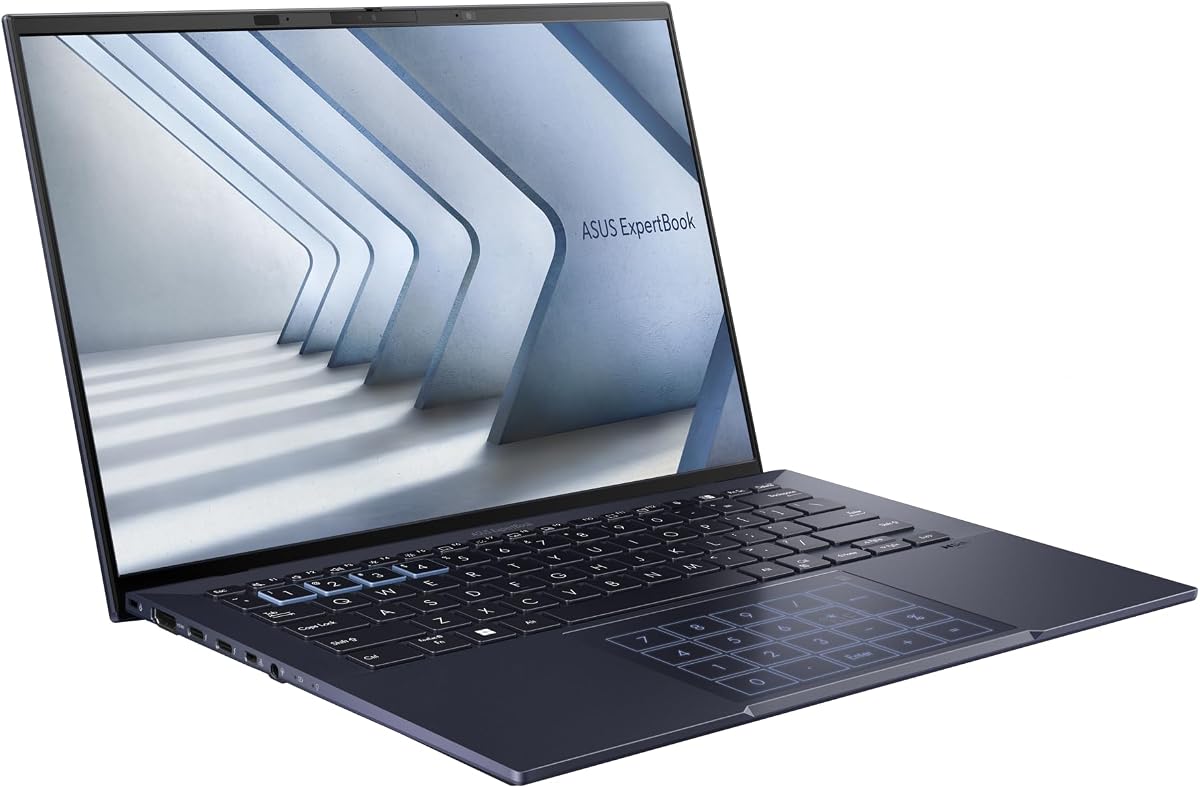
The ExpertBook B3 is designed for professionals who need cutting edge AI capabilities and enterprise level durability. It currently holds a neutral rating due to its recent market introduction.
We may earn a commission when you buy through this link, at no additional cost to you.
Its Intel Core Ultra processor features a dedicated NPU to handle AI workloads efficiently. This makes it perfect for tasks like intelligent conference optimization and complex data processing.
Users benefit from a rugged build that passes military standard tests ensuring longevity in demanding environments. The 32GB RAM and 2TB storage are more than sufficient for power users.
This device is recommended for corporate IT departments and heavy duty users. The investment pays off in performance reliability and long term usability for critical business operations.
Built in AI Boost handles intelligent tasks seamlessly allowing for smoother workflows during meetings and data analysis.
TPM 2.0 and Secured core PC support protect sensitive data against unauthorized access and cyber threats effectively.
We may earn a commission when you buy through this link, at no additional cost to you.
With a perfect 5.0 rating this laptop is the ultimate choice for travelers and executives who value portability above all. It weighs a mere 2.18 pounds making it easy to carry anywhere.
We may earn a commission when you buy through this link, at no additional cost to you.
The OLED display offers vibrant colors and deep blacks which is ideal for presentations and media consumption. The Intel Core 7 processor ensures fast performance in a compact chassis.
Sustainability is a key focus here with materials selected to minimize environmental impact. The dedicated Copilot key allows quick access to AI features enhancing productivity instantly.
We recommend this for professionals who fly frequently or work from various locations. Its combination of power weight and screen quality makes it the standout choice in this lineup.
Weighing only 2.18 lbs it reduces travel fatigue and fits easily into small bags for daily commuting.
The OLED technology delivers a superior viewing experience that brings documents and images to life with clarity.
We may earn a commission when you buy through this link, at no additional cost to you.
This model focuses on stability and heat management for prolonged business use. It comes with a neutral rating as it is a newer entry in the ExpertBook series.
We may earn a commission when you buy through this link, at no additional cost to you.
The ExpertCool system maintains stable temperatures even during heavy workloads preventing performance throttling. The 15.6 inch display offers a comfortable workspace for spreadsheets and multitasking.
Security is handled via TPM 2.0 and BIOS protection ensuring your data remains safe. The comprehensive port selection means you can connect peripherals without needing extra dongles.
Ideal for office workers who stay mostly at a desk this laptop balances power and practicality. The large screen and robust connectivity make it a strong contender for daily business tasks.
ExpertCool technology ensures the device stays cool during extended sessions protecting hardware longevity and performance.
A full range of ports including Ethernet and HDMI allows for easy integration with existing office setups.
We may earn a commission when you buy through this link, at no additional cost to you.
Rated 4.6 this laptop excels in visual quality due to its OLED panel. It is an excellent choice for designers or anyone needing color accuracy and sharp text rendering.
We may earn a commission when you buy through this link, at no additional cost to you.
The 2.8K resolution provides crisp details that reduce eye strain during long working hours. The aluminum magnesium chassis ensures durability while keeping the weight low for portability.
While it lacks touch input the screen quality more than makes up for it. The 16GB RAM is sufficient for most professional tasks though it cannot be upgraded later.
This device is recommended for creatives and executives who prioritize display quality. The combination of high resolution screen and light weight makes it a pleasure to use daily.
The 2.8K OLED panel delivers exceptional color accuracy and contrast ideal for media and design work.
Military Grade certification ensures the laptop can withstand daily wear and tear in transit.
We may earn a commission when you buy through this link, at no additional cost to you.
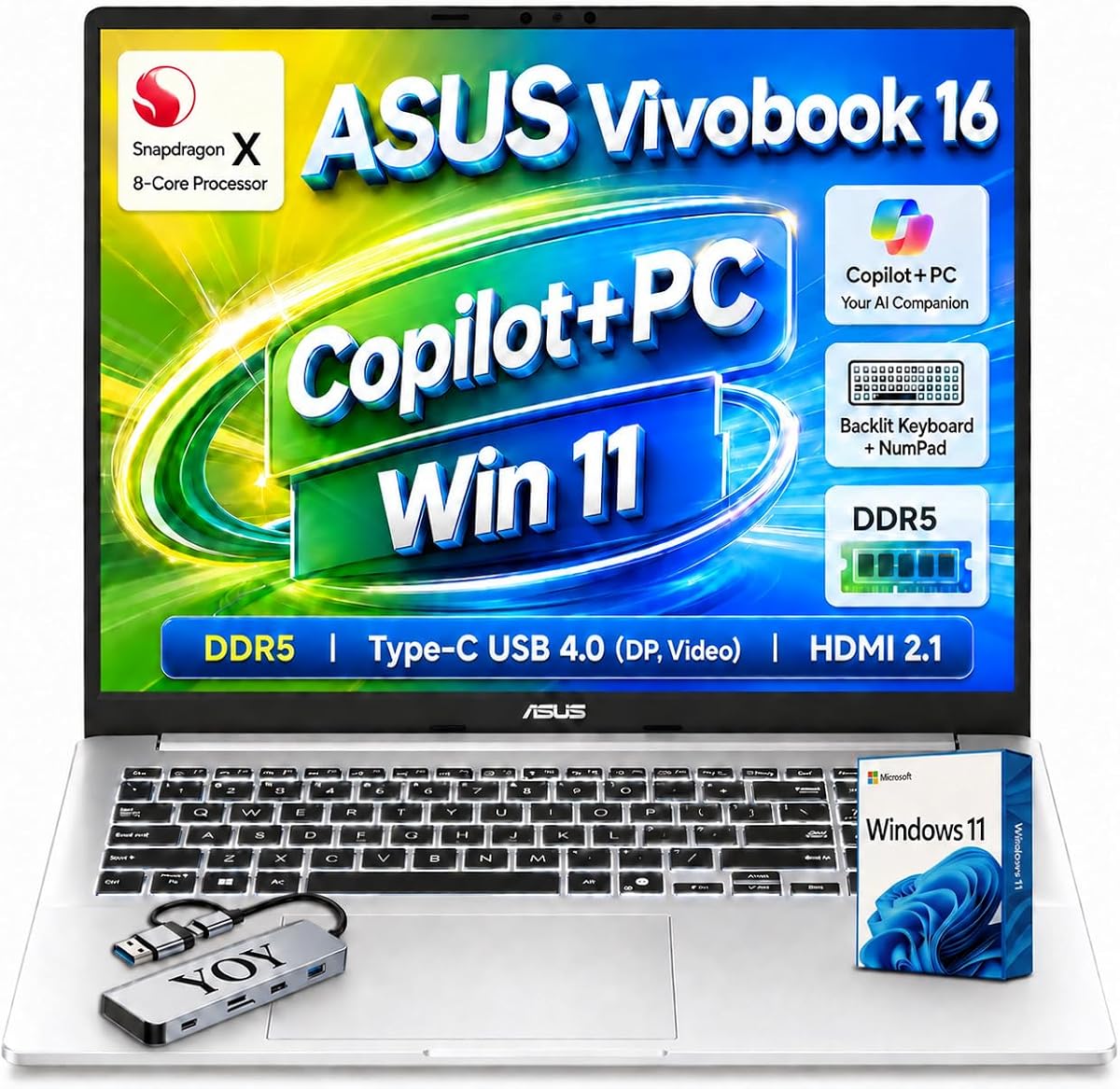
This laptop introduces the Snapdragon X platform offering significant AI capabilities and efficiency. It is designed for users who want the latest in mobile computing technology.
We may earn a commission when you buy through this link, at no additional cost to you.
The Qualcomm Hexagon NPU delivers high performance for AI tasks making it faster than traditional processors for specific workloads. The 16 inch screen provides ample workspace for productivity.
Battery life is optimized for all day usage without needing frequent charging. USB4 ports allow for fast data transfer and connection to high speed peripherals easily.
Tech savvy professionals should consider this for its future proof design. The focus on AI and efficiency makes it a strong candidate for modern mobile work environments.
Built for Copilot+ PC it leverages AI for enhanced performance and intelligent computing features.
Optimized power management ensures long runtime suitable for travel and remote work sessions.
We may earn a commission when you buy through this link, at no additional cost to you.
With a 4.8 rating this model is highly appreciated by users for its balance of price and power. It features a 13th Gen i7 that handles modern business applications with ease.
We may earn a commission when you buy through this link, at no additional cost to you.
The 16 inch display provides a comfortable workspace for multitasking. Included accessories like a docking station and external drive add significant value to the purchase price.
Windows 11 Pro ensures you have access to necessary enterprise features. The machine is robust enough for daily heavy use and offers reliable performance over time.
We recommend this for general business users who need a reliable all-rounder. It offers a great combination of specs and extras that meet most office requirements effectively.
Included accessories like docking stations enhance connectivity and usability without extra costs.
The 13th Gen i7 provides ample power for multitasking and demanding applications.
We may earn a commission when you buy through this link, at no additional cost to you.
This laptop holds a perfect 5.0 rating among users who appreciate its balance of speed and affordability. It utilizes AMD Ryzen power to deliver responsive performance for business tasks.
We may earn a commission when you buy through this link, at no additional cost to you.
The fingerprint reader offers quick secure access to your system. The 16 inch screen is bright and clear making it suitable for long hours of reading and writing.
While it ships with Windows 11 Home it is still a capable machine for most professional needs. The hardware upgrade potential allows for future customization if needed.
It is an excellent choice for small businesses or individuals on a budget. The high user satisfaction score indicates a reliable and satisfying user experience.
The fingerprint reader provides fast and secure login convenience for daily access.
The Ryzen 7 processor delivers strong multi core performance for demanding workflows.
We may earn a commission when you buy through this link, at no additional cost to you.
Offering similar specs to the higher rated model this version comes at a lower price. The 3.9 rating suggests potential issues with specific units or warranty services.
We may earn a commission when you buy through this link, at no additional cost to you.
It features the same Ryzen 7 processor and ample RAM for smooth multitasking. The hardware has been professionally upgraded to ensure better performance out of the box.
Users should be aware of the warranty terms which are provided by the upgrade partner. It remains a viable option for those needing high specs on a tight budget.
We suggest this for cost focused buyers who understand the trade-offs. It delivers essential performance metrics at an attractive price point for basic business use.
High end processor and memory are available at a competitive price for budget conscious buyers.
Third party upgrades ensure the system runs efficiently tailored for specific business needs.
We may earn a commission when you buy through this link, at no additional cost to you.
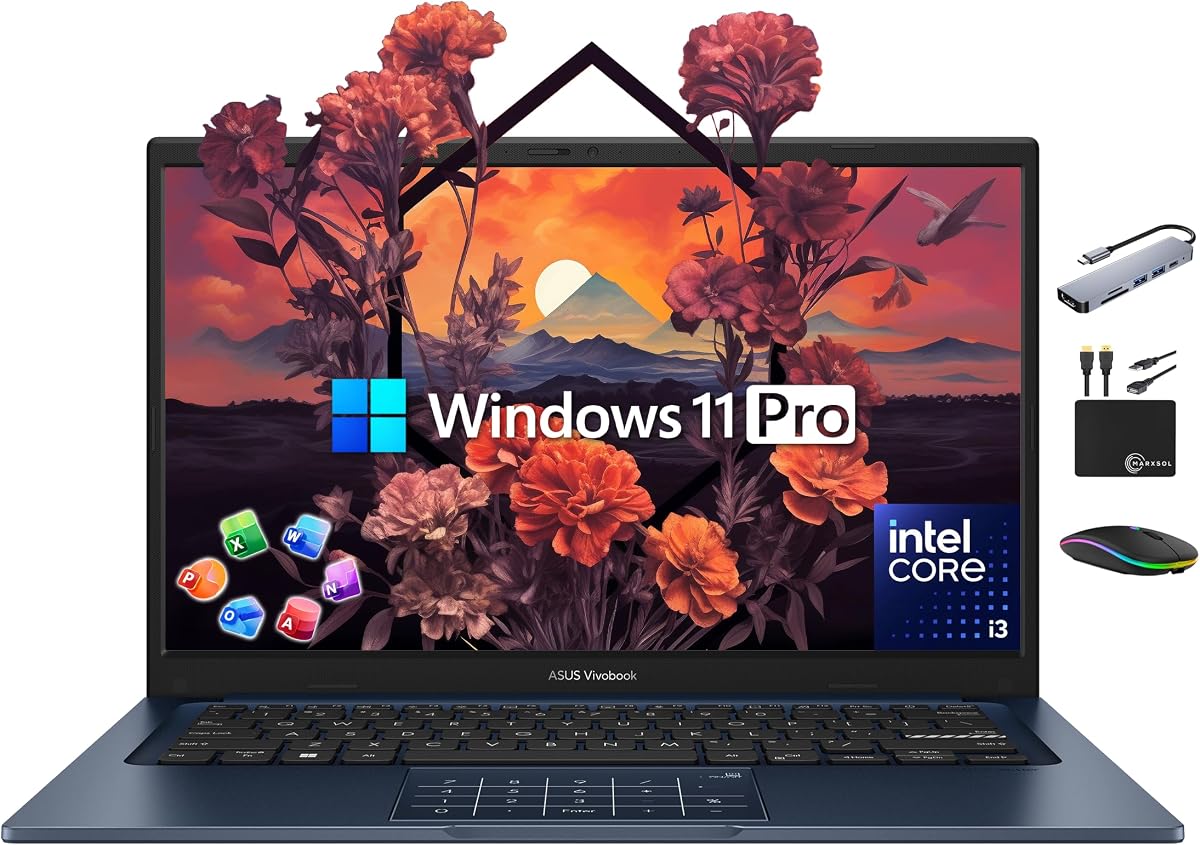
This laptop is designed for students or basic office tasks requiring a lightweight device. It boasts a 4.2 rating for its practical features and bundled software.
We may earn a commission when you buy through this link, at no additional cost to you.
The inclusion of a lifetime Office license is a major plus for long term users. The 24GB RAM compensates for the i3 processor by allowing many applications to run simultaneously.
Portability is key here with a compact 14 inch form factor. However the reliance on an external drive for full storage capacity may be inconvenient for some users.
We recommend this for students or light workers needing essential tools. The software bundle and memory specs make it a practical choice for specific basic scenarios.
Lifetime Office access reduces software costs and provides essential tools immediately upon setup.
An integrated privacy shield ensures webcam security without needing extra accessories.
We may earn a commission when you buy through this link, at no additional cost to you.
Selecting the right business laptop requires careful consideration of several key factors to ensure it meets your professional needs and budget.
The processor is the brain of your laptop and determines how quickly it can handle tasks. For business use look for Intel Core i5 or i7 or AMD Ryzen 5 or 7 processors to ensure smooth multitasking and fast application loading.
Prioritize a modern generation processor to guarantee longevity and efficient performance for years.
Adequate RAM is crucial for running multiple applications without slowdown. Aim for at least 16GB of RAM for business tasks. Storage should ideally be an SSD with at least 512GB capacity for speed and reliability.
Ensure the laptop has upgrade options if you anticipate needing more storage or memory in the future.
Since you will spend hours looking at the screen display quality significantly impacts productivity and comfort. Choose a resolution of 1920×1080 or higher to reduce eye strain. Anti glare coatings are essential for office environments.
A larger screen size can enhance productivity but consider portability needs when making your decision.
For professionals on the go battery life is a critical factor. Look for devices offering at least 8 to 10 hours of real world usage. fast charging capabilities are a bonus for quick top ups between meetings.
Always check independent reviews for actual battery performance rather than relying solely on manufacturer claims.
Business laptops often face travel and daily wear and tear. Models with military grade certification like MIL STD 810H are tested for durability against shocks and drops. A sturdy chassis ensures the device survives the commute.
Investing in a robust build pays off by extending the laptop's usable lifespan significantly.
Protecting sensitive business data is paramount. Look for hardware level security such as TPM 2.0 chips fingerprint readers and webcam privacy shutters. These features prevent unauthorized access and protect your identity.
Operating systems with built in encryption and management tools also enhance overall security posture.
Versatile connectivity allows you to work with various peripherals and networks. Ensure the laptop has sufficient USB ports HDMI and Ethernet options if needed. Wi-Fi 6 support guarantees fast and stable internet connections.
Adequate ports reduce the need for dongles and simplify your workspace setup.
Reliable customer support and a comprehensive warranty are essential for business continuity. Check if the manufacturer offers on site repair services or extended warranty options. A solid support network minimizes downtime.
Prioritize brands known for excellent after sales service to ensure peace of mind during your investment.
To maximize the lifespan of your ASUS Business Laptop keep it on hard flat surfaces to ensure proper ventilation. Avoid placing it on soft surfaces like beds or couches which can block vents and cause overheating.
Regularly update your Windows operating system and drivers to maintain security and performance. Use the power settings to manage battery consumption effectively if you frequently work on battery power.
Clean the screen with a microfiber cloth and avoid harsh chemicals. Keep the keyboard free from debris and store the laptop in a protective case during travel to prevent physical damage.
ASUS business laptops are designed with features like enhanced security with TPM chips and long battery life. They often include durability certifications and reliable build quality essential for professional environments.
Many models allow RAM upgrades but it varies by specific chassis design. Check the user manual or support page for your specific model to confirm if the memory is soldered or accessible.
Yes most models support external displays via HDMI or USB-C. They allow for extended screen setups which are helpful for productivity in office settings.
Average battery life ranges from 8 to 12 hours depending on usage and settings. High performance tasks may drain the battery faster so efficient power management is recommended.
Most of the selected models include Windows 11 Pro which offers advanced business features. Some budget friendly versions might come with Windows 11 Home so verify before purchasing.
Several models carry military standard certifications ensuring they withstand shocks and drops. This makes them highly durable for frequent travelers and field workers.
All new units come with a manufacturer warranty typically covering hardware defects for one year. Extended warranties are often available for purchase to cover accidental damage.
The ExpertBook series offers the best balance of durability and security for small business needs. Specifically the B3 and B9 models provide robust performance and reliability.
Choosing the right ASUS Business Laptop depends on your specific professional needs and budget constraints. From the highly rated Vivobook models to the durable ExpertBook series there is a choice for every user.
Prioritize factors like processor speed and memory and screen size to ensure the device supports your daily tasks efficiently. Security and portability are also critical considerations for modern work environments.
Always verify the current pricing and availability before making your purchase as offers can change quickly. We hope this guide helps you find the perfect machine to enhance your productivity.