
Benfei USB-C to Ethernet Adapter
4.5Editor score
Gigabit Ethernet Speeds
Plug and Play Setup
Durable Braided Cable
This guide compares the top ten Ethernet adapters for Android phones to help you find the most reliable wired network connection for your device today.
Finding a stable internet connection on your Android phone can be challenging when Wi-Fi signals are weak or inconsistent. Ethernet adapters bridge this gap by providing a reliable wired link for faster speeds and lower latency. These accessories are essential for gamers and professionals who need uninterrupted connectivity on the go.
We evaluated ten top-rated models based on compatibility, build quality, and real-world performance across various Android devices. Our selection includes both USB-C and Micro USB options to ensure every user can find a suitable match for their specific hardware needs. Each product was reviewed for its ability to deliver consistent gigabit speeds.
Every pick in this list highlights key features like driver-free installation, durable materials, and specific compatibility notes for popular Android brands. Please note that availability and stock levels may fluctuate over time so checking current listings is always recommended. We aim to provide the most accurate and helpful information for your purchasing decision.
4.5Editor score

4.7Editor score

5.0Editor score
This table provides a side-by-side look at the key specifications and features of each adapter to help you compare them easily before making a final decision.




The Benfei USB-C to Ethernet Adapter is a top choice for Android users seeking stable wired connectivity. It offers gigabit speeds and a plug-and-play experience that works seamlessly with modern devices without needing extra drivers.
We may earn a commission when you buy through this link, at no additional cost to you.
Its durable braided cable and premium aluminum casing ensure longevity and better heat dissipation during extended use. The non-slip design makes it easy to plug and unplug even in tight spaces or while traveling frequently.
While it requires a Cat6 cable for maximum speeds, this is a standard expectation for gigabit performance. Users should note it is not compatible with Nintendo Switch but works well with most USB-C smartphones and laptops.
This adapter is perfect for students and professionals who need reliable internet for work or gaming. With its extensive compatibility and strong warranty, it remains one of the best budget options available today.
Designed for plug-and-play connections, it provides stable gigabit ethernet even when wireless signals are weak or inconsistent.
Lightweight and non-slip, it fits snugly with USB-C ports for better signal protection and ease of use.
We may earn a commission when you buy through this link, at no additional cost to you.
The uni USB C to Ethernet Adapter delivers premium performance with stable 1Gbps speeds and a driver-free setup that works across multiple platforms. It is ideal for users who value build quality and long-term reliability in their accessories.
We may earn a commission when you buy through this link, at no additional cost to you.
Its thoughtful design includes a non-slip grip and braided nylon cable that withstands daily wear and tear. The aluminum casing helps dissipate heat efficiently ensuring consistent performance even during heavy data transfers.
Although it is priced slightly higher than basic models, the added durability and comprehensive customer support justify the investment. Most users report smooth connectivity on Samsung Galaxy devices and other Android tablets without issues.
For those seeking a high-quality connection that blends seamlessly with modern tech, this adapter is an excellent choice. It supports a wide range of devices and comes with a solid warranty for peace of mind.
Provides gigabit ethernet connectivity even when wireless connectivity is inconsistent or over extended periods.
Features a user-friendly non-slip design and premium aluminum casing for better heat dissipation and durability.
We may earn a commission when you buy through this link, at no additional cost to you.
This Micro USB OTG Ethernet Adapter is a practical solution for older Android tablets and devices that lack USB-C ports. It adds basic wired network capability allowing users to share files or printers easily without relying on unstable Wi-Fi.
We may earn a commission when you buy through this link, at no additional cost to you.
The LED indicator light helps diagnose connection status at a glance making troubleshooting simple for non-technical users. It is lightweight and compact so it can easily be stored in a travel bag or pocket for on-the-go use.
Users should verify their device supports Ethernet settings before purchasing as compatibility varies across Android models. While speeds are limited to 100Mbps, this is sufficient for basic browsing and video streaming tasks.
It is a cost-effective option for Raspberry Pi projects or legacy tablets that still need a wired connection. Ensure your device has the Ethernet menu in settings before buying to avoid any compatibility issues.
Requires an available Micro USB port and Android 2.1 or higher for proper driver-less operation.
Works well with Raspberry Pi 2 and Zero W making it versatile for various small computing tasks.
We may earn a commission when you buy through this link, at no additional cost to you.
The Cable Matters adapter stands out by integrating a 140W power delivery port allowing you to charge your device while maintaining a wired connection. This is ideal for laptops or phones that need constant power during long work sessions.
We may earn a commission when you buy through this link, at no additional cost to you.
Its robust aluminum housing ensures efficient heat dissipation even when handling high-speed data transfers and power delivery simultaneously. The braided pigtail cable adds extra strength against bends and pulls during daily use.
While it is bulkier than simple adapters the convenience of charging makes it worth the extra space. Users should ensure their power adapter supports 140W to take full advantage of the charging port feature.
For professionals who work from coffee shops or hotels this adapter provides both internet and power in one plug. It supports wide device compatibility including many Android models and Windows laptops seamlessly.
Provides stable ultra-fast wired connection with full gigabit speed ideal for streaming and large downloads.
Integrated USB-C PD port supports high-performance charging while keeping you connected to the network.
We may earn a commission when you buy through this link, at no additional cost to you.
UGREEN offers a reliable 1000Mbps adapter that works with most Android phones and tablets without requiring additional software. The aluminum alloy case provides superior heat management compared to plastic alternatives for long-lasting performance.
We may earn a commission when you buy through this link, at no additional cost to you.
Its small form factor makes it easy to carry in a pocket or laptop sleeve while the LED indicator clearly shows connection status. Users can quickly verify if the network is active or troubleshooting connection problems.
While it supports most systems seamlessly some Linux users may need to install drivers manually. This minor drawback is offset by the adapter's excellent build quality and universal plug-and-play experience.
Ideal for students and remote workers who need a stable internet connection for video calls or downloads. The combination of speed durability and price makes it a top contender in the market today.
Supports fast speeds up to 1000Mbps perfect for work gaming streaming or downloading reliably.
Features a durable aluminum alloy case and reinforced cable tail for long-lasting durability.
We may earn a commission when you buy through this link, at no additional cost to you.
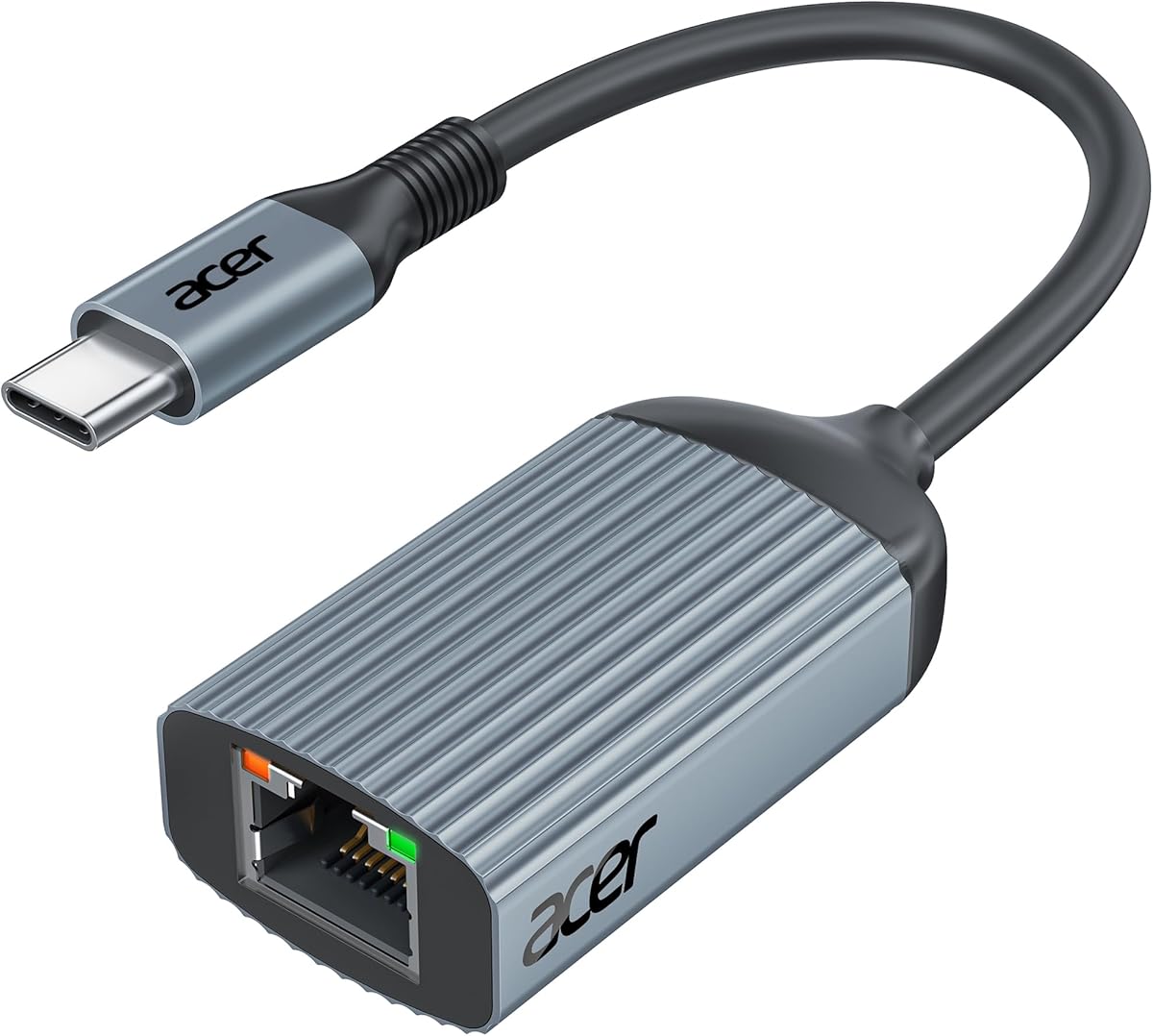
The Acer adapter uses the RTL8153B chipset to ensure peak performance with low power consumption and heat output. It is a great choice for those who prioritize efficiency and consistent connection quality without complex setup steps.
We may earn a commission when you buy through this link, at no additional cost to you.
Two indicators provide clear status display so you know exactly when the connection is active or needs attention. Its compact aluminum body fits easily into bags making it perfect for travel or daily commutes.
While it requires Cat6 cables for full 1Gbps speeds this is standard for most high-performance networks. The adapter is designed to be sturdy and withstand frequent plugging and unplugging over time.
Students and professionals alike will appreciate its reliability for online meetings or gaming sessions. It offers a solid balance of performance and durability at a competitive price point in the market.
Solves spotty Wi-Fi problems with stable ethernet connection to your laptop tablet or phone.
Immediately connects to wired network without download drivers or software needed.
We may earn a commission when you buy through this link, at no additional cost to you.
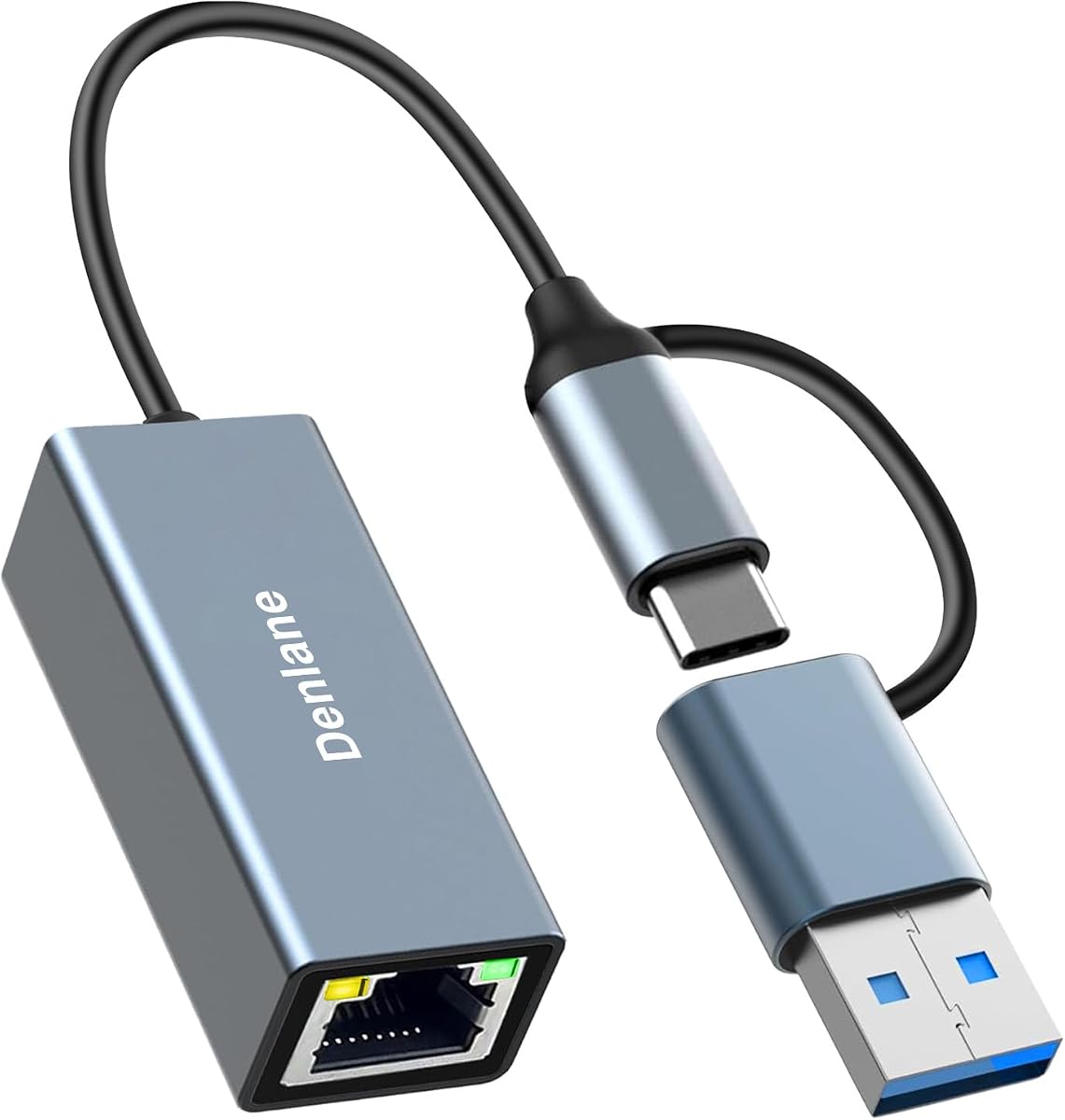
This adapter features a unique dual-interface design allowing connection via USB A or USB C for maximum flexibility. It supports 1000Mbps speeds ensuring fast data transfer rates for gaming and large file downloads.
We may earn a commission when you buy through this link, at no additional cost to you.
The cable is designed to be soft and adjustable allowing for various angles during use without stress or damage. High-durability aluminum alloy construction ensures the body stays cool during prolonged usage sessions.
While ratings are slightly lower than top picks the dual connector feature adds versatility for older devices. It is particularly useful for households with mixed hardware types needing wired network access.
Ideal for users who want one adapter for multiple scenarios from desktop PCs to smartphones. Check device compatibility carefully to ensure optimal performance with your specific model and OS.
Unique dual-interface design meets various scenarios with USB A or USB C connectivity options.
Made from high-durability aluminum alloy for smooth sturdy feel and flexible cable adjustments.
We may earn a commission when you buy through this link, at no additional cost to you.
This adapter supports up to 5Gbps speeds making it ideal for future-proofing your network setup. It is robust enough to withstand daily wear and tear while remaining compact for easy travel.
We may earn a commission when you buy through this link, at no additional cost to you.
The plug-and-play installation requires no drivers across Windows macOS Chrome OS or Android devices ensuring hassle-free setup. Being powered by USB-C means no extra power adapters are needed which simplifies your workspace.
Though it is more expensive than standard adapters the speed benefits justify the cost for power users. It works seamlessly with most laptops tablets and smartphones providing reliable high-speed connectivity.
For those investing in high-speed internet at home or work this adapter ensures your device can keep up. It is a solid choice for tech enthusiasts looking for maximum performance without extra cables.
Compact and portable to easily slip into a laptop bag or pocket for travel convenience.
Faster connection than Wi-Fi with robust aluminum housing that withstands daily wear and tear.
We may earn a commission when you buy through this link, at no additional cost to you.
This adapter uses a unique RJ45 male plug design so you can connect a standard USB-C cable instead of carrying a separate Ethernet cable. It is perfect for travelers who want to reduce the weight of their tech gear.
We may earn a commission when you buy through this link, at no additional cost to you.
The aluminum shell provides efficient heat dissipation while built-in overcurrent protection safeguards your device from electrical issues. Its compact size fits easily in pockets ensuring you never lose it during travel.
While it requires your own USB-C data cable this flexibility allows for longer or shorter connection lengths as needed. Linux users may need a driver install but most other systems work instantly.
For frequent travelers this design is a game-changer for convenience and portability. It offers reliable gigabit speeds and premium build quality at a reasonable price for most users.
No extra Ethernet cable needed just connect your daily USB-C to C data cable.
Delivers premium texture and fast heat dissipation while keeping cool during heavy use.
We may earn a commission when you buy through this link, at no additional cost to you.
This 2.5G adapter is ideal for users who want to upgrade their network beyond standard gigabit limits. It enables faster downloads and smoother streaming if your router supports higher speeds.
We may earn a commission when you buy through this link, at no additional cost to you.
The updated RTL8156BG chip ensures peak performance with low power consumption and heat output. Its aluminum construction is sleek and strong providing durability while looking professional in any setup.
While you need a 2.5G-capable router to unlock full speed it allows you to upgrade existing gear efficiently. Indicator lights make transmission status clear so you can monitor connections easily.
For power users looking for next-level performance this adapter is a smart investment. It is compatible with most modern laptops and tablets making it a great future-proof choice.
Supports internet speed up to 2.5Gb enabling devices to run at full speed.
Updated chip ensures peak run with low power and stable performance.
We may earn a commission when you buy through this link, at no additional cost to you.
Choosing the right Ethernet adapter for your Android phone depends on factors like port type, speed requirements, and build quality.
Ensure the adapter matches your device port. Most modern phones use USB-C while older models may need Micro USB OTG. Check your phone's specifications before purchasing.
Verify port type to ensure seamless connection without needing extra adapters.
Adapters offer speeds from 100Mbps to 2.5Gbps. For basic browsing 100Mbps is sufficient. For gaming or 4K streaming aim for at least 1Gbps.
Select speed that matches your internet plan and usage needs.
Aluminum housings provide better heat dissipation than plastic. Braided cables offer more durability against daily wear and tear.
Opt for materials that ensure longevity in portable setups.
Most modern adapters are plug-and-play. However check if your Android version or OS requires specific drivers for proper functionality.
Choose driver-free options to avoid installation issues.
Short cables reduce bulk but may limit reach. Consider a slightly longer cable if your router is far from where you use your phone.
Balance portability with convenience for your environment.
Some adapters offer charging ports. This is useful for devices that drain battery quickly while using wired internet for streaming or calls.
Pick models with PD if you need power while connected.
Prices vary based on speed and features. Basic models are affordable but premium ones offer faster speeds and durable materials.
Assess your budget against your performance needs.
Plug the adapter into your phone's USB-C or Micro USB port. Connect an Ethernet cable from the adapter to your router or modem to establish a wired connection.
Ensure your network settings are configured to use Ethernet. Most Android devices detect the connection automatically without additional settings adjustments.
Store the adapter in a protective case to prevent damage. Clean the connectors gently with a dry cloth to avoid dust buildup over time.
Most modern adapters are plug-and-play and do not require drivers. However some older Android versions or Linux systems may need specific drivers for functionality.
Not necessarily. You must choose an adapter that matches your phone's port type. Most modern phones require USB-C adapters while older models use Micro USB.
Some adapters offer power delivery ports that allow charging while connected. Check product specs to confirm if this feature is supported for your needs.
Standard adapters support up to 1Gbps while high-end models offer up to 2.5Gbps. Your router and internet plan will also limit the maximum achievable speed.
Slow speeds may be due to a damaged cable outdated network settings or incompatible hardware. Try a Cat6 cable and restart your device to troubleshoot.
Most Ethernet adapters are not waterproof. Keep them dry and avoid exposure to liquids to prevent damage to the internal components.
The top picks offer a range of solutions from budget-friendly options to premium high-speed adapters. Whether you need basic connectivity or advanced features there is a suitable choice for everyone.
Prioritize compatibility and build quality to ensure your adapter lasts and performs well. Consider your speed needs and port type before making a final decision.
Always check current listings for stock availability and latest updates. Prices and features may change so verifying details before purchase is recommended.