
Home Security Systems for House,16Piece Instant App Alerts Alarm System
4.7Editor score
Affordable entry price point
Supports up to one hundred sensors
Instant push alerts via app
Compare the top alarm systems without monthly fees. This guide reviews ten wireless security kits featuring smart app control, DIY installation, and reliable
Securing your home does not have to cost a fortune every month. Modern wireless alarm systems now offer robust protection without requiring expensive professional monitoring contracts.
We compared ten leading models based on connectivity options, sensor expandability, app usability, and overall build quality. Each system was evaluated on its ability to alert you instantly via smartphone.
Every pick below highlights key features and potential trade-offs to help you choose wisely. Please note that product prices and availability change frequently on retailer sites.
4.7Editor score

4.0Editor score
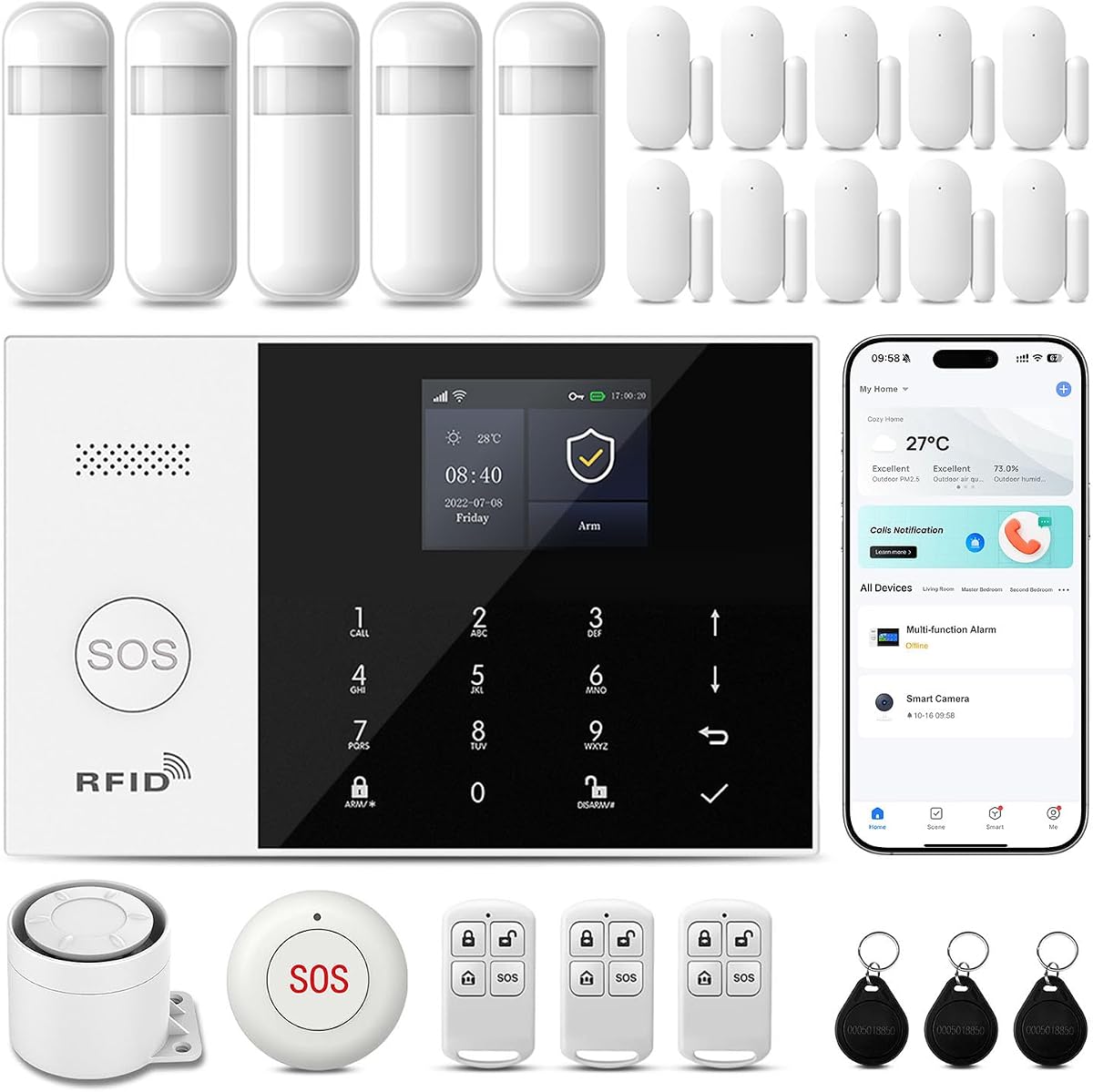
4.8Editor score
This side-by-side table summarizes the core capabilities of every model reviewed in this guide. Use it to quickly identify which kit matches your specific home layout and connectivity needs.


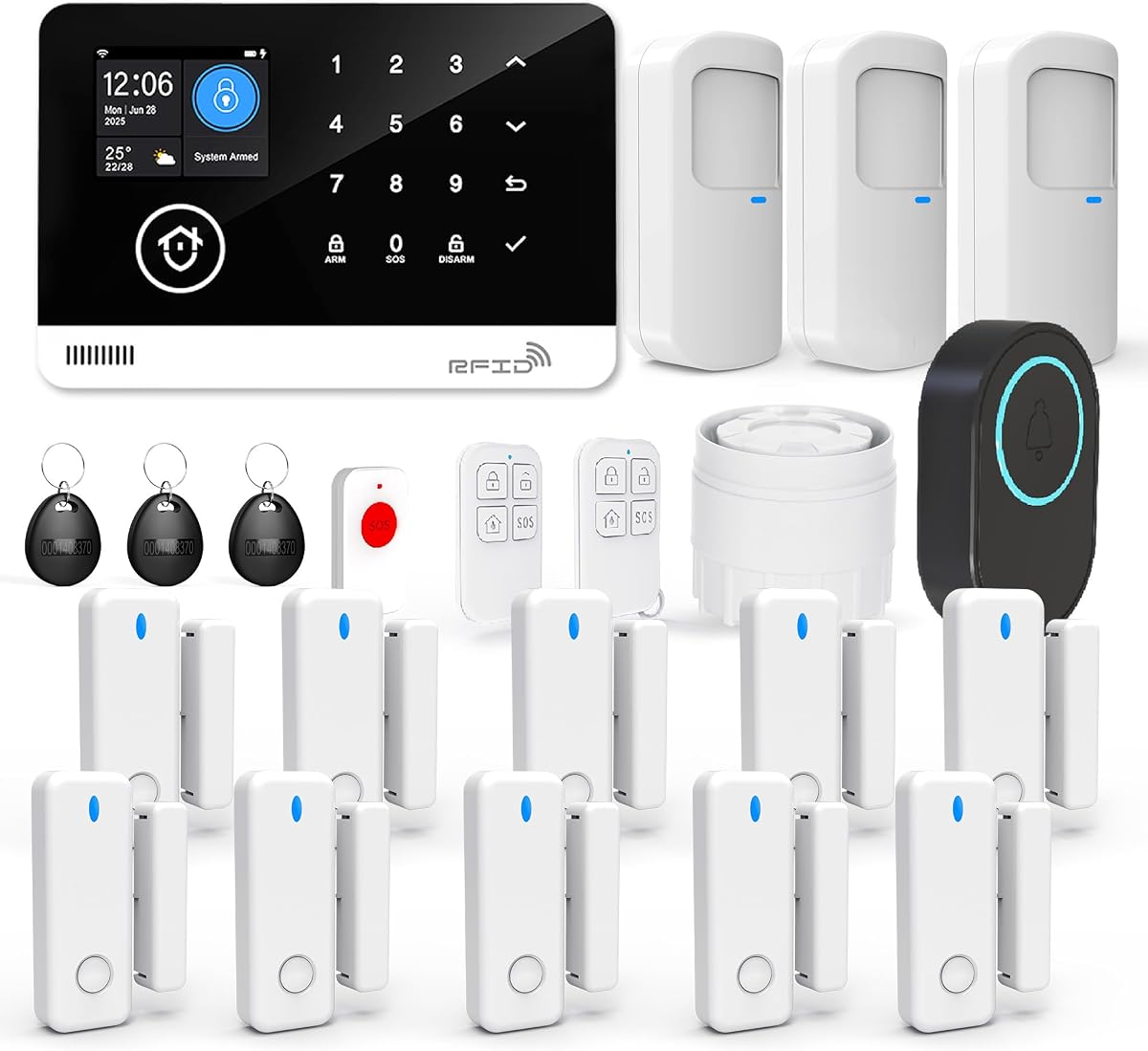
This system stands out for its dual connectivity options that ensure alerts reach you even if your home internet fails. It is rated well for reliability and ease of use through standard smart home apps.
We may earn a commission when you buy through this link, at no additional cost to you.
The automatic switch to 4G cellular provides a safety net that many cheaper kits lack. Voice commands via Alexa or Google allow quick arming and disarming without touching a keypad or phone.
While the initial sensor count is modest, the system is designed to grow with your needs. Users appreciate the straightforward setup process and the lack of hidden monthly fees.
This kit is ideal for homeowners who want dependable protection without complex monitoring contracts. Its balance of features and cost makes it a strong recommendation for most households.
The ability to switch to 4G ensures you remain protected even during widespread internet outages or local router failures.
Compatible with major voice assistants, this system allows you to manage security using simple spoken commands alongside your existing smart home routines.
We may earn a commission when you buy through this link, at no additional cost to you.
If your budget is tight but you need comprehensive coverage, this system offers one of the lowest costs while maintaining essential smart features. Its high sensor capacity makes it great for larger properties.
We may earn a commission when you buy through this link, at no additional cost to you.
You can manage all alerts through the Smart Life or Tuya app without paying for extra monitoring services. The system sends instant push notifications and supports SMS alerts as a backup channel.
Setup requires careful attention to pairing instructions but once configured, it functions reliably. The ability to customize alarm modes and phone groups adds flexibility for different security scenarios.
Buyers looking for maximum coverage without a monthly bill will find this model compelling. It proves that effective security does not need to come with a high price tag or recurring costs.
With support for up to one hundred wireless storage locations, you can add sensors over time without replacing the main hub as your needs grow.
Preset phone and SMS groups let you tailor notifications so specific family members receive alerts based on the type of event detected.
We may earn a commission when you buy through this link, at no additional cost to you.
This model delivers a high degree of satisfaction for those needing extensive coverage right out of the box. Its robust feature set includes scheduling and multi-user access for shared family protection.
We may earn a commission when you buy through this link, at no additional cost to you.
The dual network capability ensures stability while the app provides deep customization for arming times. Sharing system access with family members helps everyone contribute to keeping the home secure.
Though the price is higher than basic kits, the included components reduce the need for immediate add-ons. Users value the peace of mind that comes from comprehensive built-in protection.
For households wanting a complete solution without future purchases, this kit is a top choice. The balance of hardware quality and software flexibility justifies the investment for long-term security.
Customizable alarm scheduling lets you automate arming and disarming based on daily routines so you never forget to secure your home.
The included portable SOS device offers quick emergency alerts that notify your phone and trigger the main hub alarm instantly.
We may earn a commission when you buy through this link, at no additional cost to you.
This system excels at straightforward DIY security for standard homes that do not need cellular backup. Its loud siren and clear alerts make it a reliable deterrent against intrusion attempts.
We may earn a commission when you buy through this link, at no additional cost to you.
You can set up the base station and sensors quickly using included adhesives or screws. The eight-hour backup battery keeps protection active even during short-term power outages.
While it lacks cellular connectivity, the WiFi stability is good for most urban and suburban settings. Expanding with additional sensors and keypads is easy as security needs grow over time.
Those seeking a simple and effective solution without complex configurations should consider this option. It delivers core protection features without the overhead of subscription fees or cellular plans.
The 120dB siren is loud enough to scare off intruders and alert everyone inside the home during a security breach.
A built-in rechargeable battery ensures the system stays operational for up to eight hours if the main power is cut.
We may earn a commission when you buy through this link, at no additional cost to you.
If you already use Alexa throughout your home, this kit integrates smoothly for voice-activated security management. It provides a solid fifteen-piece foundation that covers most entry points.
We may earn a commission when you buy through this link, at no additional cost to you.
The siren helps deter intruders effectively while keeping your phone informed through instant alerts. You can arm or disarm the system hands-free using voice commands for added convenience.
Like many models, it depends on a stable 2.4GHz WiFi connection. Setup is straightforward with adhesive mounting so you can get protecting quickly without professional help.
Smart home users will appreciate the ability to manage security alongside other automated tasks. It remains a practical choice for those prioritizing voice control and ease of use.
Alexa compatibility lets you control your security status with simple voice commands, adding hands-free access to your routine.
Real-time alerts on your smartphone keep you updated on any suspicious activity as soon as a sensor is triggered.
We may earn a commission when you buy through this link, at no additional cost to you.
This system offers a visual status display that simplifies monitoring system health and weather info at a glance. Voice assistant support adds flexibility for hands-free control.
We may earn a commission when you buy through this link, at no additional cost to you.
The physical tamper design ensures that unauthorized removal triggers alarms and alerts immediately. You can receive SMS and phone calls for critical events depending on settings.
It supports multiple languages which helps diverse households set up and use the system comfortably. The included SOS button provides a quick way to summon help during emergencies.
Users who want a clear visual interface alongside advanced alert methods will appreciate this model. It balances modern connectivity with practical safety features for all ages.
The hub displays system status, weather, and date on a large color screen for easy visual monitoring without opening an app.
Physical tamper-proof design triggers alarms and sends alerts if someone attempts to remove the main unit without disarming it first.
We may earn a commission when you buy through this link, at no additional cost to you.
This kit stands out with a rechargeable battery providing up to forty-eight hours of backup power during outages. It ensures continuous protection when grid power is interrupted.
We may earn a commission when you buy through this link, at no additional cost to you.
The color screen shows system status and weather so you can monitor at a glance. Sensor names can be customized for clear identification in your phone notifications.
Setup is simple and the system relies solely on 2.4GHz WiFi for communication. The silent alarm mode allows you to receive alerts without sounding the siren immediately.
For households with occasional power issues, the extended battery life offers added peace of mind. It is a practical solution for those who want robust protection without monthly fees.
A rechargeable battery provides up to forty-eight hours of backup power ensuring your system works during prolonged outages.
Customize sensor names like front door or kid bedroom for easy identification in notifications and voice control routines.
We may earn a commission when you buy through this link, at no additional cost to you.
The hub features a four-point-three-inch color touchscreen that simplifies direct control without needing a phone or remote. It displays clear status for all connected accessories.
We may earn a commission when you buy through this link, at no additional cost to you.
You can switch between hub touch, app, remote, or RFID card control for flexible access. Silent alarm mode sends alerts to your phone without sounding the siren immediately.
Dual network connectivity ensures the system stays online even if your home internet fails. The setup is intuitive for elderly members thanks to the large touch interface.
Those who prefer a central control point rather than relying solely on a phone app will find this design appealing. It offers modern convenience with physical interface options for ease of use.
Direct adjustment via the hub touch interface makes it easier for elderly users to arm and disarm the system quickly.
Silent alarm mode avoids alerting intruders while allowing you to take protective measures when an unauthorized break-in occurs.
We may earn a commission when you buy through this link, at no additional cost to you.
This system is compatible with both Alexa and Google Home offering flexible voice control options for smart homes. It comes with a strong two-year replacement warranty for added security.
We may earn a commission when you buy through this link, at no additional cost to you.
The Smart Life app gives you full control over arming and event reviews instantly. You can expand the kit significantly as your security needs evolve over time.
The remote includes a one-touch SOS function ideal for children or elderly family members during emergencies. It is a practical solution for small to medium sized homes.
Those who value compatibility with multiple platforms and long-term warranty support will appreciate this model. It delivers reliable protection through standard smart home protocols without monthly fees.
Compatible with Alexa and Google Home it supports voice-controlled away arm home arm and disarm modes for seamless smart home integration.
Includes a two-year replacement warranty to ensure reliable protection and peace of mind for your family and property.
We may earn a commission when you buy through this link, at no additional cost to you.
This system provides cellular backup at an affordable price point compared to many competitors. It uses a 2G SIM card to maintain communication when WiFi is down.
We may earn a commission when you buy through this link, at no additional cost to you.
The kit includes many sensors to cover larger properties without immediate upgrades. You can also add RFID cards for secure access without needing a physical key.
While cellular speeds are slower, the reliability during internet outages is a significant benefit. Setup requires entering SIM details but the trade-off is worth it for security.
Households needing basic cellular redundancy without high subscription fees should consider this option. It offers a balance of connectivity and cost for users on a budget.
When WiFi is offline the system uses GSM 2G SIM card for stable operation and reliable alarm notifications.
When someone triggers the system the alarm system makes a call or sends a message to the preset phone number for alerts.
We may earn a commission when you buy through this link, at no additional cost to you.
Choosing a no-fee alarm system involves balancing connectivity, sensor needs, and smart features. Here are the key factors to consider.
Most systems use WiFi exclusively but some offer dual connectivity with 4G or 2G cellular backup. Cellular options ensure alerts reach you even if your internet is down.
Prioritize systems with dual networks if you live in areas with unstable internet.
Check the maximum number of sensors supported by the hub. Kits often start with six to ten pieces but may allow expansion to fifty or more over time.
Ensure the kit can grow as you add doors, windows, and detectors.
Smart apps like Tuya or Smart Life provide control and alerts. Look for features like user profiles, event logs, and push notifications.
Choose an app that supports your smartphone platform and offers intuitive controls.
Rechargeable batteries ensure the system works during power outages. Backup times vary from two hours to several days depending on the hub.
Select a model with sufficient battery life to cover potential outages in your area.
Louder sirens like 120dB help deter intruders effectively. Ensure the siren meets local noise regulations and your needs.
A strong siren provides immediate feedback when an entry is detected.
Integration with Alexa or Google Assistant allows voice control and automation. This can make arming and disarming more convenient.
Verify compatibility with your existing voice assistant ecosystem.
Tamper-proof designs ensure that removal triggers alarms. This prevents intruders from disabling the main unit.
Look for features that notify you if the hub is moved or damaged.
Longer warranties like two years provide protection against defects. Check if customer support is responsive to technical issues.
Prioritize brands with clear replacement policies for peace of mind.
Start by setting your master code and connecting the hub to your 2.4GHz WiFi network. Ensure the internet signal is strong where you place the hub.
Test all sensors by opening doors or triggering motion detectors to confirm alerts reach your phone. Adjust sensor positioning to avoid false triggers from pets or sunlight.
Keep the hub in a secure location and test the battery backup annually. Update your app credentials regularly to maintain account security.
No most models in this guide do not require a monthly subscription. You can arm and receive alerts through the mobile app without paying extra fees. Some advanced features like cloud storage may cost extra but basic alarms are free.
WiFi-only systems will stop sending alerts if the internet fails. However models with 4G or 2G cellular backup will switch to the SIM card to keep monitoring active. Check the specs to see which connectivity options your chosen system supports.
Yes most systems allow you to add sensors remotes and keypads to the existing hub. You can buy extra sensors online and pair them through the app or keypad. This flexibility helps you grow security as your home needs change.
Most units include a siren loud enough to scare away intruders. Decibel levels often range from 110dB to 120dB depending on the model. These levels are designed to be heard throughout most houses and apartments.
Many of the reviewed systems support Alexa and Google Home for voice control. You can arm disarm or check status using voice commands. Check product details for specific voice assistant compatibility.
Wireless systems are easy to take with you. You can peel off adhesive sensors or unscrew them and reinstall them in your new home. Some models use magnetic mounts for even simpler relocation.
The top picks like the 9-Piece system and the 16-piece budget option offer reliable protection without monthly fees. Each model provides a balance of features like cellular backup or high sensor capacity.
When selecting your system consider your internet reliability and smart home needs. Dual connectivity and voice assistant support can significantly improve long-term usability.
Prices and availability change frequently so check current listings on retailer sites. Use this guide to find a system that keeps your home safe and costs only once.