
Zalman CUBIX M-ATX
4.5Editor score
Compact seventeen liter volume
Sturdy steel construction
Affordable price point
Explore our expert guide comparing the top cube shaped PC cases for performance, airflow, and aesthetics to help you find the perfect compact build solution.
Cube shaped PC cases offer a unique aesthetic appeal while maintaining compact footprints for modern gaming setups. These innovative enclosures maximize visual impact through tempered glass panels and unique internal layouts that challenge traditional tower designs effectively.
We evaluated ten top rated models based on airflow efficiency, component compatibility, build quality, and value for money. Our analysis considers fan configurations, motherboard support, and cable management systems to ensure reliable performance under demanding gaming workloads daily.
Each selection showcases distinct advantages ranging from budget friendly options to premium modular designs. Prices fluctuate frequently so verify current listings before purchasing to secure the best deal available for your specific hardware requirements today.
4.5Editor score

4.7Editor score

4.4Editor score
This side by side comparison highlights key specifications across all ten selected models to help you quickly identify which case aligns best with your specific hardware constraints and aesthetic preferences without unnecessary scrolling.


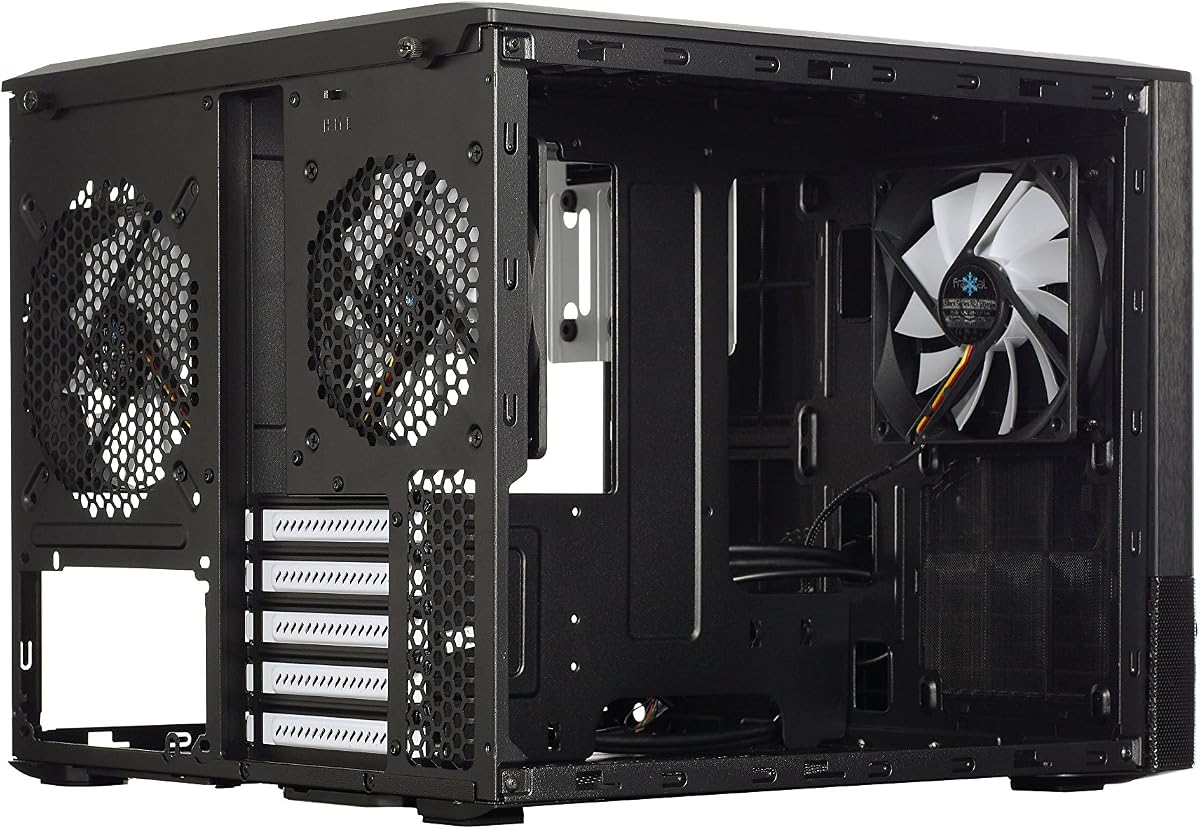

The Fractal Design Node 804 stands out as the premier choice for enthusiasts seeking a balance of form and function in a compact enclosure. With a consistent rating of 4.7 stars from verified users, this case delivers on its promise of exceptional airflow and modularity for complex builds.
We may earn a commission when you buy through this link, at no additional cost to you.
Its dual chamber layout effectively separates hot components from cooler zones ensuring optimal thermal management during intense gaming sessions. The included silent R2 fans contribute to quiet operation while the modular interior supports up to eight drives providing immense storage flexibility for media servers or workstations.
While the price is higher than budget options the durability and thoughtful design justify the investment. The lack of a large glass panel keeps dust out and maintains a minimalist Scandinavian aesthetic that appeals to professional environments or clean desktop setups.
Recommend this case for users prioritizing thermal efficiency and storage capacity over flashy RGB lighting. It remains a timeless choice for those who value engineering precision and reliability in their cube shaped PC builds today.
The dual chamber design naturally channels cool air directly to critical components while isolating heat sources effectively.
Support for multiple hard drives and SSDs makes this ideal for media centers or NAS integration without extra enclosures.
We may earn a commission when you buy through this link, at no additional cost to you.
For budget conscious builders the Zalman CUBIX M-ATX offers an accessible entry point into cube shaped chassis designs. With a rating of 4.5 stars it proves that functionality does not always require a premium price tag or complex features.
We may earn a commission when you buy through this link, at no additional cost to you.
Its sleek design and 0.8T steel construction provide a robust foundation for standard micro ATX components despite the compact volume. The perforated front panel ensures adequate airflow for entry level gaming systems without demanding expensive liquid cooling upgrades upfront.
Users should note that GPU support is limited to 260mm which may restrict future upgrades to larger cards. However the straightforward layout and easy installation make it perfect for beginners or secondary desktops where space is at a premium.
Select this case if you need a no fuss reliable chassis for office work or light gaming. It delivers solid value by focusing on essential structural integrity rather than aesthetic extras that drive up costs unnecessarily.
At 17.1 liters this case fits easily on desks or shelves without sacrificing core component compatibility for daily tasks.
Thick steel panels ensure the structure remains rigid and resistant to dents during shipping or regular handling.
We may earn a commission when you buy through this link, at no additional cost to you.
The Cooler Master QUBE 540 redefines versatility with a flexible orientation design that works seamlessly in vertical or horizontal positions. With a 4.4 star rating it appeals to advanced users who demand adaptability and high performance cooling for next generation hardware.
We may earn a commission when you buy through this link, at no additional cost to you.
Its massive GPU clearance supports cards up to 415mm ensuring compatibility with even the most powerful graphics processors available today. The full front mesh panel maximizes intake airflow while the reversible I/O panel allows you to customize the case layout to match your desk setup.
While assembly may require careful planning due to the movable handles and modular features the result is a highly functional workspace centerpiece. The inclusion of USB Type-C ensures fast connectivity for modern peripherals without needing rear access during active sessions.
Invest in this model if you value adaptability and need room for substantial hardware upgrades. It stands out as a premium solution for those who refuse to compromise on form factor flexibility or airflow efficiency.
Switch between horizontal and vertical layouts effortlessly to fit unique desk spaces or mounting configurations.
Accommodates the largest GPUs on the market today ensuring your build remains relevant for years to come.
We may earn a commission when you buy through this link, at no additional cost to you.
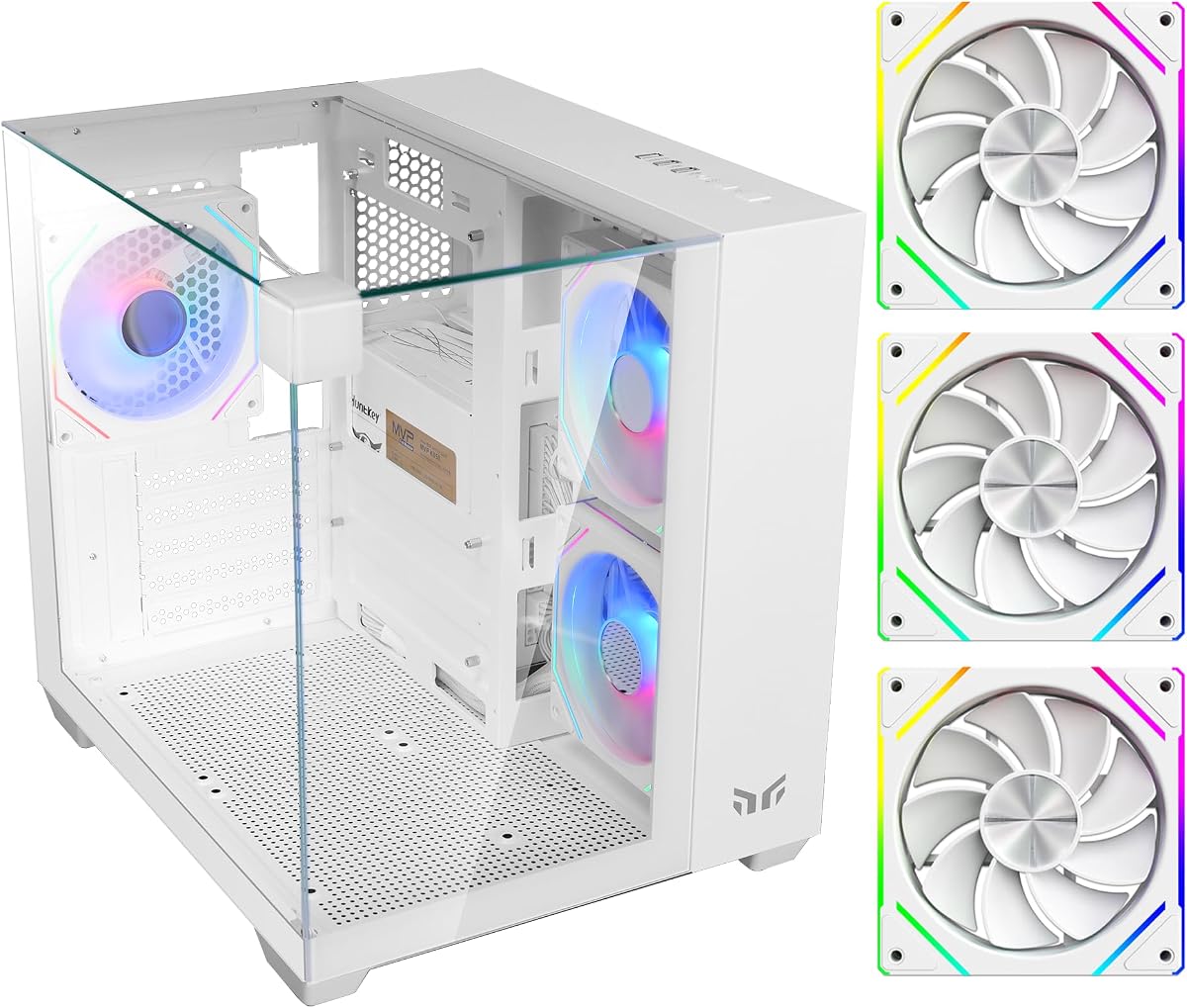
The Apevia Prism-WH delivers impressive visual flair with five pre-installed ARGB PWM fans and dual tempered glass panels. Its 4.2 star rating reflects solid performance for builders seeking vibrant lighting effects without breaking the bank on a micro ATX chassis.
We may earn a commission when you buy through this link, at no additional cost to you.
The dual chamber design helps organize components while the rear area hides cables effectively for a clean look. A convenient RGB light switch on top allows quick mode changes without needing complex software configurations on your main system.
Trade-offs include standard steel construction which may lack the premium feel of higher end options. Additionally the compatibility is limited to micro ATX motherboards which restricts expansion potential for larger motherboard form factors.
Choose this case if RGB aesthetics are your top priority and you have a smaller budget. It provides a complete package right out of the box with everything needed for a colorful gaming setup immediately.
Dedicated RGB switch allows rapid transitions between colors and effects without software dependency.
Back panel space ensures wires stay hidden maintaining the visual appeal of the glass front.
We may earn a commission when you buy through this link, at no additional cost to you.
The Zalman CUBIX-G brings a clean gaming aesthetic with fixed RGB lighting and a compact mini tower design. With a 4.4 star rating it offers a balanced entry point for casual gamers who need a stylish desktop presence without large dimensions.
We may earn a commission when you buy through this link, at no additional cost to you.
It includes three pre-installed FRGB fans ensuring adequate airflow for standard builds right out of the box. The modern front I/O includes USB Type-C for faster data transfer rates when connecting external storage or peripherals during use.
While GPU support is capped at 280mm this is sufficient for most mainstream cards. The compact size makes it ideal for smaller desks where a full tower would obstruct keyboard movement or monitor placement significantly.
This model is suitable for budget builds where looks matter more than extreme expansion. It proves that even inexpensive cases can offer modern features like USB Type-C without requiring expensive custom modifications.
USB Type-C port ensures compatibility with modern devices without needing additional adapters.
Mini tower profile saves desk space while still housing essential gaming hardware effectively.
We may earn a commission when you buy through this link, at no additional cost to you.
The Apevia Prism-Elite-BK takes airflow seriously with seven pre-installed ARGB PWM fans and a dual chamber layout. With a 4.0 star rating it appeals to users who prioritize maximum ventilation for high heat generating components in a mid tower form factor.
We may earn a commission when you buy through this link, at no additional cost to you.
Its dual chamber design isolates the PSU from the main system components while the ventilated metal side panel increases air circulation significantly. The seven fans provide substantial cooling power though they may require careful management to avoid excess noise.
Users should note that managing seven RGB fans might overwhelm a motherboard with limited headers. However the dedicated sync connector allows synchronized lighting effects across the whole system for a cohesive visual presentation.
Select this case if thermal performance is your primary concern and you plan to use water cooling. The high fan count ensures heat dissipates quickly even under sustained load without throttling your CPU or GPU.
Seven fans provide extreme cooling power for high performance systems that generate significant heat.
Separating power supply heat from main components improves overall thermal stability during long sessions.
We may earn a commission when you buy through this link, at no additional cost to you.
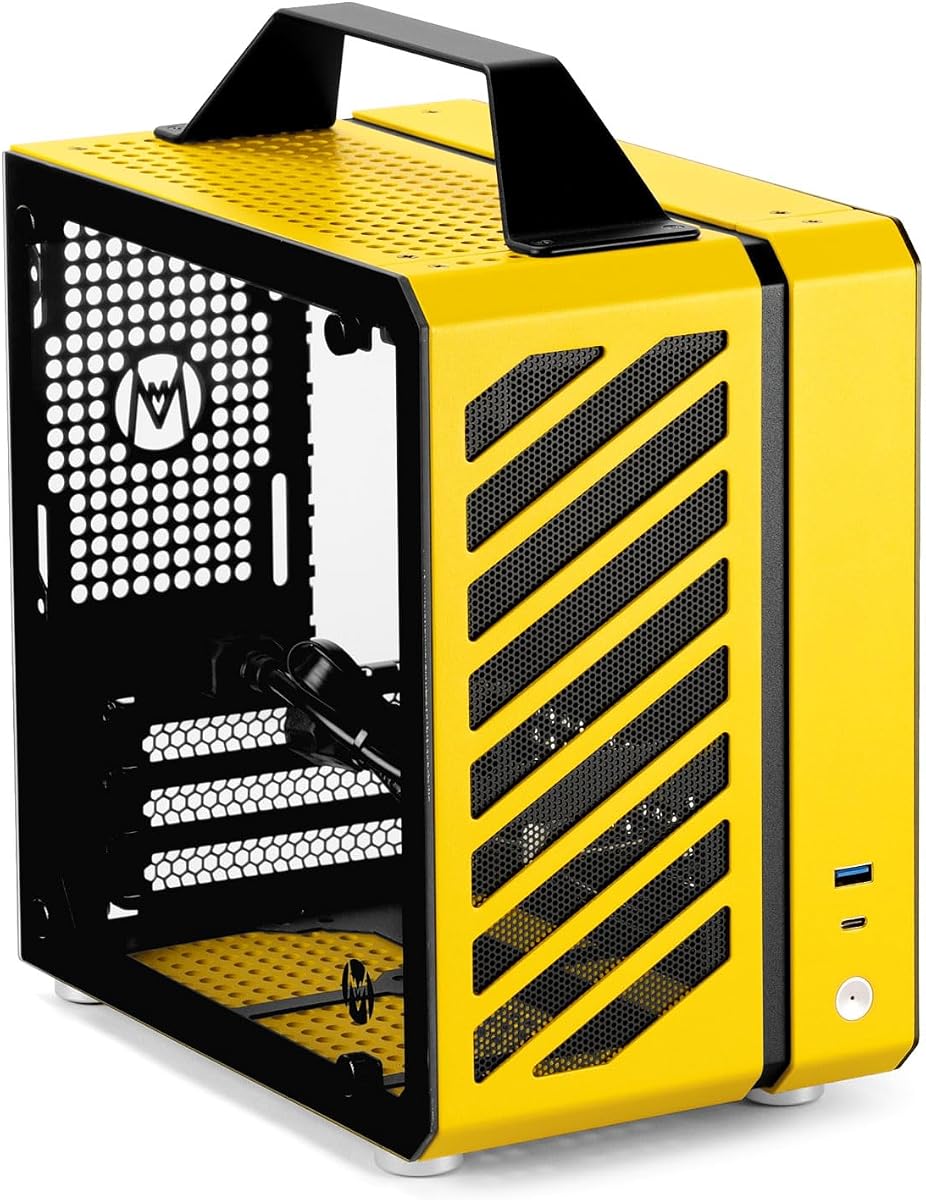
The Mechanic Master C24 is designed for mobility and compact desktops with an ultra small form factor and aluminum handle. Its 4.4 star rating confirms its quality for users needing a portable or space-saving system without sacrificing component support.
We may earn a commission when you buy through this link, at no additional cost to you.
It supports DTX motherboards and SFX PSUs fitting GPUs like the RTX 4060 series. Multi-fan support ensures airflow remains optimal despite the small volume while detachable panels allow tool-free installation for quick maintenance.
Due to the size GPU support is limited but sufficient for mid-range graphics. The premium aluminum-steel hybrid frame adds durability and a high-end look that justifies the price for portable setups.
This case is ideal for LAN party enthusiasts or those with very tight desk constraints. It offers the perfect blend of ruggedness and portability in a modern cube design.
Integrated handle allows easy transport to LAN parties or different rooms without disassembly.
Detachable panels simplify hardware installation making it easy for DIY users to swap components.
We may earn a commission when you buy through this link, at no additional cost to you.
The Yeah Magic Cube delivers a stunning 270-degree panoramic view with three tempered glass panels and a pillar-less design. With a 4.7 star rating it is perfect for users who want their build to be a true visual centerpiece on the desk.
We may earn a commission when you buy through this link, at no additional cost to you.
Its compact layout supports Micro-ATX motherboards and GPUs up to 325mm making it suitable for most mid-range setups. Pre-installed ARGB fans provide initial cooling while the cable routing design keeps wiring hidden for a pristine look.
The lack of extra fans may limit extreme cooling options for high heat components. However the optimized layout and dedicated PSU shroud ensure basic airflow needs are met without clutter.
Choose this case if aesthetics are your top priority and you want maximum visibility. It transforms a standard build into a showpiece with minimal effort using high quality tempered glass.
Pillar-less glass design removes barriers allowing you to admire your hardware from any angle.
Balances small size with robust component support for high performance compact builds easily.
We may earn a commission when you buy through this link, at no additional cost to you.
This version of the Node 804 offers the same high quality chassis without the power supply included. It provides a cost effective way to acquire a premium case while retaining the modular storage and dual chamber benefits that define the series.
We may earn a commission when you buy through this link, at no additional cost to you.
With support for up to ten drives and a durable aluminum steel construction it remains a versatile choice for storage-heavy builds. Users can pair it with any standard PSU to match their specific budget and efficiency needs.
Keep in mind that you will need to source fans separately as none are included with this specific SKU. However this flexibility allows you to pick fans that match your noise tolerance and airflow requirements perfectly.
Select this model if you already own a suitable power supply or want to build a custom cooling loop. It retains the structural excellence of the full package at a slightly lower upfront cost.
Allows you to choose a power supply that matches your exact wattage and efficiency requirements.
Reduced price makes premium case features accessible without paying for unnecessary bundled components.
We may earn a commission when you buy through this link, at no additional cost to you.
The Moonstone edition of the QUBE 540 offers a unique colorway that stands out from standard black chassis. While it shares the same core features as other models this version provides a premium aesthetic finish for distinct style preferences.
We may earn a commission when you buy through this link, at no additional cost to you.
It includes all standard features including flexible orientation and high airflow panels. The compact ATX design ensures compatibility with major components while the high quality construction maintains durability over long periods of use.
Due to being a newer colorway user feedback may be slightly less robust than standard versions. However the reputation of the brand ensures reliable performance regardless of the finish color.
Choose this model if you want a build that reflects a cleaner and more sophisticated desk setup. It is perfect for those who value visual uniqueness alongside technical performance.
The moonstone color provides a sophisticated look that contrasts well with standard black hardware.
Maintains full airflow and orientation features ensuring technical specs match the standard model exactly.
We may earn a commission when you buy through this link, at no additional cost to you.
Selecting the right cube shaped case involves balancing visual appeal with functional requirements to ensure long term satisfaction.
Ensure the case supports your motherboard size such as Micro ATX or ATX to avoid fitting issues during assembly. Check internal dimensions before purchase to confirm your CPU cooler and GPU will physically fit inside the chassis.
Always verify manufacturer specs for maximum GPU length and CPU cooler height before finalizing your order.
Look for cases with mesh front panels or perforated designs that allow cool air to reach components efficiently. Good airflow prevents thermal throttling during gaming sessions and extends the lifespan of your hardware over time.
Prioritize designs that include fans or offer mounting points for additional cooling units for best results.
Steel and aluminum constructions provide better structural integrity compared to cheaper plastics that may warp or crack over time. A sturdy frame ensures your internal components remain stable during transport or accidental bumps on the desk.
Invest in cases with thicker steel panels for better protection of your expensive internal components.
Effective cable management keeps wires hidden behind the motherboard tray for a cleaner aesthetic appearance. Look for dedicated cable routing holes and tie-down points that make installation easier and improve overall airflow.
Choose models with sufficient rear space to hide excess cables without obstructing airflow paths.
Cube cases often limit drive bays so check for flexible mounting options that suit your storage needs. If you need multiple hard drives look for modular trays that can accommodate both SSDs and traditional HDDs simultaneously.
Confirm the number of drive bays supported by the case before purchase to avoid future upgrades.
Decide whether you prefer tempered glass panels for component visibility or metal panels for a classic look. RGB lighting can enhance your setup but ensure it integrates well with your existing ecosystem without requiring complex software.
Select a finish that matches your room decor and personal taste to keep the setup enjoyable.
Modern USB 3.0 and USB Type-C ports are essential for quick data transfers and peripheral access during use. Ensure the I/O panel is positioned conveniently so you do not have to reach behind the case to connect devices.
Look for cases with USB Type-C support for future proofing your connection options.
Magnetic dust filters help prevent dust buildup inside the case which can impede airflow over time. Easy to remove filters simplify cleaning and maintenance ensuring your system runs at peak efficiency for years to come.
Check that intake areas are covered by removable filters to keep internal components clean.
When installing components ensure you use standoffs to lift the motherboard slightly and prevent electrical shorts with the metal frame. Always connect power and data cables before closing side panels to avoid reaching inside later.
Regularly clean dust filters with a soft brush or vacuum to maintain optimal airflow performance over the lifespan of your system. Check your fans periodically for dust buildup that might cause noise or vibration during operation.
If you plan to transport your PC secure all components properly to prevent movement during transit. Remove heavy graphics cards if necessary to protect PCIe slots from stress during shipping or travel.
Many modern cube cases feature mesh fronts and optimized layouts specifically designed for airflow. While some models rely on glass panels you can still achieve good cooling with proper fan placement and additional intake options.
Most cube cases support Micro ATX or Mini ITX motherboards but some premium models accommodate full ATX boards. Always check the manufacturer specifications to confirm the supported form factors before buying.
GPU upgrades depend on the physical length limits of the chassis. Verify the maximum GPU clearance listed for the case to ensure your new card will fit comfortably.
Many designs offer support for radiators either on the top or rear panels. Check the specific case dimensions to see if it supports your desired radiator size for a liquid cooling loop.
Look for cases with dedicated routing channels and tie-down points behind the motherboard tray. Effective routing keeps cables hidden and improves airflow by preventing obstructions in the main chamber.
Tempered glass used in PC cases is designed to withstand normal handling and use. However it is still fragile and should be handled with care during installation and cleaning to avoid accidental breakage.
Most cases include detailed manuals and tool-free panels to simplify the build process. Beginners should take their time and follow step by step instructions to avoid damaging components during installation.
The Fractal Design Node 804 leads the pack for thermal efficiency and modularity while the Zalman CUBIX M-ATX offers an accessible entry point for tight budgets. These top picks cover a wide range of needs ensuring there is a suitable option for every builder.
Prioritize airflow and component compatibility over flashy features to ensure your system remains stable and efficient. A well designed case protects your hardware and allows for future upgrades without needing to replace the entire chassis.
Always check current prices and availability before purchasing as stock levels can fluctuate quickly. Verify the latest specs on the retailer page to ensure compatibility with the specific hardware you plan to install today.