
Canon Canoscan Lide 300
4.2Editor score
Auto Scan Mode detection
Compact USB connectivity
PDF and copy functions
Finding the right scanner for your home or office can be challenging given the variety of options available today. You need a device that captures high-resolution images while remaining easy to use for daily tasks.
We have evaluated ten top-rated flatbed scanners based on resolution, speed, software features, and overall value. Our analysis includes detailed comparisons to help you identify the best fit for your specific needs.
Each product review highlights key strengths and limitations to ensure you make an informed decision. Please note that prices and availability may change frequently so verify current details before purchasing your next scanner.
4.2Editor score

3.7Editor score

3.9Editor score
As an Amazon Associate we earn from qualifying purchases.
The following table provides a side-by-side overview of each scanner's core specifications and capabilities to simplify your selection process.




The Epson Perfection V39 II stands out as a dedicated photo scanner offering exceptional clarity for personal archival needs. It earns a solid rating from users who appreciate its ability to restore faded memories with minimal effort.
We may earn a commission when you buy through this link, at no additional cost to you.
Its 4800 DPI optical resolution ensures that every grain of film or texture in a print is captured with precision. The included Easy Photo Fix technology allows you to breathe new life into old images with a single click.
While the scan speed is not the fastest on the market, the trade-off is worth it for the quality of output you receive. Users should note that it works best with flat items rather than thick 3D objects.
This model is ideal for hobbyists and families looking to digitize albums without a complex setup. The USB power and high-rise lid make it convenient for scanning books and keeping memories safe.
Easy Photo Fix technology automatically adjusts color and brightness to recover vibrancy in aged photographs without manual editing skills.
The removable lid allows you to scan bound books and fragile documents directly without removing pages or risking damage.
We may earn a commission when you buy through this link, at no additional cost to you.
The Canon Canoscan Lide 300 is a fantastic choice for users seeking a reliable scanner without breaking the bank. Its high user rating reflects satisfaction with its simplicity and consistent performance for everyday tasks.
We may earn a commission when you buy through this link, at no additional cost to you.
Auto Scan Mode makes it incredibly easy to use by automatically detecting whether you are scanning a photo or a document. This feature saves time and removes the guesswork from your workflow.
While it is not designed for professional photo restoration, it handles standard documents and receipts with ease. The compact size fits perfectly on small desks where space is at a premium.
We recommend this scanner for students or home offices that need to digitize papers quickly. Its straightforward design ensures you spend less time configuring settings and more time working.
The scanner automatically identifies the type of content you are scanning and optimizes settings for the best result instantly.
Its slim profile allows it to tuck away easily when not in use, making it perfect for small workspaces.
We may earn a commission when you buy through this link, at no additional cost to you.
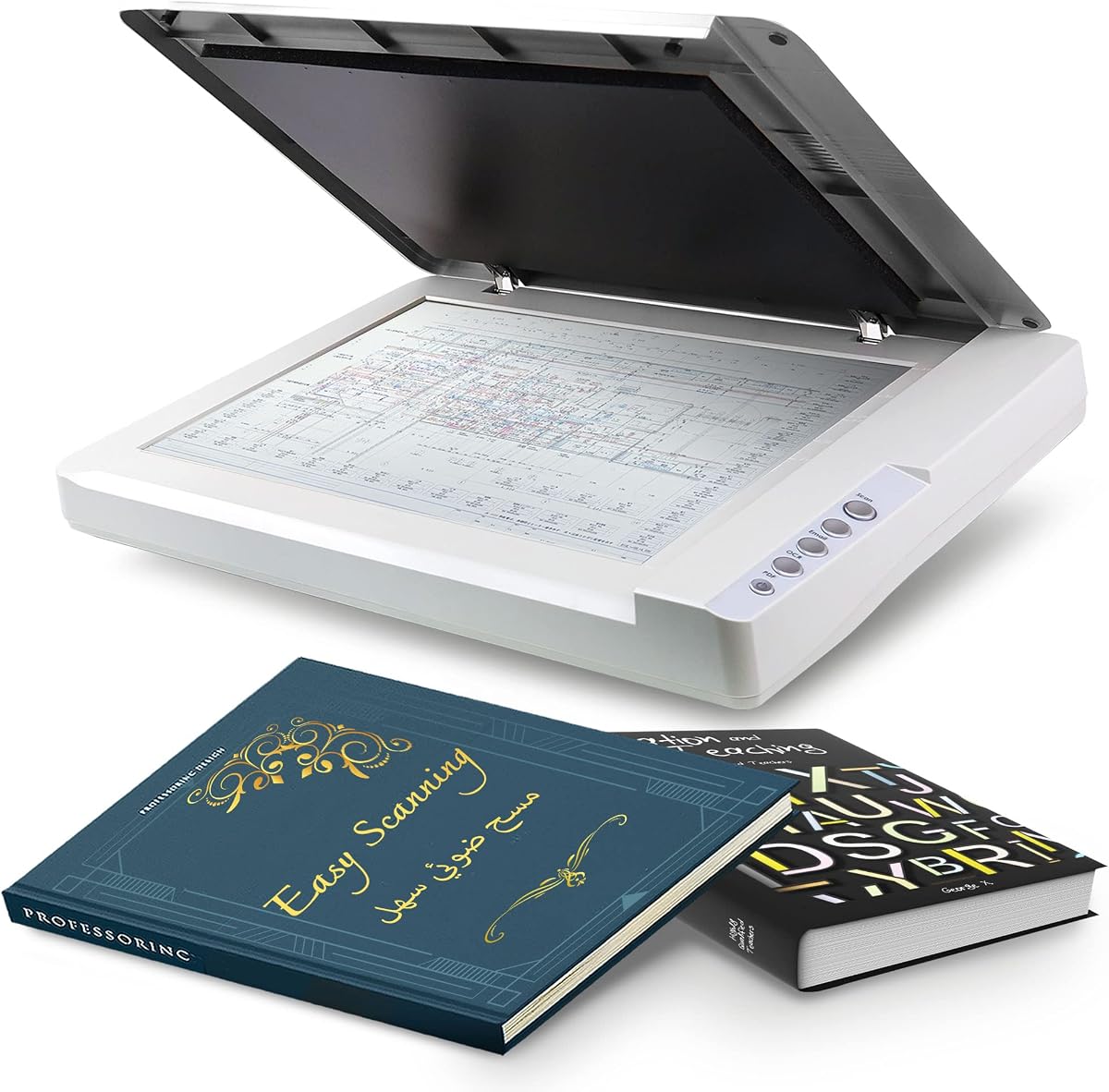
The VIISAN 3120 is engineered for environments that need to handle oversized documents like maps, magazines, and architectural prints. Users rate it well for its ability to capture large items in a single pass.
We may earn a commission when you buy through this link, at no additional cost to you.
With an A3 scanning area, this model accommodates sizes that standard home scanners simply cannot handle. The frameless design allows you to place documents right up to the edge for full content capture.
It is important to note that this scanner uses a CIS sensor which means it works best with flat paper rather than thick objects. Proper maintenance ensures consistent quality by avoiding white lines on scans.
This scanner is an excellent solution for schools, libraries, and small businesses managing large volumes of paperwork. Its robust build and compatibility with both Windows and Mac systems add to its versatility.
Capable of scanning documents up to 11.7 by 16.7 inches in a single take which is ideal for oversized materials.
The lack of a border allows edge-to-edge scanning so no part of your document is cut off during the process.
We may earn a commission when you buy through this link, at no additional cost to you.
The VIISAN VF3240 delivers premium performance for professionals who need speed and detail in their scanning workflow. Its rating reflects strong satisfaction among users who value efficiency in handling large documents.
We may earn a commission when you buy through this link, at no additional cost to you.
Achieving a four-second scan time for A3 color documents is a significant advantage in busy office environments. The 2400 DPI resolution ensures that even fine lines in technical drawings are captured accurately.
While the price is higher than budget models, the time saved and quality gained make it a worthwhile investment. Users should be aware that it is optimized for flat paper and not 3D items.
We recommend this scanner for engineering firms, architects, and graphic designers who rely on precise digital copies. Its frameless design and auto-scan features streamline the workflow for high-volume tasks.
Combines a four-second scan time with 2400 DPI resolution to deliver high-quality results without slowing down your workflow.
Built to handle continuous scanning tasks in professional settings with reliable drivers for Windows and Mac systems.
We may earn a commission when you buy through this link, at no additional cost to you.
The Epson Perfection V19 II offers professional quality photo scanning in a package that is exceptionally easy to store and transport. Users appreciate its ability to deliver crisp images despite its small footprint.
We may earn a commission when you buy through this link, at no additional cost to you.
Its 4800 DPI resolution ensures that photos are captured with rich detail suitable for enlargements or archival purposes. The kickstand feature allows you to store it vertically saving valuable desk space when not in use.
While the flatbed is small and it does not support automatic feeding of multiple pages, it excels at handling individual photos and documents. The software included helps you organize and scan files efficiently.
This model is perfect for photographers or collectors who need to digitize images without sacrificing quality. The USB power and lightweight design make it convenient to take on the go if needed.
The built-in kickstand allows for vertical storage which frees up desk space in crowded home offices.
Despite its small size, it offers a high optical resolution that ensures your photos look great in digital form.
We may earn a commission when you buy through this link, at no additional cost to you.
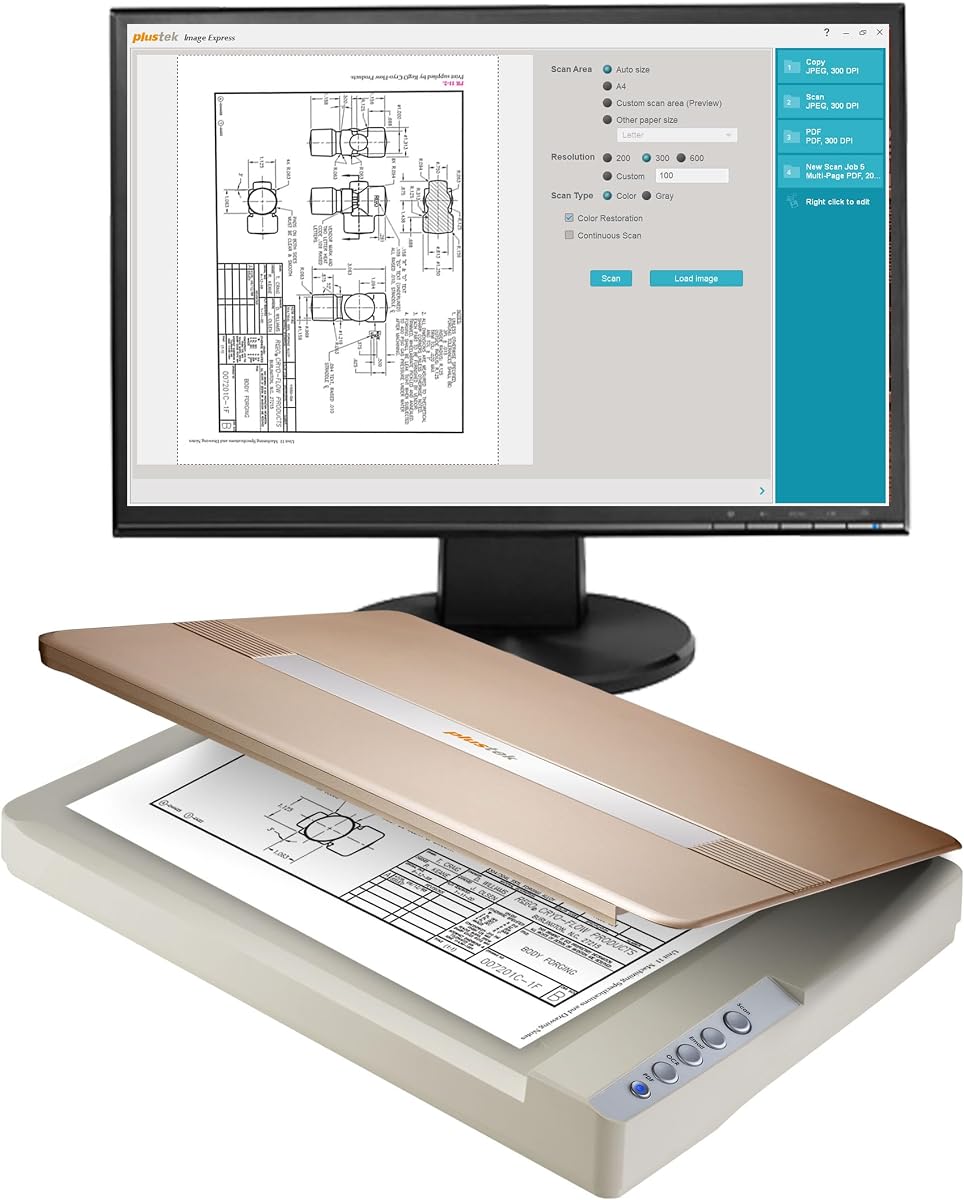
The Plustek OpticPro A320E is designed for users who need to handle large format documents with ease. Its rating suggests it is a reliable choice for offices that need more than basic scanning capabilities.
We may earn a commission when you buy through this link, at no additional cost to you.
With a generous scan area, you can easily accommodate maps, drawings, and wide-format paper without cropping important details. The software allows you to save scans in various formats for different purposes.
OCR functionality ensures that your scanned documents become searchable making them much more useful for future reference. This feature adds significant value for organizations managing large digital archives.
We suggest this model for small businesses or schools dealing with technical drawings and large reports. Its robust driver support ensures compatibility with most existing software systems.
The ability to save multiple files to different destinations including public folders and FTP servers simplifies file management.
Optical character recognition turns your scanned images into searchable text which greatly improves document retrieval speed.
We may earn a commission when you buy through this link, at no additional cost to you.
The Plustek OpticSlim 1680 prioritizes speed and convenience for users who need to process large documents quickly. Its rating highlights the efficiency gains it offers in a busy office environment.
We may earn a commission when you buy through this link, at no additional cost to you.
Scanning a tabloid-size document in just three seconds is a standout feature that saves valuable time during peak work hours. The intuitive interface ensures that users can start scanning without a steep learning curve.
The pre-configured buttons allow you to set destinations and file types beforehand so you can finish tasks with a single touch. This reduces the steps needed to get your documents into the right place.
We recommend this scanner for offices that frequently handle large reports or newspapers. Its robust driver support ensures compatibility with most existing software systems for seamless integration.
With a scan time of three seconds for tabloid documents, this model significantly speeds up your digitization workflow.
Pre-configured buttons let you save scans to specific folders or formats with a single press of a button.
We may earn a commission when you buy through this link, at no additional cost to you.
The Plustek OS1180 is tailored for educational and library environments where reliability and ease of use are paramount. Users appreciate its balance of speed and simplicity for daily digitization tasks.
We may earn a commission when you buy through this link, at no additional cost to you.
Its LED light source ensures there is no warm-up time so you can start scanning immediately when needed. The one-touch buttons make it accessible for users of all technical levels.
Scanning A3 documents in about nine seconds provides a good throughput for moderate volume work. The included software bundle includes powerful OCR tools that help manage large digital collections efficiently.
We recommend this scanner for small libraries or classrooms where staff need to scan books and documents without delays. Its robust build makes it a reliable workhorse for daily public access use.
The LED light source means the scanner is ready to use immediately without any waiting or warm-up time.
Designed specifically for schools and libraries to handle large format materials with minimal training for users.
We may earn a commission when you buy through this link, at no additional cost to you.
The Epson DS-1630 stands out for its ability to handle large stacks of paper with ease thanks to its auto document feeder. Users give it high marks for its speed and reliability in office settings.
We may earn a commission when you buy through this link, at no additional cost to you.
With a 50-page feeder and duplex scanning capability you can digitize both sides of documents automatically without manual intervention. This feature drastically reduces the time spent on large document projects.
While it is not designed for scanning photos, it is excellent for contracts, invoices, and text-heavy papers. The Ethernet connectivity ensures stable network access for multiple users if needed.
We recommend this scanner for offices with high-volume document processing needs. The three-year warranty provides peace of mind and ensures long-term reliability for your business operations.
The 50-page ADF allows you to feed stacks of paper continuously making it ideal for large document processing.
Duplex scanning captures both sides of a document in a single pass which halves the physical workload.
We may earn a commission when you buy through this link, at no additional cost to you.
The Plustek OpticSlim 2700 is designed for speed and ease of use making it a strong option for fast-paced offices. Users appreciate its quick scanning capabilities and simple button layout.
We may earn a commission when you buy through this link, at no additional cost to you.
With a three-second scan time you can convert physical documents to digital files almost instantly. The built-in PDF button allows you to create editable and searchable PDFs with a single press.
Software features like auto rotation and cropping help ensure your scans look professional without manual editing. This reduces the time you spend fixing orientation or alignment issues after scanning.
We recommend this model for small businesses that need to process receipts and invoices quickly. Its straightforward design ensures that even non-technical staff can use it effectively for daily tasks.
The dedicated PDF button lets you save scans as searchable PDFs which simplifies document management and sharing.
Software tools automatically rotate and crop your images so you get clean results without manual post-processing.
We may earn a commission when you buy through this link, at no additional cost to you.
Selecting the right scanner involves evaluating several key factors to ensure it meets your specific imaging needs.
Resolution determines the level of detail you can capture from a document or photo. For general document scanning 300 to 600 DPI is usually sufficient while photos often require 1200 DPI or higher for best results.
Choose a resolution that matches your intended use to avoid unnecessary file sizes or loss of clarity.
Scan speed measures how quickly the device processes a page which is crucial for high-volume workflows. Look for models that advertise fast speeds if you handle stacks of documents regularly.
Faster speeds save time but ensure they are compatible with the resolution you need for your tasks.
Standard scanners handle letter or legal sizes while others support larger formats like A3 for blueprints. Assess the maximum document size you typically need to ensure the bed is wide enough.
Opting for a larger bed prevents the need to split up oversized materials during digitization.
Included software can make a huge difference in how easily you manage scanned files. Look for tools that support OCR and cloud upload to streamline your digital organization.
Strong software ensures your scanned data is searchable and easy to share across your workflow.
Most models use USB for direct connection to a computer but some offer Ethernet or Wi-Fi for network access. Choose a connection type that fits your office setup and allows for shared usage if needed.
Network connectivity enables multiple users to access the scanner without being physically plugged into a single PC.
An auto document feeder allows you to scan multiple pages automatically without placing each one manually. This is vital for offices that process contracts or reports regularly.
A built-in ADF significantly speeds up the digitization process for multi-page documents.
Ensure the scanner drivers are compatible with your current operating system to avoid installation issues. Most modern scanners support both Windows and Mac but always verify before purchasing.
Compatible drivers guarantee seamless integration with your existing software and hardware setup.
A solid warranty protects your investment against defects and provides peace of mind for long-term use. Look for brands that offer clear support channels and service policies.
Quality support ensures that any technical issues are resolved quickly so you can return to work.
To get the best quality scans start by cleaning the glass surface with a soft lint-free cloth to remove dust or fingerprints. Ensure your documents are flat and aligned properly against the guides to avoid skewed images.
Use the provided software to adjust settings like resolution and file type based on your needs. Save your scans to a dedicated folder and utilize OCR features if you need to search text later.
Store the scanner in a cool dry place when not in use to protect the internal components from moisture. Cover the unit with a dust cover to prevent debris from accumulating on the glass surface.
For photo scanning a resolution of 600 DPI or higher is recommended to capture fine details. This ensures that you can print high-quality enlargements from your digital files.
Yes but you need a model with a high-rise or removable lid to accommodate the spine of the book. This design allows you to scan pages without damaging the binding.
CCD sensors generally offer higher image quality and depth while CIS sensors are more compact and consume less power. CIS is better for portable units while CCD suits high-end photo scanning.
Most scanners require drivers to function correctly with your operating system. These are often provided on a disc or available for download from the manufacturer's website.
White lines are usually caused by dust or smudges on the glass surface. Regularly cleaning the glass with a proper cleaner and a soft cloth will prevent this issue.
OCR converts scanned images into editable text which is extremely useful for searching and editing documents. It adds significant value if you work with text-heavy files regularly.
Choosing the right flatbed scanner depends on your specific needs for speed, resolution, and document size. The Epson and VIISAN models stand out for photo and large format work respectively.
Prioritize features like auto document feeders or high optical resolution based on whether you scan documents or images. Investing in a model with robust software can save you significant time over the long term.
Always check current prices and availability before purchasing as deals may vary. With the right scanner you can digitize your physical documents efficiently and securely for future use.