
Amazon Basics Stereo 2.0
4.4Editor score
USB powered design
In-line volume control
Blue LED indicator lights
Scratch-free padded base
Discover the top cheap PC speakers for budget setups. Our guide compares sound quality, design, and features to help you find the perfect affordable audio
Finding high-quality audio without breaking the bank is a common challenge for budget-conscious PC users. Cheap PC speakers have evolved significantly, offering surprisingly rich sound and modern designs that fit any desk. Whether you game, work, or stream, the right speakers enhance your experience.
We evaluated ten top-rated models based on sound clarity, build quality, connectivity options, and value. Our comparison focuses on USB-powered and 3.5mm compatible units that deliver reliable performance without requiring external amplifiers or complex setups for everyday desktop use.
Each pick highlights unique strengths like bass response, RGB lighting, or space-saving designs. Prices fluctuate frequently on retail sites, so check current listings before purchasing. This guide ensures you invest in speakers that match your specific needs and setup requirements today.
4.4Editor score

4.6Editor score
4.2Editor score
This side-by-side comparison details key specifications for all ten selected budget speakers. Review power ratings, connectivity options, and unique design features to identify the model that best suits your desktop environment and audio preferences.




The Creative Pebble 2.0 stands out as a top rated option for those seeking reliable audio without clutter. With a high user rating, these speakers are known for their distinct 45-degree elevation design that directs sound toward the listener.
We may earn a commission when you buy through this link, at no additional cost to you.
Its far-field drivers work with passive radiators to produce full audio despite the small form factor. The single USB cable provides both power and audio signal, streamlining your desk setup significantly. Front facing volume knobs make adjustments quick and intuitive during use.
While the bass is not as deep as larger subwoofer equipped systems, the clarity for media consumption remains excellent. The lack of a separate aux input is a minor trade-off given the overall convenience and compact footprint.
Anyone needing clear audio for meetings or casual gaming will find these speakers deliver consistently. The stylish aesthetic fits modern desks easily. We recommend this model for users prioritizing simplicity and balanced sound quality over raw power.
The 45-degree tilt ensures sound reaches your ears directly, improving perceived volume and clarity without software adjustments.
A single USB cable eliminates extra power adapters, reducing cable clutter and making setup accessible for any USB port user.
We may earn a commission when you buy through this link, at no additional cost to you.
For strict budget shoppers, the Amazon Basics Stereo 2.0 offers a no-fuss solution that covers essential audio needs effectively. It has a strong track record among users seeking basic desktop sound upgrades without spending much money on peripherals.
We may earn a commission when you buy through this link, at no additional cost to you.
The unit includes both USB for power and a 3.5mm aux input for flexibility with different source devices. A bottom radiator helps enhance bass response slightly better than standard compact drivers. The in-line volume control keeps adjustments accessible while the speakers sit under monitors.
Build quality is functional rather than premium, featuring scratch-free pads to protect desks. The sound is adequate for office work or casual listening but may lack depth for immersive gaming. These trade-offs are acceptable given the extremely competitive entry-level pricing.
Students or professionals needing basic alert tones and media playback should consider this reliable option. It works well for laptops and desktops alike. We suggest it for those who value utility and price over high-fidelity audio performance.
Supporting both USB and aux connections ensures compatibility with older and newer devices without needing extra adapters.
The low profile design allows the speakers to tuck neatly under monitors, preserving valuable desk real estate.
We may earn a commission when you buy through this link, at no additional cost to you.
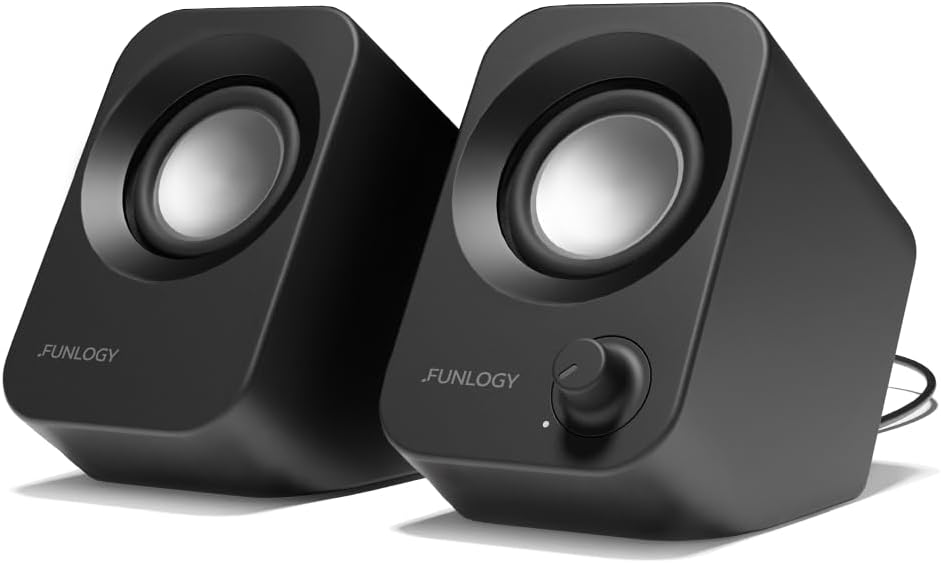
The FUNLOGY Speaker distinguishes itself as a premium choice within the budget category thanks to its robust 14W output. Recognized with a VGP award, it promises higher quality components that translate to clearer audio across various listening environments.
We may earn a commission when you buy through this link, at no additional cost to you.
Dual 48mm full-range drivers paired with passive radiators deliver impressive punch and clarity. The 30-degree upward tilt optimizes sound delivery for seated users directly. Noise-reducing components ensure static-free playback even during system startup or shutdown phases.
While it lacks flashy lighting effects found elsewhere, the matte finish and build feel justify the slightly higher price. The gold-plated aux input reduces interference for wired sources. These quality ofs matter for users who prioritize long-term reliability.
Gamers or streamers needing clearer communication and background audio will appreciate this model. It fits standard desks easily without dominating space. We recommend it for buyers wanting premium performance without paying high-end speaker prices.
High-quality internal components minimize distortion, ensuring dialogue and music remain crisp even at higher volumes.
The 30-degree tilt directs sound toward ear level, enhancing immersion without requiring software equalization adjustments.
We may earn a commission when you buy through this link, at no additional cost to you.
This soundbar offers a unique mounting solution that clamps directly onto monitors to free up desk surface. It integrates well into cramped workstations where separate towers are not feasible. The USB-C adapter ensures compatibility with modern laptops lacking traditional ports.
We may earn a commission when you buy through this link, at no additional cost to you.
Dual ultra-magnetic drivers provide deep bass and loud stereo sound. An adaptive channel switching sensor corrects left-right output regardless of whether the bar is mounted top or bottom. Touch controls offer modern convenience for muting or adjusting levels quickly.
Users must verify their monitor thickness before purchase to ensure a secure fit. The sound can be quite loud which may require volume management in shared spaces. These constraints are minor given the excellent space-saving benefits for compact setups.
Ideal for professionals with limited desk space who still want rich audio. The mounting system is easy to install. We recommend this for those needing maximum desk efficiency without sacrificing audio performance.
The patented clamp adjusts to various monitor sizes, allowing flexible placement top or bottom for optimal sound projection.
Built-in sensors automatically adjust sound channels, ensuring correct stereo imaging even if installed upside down.
We may earn a commission when you buy through this link, at no additional cost to you.
Designed for portability, these compact speakers deliver basic sound in a lightweight form factor. They are ideal for travel or small office cubicles where space is extremely limited. The front volume knob doubles as a power switch for easy operation.
We may earn a commission when you buy through this link, at no additional cost to you.
With a headphone jack, you can connect headphones directly to the speakers for private listening. The 3.5mm input accepts audio from almost any device. While the power output is lower than larger models, it is sufficient for voice calls and quiet media.
The plastic casing is durable but not designed for high volume gaming. It lacks deep bass but excels in clarity for speech. These trade-offs make it a practical tool for mobile professionals or students needing a travel audio solution.
Anyone with a minimalist desk setup or frequent traveler will find these useful. They are easy to pack. We recommend this for users prioritizing portability and simplicity over immersive audio experiences.
The built-in jack allows direct headphone connection, saving the need for extra dongles or switching devices.
Measuring small dimensions allows placement on any surface without obstructing work areas or monitors.
We may earn a commission when you buy through this link, at no additional cost to you.
This unit offers a soundbar-style profile that sits neatly below monitors. It combines audio and power into one USB cable, simplifying cable management significantly. The design is specifically targeted at desktop PC and laptop users needing external speakers.
We may earn a commission when you buy through this link, at no additional cost to you.
Dual 3W drivers with a passive radiator produce a wide stereo image and deep bass. It works across Windows, macOS, and Linux without drivers. The plug and play nature makes it ready immediately upon connection to any USB port.
The lack of a separate aux port might limit some older setups but is rare for modern USB setups. The bar shape is fixed so it must be placed on a flat surface. These limitations are minor compared to the unified cable benefit.
It is great for home offices seeking a clean desk aesthetic. The sound quality is balanced for general use. We recommend this for users wanting a tidy setup with robust audio in a single unit.
The single USB line handles both power and audio, removing the need for a second auxiliary connection.
Compatible with multiple operating systems ensures wide usability across different computing environments.
We may earn a commission when you buy through this link, at no additional cost to you.
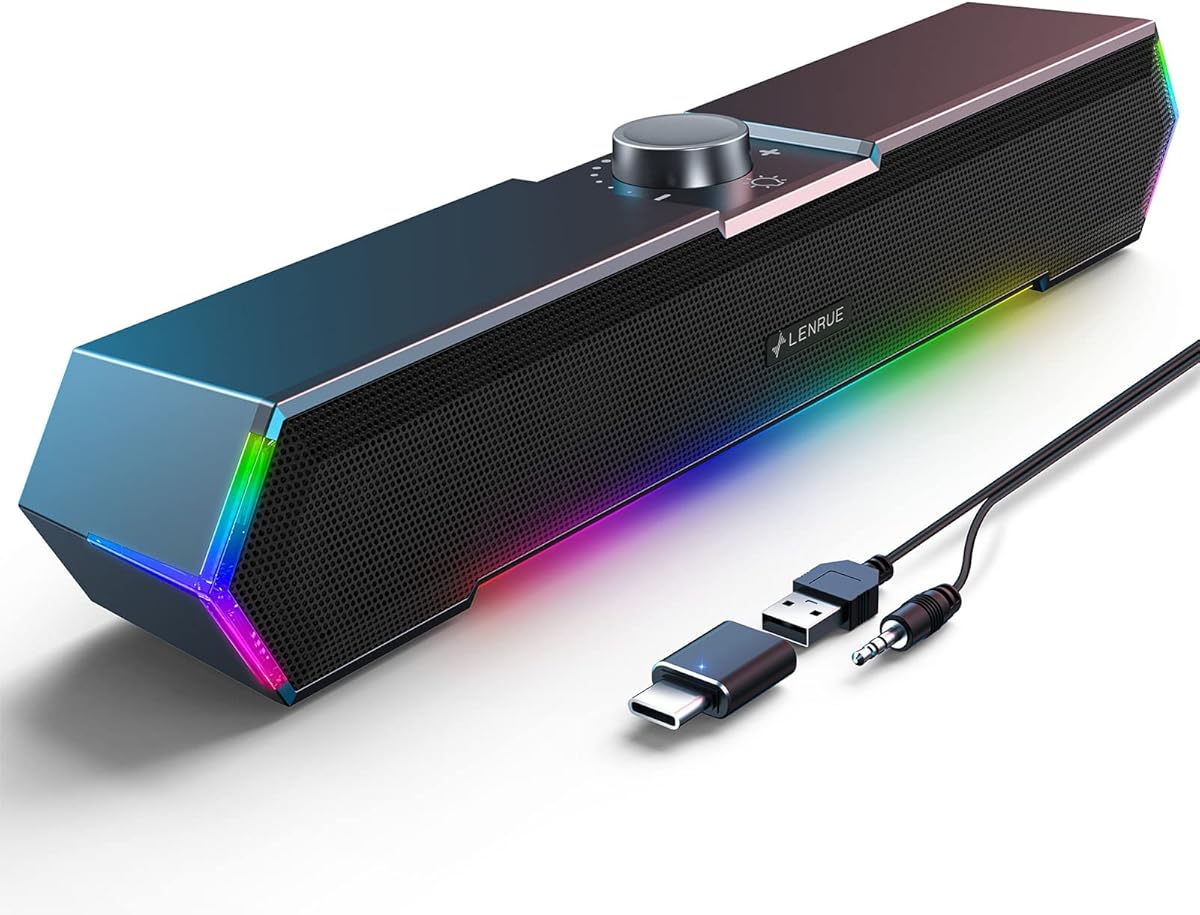
Designed with gamers in mind, these speakers feature dynamic angular lights that add visual flair to setups. The surge stereo sound provides clear output for voice chat and game effects. It supports both standard USB and USB-C power sources.
We may earn a commission when you buy through this link, at no additional cost to you.
A dedicated top volume knob allows quick adjustments while gaming. The cables are pre-glued to reduce tangles on the desk. The compact under monitor design saves space and keeps the visual setup clean while still offering RGB effects.
While the lights are a highlight, they might be distracting in a professional work environment. The audio is clear but relies on external amplification for deep bass. These factors make it better for gaming setups than office desks.
Gamers and enthusiasts wanting style and function will love this model. It fits standard desks easily. We recommend it for users who value RGB aesthetics alongside functional audio performance.
Touch controlled angular lights cycle colors to match gaming moods without complex software control.
Integrated cable design prevents tangling and keeps desk surfaces uncluttered for better organization.
We may earn a commission when you buy through this link, at no additional cost to you.
This model delivers vibrant RGB lighting at a budget price point. It features 3W drivers that provide crisp sound for music and movies. The slim design ensures it fits in tight spaces without compromising desk ergonomics.
We may earn a commission when you buy through this link, at no additional cost to you.
Inline volume controls allow precise adjustments without reaching for the speakers. The 7-color cycle adds ambiance to any desk setup. While the build is basic, the audio performance meets expectations for this price tier effectively.
Some users report that maximum volume levels are not very loud for open rooms. The plastic casing is functional but not rugged. These trade-offs are expected at this price and do not detract from its value proposition.
Students or casual users wanting visual appeal on a budget should choose this. It works well for standard media consumption. We recommend it for those wanting RGB features without a premium price.
Inline rotary knobs make it easy to adjust volume and mute audio on the fly.
The 7-color LED cycle creates a dynamic workspace atmosphere suitable for gaming or creative work.
We may earn a commission when you buy through this link, at no additional cost to you.
The Uakinat desktop speaker focuses on delivering clear, loud sound for a low cost. It uses 2x3W technology to drive volume levels higher than similar models. The inline volume control makes it easy to manage output during work.
We may earn a commission when you buy through this link, at no additional cost to you.
Cables are glued together to minimize clutter on the desk. The anti-slip foot pads ensure the speakers stay put during use. While the sound can be loud, some users find distortion occurs at maximum settings which is acceptable for background noise.
There are no extra features like lighting or USB-C support here. It is purely functional for audio output. These constraints make it a reliable utility speaker for those needing volume above all else.
Anyone needing a simple loud speaker for alerts will appreciate this. It requires no setup. We recommend it for users prioritizing clear audio output over additional design features.
The 2x3W drivers ensure audio remains audible even in busy or noisy office environments.
Anti-slip pads prevent scratches on your desk while keeping speakers steady during use.
We may earn a commission when you buy through this link, at no additional cost to you.
As a repeat mention, this model reinforces its reliability as a top choice. It consistently delivers high-quality audio with minimal fuss. The 45-degree elevation ensures sound projection is optimized for seated listening positions.
We may earn a commission when you buy through this link, at no additional cost to you.
Far-field drivers and passive radiators work together to provide depth. The single USB cable simplifies setup significantly for any user. Front volume controls offer immediate access to adjust levels during use.
The main limitation is reduced bass response compared to larger units. The lack of an aux port limits versatility for older devices. These are acceptable trade-offs for a device focused on simplicity and clear sound.
Anyone needing a dependable speaker for daily use should consider this. It is built to last. We recommend it for users who value consistent performance over complex features.
The fixed angle ensures sound travels directly to the user improving clarity for calls and media.
Simple materials and design ensure long-lasting functionality without unnecessary parts to fail.
We may earn a commission when you buy through this link, at no additional cost to you.
Selecting the right audio equipment involves weighing several technical and practical factors. This section breaks down the essential features to consider for a great desktop setup.
Most budget speakers use USB for power which simplifies setup by removing the need for wall adapters. Some models include a 3.5mm aux input for older devices. Check if your computer has enough USB ports and which interface you prefer.
Always verify that the power connector matches your available ports. USB-C support is increasingly important for modern laptops.
Look for wattage ratings like 3W or 14W to understand potential volume levels. Higher wattage usually means louder sound but check for distortion at high volumes. Drivers size matters for bass depth.
Prioritize models with passive radiators if you want better low-end response without a subwoofer.
Speakers with compact designs save desk space. Monitor clip options free up surface area entirely. Aesthetic features like matte finishes or RGB lighting suit different desk styles.
Ensure the physical dimensions fit your desk layout before purchasing.
Physical knobs are often more reliable than software volume. Inline controls keep settings accessible without reaching behind monitors. Touch buttons offer modern convenience but can be finicky.
Choose controls that match your frequent usage habits.
Check if speakers work with Windows macOS or Linux. Plug and play features save installation time. Driver support for older OS versions may vary.
Ensure the device lists your operating system as supported.
Build materials affect longevity. Metal grills protect drivers better than plastic. Anti-slip pads prevent sliding on smooth surfaces.
Invest in sturdy builds if you move your speakers often.
Integrated or glued cables reduce clutter on your desk. Long cables allow flexible placement without needing extension cords.
Look for tidy cable options to keep your workspace professional.
Budget options usually range from 10 to 30 dollars. Warranty periods vary from one month to eighteen months. Check return policies before buying.
A longer warranty offers peace of mind for daily use.
Start by connecting the USB cable to your computer to power the speakers. If using a 3.5mm jack, plug it into the audio output. Your system should detect the device automatically.
Adjust the volume knob slowly to avoid sudden loud bursts. If sound is low, check system settings to ensure volume is set to maximum.
Keep speakers away from direct sunlight and liquids to prevent damage. Wipe dust regularly with a dry cloth to maintain driver performance.
Most USB powered speakers in this list use plug and play technology which means they install automatically. You do not need to download drivers manually for Windows or macOS. Just connect the device and it will appear in your audio settings.
Yes most models listed are compatible with macOS systems. Ensure you use the correct USB adapter if your Mac lacks traditional USB ports. Audio settings may need adjustment to select the speaker as output.
USB provides both power and audio signal while AUX only provides audio. Speakers with USB only need one cable but require a USB port. AUX speakers need power from another source or internal batteries.
Distortion often happens when volume is set too high. Lower the speaker volume and increase system volume for better quality. Check for loose cables that might cause interference.
No these compact speakers do not include separate subwoofers. However some use passive radiators to enhance bass. For deep bass you may need a larger dedicated system.
Yes these speakers are suitable for casual gaming. They provide clear audio for voice chat and effects. For immersive surround sound consider dedicated gaming headsets instead.
None of the listed models have Bluetooth capabilities. You must use physical cables for connection. If you need wireless options search for Bluetooth enabled alternatives.
We reviewed ten reliable options ranging from minimalist designs to gaming focused models. The Creative Pebble 2.0 stands out for clarity while the Amazon Basics options offer unmatched value.
Prioritize connectivity and footprint when selecting a model. Ensure it fits your desk layout and supports your computer ports. Sound quality should meet your daily needs without unnecessary features.
Check current retail listings before purchasing as prices change often. A small investment now can significantly improve your digital audio experience for years.