
Thrustmaster T-Flight Hotas X USB Flight Sim Stick & Throttle
4.5Editor score
Detachable throttle design
Adjustable stick resistance
Plug and play setup
Discover the top Mac game flight controllers for immersive simulation. We compare yokes, sticks, and throttles to help you choose the right gear for your
Finding the right flight controller for your Mac can transform your gaming experience into a realistic aviation simulation. Whether you are a hobbyist or an aspiring pilot, the right hardware brings the skies closer to your desktop.
We evaluated the leading options based on build quality, compatibility, and feature sets. Our analysis focuses on how well each device integrates with popular simulators and delivers precise control during long flight sessions.
Each pick highlights key strengths and potential limitations to guide your decision. Keep in mind that product availability and pricing may fluctuate over time, so verify current details before purchasing your next aviation setup.
4.5Editor score

4.4Editor score

4.0Editor score
This table provides a side by side overview of the top ten flight controllers available for Mac users. Each entry lists core specifications to help you quickly compare features and find the best fit for your simulation needs.





The Honeycomb Aeronautical Alpha Flight Controls Yoke is a top contender for serious simulation enthusiasts. It delivers realistic control through its robust build and smooth mechanical design.
We may earn a commission when you buy through this link, at no additional cost to you.
Its 180 degree rotation and dual linear ball bearings ensure precise inputs that mimic real aircraft handling. The included switch panel adds vital functionality like master alternator and avionics controls.
While the build quality is excellent, users should ensure they have adequate desk space for installation. The mounting system offers flexibility but requires careful setup for maximum stability.
This controller is ideal for users seeking authenticity in their virtual cockpit. It stands out as the best overall choice for those willing to invest in premium hardware.
The steel shaft and ball bearing system provide smooth motion essential for accurate flight control during complex maneuvers.
Having master avionics and light switches built into the base simplifies cockpit management without needing extra peripherals.
We may earn a commission when you buy through this link, at no additional cost to you.
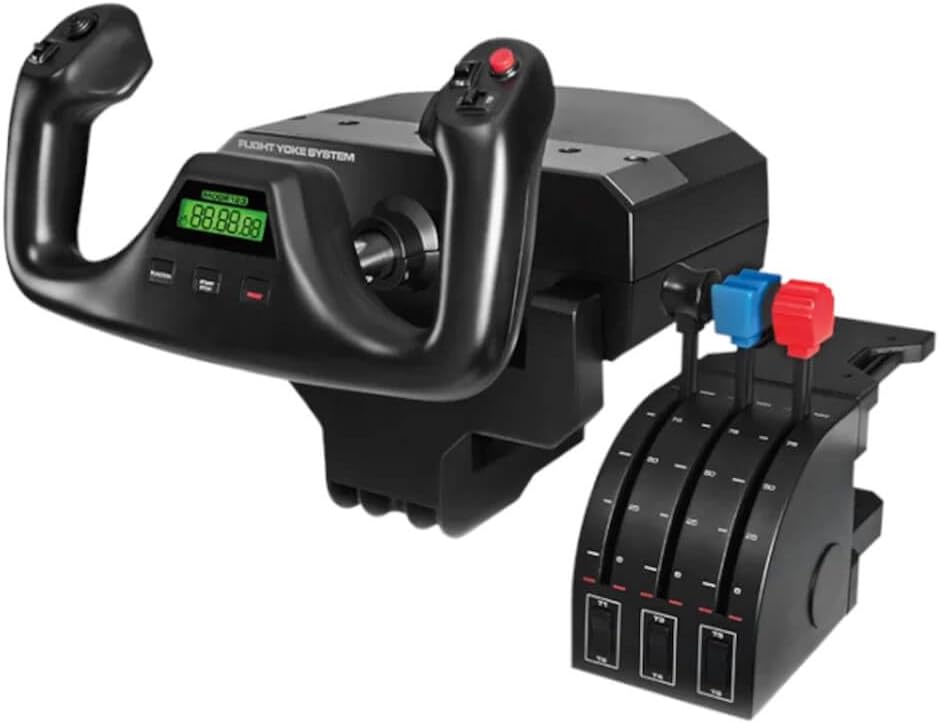
The Logitech G PRO Flight Yoke System offers a complete setup for new pilots and hobbyists. It provides a realistic entry point into flight simulation with essential controls included in the box.
We may earn a commission when you buy through this link, at no additional cost to you.
The stainless steel shaft ensures smooth movement while the throttle quadrant adds depth to your setup. With 54 programmable controls, you can map most aircraft functions directly to your fingertips.
Installation is straightforward with the included desk clamps designed for stability. However, macOS users may need to check software compatibility carefully before purchasing.
This system is an excellent choice for those wanting a full yoke experience without a high cost. It balances performance and price effectively for casual to intermediate users.
The realistic layout helps experienced pilots practice routines while aiding new learners in building familiarity with standard controls.
The dual clamp design ensures the unit stays secure even during aggressive control inputs or long flight sessions.
We may earn a commission when you buy through this link, at no additional cost to you.
The Thrustmaster T-Flight Hotas X is a fantastic option for those on a tight budget. It provides a comfortable hands on throttle and stick setup that is easy to use immediately.
We may earn a commission when you buy through this link, at no additional cost to you.
Its ergonomic design supports long sessions while the detachable throttle offers flexibility in cockpit arrangement. The resistance dial allows you to tune stick tension to your preference easily.
Although it lacks the heavy duty feel of premium units, the functionality is solid for the price. It is particularly good for users transitioning from keyboard controls.
This device is the best budget choice for beginners or casual gamers. It proves that you do not need to spend a fortune to enjoy a dedicated flight controller.
The wide hand rest keeps your hands in a natural position reducing fatigue during extended gaming sessions.
Preconfigured controls allow you to start flying right away without complex setup or software installation steps.
We may earn a commission when you buy through this link, at no additional cost to you.
The Logitech G X56 H.O.T.A.S system is a powerhouse for combat simulation enthusiasts. It offers a massive number of programmable controls for those who demand total command over their virtual aircraft.
We may earn a commission when you buy through this link, at no additional cost to you.
With hall effect sensors and twin throttles, the precision is exceptional. The RGB lighting adds a touch of style that matches other gaming peripherals on your desk.
The sheer number of buttons can be overwhelming for new users. Proper configuration requires time but pays off in a fully customized experience.
This is the best premium option for serious simmers needing advanced control. Its feature set justifies the cost for those dedicated to high fidelity simulations.
Customizable options allow you to achieve the exact performance level demanded by aspiring combat pilots.
Controls are placed under your fingers where subtle distinctions help navigate the set easily in virtual reality.
We may earn a commission when you buy through this link, at no additional cost to you.
The Turtle Beach VelocityOne Flightstick brings a modern approach to flight simulation control. It combines a high precision stick with an integrated OLED display for real time flight data.
We may earn a commission when you buy through this link, at no additional cost to you.
Non contact main axes reduce wear and ensure smooth inputs over time. The inclusion of customizable throttle and flap levers makes it more versatile than a standard stick.
While it lacks a separate throttle quadrant, the onboard controls cover many essential functions. The touchpad adds convenience for cursor navigation within flight menus.
This is an ideal choice for those wanting a standalone solution without multiple cables. It balances portability with advanced features well for modern gaming setups.
The OLED screen keeps important flight metrics visible without needing a separate monitor or screen overlay.
Compatible with Xbox and PC, it offers flexibility for users who switch between console and desktop platforms.
We may earn a commission when you buy through this link, at no additional cost to you.
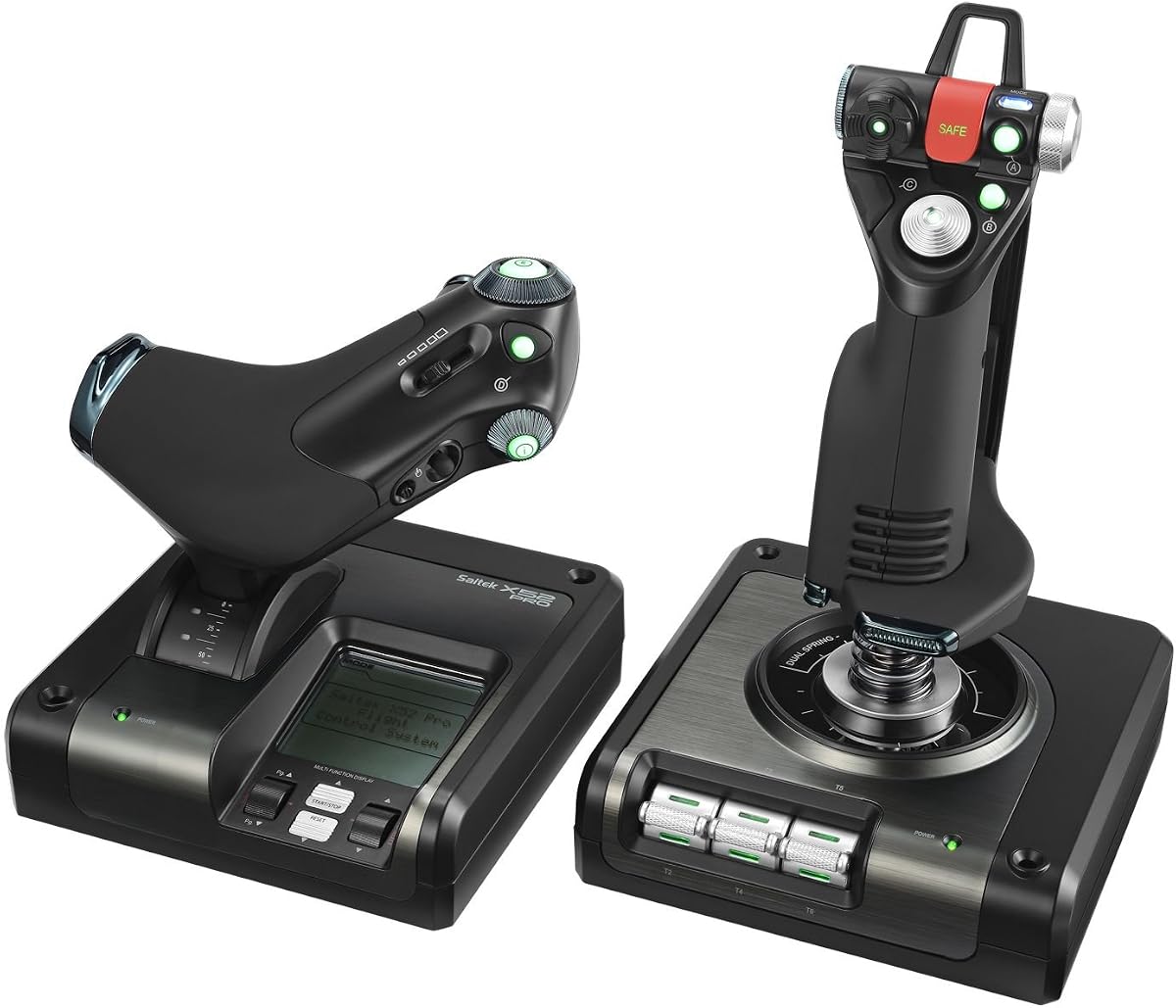
The Logitech G Saitek X52 Pro remains a popular choice for traditional flight sim fans. It features an LCD display that helps track mission data and system status effectively.
We may earn a commission when you buy through this link, at no additional cost to you.
The progressive throttle with resistance adjustment adds realism to takeoffs and landings. Its no contact technology on axes ensures durability and consistent performance over years.
While the design is older, it offers proven functionality that many users trust. The five position handle adjustment accommodates different hand sizes comfortably.
This controller is best for those who appreciate classic layouts. It provides a reliable foundation for flight simulation with enough features to stay relevant.
Detents for afterburner and idle provide tactile reference points essential for realistic engine management.
Powerful software lets you program the controller for each game, ensuring optimal settings for every flight.
We may earn a commission when you buy through this link, at no additional cost to you.
The Logitech G Pro Flight Yoke Bundle delivers a complete flying experience by including dedicated rudder pedals. This combination adds a crucial layer of realism for ground operations and turns.
We may earn a commission when you buy through this link, at no additional cost to you.
The pedals feature differential toe brakes which are essential for accurate runway handling. The yoke provides the same robust control as the standalone version with 54 programmable inputs.
While this setup demands more desk and floor space, it removes the need to source pedals separately. It ensures a cohesive system designed to work seamlessly together.
This bundle is perfect for those ready to commit to a full cockpit. It offers the most comprehensive package for realism among the top yoke options.
Adjustable foot rests accommodate different sizes ensuring comfort and accuracy during long taxiing or takeoff sequences.
The realistic yoke controls help experienced pilots enhance memory while aiding new learners in building familiarity.
We may earn a commission when you buy through this link, at no additional cost to you.
The Turtle Beach VelocityOne H.O.T.A.S aims to provide an advanced experience for console and PC users. It boasts a high resolution display and extensive customization options for enthusiasts.
We may earn a commission when you buy through this link, at no additional cost to you.
Hall Effect sensors ensure precision control over time while the swappable throttle detents offer tactile reference points. The customizable RGB lighting enhances the immersive look of your cockpit.
However, some users have reported configuration challenges that may deter beginners. It is important to check current firmware status before buying to ensure stability.
This device is best for tech savvy users willing to troubleshoot. It offers high end features that can transform flight simulation when working correctly.
The full color screen provides real time flight data and quick performance tuning without needing extra screens.
Adjustable left or right handed grip design ensures comfort during long sessions for different user preferences.
We may earn a commission when you buy through this link, at no additional cost to you.
The Logitech G PRO Flight Yoke System standard edition offers a solid base for simulation. It comes with a throttle quadrant that allows for detailed aircraft management.
We may earn a commission when you buy through this link, at no additional cost to you.
With 75 programmable controls, you can map most functions to your fingertips for quick access. The integrated USB hub helps reduce cable clutter by connecting other peripherals directly.
The stainless steel shaft provides the durability needed for daily use. While the throttle knobs are configurable, some users may prefer more resistance for realism.
This is a great choice for those needing a reliable standard yoke. It balances functionality and price effectively for most home simulation environments.
Configurable throttle knobs allow you to tailor the control feel to match your preferred simulation style.
An integrated USB hub simplifies setup by reducing the need for additional ports on your computer.
We may earn a commission when you buy through this link, at no additional cost to you.
The Logitech G Saitek PRO USB Flight Yoke System Renewed offers a way to access premium hardware at a lower cost. It features a stainless steel shaft for smooth operation and reliable durability.
We may earn a commission when you buy through this link, at no additional cost to you.
A digital chronograph helps with aviation procedures like holds and instrument approaches. The unit includes Saitek's Smart Technology software for deep customizability of control configurations.
As a renewed item, it may show signs of use but is tested for functionality. This option is great for budget conscious buyers who want established quality.
This controller is best for those comfortable with refurbished electronics. It provides a proven flight experience without the price tag of a brand new unit.
The integrated digital chronograph is perfect for brushing up on IFR and cross country procedures efficiently.
Compatible with Mac OS X systems allowing Mac users to enjoy realistic aviation adventures from the comfort of their computer.
We may earn a commission when you buy through this link, at no additional cost to you.
Selecting the right flight controller involves considering several critical factors to ensure compatibility and performance. This section breaks down the key elements you should evaluate before making a purchase.
Always check the system requirements to confirm the controller works with your macOS version. Some devices are designed primarily for Windows and may require third party drivers or workarounds to function correctly on a Mac.
Verify that the manufacturer explicitly lists macOS support or uses generic HID drivers that work out of the box.
Choose between a yoke system for civil aviation and a HOTAS (Hands On Throttle And Stick) for combat or space simulation. Yokes mimic small aircraft controls while sticks offer more freedom of movement.
Consider your preferred flight style and whether you need separate throttle quadrants or integrated levers.
Look for solid materials like stainless steel shafts and weighted bases to prevent movement during intense sessions. Cheap plastic builds often feel flimsy and lack the stability needed for precise flying.
Investing in durable hardware ensures longevity and a more realistic experience over time.
More programmable controls give you better access to aircraft functions without switching menus. Aim for a device that offers at least 20 programmable inputs to cover essential tasks comfortably.
Ensure the software allows you to save profiles so you can switch between different games easily.
Secure mounting is crucial to prevent the controller from shifting when you pull back or push forward. Check if the device comes with clamps or if you need to buy a separate mounting bracket.
Clamps should be robust and adjustable to fit your specific desk thickness securely.
If you plan to do a lot of taxiing or landing, dedicated rudder pedals add significant realism. Some bundles include pedals while others require them to be bought separately.
Toe brakes on pedals are essential for controlling your aircraft on the ground accurately.
Good driver software makes mapping controls intuitive and saves your settings for each title. Look for tools that support macros or custom profiles for enhanced functionality.
Check community forums to ensure the software is still being updated and is reliable on your system.
Set a realistic budget that allows you to get the features you need without overspending. Premium options offer more realism but basic controllers can still provide a fun entry point.
Consider refurbished units if you want high end features at a more accessible price point.
When first setting up your controller, connect it directly to a USB port on your Mac rather than a hub to ensure stable power and data transfer. Install any necessary drivers before launching your flight simulator.
Take time to map your most used functions to easily accessible buttons. Use the software to create specific profiles for different aircraft types to streamline your workflow during flights.
Keep the moving parts clean and free of dust by wiping them down regularly with a dry cloth. Store the device in a dry place when not in use to prevent wear on the mechanical components.
Not all controllers support every version of macOS. You should check the specific system requirements for each product to ensure compatibility with your current operating system. Some older devices may require specific drivers that might not be updated for newer macOS versions.
Yes, you can use a yoke for combat simulations but a HOTAS setup is often preferred for faster access to weapons and flight modes. Many users combine a stick with throttle to get the best of both worlds in mixed role games.
A steel shaft provides a more realistic weight and resistance that mimics real aircraft control systems. It also tends to be more durable and less prone to flexing during aggressive inputs compared to plastic alternatives.
Most controllers are designed to work with major simulators like Microsoft Flight Simulator X-Plane and Prepar3D. You may need to configure the controls within the simulator settings to map the buttons correctly for your desired aircraft.
Rudder pedals control the yaw of the aircraft while toe brakes apply braking force to the wheels on the ground. Many modern pedals combine both functions allowing you to steer and stop without needing separate devices.
Renewed controllers can be reliable as they are inspected and tested to function properly. However, it is important to buy from reputable sellers who offer a return policy in case the device does not meet expectations.
Controller lag is often caused by wireless interference or high USB load. Try connecting directly to the computer with a high quality cable or reduce other USB devices to improve response times.
Basic plug and play usually works without software but advanced features like macros often require the manufacturer software. It is good practice to install the latest drivers to ensure compatibility and performance stability.
We have covered the top ten flight controllers that bring realism to Mac gaming from budget friendly sticks to premium yoke systems. Each option offers unique benefits depending on whether you prefer civil aviation or combat simulation.
When choosing prioritize build quality and compatibility to ensure a smooth experience. A device with a solid steel shaft and strong mounting will serve you better over time than a flimsy alternative.
Remember that prices and availability can change so double check current deals before finalizing your purchase. Investing in the right controller will elevate your flight simulation sessions significantly.