
DARKROCK 3-Pack 120mm
4.6Editor score
Three fans in one pack
Low noise hydraulic bearings
Simple screw installation
This guide compares the top 10 exhaust fans for PC to help you find reliable cooling, low noise, and efficient airflow for your computer setup today.
Finding the right exhaust fan for PC can significantly impact your system performance and longevity. A good fan ensures proper airflow, reducing heat buildup that leads to throttling or hardware failure.
We analyzed ten highly rated models based on performance, noise levels, bearing types, and user feedback. Our goal is to highlight options that balance cooling power with quiet operation.
Each pick includes detailed specs and real-world application notes to guide your decision. Keep in mind that product availability and pricing can change rapidly online.
4.6Editor score

4.8Editor score

4.4Editor score
Below is a side-by-side comparison of the top ten exhaust fans for PC available today. Each entry highlights key specifications to help you decide quickly.




This fan offers a robust solution for general case cooling and server ventilation. With its dual ball bearings and wide speed range, it delivers consistent performance across various environments.
We may earn a commission when you buy through this link, at no additional cost to you.
The AC plug design simplifies installation for users who want to avoid motherboard headers. Adjustable speed allows you to balance noise and cooling as needed.
While it may be slightly larger than standard case fans, the airflow output is impressive. The main limitation is the need for an AC outlet which limits placement options.
Ideal for server cabinets or open bench builds. If you need high airflow without complex wiring, this model stands out as a reliable choice.
Adjust the fan speed to match your cooling needs or noise tolerance instantly.
Supports multiple voltages making it suitable for international use or various power setups.
We may earn a commission when you buy through this link, at no additional cost to you.
The Pure Wings 3 delivers an excellent balance between airflow and noise reduction. Its blade design and rifle bearing ensure stable operation even at high speeds.
We may earn a commission when you buy through this link, at no additional cost to you.
Fans from be quiet! are known for their acoustic performance. This model continues that tradition with low minimum RPM settings that keep the system whisper quiet when idle.
While it lacks RGB lighting, the focus is on performance. The main trade-off is the reliance on a PWM header which may not be available on older systems.
Recommended for silent PC builds where noise is a priority. If you need maximum airflow without compromising on acoustics, this is a top contender.
Ensures a long lifespan and smooth rotation with minimal friction over time.
The frame reduces turbulence and maximizes airflow efficiency for better cooling.
We may earn a commission when you buy through this link, at no additional cost to you.
This three-pack offers an affordable way to upgrade airflow across multiple points in your case. Each fan is designed for low noise and simple installation.
We may earn a commission when you buy through this link, at no additional cost to you.
The hydraulic bearings help reduce noise while extending the service life of each unit. Soft silicone cushions absorb vibrations for a quieter experience.
Although the design is basic, it focuses on essential cooling. The main limitation is the lack of lighting features if aesthetics are important to you.
Best for budget builds or cases needing extra intake and exhaust. If you prioritize function over form, this pack delivers reliable performance for the price.
Silicone cushions reduce noise caused by vibrations at higher speeds.
Compatible with standard mounts making it easy to install without special tools.
We may earn a commission when you buy through this link, at no additional cost to you.
The X1 USB fan is designed for portable and surface cooling scenarios. Its ultra-quiet performance makes it ideal for gaming setups or home offices.
We may earn a commission when you buy through this link, at no additional cost to you.
With a built-in cable and shock-absorbing pads, it connects easily to power banks or laptops. The fan provides significant cooling power for its size.
While not a standard internal case fan, it excels at spot cooling. The main trade-off is the need for a USB port which may limit where it can be placed.
Perfect for cooling consoles, routers, or tight spaces. If you need portable cooling without noise, this fan is a highly convenient choice.
Operates at just 18dB which is quieter than most library environments.
Works with various devices including gaming consoles and network equipment.
We may earn a commission when you buy through this link, at no additional cost to you.
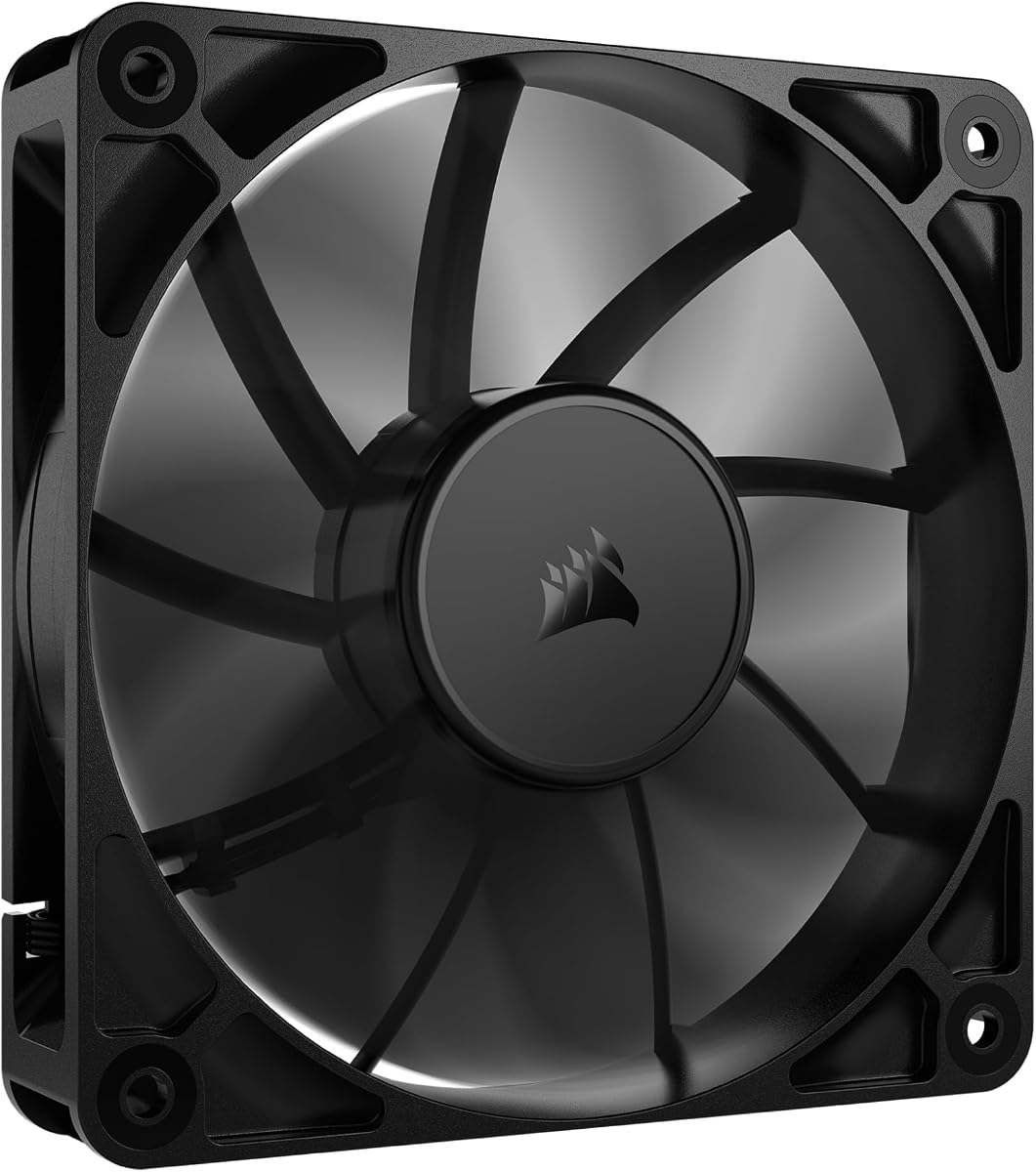
The CORSAIR RS120 simplifies cable management with its daisy-chain connection. This allows multiple fans to be controlled through a single PWM connector.
We may earn a commission when you buy through this link, at no additional cost to you.
AirGuide technology directs airflow precisely to where it is needed most. The magnetic dome bearing ensures quiet operation and longer lifespan.
While it offers high static pressure for radiators, it performs well as a case fan. The main limitation is the single pack availability if you need multiple units.
Ideal for systems with limited header availability. If you want clean cabling and efficient cooling, this fan is a strong choice.
Connect multiple fans with one cable to reduce clutter and save headers.
Anti-vortex vanes concentrate airflow to push hot air away from components.
We may earn a commission when you buy through this link, at no additional cost to you.
This five-pack provides extensive coverage for full case airflow optimization. Each unit includes ARGB lighting that can be synchronized through your motherboard.
We may earn a commission when you buy through this link, at no additional cost to you.
The S-FDB bearings are designed to minimize blade shaking and noise. At 1550 RPM, these fans provide excellent cooling without excessive noise.
Lighting effects are customizable and match well with other components. The main limitation is managing power for five RGB fans which may require splitters.
Best for complete case overhauls with lighting. If you want full coverage and visual flair, this pack is an excellent value.
LED blades reflect light softly for a vibrant lighting effect.
Long cables allow convenient series control of multiple fans easily.
We may earn a commission when you buy through this link, at no additional cost to you.
This 80mm fan is perfect for compact cases that do not support 120mm mounts. It delivers silent operation while maintaining good airflow.
We may earn a commission when you buy through this link, at no additional cost to you.
Designed for quiet PC builds, it works well with CPU coolers and small form factor systems. The long life bearing ensures consistent performance.
While it cannot match the airflow of larger fans, it is ideal for constrained spaces. The main limitation is the smaller size which limits cooling potential.
Recommended for SFF builds or specific mounting needs. If you need reliable silent cooling in a small package, this is a great option.
Compatible with standard 80mm mounts for versatile use.
Delivers excellent ventilation to reduce system heat buildup.
We may earn a commission when you buy through this link, at no additional cost to you.
This redux edition maintains Noctua quality at a lower price point. It offers high static pressure for demanding cooling tasks like radiators.
We may earn a commission when you buy through this link, at no additional cost to you.
With a max speed of 1700 RPM, it provides significant airflow. The pressure-optimised blade design ensures quiet operation even at high speeds.
While it lacks some premium accessories, the performance is solid. The main limitation is the lack of bundled anti-vibration mounts unless bought separately.
Ideal for cooling demanding components efficiently. If you want reliable high-pressure airflow with low noise, this model is a top choice.
Blades maximize airflow efficiency while keeping noise levels low.
Longest life rated among options ensuring extended reliable performance.
We may earn a commission when you buy through this link, at no additional cost to you.
This fan is designed for maximum airflow and high-performance cooling. With 5300 RPM and 230 CFM, it delivers exceptional cooling capacity.
We may earn a commission when you buy through this link, at no additional cost to you.
The dual-ball bearings allow it to stand upright or lay flat without issues. It is ideal for mining rigs or projects requiring intense ventilation.
While it excels in cooling, the noise level is high at full speed. The main limitation is acoustic comfort which may not suit quiet home PCs.
Best for specialized cooling or industrial applications. If you need raw airflow and can tolerate noise, this fan is unmatched.
Allow flexible orientation for mounting on various surfaces.
230 CFM provides maximum cooling for high thermal loads.
We may earn a commission when you buy through this link, at no additional cost to you.
This three-pack offers a versatile solution for balanced airflow and lighting. Each fan is equipped with S-FDB bearings for low noise.
We may earn a commission when you buy through this link, at no additional cost to you.
The ARGB lighting provides 17 modes that sync with your motherboard. This allows for aesthetic customization along with functional cooling.
While it requires PWM headers and lighting connectors, the performance is reliable. The main trade-off is managing the cables for a clean build.
Ideal for mid-range builds wanting RGB. If you need silent cooling with visual appeal, this trio is a strong choice.
Designed for stability and longevity with minimal noise.
Automatic speed control adapts to system temperature changes.
We may earn a commission when you buy through this link, at no additional cost to you.
Selecting the right exhaust fan involves balancing performance, noise, and budget.
Ensure the fan matches your case cutout. Standard sizes are 120mm or 140mm.
Always check your case manual for compatible fan dimensions before buying.
Bearings like ball or hydraulic affect lifespan and noise.
Ball bearings are more durable while hydraulic bearings are quieter.
CFM measures airflow for case ventilation. Static pressure matters for radiators.
Prioritize CFM for cases and static pressure for liquid cooling setups.
Noise levels range from ultra-quiet to high performance.
Choose lower dBA for living spaces or office environments.
PWM fans allow precise speed control based on temperature.
Check if your motherboard has PWM headers for compatibility.
RGB fans offer visual customization but cost more.
Decide if lighting is essential or if standard fans suffice.
Look for fans with longer MTTF ratings and warranties.
Higher durability means fewer replacements and less hassle.
Consider how the fan gets power. Some use USB while others need headers.
USB fans are portable but may lack full speed control.
Install the fan with the airflow arrow pointing out of the case. This ensures hot air is pushed away from components.
Secure all screws tightly to prevent vibrations. Use rubber grommets or silicone cushions if provided.
Clean the blades regularly to maintain airflow. Dust buildup can reduce efficiency and increase noise.
The most common size is 120mm. It fits most cases and provides good airflow. Check your case manual for specific dimensions.
Look for arrows on the frame showing airflow direction. Generally push air towards the radiator or out of the case.
PWM fans offer precise speed control which helps reduce noise. DC fans are simpler but less flexible.
Noise may be caused by dust buildup or loose screws. Clean the fan and tighten mounting screws to reduce vibration.
Look for lower dBA ratings and bearing types like hydraulic. Fans with higher static pressure often balance noise and performance well.
No. These sizes are not interchangeable. Check your case support for standard sizes before buying.
Choosing the right exhaust fan for PC can transform your system cooling. Whether you need silent performance or raw airflow there is an option for every build.
Focus on airflow ratings bearing types and mounting compatibility. These factors determine how effective your cooling solution will be over time.
Always verify availability and check current product details before purchasing. Reliable ventilation ensures your hardware runs cooler and lasts longer.